Creating a map service with React + Express (TypeScript) by the developer of Corona Map
This is a course where you will build a map service from scratch using the MERN stack (feat. TypeScript). Let's build it step-by-step while following the official API documentation.
I wanted to learn about TypeScript grammar and use it with React, and I happened to hear a hot new lecture that had just been updated. I had used several APIs in the past, but I had almost just copied and pasted them. However, through this lecture, I learned how to use the official API documentation, and I gained confidence that I would be able to find and use the functions I need in the future. Also, TypeScript is not difficult, and the explanation is good, so I think even beginners will be able to follow along easily. Thank you for the great lecture :)
5.0
ACACIA
100% enrolled
Well... it's ambiguous. Thank you for your hard work.
5.0
baby4
100% enrolled
I didn't try the map API because it seemed difficult, but I had fun taking the class.
What you will gain after the course
React + TypeScript Development
Express + TypeScript Development
Utilizing MongoDB + Mongoose
How to use the Kakao Maps API
How to use Naver Map API
Take on the challenge of map service development with the developer of Corona Map, which reached 44 million views 💻
<출처: KTV>
<출처: EBS>
Map Service Development with the MERN Stack 🗺️
Hello, I am developer Lee Dong-hoon. I planned and developed Corona Map, which was used by 16 million people and exceeded 44 million views, as well as Mask Map, which shows real-time mask inventory status. Currently, I am building GIS-related products at a startup.
I believe that map services will become one of the essential technology stacks in the future as location information grows in importance. However, it is true that the barrier to entry is quite high when first developing a map service. Through this course, I hope students can create map services more easily and, furthermore, experience the true appeal of map services.
This course teaches everything from initial environment setup to map service implementation using React, Express, and MongoDB. By building the service yourself, you can experience the entire production process of the full stack, covering both frontend and backend.
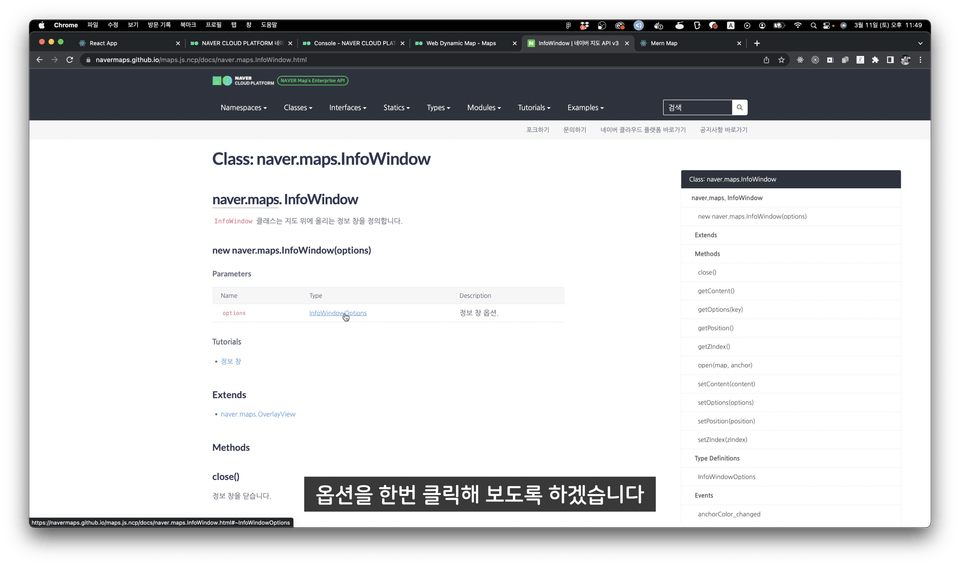
For Naver Map and Kakao Map APIs, this course doesn't just have you write code; it teaches you why we use it that way by utilizing the official documentation. It helps students become more familiar with official documentation.
This course contains map-related knowledge used in practice. Of course, the difficulty level is set to be easily understood by beginners, and subtitles have been added to all lectures, so you can listen without any burden. We also provide boilerplate source code to reduce the initial setup burden for students.
I have released two map service courses on Inflearn. Thanks to the support and interest of many people, I have received a lot of positive feedback despite the niche topic of map services. Among the feedback for the courses, there were many opinions expressing a desire to create services using the tech stack actually used in the industry, which led me to create this course. (Below are reviews for the previously released course, 'Building a Map Service with the Coronamap Developer.')
★★★★★
It's great for listening in your spare time, and the subtitles are a plus, allowing you to watch without sound. Also, since the instructor guides you through the entire process from start to finish, it was easy to understand and follow along.
★★★★★
The explanation is truly so, so good; it's honestly the best. To give a tip to other students, as someone who completed it exactly by following the lectures, you'll be able to finish it without any issues as long as you pay close attention to case sensitivity. Thank you so much.
★★★★★
Overall, this was a lecture where I could learn how to create and utilize map services. What impressed me the most was the speed of the Q&A responses and the kindness shown in the detailed feedback. Thank you sincerely for creating such a beneficial lecture.
I recommend this to the following people 🙆♀️
Those who want to create a map service using React and Express
Those who want to build a project from start to finish
Those who want to use APIs by utilizing official documentation
Course Features ✨
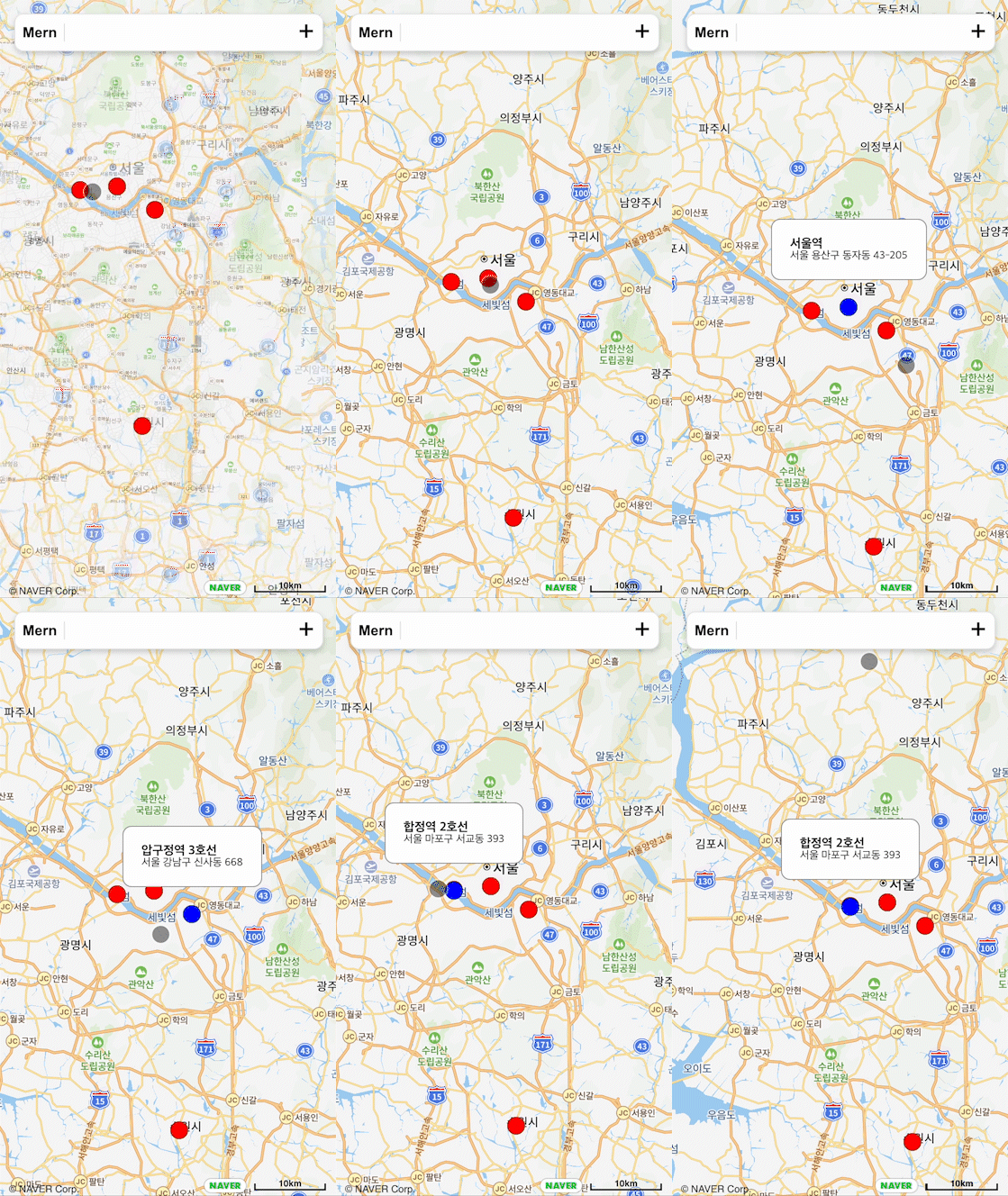
In this lecture, we cover React, Express, MongoDB, mongoose, TypeScript, upload functionality, lookup functionality, and search functionality. In the lecture, we plan to build the following project.
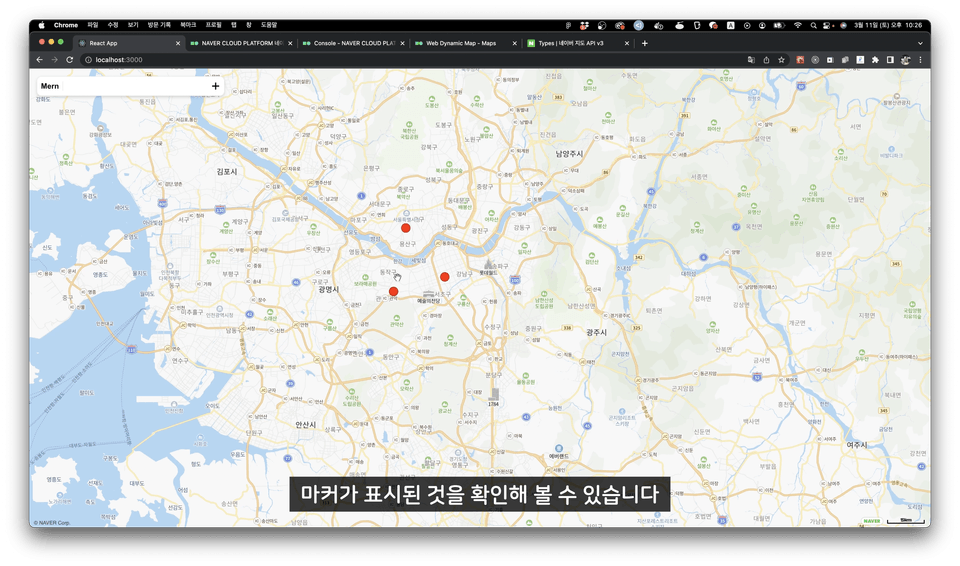
Features for querying data and displaying markers and info windows on the map
Location information search function using the Kakao Keyword Search API
Location information upload function
You can learn how to use the Naver and Kakao Map APIs by utilizing their official documentation.
You can understand how to create projects using React, Express, MongoDB, and TypeScript.
You can understand the roles of the frontend, backend, and database and build them when creating a project.
What you will learn 📚
#0. Course Introduction and Initial Environment Setup
This lecture provides an introduction to the course and the project we will be building, and explains how to set up the initial environment for the lessons.
#1. Frontend. Creating the Navigation Bar
This is a lecture on creating the navigation bar necessary for the project. It proceeds by first creating basic components, including buttons and inputs, and then building the navigation bar.
#2. Frontend. Displaying Naver Maps
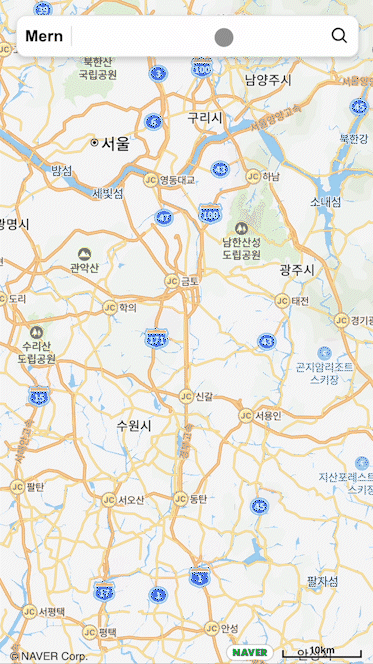
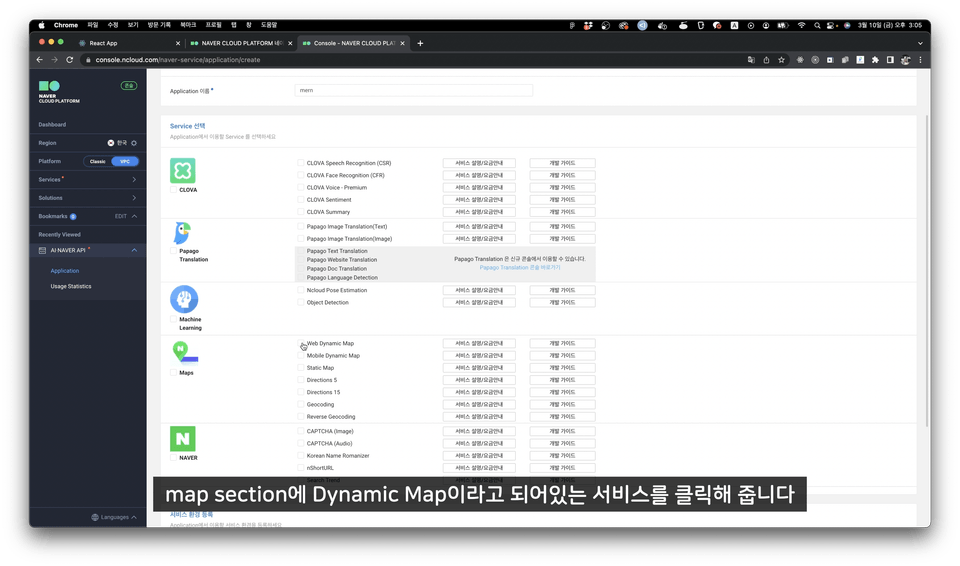
This lecture covers setting up and applying the Map API, which is the core of any map service. Since this lecture uses the Naver Map API, it explains how to create an application, issue an API key, and display the Naver Map API in React. Additionally, you will learn how to add map click events by referring to the official documentation.
#3. Frontend. Jotai
This lecture introduces Jotai, a global state management library, and covers how to utilize it.
#4. Frontend. Creating Markers
This section explains markers, one of the ways to display data in map services. This lecture covers how to create multiple markers, display them on the map, and add click events. It explains how to implement a feature that shows and hides an info window when a marker is clicked, as well as how to add click events to the map itself.
#5. Frontend. Creating an Info Window
This section explains how to receive the current location and display it on the map using a marker, which is the most frequently used and fundamental feature in map services.
#6. Frontend. SearchBoard Creating a Search Bar
This lecture covers creating a SearchBoard to display search results and building a search bar using hooks. We will implement a feature that takes a destination input from the user and displays it on the map using the keyword search API provided by Kakao. You can learn how to handle the latitude and longitude values received as results, and it also covers error handling to ensure only a single marker is displayed on the map.
#7. Database. MongoDB
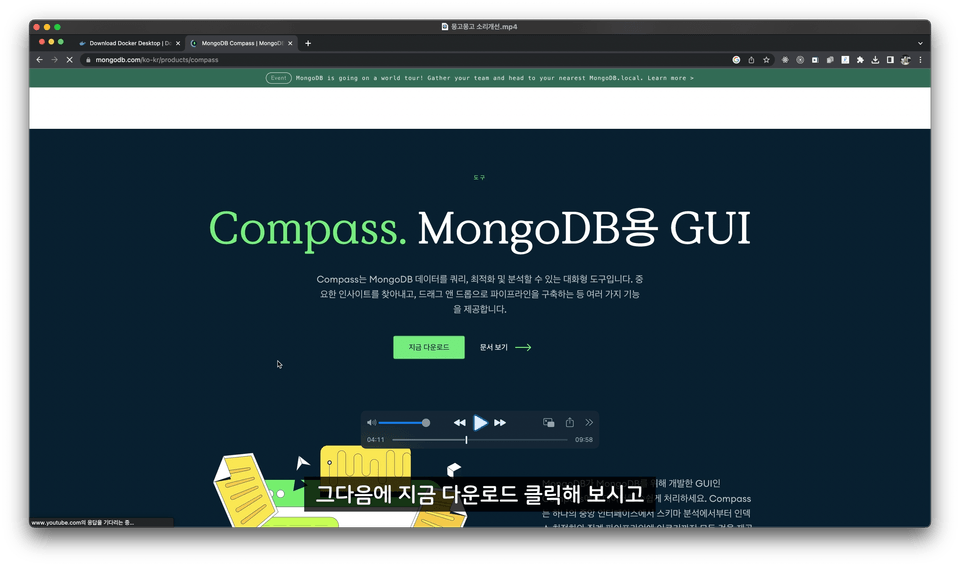
This is a lecture on installing and setting up MongoDB, a NoSQL database. We will run the DB server in a local environment using docker-compose and connect it to Compass, a MongoDB GUI tool.
#8. Backend. Express
This is a lecture where we will create APIs for saving location data, retrieving all location data, and searching results using Express. We will manage the data by connecting Mongoose to the previously configured MongoDB.
#9. Frontend ) React-Query
This lecture covers how to use React Query for API communication to retrieve location data and search results, and to create location data.
Expected Q&A 💬
Q. What are the benefits of learning React, Express, MongoDB, and Node?
The biggest advantage is that you can build both the frontend and backend using a single language. React and Express are the most widely used library and framework in the Node environment, and MongoDB is a NoSQL database that pairs well with Node and can be easily used through a package called mongoose.
Q. What is the difficulty level of the course for beginners?
Since you will be building the project from start to finish, the difficulty level is such that everyone can complete it perfectly if they follow along slowly. However, due to the nature of the course, basic knowledge (TypeScript, React hooks, Express structure, etc.) is not covered, so you will need to study these in advance.
Q. Will there be any costs for using the Naver Map or Kakao Map APIs?
You don't need to worry, as there is no cost involved in creating the project for this lecture. :) The Naver Map API offers 10,000,000 free requests per month, and the Kakao Map API offers 300,000 free requests per day. As long as there isn't a massive amount of traffic, you can use them for free.
Recommended for these people
Who is this course right for?
Someone who wants to create a map service with React
Those who want to learn how to utilize official documentation
I planned and developed the original Corona Map, which surpassed 44 million views, and I continue to operate services like Mask Map and Corona Me to resolve inconveniences for many users.
Currently, I have founded a small startup and am working hard as the CTO.
I wanted to learn about TypeScript grammar and use it with React, and I happened to hear a hot new lecture that had just been updated. I had used several APIs in the past, but I had almost just copied and pasted them. However, through this lecture, I learned how to use the official API documentation, and I gained confidence that I would be able to find and use the functions I need in the future. Also, TypeScript is not difficult, and the explanation is good, so I think even beginners will be able to follow along easily. Thank you for the great lecture :)