inflearn logo

Linux BSP Bring-Up and Boot Optimization Part 1: U-Boot Bootloader

It systematically explains everything from the core principles of the U-Boot bootloader needed for practical Linux system software development to source code analysis, TRACE32 debugging, kernel loading, and device tree processing.

29 learners are taking this course

Level Basic

Course period Unlimited

Linux
Linux
Operating System
Operating System
debugging
debugging
Linux
Linux
Operating System
Operating System
debugging
debugging

What you will gain after the course

  • You can understand the structure and operating principles of U-Boot and analyze the bootloader’s overall execution flow.

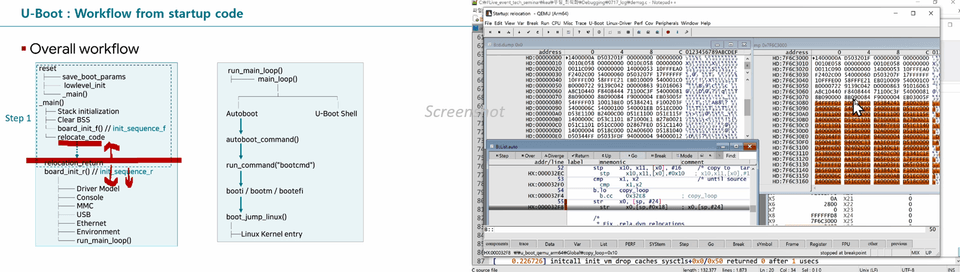
  • By directly analyzing the U-Boot source code, you can understand key operations such as startup code, memory initialization, and relocation.

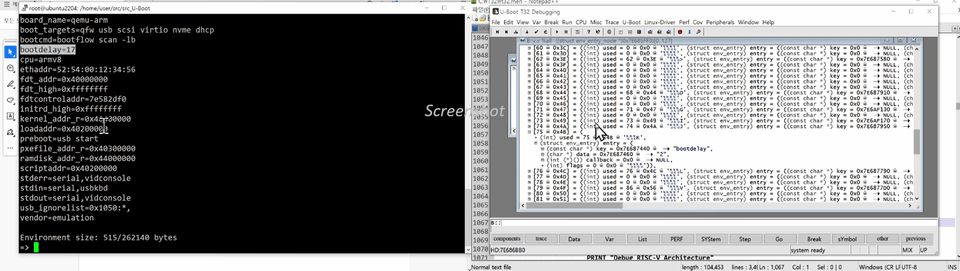
  • You can use QEMU to run U-Boot and analyze boot logs without a physical development board.

  • TRACE32 can be used to check and debug U-Boot’s execution flow, register states, and memory state.

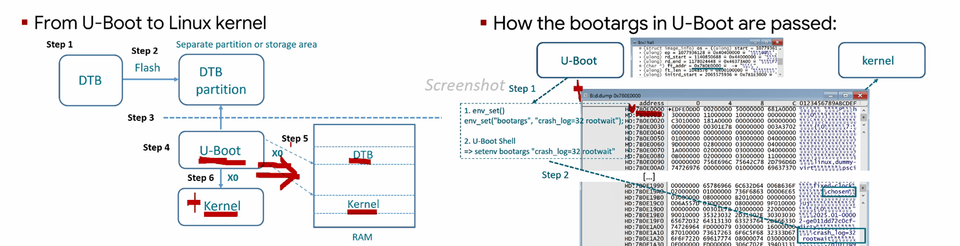
  • You can understand the interfaces between U-Boot and the Linux kernel, including the kernel command line and DTB, and analyze and resolve booting issues.

System semiconductors, the automotive industry, and so on

The Bootloader Every System Software Developer Should Know

One of the most important tasks in Linux system software development is bring-up. Bring-up, which involves developing and verifying software so that it works properly on new hardware, is a critical task that must be carried out quickly to meet project deadlines. The software that plays an important role in this process is the bootloader.

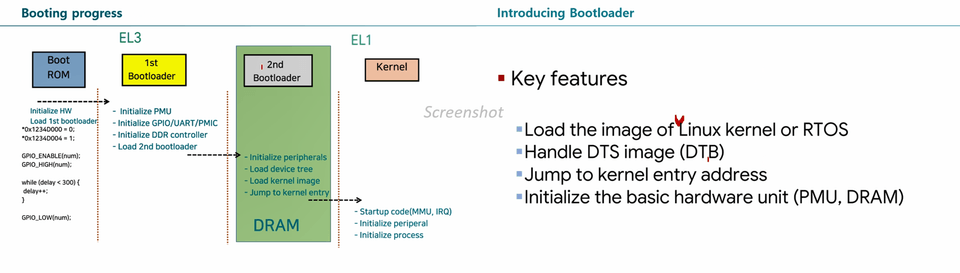
The bootloader runs before the Linux kernel, initializes the hardware, and is responsible for launching the operating system. In embedded systems in particular, the bootloader is the starting point for hardware bring-up and a key component of the boot process. Bootloaders are used not only in various embedded systems, including smart devices, system semiconductors, and electric vehicles, but also in Linux-based servers. Therefore, from fabless developers at system semiconductor companies to system software developers who develop finished products, the bootloader is a core technology that must be understood.

Why This Course Was Created

There are not many educational resources that systematically explain how bootloaders work and how they are developed. Most courses only cover bootloaders briefly as background knowledge, and in many cases, developers learn about them while solving problems during projects. Linux is also covered in university operating systems courses, but bootloaders are a field that is difficult to encounter in formal education.

Linux system software developers in various industries, including system semiconductors and electric vehicles, know that understanding bootloaders is essential to improving their practical skills. However, it is not easy to determine where and how to start studying bootloaders or which principles and technologies to focus on mastering in real-world projects.

This course systematically explains everything from the basic principles of bootloaders to the structure and operation of U-Boot and the key technologies required during actual bring-up to help overcome these challenges. Through this, learners will go beyond simply using bootloaders to analyzing and resolving boot process issues, as well as performing hardware bring-up and boot optimization in real-world settings.

Course Differentiators

This course is not simply an overview of the U-Boot bootloader’s structure. It is a hands-on, practice-oriented course designed around the problems and situations that Linux system software and firmware developers encounter during actual hardware bring-up. From understanding how the bootloader works to source code analysis, debugging, and booting the Linux kernel, you can systematically learn the essential skills needed in practice.

1. An environment for hands-on practice

Learners can directly debug the operation of the U-Boot bootloader using the TRACE32 simulator version. Even without separate hardware debugger equipment, they can install TRACE32 on a PC and practice essential debugging commands. This allows them to build a solid foundation in bootloader debugging before using actual development boards and debugging equipment.

2. Difficulties in Detailed Review of the U-Boot Source Code

How do you debug projects involving Linux system software? In most cases, you analyze kernel logs or memory dumps. What skills are required to analyze logs or dumps properly? You need the ability to read and understand the Linux kernel source code or grasp how processes and interrupts work. However, in real-world projects, senior developers with these skills are rare, and even if you are lucky enough to have a developer who is good at debugging, the reality is that they are usually too busy to explain things in detail and patiently.

3. Running U-Boot and Analyzing Logs Using QEMU

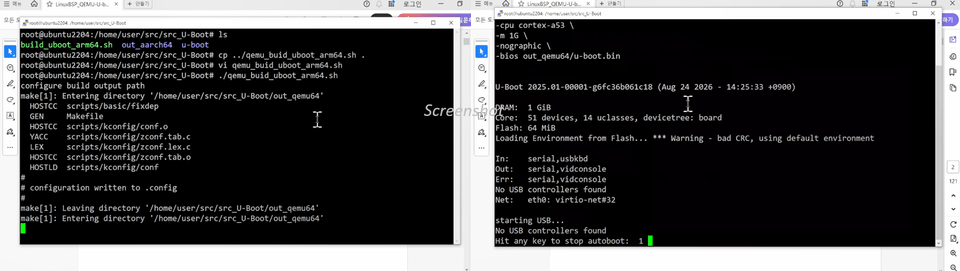
It is easy to assume that you must have a real development board to learn about bootloaders, but with QEMU, you can examine U-Boot’s execution process in a virtualized environment. Even without a physical board, you will practice running U-Boot, analyzing boot logs, and checking its behavior at each boot stage. This allows you to reduce hardware dependencies, set up your own development environment, and repeatedly learn how bootloaders work.

4. Hands-On Debugging Practice Using TRACE32

You will use TRACE32 (an educational simulator) to access key execution points in U-Boot and practice debugging by checking register and memory states. In particular, you will trace the code relocation process, changes in memory addresses, and the execution flow of key functions, while taking a detailed look at how control is transferred to the Linux kernel. Through this, you will learn practical skills for analyzing problems in the boot process with a debugger, going beyond simply checking logs.

5. Learn with a focus on the Linux kernel interface

U-Boot is not software that operates independently; rather, it is responsible for preparing the Linux kernel to run properly. Accordingly, this course covers in detail the key interfaces between U-Boot and the Linux kernel, including the kernel command line (Boot Arguments), device tree blob (DTB), and kernel image loading and handoff. Through this, learners will understand how bootloader configuration affects kernel initialization and system booting, and will be able to analyze and resolve boot issues that arise during the actual bring-up process.

What you will learn

Explains the core functions of the bootloader and the execution flow of the boot process in an easy-to-understand way.

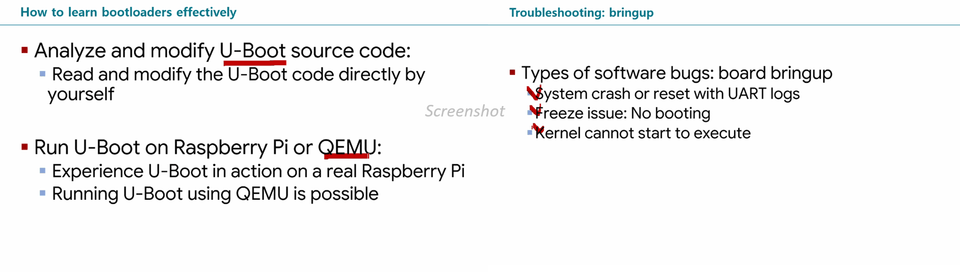
Explains how to learn about bootloaders and the major issues you may encounter during the bring-up process.

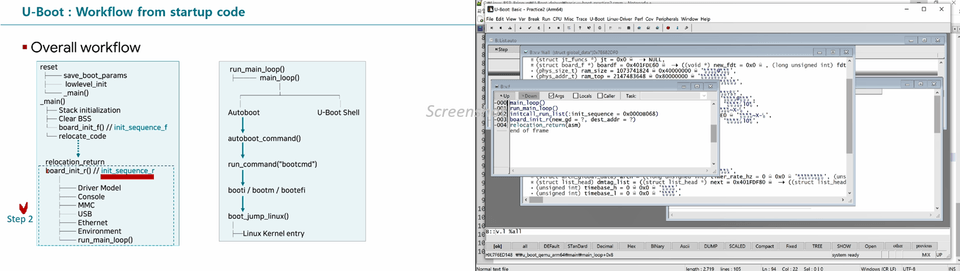
Explains the execution flow of the U-Boot bootloader and debugs U-Boot’s data structures using the TRAC32 debugging program.

Download the U-Boot source and practice modifying the code. Run the built U-Boot on QEMU and analyze the U-Boot console logs.

Analyze the startup code executed when U-Boot first runs at the assembly instruction level.

We will conduct a detailed hands-on debugging session with TRACE32, covering the startup code and relocation process.

We will explain in detail how the DTB image is passed to the Linux kernel after being processed by U-Boot.

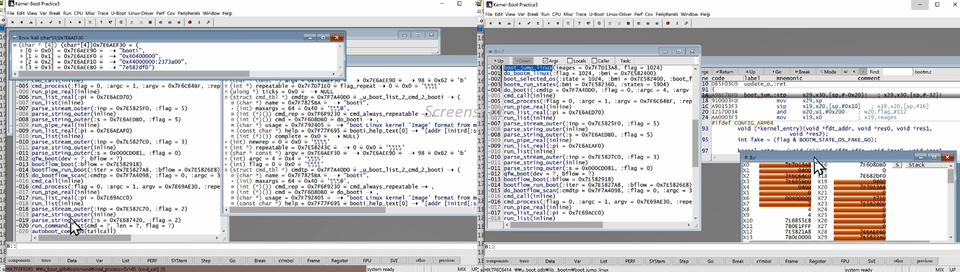
Conduct detailed debugging exercises with TRACE32, covering the process of jumping from U-Boot to the kernel. Analyze U-Boot commands and callback functions in detail.

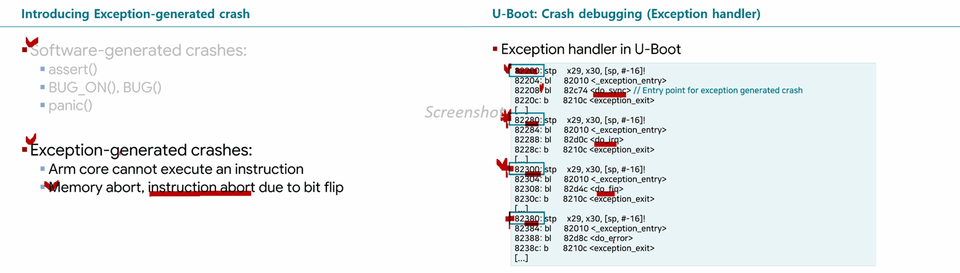
We analyze methods for investigating U-Boot crash issues, including the exception handler code itself.

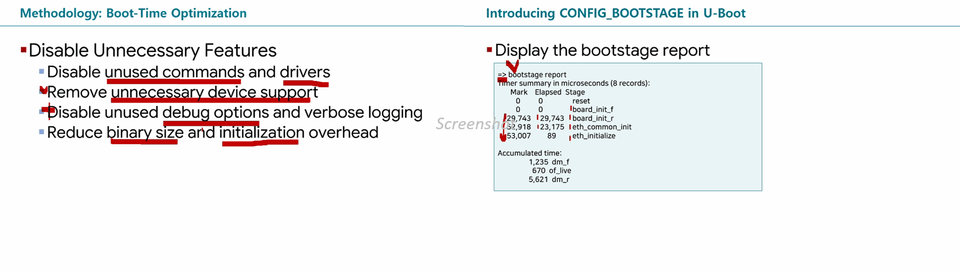
We provide a detailed explanation of how to reduce the U-Boot bootloader’s boot time and the function for measuring boot time.

Pre-Course Notes

Copyright and Precautions for the Educational TRACE32 Program

  • The TRACE32 educational program used in this course is owned by MDSTech and Lauterbach, and may not be copied or distributed without a license.

  • This course is intended exclusively for Korean developers. (Developers abroad in regions other than Korea cannot take this course. Reason: TRACE32 licensing issues.)

Copyright and Notice

  • The TRACE32 training software used in this course is owned by MDSTech and Lauterbach. It cannot be copied or distributed without a license.

  • This course is created only for South Korean developers in South Korea. Developers outside of Korea cannot take this course due to TRACE32 license restrictions.

Practice environment and prerequisites

  • The TRACE32 program (simulator mode) can be used in a 'Windows 10' or 'Windows 11' environment. (This TRACE32 program cannot be run on Mac.)

  • This course has no prerequisites, but knowing about MCUs or RTOSs will make it easier to follow.

  • It would be helpful to know the basic syntax of C.

Recommended for
these people

Who is this course right for?

  • Linux BSP and system software developers: Those who want to systematically learn how bootloaders work and build the bring-up skills needed in practice.

  • Linux system developers struggling to troubleshoot boot issues: Those who want to develop the ability to analyze the causes of boot failures or initialization errors based on logs and source code.

  • Developers looking to begin analyzing the U-Boot source code: Those who find the bootloader source code complex or have difficulty understanding the operation of startup code, memory initialization, relocation, and more.

  • Linux developers who want to strengthen their debugging skills: Those who want to learn low-level debugging by using QEMU and TRACE32 to examine execution flow, registers, and memory state.

  • Developer responsible for boot time optimization: A developer who understands how bootloaders work and analyzes bottlenecks in the boot process to reduce boot time.

  • System semiconductor and SoC developers: Those who want to learn how to run a bootloader on a chipset and analyze initialization processes and booting issues

Need to know before starting?

  • C language

  • Computer Architecture

  • Operating system

Hello
This is austinkim

Career Verified

6,845

Learners

293

Reviews

108

Answers

4.9

Rating

24

Courses

Global Author & Linux System Software Developer (Arm, RISC-V Architecture)

An unprecedented author in the domestic system software field who wrote books on 'Arm Architecture (Armv8-A, Armv7-A)' and 'Linux Kernel' (both books were selected as Excellent Academic Books by the National Academy of Sciences, Republic of Korea), and a global author who authored the book "Reverse Engineering Armv8-A Systems" (in English) through an overseas publisher (Packt) for the first time in Korea. Above all, he is an active developer who is most well-versed in the latest system software trends (electric vehicles, system semiconductors - system software). He is also an educator who is most actively engaged in spreading knowledge within the system software field.

  • Professional Knowledge Sharer and Consultant

  • Worked at LG Electronics Linux Kernel Open Source Team (~May 2026)

  • 'Reverse Engineering Armv8-A Systems: A practical guide to Kernel, Firmware, and TrustZone analysis' Author (English), (Packt Publishing)

  • Author of 'Structure and Principles of Arm Architecture for System Software Development' (2024 National Academy of Sciences Outstanding Scholarly Book Award)

  • 'Structure and Principles of the Linux Kernel Learned Through Debugging' (2021, National Academy of Sciences Outstanding Scholarly Book Award) Author

  • 'Programmers Dev Course: Linux System and Kernel Expert' Main Instructor


I can confidently say that I am an educator who can explain the Linux kernel and Arm architecture (Armv8-A, Armv7-A) better than anyone else in Korea.

Lecture Inquiry: austindh.kim@gmail.com


Main Roadmap 🎯

'Arm for System Software Developers - basic course'

'Arm for System Software Developers - advanced course'

Linux kernel for system software developers - basic course

 

More

Curriculum

All

79 lectures ∙ (9hr 27min)

Course Materials:

Lecture resources
Published: 
Last updated: 

Reviews

Not enough reviews.
Please write a valuable review that helps everyone!

austinkim's other courses

Check out other courses by the instructor!

Similar courses

Explore other courses in the same field!

Limited time deal

$44,000.00

50%

$68.20