Git & GitHub, Step by Step from the Principles - Fundamental Git
geek
$40.70
Beginner / Git, GitHub
5.0
(126)
800+
Learn step by step from the principles and solve all errors yourself.

Beginner
Git, GitHub

Learn the principles step by step and resolve all errors yourself.
Reviews from Early Learners
5.0
a a
It is beneficial to acquire new knowledge. I am enjoying listening to it.
5.0
김은주
I understand by looking at the diagrams, then understand again through repetitive explanations, and it feels like it's settling into my brain's storage... I'm enjoying taking the course.
5.0
최우수
It wasn't the end...
Learn basic Git commands and understand how they work through illustrations.
Learn how to fix 99% of Git errors.

From the basics to the principles, all at once.
Git is a program that manages code versions. Just like creating save points in a game, Git allows you to create save points for your code and return to any point in time you want. Not only that, but it also uses a powerful feature called 'branches' to help multiple colleagues work on a single project simultaneously.
First, it is important to point out that Git and GitHub are completely different concepts. Just as baseball and soccer are different, Git and GitHub are also different from each other. Git is a tool for version control, and GitHub is a space where those versions can be stored. That is why GitHub is often compared to Google Drive or Dropbox.
Everyone will agree on the importance of Git. No matter what we create, we always end up using Git. Therefore, you must understand Git properly. If you simply memorize commands like a machine, you will eventually end up wandering around looking through blogs.Learn it properly from the basics to the principles all at once. I can assure you, after taking 'Fundamental Git,' you will be able to solve 99% of errors on your own.
The Step-by-Step from the Principles - Fundamental Git course has been newly dubbed with AI. đã được lồng tiếng mới bằng AI.
📌 Section 1: Understanding the Basics of Git and GitHub
Learn the fundamental concepts of Git and GitHub clearly, and discover the principles behind how Git manages versions.
💻 Section 2: Git Installation and Setup
Learn how to install Git and configure the basic environment to get ready to use Git.
📝 Section 3: Basic Commands and Status Management
Learn the key commands for creating versions and gain a deep understanding of what happens inside Git.
📂 Section 4: Repository Status
Git manages versions through three types of storage areas. Learn the commands to check the status of each area and understand how they work.
🎯 Section 5: HEAD
Learn the concept of HEAD, which allows you to revert code to a desired point in time, and master how to handle HEAD's relative position.
🌿 Section 6: Branch
Learn how to collaborate with colleagues using branches, and master how to handle them proficiently by understanding their internal structure.
🔗 Section 7: Merge
Learn how to merge work from other branches into your own and how to resolve conflict errors that may occur during the merge process.
⚠ Section 8: Precautions When Handling Branches
Branches are a powerful feature, but they can be tricky. Let's learn how to prevent mistakes and use them effectively when handling branches.
🔄 Section 9: Rebase
Learn the rebase feature, which is essential for advanced developers, and master how to clean up branches and resolve conflict errors.
⏪ Section 10: Reverting to a Previous State (Reset vs Revert)
Learn the differences and usage of the reset and revert commands to roll back code to a specific point in time, and understand the underlying principles of each command to choose the right one for any situation.
📤 Section 11: Uploading and Downloading Code (GitHub)
Learn how to upload and download code to and from a remote server, understand the principles behind the process, and gain a deep understanding of how GitHub and Git interact.
🤝 Section 12: Collaborating (Git Flow)
Learn how to collaborate effectively with colleagues through the Git Flow strategy, which is central to teamwork. This section focuses on the core elements of collaboration.
🚀 Section 13: Advanced Remote
Learn in detail about remote-related features and principles for advanced developers, and master advanced remote management methods required in practice.
📂 Section 14: File Management
Learn how file deletions and name changes are managed as versions. Additionally, learn how to exclude specific files from version control using the gitignore file and understand the underlying principles, enabling you to respond skillfully to various error situations.
📝 Section 15: Changing Commit History
Learn how to change commit history to organize your project's version history neatly. Beyond simple methodology, we will delve deep into the principles through easy analogies.

Git You've probably taken a course on it at least once, but
I'm still confused.

Learn it properly the first time,
Wandering through YouTube or blogs
I don't want to waste my time.
While working as a programming instructor, I realized one thing. The fact was that many students only memorized Git commands without properly understanding how they actually work. As a result, they couldn't use Git efficiently and frequently ran into situations where they couldn't even resolve simple errors. It broke my heart to see students wandering through blogs for over an hour over a problem that could have been solved with just 10 minutes of proper study.
At that moment, I made up my mind.
"I must teach students the principles of how Git works properly!"
After six months of research, I developed a diagram that makes it easy to understand how Git works in just 10 minutes and turned it into lecture materials.
"Will this diagram really be easy to understand?"
"Can it sufficiently explain all cases?"
"Can it solve the errors students face?"
Answering these questions myself, I revised and revised the drawings. After drawing so many versions that the iPad note-taking app started to lag, I was finally able to complete the clear and easy-to-understand final illustration.
Afterwards, when I taught Git using those illustrations, the students' reactions were truly amazing.
💬 "I've taken several Git courses, but I learned the most in this one hour!"
💬 "This is the clearest explanation of Git I've ever heard. Seriously."
💬 "Ah, now I get it!"
I felt a great sense of accomplishment seeing my students master Git in just one hour.
Have you taken a Git course but are still confused?
Have you felt frustrated because resolving errors is so difficult?
Are you wasting time trying to find solutions on blogs?
Then you've come to the right place. 👏
After taking this course, your worries about Git will completely disappear. I am 100% confident. If you do not see the expected results, I will give you a full refund.
🚀 Fundamental Git is not just a lecture that summarizes concepts!
Root Git is a lecture that explains every case that occurs in Git within 20 minutes using a single principle.
By quickly mastering the core of Git, you can solve 99% of errors. In fact, you won't even have the chance to encounter errors.
📚 End your Git worries with this single course!
Root Git is truly enough. From simple commands to collaborating with colleagues, master everything in one course.
🖼 Easy-to-follow practice
We show the command execution results through illustrations, making it much easier to follow along!
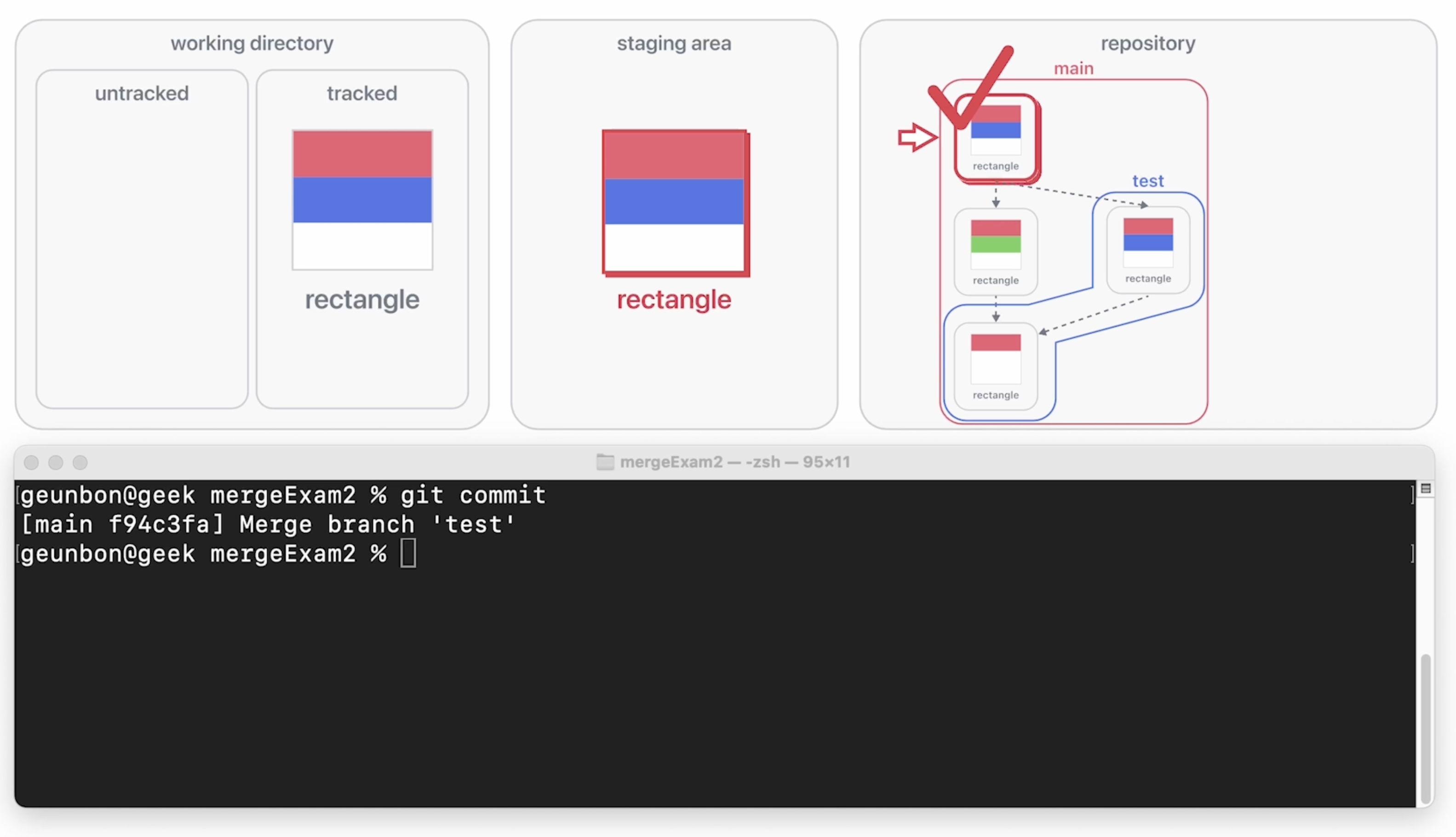
👁 Easy and intuitive learning
75% of our brain is specialized for processing visual information. 90% of Geunbon Git's lecture materials consist of illustrations, making it even easier to understand!
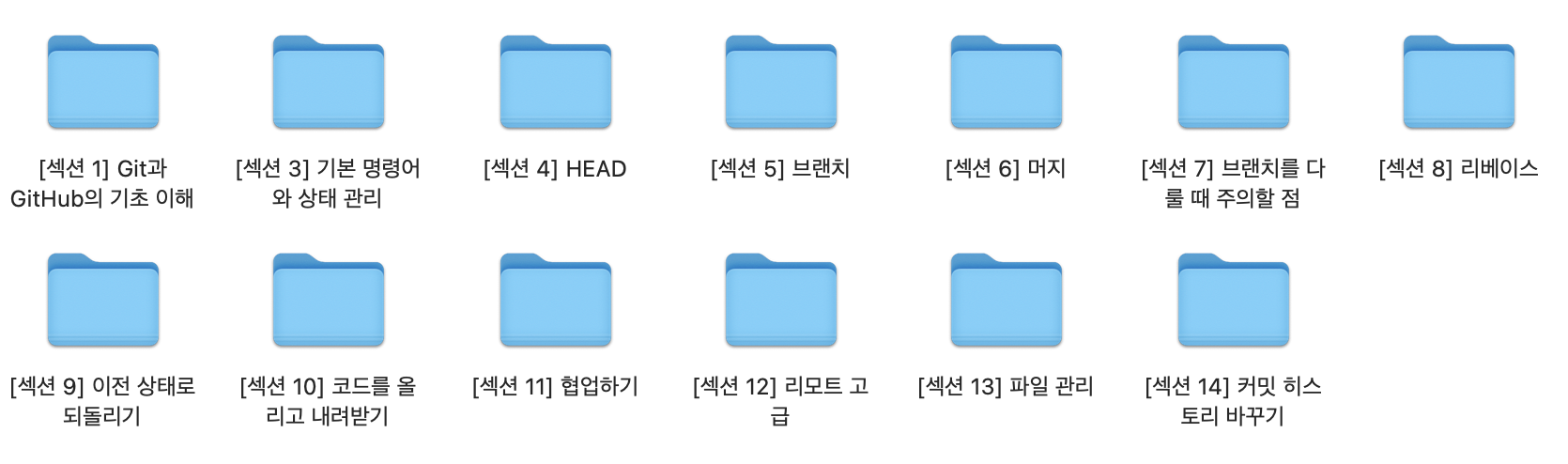
📖 Rich lecture materials provided
Lecture materials that explain the operating principles of Git in detail, step-by-step, are included. They are designed so you can understand each page in just 5 seconds, and since 90% consists of illustrations, even complex concepts can be grasped quickly and easily. Additionally, everything is organized by session so you can find the content you want quickly!
✅You will be able to resolve 99% of Git errors on your own.
💪You will become as proficient in Git as a team leader.
Lecture materials are provided in PDF format.
The lessons are based on Mac, but Windows users can also follow along without any issues.
The lecture will be conducted based on the CLI (Command Line Interface).
No prior knowledge is required.
The voice has been dubbed using AI.
Who is this course right for?
Those who have started development with AI but are still unfamiliar with Git & GitHub
Roles that require development collaboration, such as non-developers, PMs, planners, and founders
A beginner developer who needs minimal version control for their project.
Those who have learned Git at least once but still find it confusing.
Git beginners who want to learn Git properly all at once and don't want to waste time wandering through YouTube or blogs.

894
Learners
126
Reviews
54
Answers
5.0
Rating
1
Course
I first entered the world of development while starting a business with a friend during my college years.
Back then, I faced many difficulties because I was studying programming on my own.
I didn't know where to start,
nor did I know how deeply I needed to study.
Still, as if hitting my head against the ground(?), I immersed myself solely in development for four years.
Looking back,
it was a meaningful time, but I also have many regrets.
I regret that if someone had properly taught me how to study,
I could have used my time much more efficiently.
In my personal opinion,
I believe it's important to study various fields shallowly when you first start development.
It's about experiencing it once.
After that, you must study deeply.
In other words, you need to properly understand the principles.
This is because if you don't know the principles, it's hard to respond to various cases.
However, principles are difficult.
Thinking about studying principles feels burdensome from the start.
But with me, you don't have to worry about that.
I prepared this lecture with the mindset of teaching my past self.
I expressed all principles easily through illustrations,
and I created the class so that you can learn properly in a short amount of time.
As your time is precious, I put sincere effort into every single lecture.
Are the illustrations in the lecture materials easy to understand?
Do the illustrations explaining the principles represent all cases?
Is this content absolutely necessary for growing into a better developer?
Contemplating these questions, I created this lecture as if squeezing out the very essence.
I am rooting for your growth,
and I hope my small contribution can be of help to you.
Thank you.
All
47 lectures ∙ (6hr 23min)
Course Materials:
All
82 reviews
4.8
82 reviews

Reviews 15
∙
Average Rating 5.0
5
I'm a student who used to work at a level where I would just cycle through git add . -> git commit -> git push only on the main branch without creating separate branches. I knew terms like HEAD, branch, ... but I'm confident that I wouldn't have been able to explain them if asked, as I wasn't familiar with them at all. However, by following geek's learning cycle of theoretical explanation -> visual material explanation -> code practice, I was able to understand and progress smoothly. Among these, merge was a command I had never used before, but thanks to the detailed and repetitive explanations, I grew to the point where I could create various scenarios myself and work through conflict and success situations. Thank you for the excellent lecture, and I'd like to share additional materials I have studied/will study! 1. A site where you can solve git examples. When you input commands to solve problems, it responds with real-time visual animations. Link: https://learngitbranching.js.org/?locale=ko --- 2. An open source that generates visual images or videos before git commands are actually applied to the repository Link: https://news.hada.io/topic?id=8336 --- 3. A blog with image materials about git commands Link: https://marklodato.github.io/visual-git-guide/index-ko.html
Hello, dev.rudevico :) I'm so happy to hear that you've grown through the course! 😊😊 Thank you so much for sharing the study links as well. I'm always cheering you on!
Reviews 22
∙
Average Rating 5.0
Reviews 13
∙
Average Rating 5.0
5
You keep explaining the previous lesson content repeatedly, so I understand it very well!!
Hello, jiyup.lee :) I'm so glad the lecture content was well delivered 😊😊 Thank you for your kind words. Have a happy day!
Reviews 28
∙
Average Rating 5.0
5
I understand by looking at the diagrams, then understand again through repetitive explanations, and it feels like it's settling into my brain's storage... I'm enjoying taking the course.
Hello, Eunjoo Kim 😊 Thank you for your kind words. I'm so glad the course was helpful 😊😊 Have a wonderful day!
Reviews 1
∙
Average Rating 5.0
5
It is beneficial to acquire new knowledge. I am enjoying listening to it.
Hello, aa! 😊 Thank you so much for listening and enjoying it. I'm always rooting for you!!
Check out other courses by the instructor!
Explore other courses in the same field!
25% off for new members
$32.90
25%
$42.90