


inflearn logo

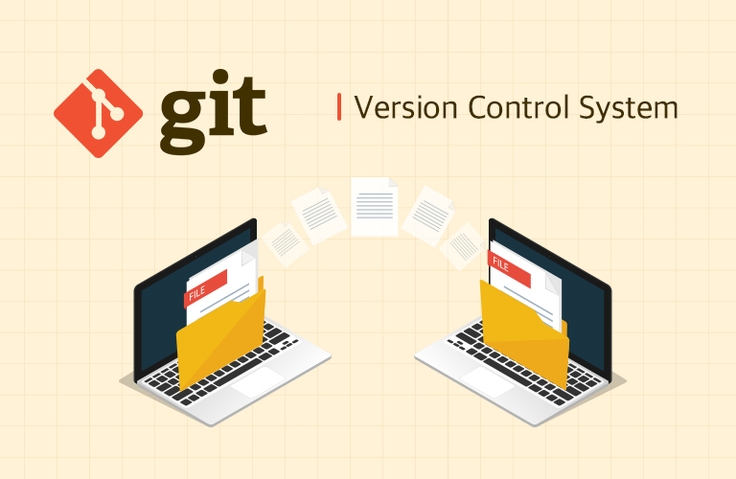
Version control system Git

This class introduces the version control system git.

(4.9) 85 reviews

6,005 learners

Level Beginner

Course period Unlimited

Git
Git
Version Control System
Git
Git
Version Control System

Reviews from Early Learners

Reviews from Early Learners

4.9

5.0

wonjo lee

88% enrolled

It's very annoying.

5.0

Jang Jaehoon

6% enrolled

Thank you for the great lecture!

5.0

푸른잎

30% enrolled

Thank you.

What you will gain after the course

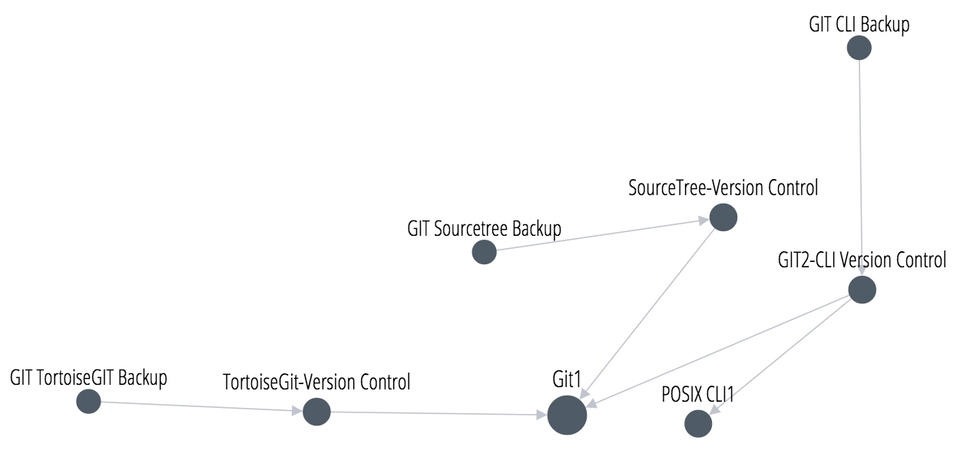
  • How to use git with TortoiseGit and version control

  • How to handle operating systems that follow posix using CLI

  • How to back up GIT information in different environments

Life Coding_Version Control System git

Git1
This class introduces the version control system git.
GIT2 - TortoiseGit - Version control
This article will teach you how to use Git with TortoiseGit, focusing specifically on version control. GIT2 - SourceTree Version Control: This article will teach you how to use Git with SourceTree, focusing specifically on version control.
POSIX CLI1
POSIX is a standard designed to allow different operating systems to operate in the same way. Operating systems that adhere to this standard include Unix and macOS. Linux doesn't fully adhere to POSIX, but it's considered nearly compatible. Windows and mobile operating systems don't adhere to POSIX.
In this class, we will look at how to handle operating systems that follow POSIX using the Command Line Interface.

This class is for people in the following situations:
  • Anyone who wants to control a computer with commands
  • Anyone who wants to automate computer management

GIT2 - CLI Version Control
Git, as it's called, refers to a program used on the command line. This lesson will explore how to use this program. This will be helpful for anyone who wants to run Git from the command line.
GIT3 - CLI Backup & Sourcetree Backup & TortoiseGIT Backup
This course covers how to back up GIT information in each environment. This course is essential for anyone who wants to safely back up their source code and versions. It's also essential for anyone who plans to work across multiple computers. This course is a must-take for anyone who wants to collaborate.

Recommended learning sequence

Helpful people

This course is for those who find themselves in the following situations. In this context, "document" refers to any file, from general text documents to images and source code.
  • People who have to manage a large number of documents
  • These documents change frequently
  • Those who need to systematically manage the change history of documents
  • Anyone who needs to prevent manipulation of documents
  • Anyone who needs to safely back up their documents
  • People who share documents with others and work collaboratively

Introducing the knowledge sharer

Life Coding

This lesson is licensed under a Creative Commons license and can also be viewed at the link below.
Node.js-Express https://opentutorials.org/course/3370
Cookies and Authentication https://opentutorials.org/course/3387
Sessions and Authentication https://opentutorials.org/course/3400 passpor.js https://opentutorials.org/course/3402
Multi-user https://opentutorials.org/course/3411 Google login https://opentutorials.org/course/3413 Facebook login https://opentutorials.org/course/3414

I would like to express my gratitude to Life Coding for sharing valuable knowledge.

Recommended for
these people

Who is this course right for?

  • People who have to manage a lot of documents

  • People who share documents with others and work collaboratively

  • Those who need to systematically manage the change history of documents

  • Those who need to prevent manipulation of documents and safely back them up

  • Anyone who wants to operate the computer with commands and automate management

Hello
This is Egoing Lee

312,656

Learners

8,622

Reviews

1

Answers

4.9

Rating

44

Courses

Curriculum

All

119 lectures ∙ (9hr 31min)

Published: 
Last updated: 

Reviews

All

85 reviews

4.9

85 reviews

  • jjhgwx님의 프로필 이미지
    jjhgwx

    Reviews 725

    Average Rating 4.9

    5

    6% enrolled

    Thank you for the great lecture!

    • 20000jo0230님의 프로필 이미지
      20000jo0230

      Reviews 1

      Average Rating 5.0

      5

      88% enrolled

      It's very annoying.

      • reverselife0540님의 프로필 이미지
        reverselife0540

        Reviews 3

        Average Rating 5.0

        5

        100% enrolled

        • leaf님의 프로필 이미지
          leaf

          Reviews 29

          Average Rating 5.0

          5

          30% enrolled

          Thank you.

          • andoms2281님의 프로필 이미지
            andoms2281

            Reviews 15

            Average Rating 4.6

            4

            30% enrolled

            Egoing Lee's other courses

            Check out other courses by the instructor!

            Similar courses

            Explore other courses in the same field!

            Free