


inflearn logo

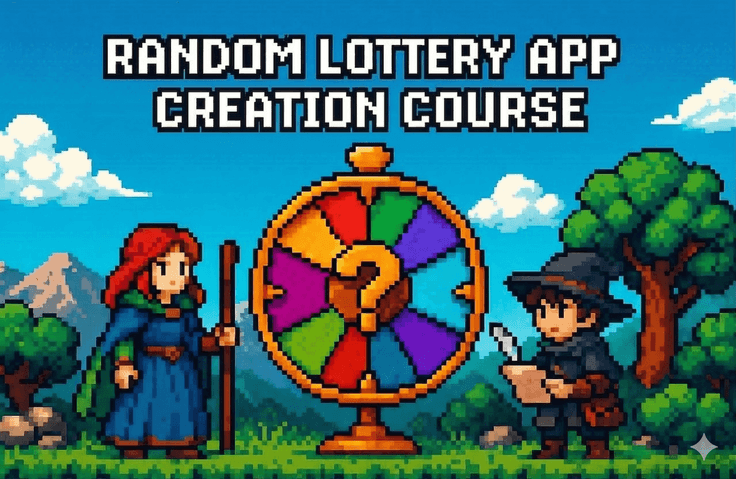
Creating a random drawing app

"Can I build an app without knowing a single line of code?" This course is a 6-day journey that answers that question with a resounding "Yes, you can." In the process of creating a random lunch menu picker app by conversing with AI, you will learn how to write prompts to order an app from Claude on the first day. From there, you will add features day by day—including adding/deleting items, slot machine animations, permanent data storage, statistical charts, and sharing functions—to create a high-quality app ready for the App Store. Each lesson offers three challenge courses tailored to your level, allowing both those unfamiliar with code and those with coding experience to grow at their own pace. What you truly learn in this challenge is not just code, but how to ask the right questions to AI—a skill that applies everywhere, not just in app development.

(5.0) 2 reviews

63 learners

Level Basic

Course period Unlimited

Swift
Swift
AI
AI
claude
claude
Swift
Swift
AI
AI
claude
claude
Thumbnail

What you will gain after the course

  • One app ready for release on the App Store, made with my own hands

  • Prompt engineering skills to get the desired results from AI

  • A debugging loop mindset that stays calm when facing errors

  • Practical experience with 12 core SwiftUI concepts through code

  • A question journal containing a record of two weeks of growth

Even if you don't know a single line of code, you can have an app in 6 days.

Random Picker App Development Challenge with Growth Loop


"I bought three coding courses, but I have zero completed apps."

The experience of getting exhausted before even seeing an app run in lectures that start with theory—variables, functions, classes...
The experience of closing your laptop because you didn't know where to start fixing errors while following free YouTube tutorials. The experience of thinking, "It's all a lie that making apps with AI is easy," after pasting code from ChatGPT into Xcode and seeing 20 red lines appear.

If any of this applies to you, this challenge was made for you.


How this challenge differs from other coding courses

We don't start with theory.
The app runs from Day 1.
You ask the AI to "make an app like this," paste the code you receive into Xcode, and run it in the simulator.
As you add one feature to that app every day, you'll naturally start to understand what the code is doing.

You are not memorizing code, but learning how to ask questions.
There is a complete difference in results between a vague request like "Make me an app" and a specific request like "Make me an app using SwiftUI that picks a random item from an array and displays it on the screen when a button is pressed."
You will learn this difference firsthand over the course of 6 days.

Congratulations if you get an error.
A red error message is not a failure, but a signal to move to the next step.
By repeating the loop of copying the error, sending it to the AI, getting it fixed, and rebuilding dozens of times,
you will develop a "constitution that is not afraid of errors." This is a skill that works not just in coding, but anywhere.


What you will build in 6 days

A random lunch menu picker app. It may look simple, but after 6 days, it will include all of these features.

Day 1 — Birth of the First Drawing App
Order an app by writing a prompt for Claude. The first app, which displays a random menu when a button is pressed, runs in the simulator. Look directly into the code to see what @State and randomElement() do.

Day 2 — Managing My Own Items
Instead of a fixed set of 5 menus, you will enable users to add and delete items themselves. Draw results will be displayed prominently in a Sheet popup, and a history will begin to accumulate. You will learn the pattern of "adding features to existing code rather than starting from scratch."

Day 3 — Visually Pleasing Draw
Add an animation where the text spins rapidly like a slot machine and then stops when the button is pressed. Categorize items into groups such as food, activities, and places, and breathe life into the app using SF Symbols icons and colors.

Day 4 — Data that remains even after closing
Implement permanent storage so that data does not disappear even when the app is turned off and on. Add a weighted selection feature so that favorite menus appear more frequently. Experience firsthand what roles Codable and UserDefaults play.

Day 5 — An App You Want to Share
Show statistics on what was picked the most using Swift Charts, and make it possible to share the results on KakaoTalk with ShareLink. By separating the drawing, statistics, and settings screens with TabView, the app starts to look professional.

Day 6 — Releasing to the World
Create an app icon using AI, register it in Xcode, and prepare the name, description, and screenshots required for App Store release. Reflect on your growth over the past 6 days and confirm the fact that "I didn't know code, but I made an app."


5 things you will definitely take away after the course

One app ready for App Store release, built with your own hands.
You will personally create and take home a high-quality app complete with features such as adding/deleting items, slot machine animations, permanent data storage, statistical charts, and sharing functionality.

The ability to write prompts that extract desired results from AI.
You will experience the difference between vague and specific requests and become proficient in using practical patterns such as "add this feature to the existing code."

A debugging loop mindset that doesn't panic when seeing errors.
As the cycle of copying error messages to AI, receiving fixes, and rebuilding becomes second nature, you will develop the intuition that "error = a signal to the next step."

Practical experience gained by coding 12 core SwiftUI concepts.
Get hands-on experience with @State, TextField, List, Sheet, Timer, withAnimation, enum, Codable, UserDefaults, Swift Charts, ShareLink, and TabView within a fully functioning app.

A question journal containing six days of growth records.
The daily questions and problem-solving experiences become a portfolio and learning asset that proves "this is how I have grown."


At your own pace

Three challenge courses are prepared for every class.

🐣 It's still difficult — This is the level where you change just one thing in the code provided by Claude. You build confidence by making small changes you can see, such as changing button text or a single color.

🚀 I'm somewhat familiar — Try expanding on it yourself based on the concepts you've learned. Instead of asking Claude for the entire code, actively engage with the code by asking, "Which part should I modify to add this feature?"

🔥 Too Easy — Minimize Claude's help and take on the challenge yourself. Try writing the code first and then get a review from Claude, or design and implement features not included in the lesson plan on your own.

No matter which course you choose, you will complete the same app. Only the pace differs; the destination is the same.


Recommended for these people

  • Those who have an app idea but are unable to execute it because they cannot find a developer.

  • Those who have started coding courses multiple times but have never made it to completion.

  • Those who want to create something with AI but don't know where to start.

  • Planning or design professionals who find technical terms sound like a foreign language when communicating with the development team.

  • Those who feel anxious about falling behind in the AI era but haven't been able to take concrete action.


Please check before taking the course

Required Materials

  • Mac (MacBook, iMac, Mac mini, etc.) — Xcode only runs on macOS

  • Latest version of Xcode (Free installation from the App Store, approx. 12GB)

  • Claude account (Free signup at claude.ai)

Prerequisites

  • We recommend completing the Schedule Management App Challenge.

  • If you have experience installing Xcode and running the simulator, you can start right away.

Time Required

  • Approximately 50 minutes per day × 6 days

  • Including level-specific challenges: 1 hour to 1 hour 30 minutes per day


Frequently Asked Questions

I've never coded before; can I follow along?
Yes. Instead of writing code yourself, you'll be asking AI and pasting the results.
The app will be up and running starting from Day 1.

I feel like I'm just pasting code without understanding it. Is that okay?
It is completely fine in the beginning. The goal of this challenge is not to memorize code, but to learn how to ask the AI the right questions. As the days progress, you will naturally start to understand the code.

Do I have to do it for 6 consecutive days?
No. You can proceed at your own pace.
However, since the code structure is continuous, we recommend a pace of Day 1–3 in the first week and Day 4–6 in the following week.

Can I really upload the app I made to the App Store?
Technically, it is possible.
A separate subscription to the Apple Developer Program (129,000 KRW per year) is required for an actual release.

Can I use ChatGPT instead of Claude?
Yes, you can.
However, since the curriculum is written based on Claude, using Claude will ensure the smoothest progress.


Finally,

What you truly learn in this challenge isn't code. It's how to ask AI the right questions. Requesting specifically, building features on top of existing results, and running feedback loops without fearing errors. These are skills that apply not just to app development, but to everywhere you work with AI.

In 6 days, an app you built yourself will be on your phone.


iOS App Development with AI · Gaebaljari

Recommended for
these people

Who is this course right for?

  • Someone who has plenty of app ideas but cannot find a developer or doesn't have the budget to outsource.

  • Someone who signed up for three different YouTube coding courses but gave up halfway every single time.

  • People who feel overwhelmed because the code they received from ChatGPT is covered in red errors when pasted into Xcode.

  • Planners/designers who are in non-development roles and feel frustrated every time because they cannot communicate with the development team

  • People who feel anxious about falling behind in the AI era but don't know what to do first

Need to know before starting?

  • Need to complete the Random Draw App Creation Challenge

  • Experience building an app using AI

Hello
This is leeo

8,509

Learners

230

Reviews

7

Answers

4.9

Rating

24

Courses

Hello, I'm Leeio, a developer fishing for code in Pohang.

Co-instructor

Reviews

All

2 reviews

5.0

2 reviews

  • jjhgwx님의 프로필 이미지
    jjhgwx

    Reviews 809

    Average Rating 4.9

    5

    71% enrolled

    Thank you for the great lecture!

    • pcs206089367님의 프로필 이미지
      pcs206089367

      Reviews 1

      Average Rating 5.0

      5

      43% enrolled

      leeo's other courses

      Check out other courses by the instructor!

      Similar courses

      Explore other courses in the same field!

      Free