[Core Concepts of AI Coding Tools] Free Introductory Course

[Core Concepts of AI Coding Tools] Free Introductory Course

(5.0) 5 reviews

41 learners

Level Beginner

Course period Unlimited

cursor
cursor
codex
codex
github-copilot
github-copilot
AI
AI
claude
claude
cursor
cursor
codex
codex
github-copilot
github-copilot
AI
AI
claude
claude
Thumbnail

Reviews from Early Learners

5.0

5.0

마젠타

71% enrolled

It’s easy to understand.

5.0

박영혜

43% enrolled

You explain things clearly and make them easy to understand. Thank you.

5.0

얄팍한 코딩사전

100% enrolled

Congratulations on launching the course! I look forward to more wonderful content accompanied by exciting music in the future!!

What you will gain after the course

  • Core Concepts of AI Coding Tools — Hooks, Agents

  • Core Concepts of AI Coding Tools - Sub-Agents and How to Write Prompts


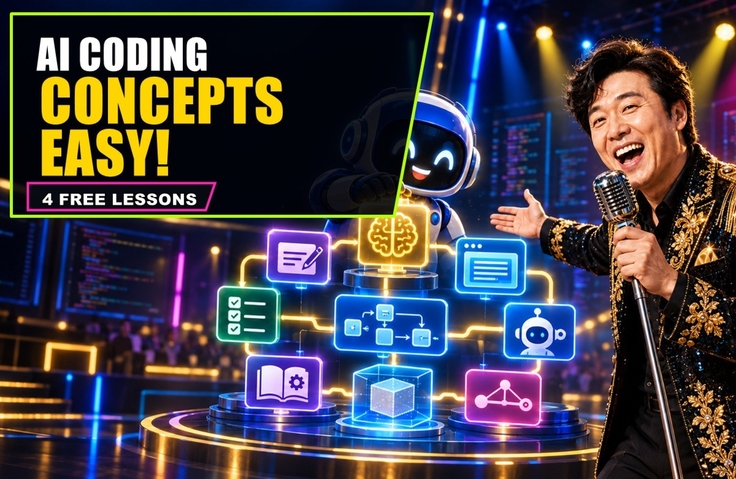
# Core Concepts of AI Coding Tools: Free Introductory Course

## Before Using AI Coding Tools, Understand How They Work First

We have entered an era in which AI goes beyond recommending code to directly planning, modifying files, and executing tools.

However, if you use features first without accurately understanding terms like Agent, Sub-agent, Hook, and Prompt, it becomes difficult to verify the results or control the tools properly.

This course is a free introductory course that distills the core principles of AI coding tools into four short, intensive lectures.


Hello.

I’m Jua’s dad, working as a freelance web developer at a shipping company.

AI coding tools like GitHub Copilot, Claude Code, OpenAI Codex, Cursor, and Google Antigravity are rapidly making their way into the software development field.

However, if you merely follow instructions on how to use these tools, you may find yourself wondering:


- How is an AI Agent different from simple code autocompletion?

- Why are sub-agents necessary, and how do they divide roles with the agent?

- When is a Hook executed, and how can it be used in practice?

- Why do results differ depending on the prompt, even when using the same AI model?


This free introductory course is not a lecture that merely introduces the features of a specific product.

To use AI coding tools effectively, we explain the core principles of Agents, Sub-agents, Hooks, and Prompts from a developer’s perspective in an easy-to-understand way.

Without oversimplifying difficult concepts, this course uses intuitive analogies and practical examples while also examining how major AI coding tools implement each concept.


## What You’ll Learn in This Course


### 1. AI Coding Tool Hooks

Learn how AI coding tools perform validation and automation before and after executing commands or tools, as well as when a task is completed.

You will understand through practical examples such as blocking dangerous commands, running tests after modifying code, and notifying when a task is complete.


### 2. AI Coding Agent

You will learn how an AI Agent understands goals, plans tasks, modifies code, runs tools, and verifies the results.

You can understand the difference between a simple code recommendation tool and an Agent that actually performs tasks.


### 3. AI Sub-agent

You will learn the principle of dividing tasks into roles such as research, implementation, and testing, instead of having a single Agent handle everything.

We also examine not only the benefits of dividing roles but also the coordination costs and considerations.


### 4. Prompt Micro Lesson

You will learn that a prompt is not just a simple question, but a work instruction for AI.

See through short, intuitive examples how vague instructions and clear requirements affect the quality of the results.


## Upon completing all the lectures

- Understand when Hooks are executed and their representative practical applications.

- You can explain the difference between code autocomplete and AI agents.

- You will be able to distinguish the roles and relationship between an Agent and a Sub-agent.

- You can assess the basic requirements of a good prompt.

- You will learn the key principles to check before adopting AI coding tools.

- You will gain criteria to consider when comparing major AI coding tools.

Rather than concluding that one particular tool is unequivocally the best, the goal of this course is to build a foundation for assessing which tool is best suited to your project and work objectives.


## Recommended for those who

- Students and job seekers who are new to AI coding tools and want to learn the core concepts step by step

- Developers who want to understand the differences and usage principles of GitHub Copilot, Cursor, Codex, Claude Code, and Google Antigravity

- Junior and senior developers who want to give AI clearer instructions for development tasks and effectively verify the results

- Service planners and PMs who want to collaborate more smoothly with developers and AI

- Team leaders and development managers considering the adoption of AI coding tools or ways to improve development productivity

- Those who want to learn the principles and practical decision-making criteria behind Agents, Sub-agents, Hooks, and Prompts rather than simply how to use the features


## Is prior knowledge required?

No prior knowledge is required.

We explain difficult terms through analogies and real-world examples, making them easy to understand for students, developers, planners, and PMs who are new to AI coding tools.

If you have basic experience with programming or development projects, you may understand the practical examples more quickly, but it is not required. Experience using AI coding tools is not necessary either.


## The Direction This Course Pursues


I am not an instructor who claims to know everything.

I will continue studying the rapidly changing AI development landscape, verify information through official documentation, and share with you what I have validated through actual use.

The courses I strive to create do not stop at simply listing concepts.

I will explain difficult principles clearly without oversimplifying them, and show why they are needed in actual work and when to use them. Along with the advantages, I will also cover practical considerations such as the possibility of failure, costs, permissions, and security.


I am not a veteran instructor or a widely known name, but I will earn your trust through the accuracy, care, and practical value of the content.

I will also diligently incorporate students’ questions and feedback into improving future lectures and content.


## Instructor and Channel

Jua’s Dad Coding Lab — AICodingLabPro

We create developer education content that clearly explains the core concepts of AI coding tools and how to use them in practice.

YouTube: https://youtube.com/@AICodingLabPro

Recommended for
these people

Who is this course right for?

  • Students and job seekers who are new to AI coding tools and want to learn the core concepts step by step

  • A developer who wants to understand the differences between GitHub Copilot, Cursor, Codex, Claude Code, and Google Antigravity, as well as how to use them effectively

  • Junior and senior developers who want to give AI clearer instructions for development tasks and effectively validate the results

  • Service planners and PMs who want to collaborate smoothly with developers on AI-based projects

  • Team leaders and development managers considering adopting AI coding tools or looking for ways to increase development productivity

  • Those who want to learn how Agents, Sub-agents, Hooks, and Prompts work and how to apply them in practice, rather than just how to use simple features

Need to know before starting?

  • No prior knowledge is required.

  • We explain difficult terms through analogies and real-world examples, making them easy to understand for students, developers, planners, and PMs who are new to AI coding tools.

  • If you have basic experience with programming or development projects, you may understand practical examples more quickly, but it is not a requirement.

  • You do not need experience using GitHub Copilot, Cursor, Codex, Claude Code, or Google Antigravity either.

Hello
This is aicodinglabpro

41

Learners

5

Reviews

8

Answers

5.0

Rating

1

Course

Let’s become developers we can be proud of.

Let's become a dependable dad.

Let's document and leave a record while developing.

AICodingLabPro - YouTube

https://blog.naver.com/rookie359

More

Reviews

All

5 reviews

5.0

5 reviews

  • mazenta12347982님의 프로필 이미지
    mazenta12347982

    Reviews 1

    ∙

    Average Rating 5.0

    5

    71% enrolled

    It’s easy to understand.

    • 01030918453님의 프로필 이미지
      01030918453

      Reviews 1

      ∙

      Average Rating 5.0

      5

      43% enrolled

      You explain things clearly and make them easy to understand. Thank you.

      • yalco님의 프로필 이미지
        yalco

        Reviews 3

        ∙

        Average Rating 5.0

        5

        100% enrolled

        Congratulations on launching the course! I look forward to more wonderful content accompanied by exciting music in the future!!

        • aicodinglabpro
          Instructor

          Thank you, teacher!! I will put my heart into creating the lectures so that the students’ valuable time will not be wasted.

      • soulfb8840님의 프로필 이미지
        soulfb8840

        Reviews 1

        ∙

        Average Rating 5.0

        5

        43% enrolled

        • park38684115047님의 프로필 이미지
          park38684115047

          Reviews 1

          ∙

          Average Rating 5.0

          5

          43% enrolled

          Similar courses

          Explore other courses in the same field!

          Free