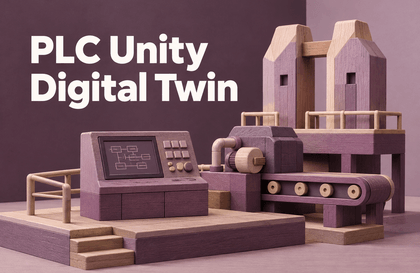
Hands-On Smart Factory Digital Twin with PLC and Unity 3D, Built in C#
ddur
For learners who find connecting a PLC and Unity daunting, complete a digital twin using only a PC, backed by real-world integration experience.

Beginner
C#, Unity, plc
Let's begin developing with Copilot (copilot). With AI, even elementary school students can follow along!
41 learners
Level Beginner
Course period Unlimited

python
Crawling
Data Visualization
Machine Learning
ai guide
Prompt Tip
These days, Microsoft Copilot comes pre-installed on Windows and laptops. But how do you use it effectively?
When you first start programming, you don't know where to start or what to do.
Starting with terminology, what kind of development should be done, what is needed to create something, etc.
It's common to start something without any information.
People say Python is good, but it's unclear why it's good and where it's used.
But there are so-called AI assistants, such as ChatGPT, Copilot, CursorAI, etc.
Now, we have entered a world where even complete beginners can easily get started.
Would you like to learn programming together?
Should I try coding too?
While there are many opportunities for job-related courses, such as through government-funded academies, they require significant time and courage. With AI, instructors can become smarter than you.
Can I do it at this age?
Fortunately, AIs like Copilot
Depending on how you use it, anyone can use it easily.
Of course, you need to know how to type on the keyboard.
Should I just try it and if it's good, should I try more?
The course curriculum is comprised of very simple projects to avoid boredom.
Perfect for a taste!
You will become more proficient in utilizing AI such as Copilot, ChatGPT, and Gemini.
It allows me to have a more in-depth description of the project I'm trying to create and to clearly design what I'm trying to build.
You can build a foundation of programming knowledge.
Key strengths of this course (1)
Learn about programming by creating interesting examples.
You can have fun growing up.
Key strengths of this course (2)
It is composed without editing to show how to solve problems when they actually occur, including error debugging.
Bringing data from the web and by selection
You can repeatedly retrieve different data.
Not only does it bring in data, but it also preprocesses it.
Put the visualization process together
You can complete the entire data analysis with just one crawl.
Operating System and Version (OS): Windows 11
Tools used: vscode, python 3.13 (venv)
PC specs: Mini PC Windows with Ryzen 9 CPU.
We provide the final source code.
It's good to know Python or another programming language, but even if you don't know it, you can learn it quickly if you follow along.
Who is this course right for?
Coding total novice, completely clueless.
Anyone who wants to use Copilot effectively
Coding is a pain to learn, but I want to make programs.
Need to know before starting?
github account
github copilot payment

Career Verified
113
Learners
8
Reviews
4
Answers
4.8
Rating
4
Courses
I started out as a game developer, but
As time has passed, I aspire to become a full-fledged creator and developer.
I am very interested in digital twins.
I am actively freelancing or looking for employment ^^;
Contact email: ym7596@naver.com
All
24 lectures ∙ (3hr 47min)
All
5 reviews
5.0
5 reviews

Reviews 11
∙
Average Rating 5.0
Reviews 1
∙
Average Rating 5.0
Reviews 2
∙
Average Rating 5.0
Reviews 4
∙
Average Rating 5.0
Reviews 2
∙
Average Rating 5.0
Check out other courses by the instructor!
Explore other courses in the same field!
Limited time deal ends in 3 days
$16.50
25%
$22.00


![[Basics] Understanding Google Workspace Gemini Through IllustrationsCourse Thumbnail](https://cdn.inflearn.com/public/files/courses/344659/cover/ai/3/eb2892c4-0d1f-45bf-94c5-c2a3cb4b8073.png?w=420)
![[AI Cheat Key] Gemini, Become My ColleagueCourse Thumbnail](https://cdn.inflearn.com/public/files/courses/343915/cover/ai/0/c7f47876-0d5d-48df-97d9-4e221232d5a8.png?w=420)