
inflearn logo

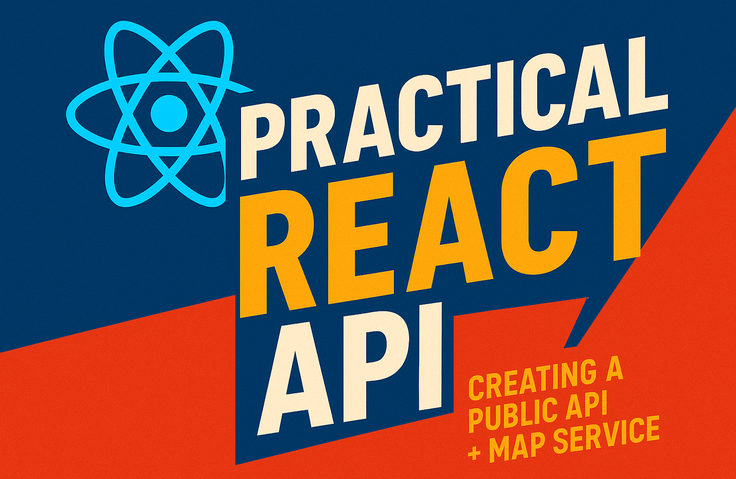
Complete Real-World React Portfolio – Building a Public API + Map Service (Including Deployment)

Have you ever had these concerns? I’ve learned React, but I don’t know what to actually build. I want to create a portfolio, but I can’t think of anything besides a Todo app. Map APIs or Public APIs seem difficult, so I haven’t even tried them. I’ve never deployed anything, so it always ends as a “local project.” The code is getting more complex, and I don’t know how to design the architecture. 🎯 Problems this course solves This course isn’t just about showing you how to display a map. ✔ How to connect Public APIs to a real service ✔ How to stably design Map SDKs within a React structure ✔ Marker optimization and reusable InfoWindow structures ✔ State management design using Context ✔ Practical application of Tailwind + SCSS ✔ GitHub organization and Vercel deployment I will teach you how to design with a real service structure, not just "implementing features." 💡 This is not a "just follow along" course Why we use useRef Why you shouldn't create new markers every time Why you need to separate state Why environment variables must be managed separately in production There is a reason for every choice. This course explains those "reasons." 🚀 After taking this course, you will: Complete one map-based portfolio project Gain experience integrating Public APIs Understand the structure of attaching external SDKs to React Gain experience in designing professional-grade project structures Have deployment experience And you’ll be able to say this in an interview: “I personally designed and deployed a map service based on Public APIs.” This one sentence makes a huge difference. 👩‍💻 Recommended for: Those who know basic React syntax but lack project experience Those who want to build a portfolio for employment Those who wanted to try a Map/Public API project Those who want to learn design patterns close to real-world practice 🔥 The Goal of this Course This course is not about “how to make a map,” but about learning the “mindset of designing a service.”

39 learners are taking this course

Level Basic

Course period Unlimited

React
React
REST API
REST API
Web API
Web API
GitHub
GitHub
vercel
vercel
React
React
REST API
REST API
Web API
Web API
GitHub
GitHub
vercel
vercel

What you will gain after the course

  • Complete one practical portfolio project

  • Design skills for reliably integrating external APIs & map SDKs into React

  • Experience in designing practical project structures

  • GitHub Cleanup and Vercel Deployment Experience

  • A developer's mindset of thinking from a service perspective

Complete a React project designed like a real-world application with a map service.

You've learned React syntax, but have you ever actually built a "project that looks like a real service"?

This course is not just about simple functional implementation, but a process of completing a project at an actual service level by utilizing public APIs and map APIs.

From marker duplication issues, state management conflicts, and SDK integration problems to environment variable settings in deployment environments—
I will teach you stable design structures based on actual trial and error I've experienced.

Instead of simply following along, you will understand why it must be designed this way,
growing from "someone who knows code" to "someone who can complete a project."

  • Hands-on experience integrating Public APIs + Map APIs

  • Context-based state management design

  • Performance optimization (utilizing useMemo, useRef)

  • Complete everything from GitHub organization to Vercel deployment

  • Secure a portfolio that you can explain in interviews

After taking this course, you will be able to create results like this

Public API Search Function

You can search for local public APIs.

Favorites Feature

You can save public APIs through the favorites function.

Map rendering and marker display

You can move to the searched location on the map and display it with a marker.

  • You will understand how to reliably design external APIs and Map SDKs within a React structure.

  • Beyond simple functional implementation, you will be able to design a maintainable structure through state management (Context) and component separation.

  • You will be able to control unnecessary re-renders and performance issues by utilizing useRef, useMemo, and more.

  • You will be able to process public API data into a real-world service format and seamlessly connect it to the screen.

  • You will gain the experience of "completing" a project, from organizing GitHub to deploying with Vercel.

What you will learn

  • Please let me know what will be learned in the course. It would be great if you could explain what content is covered in each section.

  • If you have example images of what is learned in each section, you can create a much more appealing course introduction.


Section (1) Project Introduction and Basic Setup

  • Project Overview

  • Installing node / git

  • Creating a github repository

  • Proceed with installation on local

  • Installing react dev tools

  • Github Workflow

Section (2) Understanding the flow of public API data processing

  • Tailwind basic concepts and setup


  • Setting up Browser Router

  • Creating the basic structure

  • Uploading new branch work to Git

Section (3) Data Processing and Screen Output

  • Understanding Public Data and Utilizing WiFi Data

  • Displaying data as a list

  • Kakao Developer Settings

  • Create a custom hook to load the map

Section (4) Implementing List ↔ Map Integration Functionality

  • Maintaining Selected Places & Processing Map Data

  • Map Selection Synchronization

  • Understanding Map Screen Integration

Section (5) Favorites Feature & State Management

  • Custom hook for managing favorites

  • Global Favorite State Management

  • Routing and Global State Connection

  • Applying Favorites

Section (6) Deploying the App

  • Vercel rewrites configuration

  • GitHub Pull Request

  • Signing up for Vercel and linking the site

  • Add Kakao Developer Domain

Notes before taking the course

  • This course is conducted on the assumption that you understand basic React syntax.

  • Basic knowledge of HTML, CSS, and JavaScript, as well as experience using useState / useEffect, is required.

  • Since we will be using the Kakao Maps API and public APIs, you will personally go through the process of signing up for the developer center and issuing authentication keys.

Practice Environment

  • Windows 10 or higher

  • macOS (latest version recommended)

  • Possible in Linux environments as well

Learning Materials

  • Notion Learning Materials

  • github source code


Prerequisites and Important Notes

  • Basic React syntax (components, props, state)

  • Experience using useState and useEffect

  • Understanding of basic JavaScript (ES6) syntax

  • Understanding Simple CSS

This course is not a complete beginner's course for React, but a practical project course for those who already have a basic understanding.


Recommended for
these people

Who is this course right for?

  • Those who have learned React syntax but do not have a proper portfolio project

  • Those who have wanted to try a project using public APIs or map APIs

  • Those who are preparing for employment and need a differentiated portfolio

  • Those who want to gain experience in project design that is close to real-world practice

Need to know before starting?

  • This course proceeds on the assumption that you are familiar with basic React syntax.

  • Basic JavaScript Syntax (ES6)

  • Understanding Simple CSS

Hello
This is lizb

372

Learners

15

Reviews

92

Answers

4.9

Rating

3

Courses

I am an instructor who conducts practical, hands-on classes covering everything from frontend to backend, teaching web development based on extensive lecturing experience.

Curriculum

All

42 lectures ∙ (2hr 33min)

Course Materials:

Lecture resources
Published: 
Last updated: 

Reviews

Not enough reviews.
Please write a valuable review that helps everyone!

Similar courses

Explore other courses in the same field!

$29.70