
inflearn logo

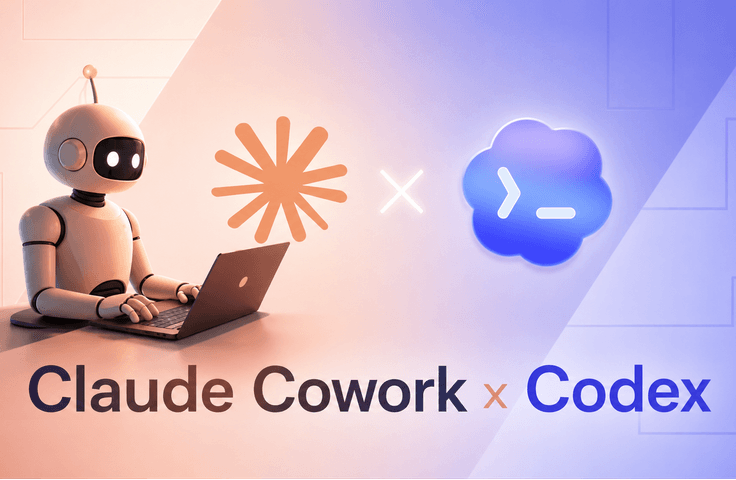
Claude Cowork and Codex - A Practical Guide

This course is designed for those who want to go beyond simple AI chatting and actually get work done using AI agents. Many students are already using ChatGPT or Claude, yet they still struggle with repetitive tasks, scattered workflows, excessive research, and low productivity. The problem usually doesn't lie with the AI itself, but in knowing how to organize work systematically, give clear instructions, and build reliable workflows. In this course, we provide a step-by-step guide on the practical application of Claude Cowork. Rather than focusing solely on theory, we practice through practical examples such as project management, browser automation, meeting preparation, persistent memory systems, skills, plugins, and desktop control. This course explains everything in a simple and practical way so that even beginners can easily follow along. By the end of the course, students will understand how to utilize Claude Cowork as a true productivity assistant for research, planning, organization, automation, and daily tasks.

2 learners are taking this course

Level Beginner

Course period Unlimited

workflow
workflow
openai
openai
codex
codex
mcps
mcps
prompt engineering
prompt engineering
workflow
workflow
openai
openai
codex
codex
mcps
mcps
prompt engineering
prompt engineering

What you will gain after the course

  • Understand how AI agents work and when to use Claude Cowork instead of general AI chat.

  • Build practical workflows by utilizing projects, memory, skills, plugins, and automation features.

  • Integrate Claude Cowork with external apps and tools using connectors and MCP.

  • Utilize Claude in Chrome for browser-based workflows and research tasks

  • Automate repetitive tasks through scheduling and reusable skills

  • Control desktop workflows by safely utilizing computer use capabilities

  • Boost your productivity in research, operations, planning, presentations, and document management

  • Write better, result-oriented prompts that generate more reliable results.

  • Utilize Codex efficiently to write code and build programs with AI

  • Build AI programs efficiently by utilizing the basic and advanced features of Codex.

  • Understanding and Utilizing Skill and Context Engineering

  • Project planning and building through Codex and specification-driven development

  • Process tasks locally or in the cloud

  • Expanding functionality through MCP

  • Utilizing Session Forks and Worktrees

Claude Cowork Masterclass: Building AI Workflows and Automating Daily Tasks

Most people use AI simply as a chatbot. Through this course, students will learn how to utilize Claude Cowork as a true work assistant capable of organizing projects, researching information, automating repetitive tasks, controlling browsers, and managing complex workflows.


This course was created with the recognition that many people struggle to handle the latest AI tools. They know that AI is powerful, but they don't know how to utilize it efficiently in real-world work situations. Instead of teaching abstract theories, this course focuses on practical workflows that students can immediately apply to productivity enhancement, operations, research, planning, and content organization.

What You’ll Learn

Section (1): AI Workflow and Productivity


Students will learn the following:


Understanding the Claude Cowork interface and permission systems

Writing performance-oriented prompts that generate reliable results

Organizing projects using persistent memory and live artifacts

Integrating external tools and services using connectors and MCP

Building repeatable workflows using skills and plugins

Automating repetitive tasks through scheduled jobs


By the end of this section, students will understand how to transform AI from a simple chatbot into a true productivity system.

Chapter 2: Browser, Mobile, and Desktop Automation


Students will also learn:


Performing research and browser automation using Claude directly within Chrome

Safely controlling workflows using Claude Chrome

Interacting with Claude Cowork on mobile devices using Dispatch

Using the Computer Use feature to allow Claude to interact with desktop applications

Creating practical automation workflows for documents, presentations, and research tasks

Understanding Security and Prompt Injection Safety Guidelines


This section focuses on real-world productivity applications that can save you hours of repetitive work every week.

Before You Enroll

Pre-course Preparation and Information

Course Requirements

Basic computer literacy is all you need.

No coding experience is required

No prior knowledge of Artificial Intelligence (AI) is required.

Students must have access to Claude Cowork.

Audio and Video Quality


This course includes:


High-definition screen recording video

Clear voice explanations

Step-by-step practical demonstration

Enlarged interface guidance for better visibility

Recommended Learning Method


For the best learning experience:


Follow along directly within Claude Cowork

Practice each workflow at the end of every lecture.

Try reproducing the examples introduced in the course yourself.

Try building your own small automation projects as you learn.

Questions and Support


Students can leave questions in the course's Q&A section. As Claude Cowork evolves and new features are added, future updates and improvements may be reflected.


Course Updates


AI tools evolve rapidly, so this course is designed to remain practical and up-to-date. New workflows, features, and examples may be added through future updates.

Recommended for
these people

Who is this course right for?

  • Professionals who spend time managing emails, documents, research materials, spreadsheets, or repetitive digital tasks

  • Students and beginners who want to learn about AI agents without coding skills

  • Content creators, freelancers, and entrepreneurs who want to automate part of their workflow

  • Users who are already using ChatGPT or Claude and want to go beyond simple conversation to build actual AI-based workflows.

  • Teams and operations managers looking to increase productivity through AI automation tools

Need to know before starting?

  • Only basic computer skills are required.

  • No coding experience is required

  • No prior knowledge of AI is required.

  • Students can access Claude Cowork and only need the willingness to learn practical workflows.

  • Basic programming experience is required.

  • A Codex subscription is required to use this feature efficiently.

Hello
This is kimw24072

CEO of Answernus - Instructor for 5 regular IT courses at Multicampus (RPA & ChatGPT & Crawling & AI & PE) - Instructor for 5 regular Generative AI courses at Korea Management Association (RPA & ChatGPT & Crawling & AI & Data Processing) - Author of [2022 Sejong Book Award Selection] "Money-Making Python Coding for Non-IT Majors" - Author of [2023 Sejong Book Award Selection] "Python Business Automation (RPA) for Non-IT Majors" - Operator of the "Bihyeonko Automation Lab" YouTube channel - Conducted lectures for numerous major corporations and public enterprises including Samsung, Hyundai, SK, KT, and LG - Cumulative 6,600+ learners in offline Generative AI education & 500+ hands-on project coaching cases [As of 2024.12] - IT Education Consultant & Instructor at Samsung Group Multicampus - AI Education Planning / Operations at Hyundai Steel HRD, Hyundai Motor Group - 12 years of professional experience as a non-developer at Hyundai Steel, Hyundai Motor Group (Sales, Planning, System Design, HRD, etc.)
More

Curriculum

All

89 lectures ∙ (5hr 1min)

Course Materials:

Lecture resources
    Published: 
    Last updated: 

    Reviews

    Not enough reviews.
    Please write a valuable review that helps everyone!

    kimw24072's other courses

    Check out other courses by the instructor!

    Similar courses

    Explore other courses in the same field!

    25% off for new members

    $46.10

    25%

    $56.10