

inflearn logo

Creating a 24/7 work assistant with AI agents and ClawSouls w/Claude Code

Did you always have to sit in front of a screen to get AI to do work? A developer with 16 years of experience is sharing the exact setup he uses every day. Learn how to create a 24/7 work assistant where you send a one-line message from your phone and an AI agent on your Mac at home modifies code, builds, tests, and reports the results. It’s a 30-minute seminar, and a PDF is attached so you can follow along.

22 learners are taking this course

Level Basic

Course period Unlimited

Business Productivity
prompt engineering
prompt engineering
AI Agent
AI Agent
claude
claude
Business Productivity
prompt engineering
prompt engineering
AI Agent
AI Agent
claude
claude
Thumbnail

What you will gain after the course

  • 1. Setting up my own AI agent assistant to assign tasks to and receive results from via Telegram on my phone

  • 2. How to Give an Agent a Consistent Personality and Set of Rules with a Single SOUL.md File (ClawSouls)

  • 3. A file-based memory structure that lets you pick up where you left off yesterday, even when the session changes

  • 4. A Checklist for Safeguarding Agents with Bot Tokens, Allow Lists, and Hooks

  • 5. An alternative setup using a local LLM on my own hardware instead of the cloud

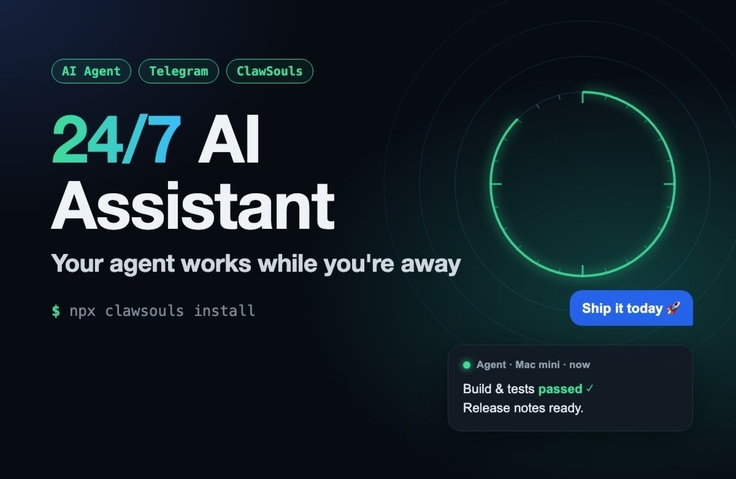
When I send the one-line message "Let’s deploy today," from my phone, the AI agent on my Mac at home updates the version, runs the build and tests, then reports the results via Telegram. This isn’t a demo setup—it shows exactly the 24/7 AI work assistant setup that Knowledge Sharer uses every day.

Recommended for
• People who have tried chatbots like ChatGPT and Claude but wish they could keep working after closing the tab
• Developers who have started using Claude Code and want to delegate tasks while they’re away
• Anyone wondering what to watch out for before bringing AI agents into their company or team

What you’ll learn
• The difference between chatbots and assistant agents, and the big picture: an agent = an LLM + a harness
• How to assemble an assistant from five components: model, tools, channels, personality, and memory
• A five-step setup for connecting Telegram to Claude Code so you can give it tasks and receive reports from your phone
• How to give an agent a personality with ClawSouls (SOUL.md) and swap it out
• A second setup that runs on a local LLM (oh-my-pi) on your own machine instead of the cloud
• Safety guidelines for putting boundaries around your agent, including bot tokens, allowlists, and hooks
• For teams: a self-hosted messenger (Buzz) and a private Tailscale network

Prerequisites
• Experience entering commands in a terminal is all you need
• All commands are included in the course PDF. Focus on the overall workflow in the video, and refer to the materials when following along.


It’s in a 30-minute seminar format, and a PDF you can follow along with is attached.

Recommended for
these people

Who is this course right for?

  • 1. A developer who’s tired of explaining everything from scratch to an AI chatbot every time and copying and pasting the answers.

  • 2. Those who assign a task to Claude Code and can’t step away from the screen until it’s done

  • 3. Leaders and practitioners who want to bring AI agents onto their teams but hesitate because of security concerns

Need to know before starting?

  • 1. Any experience entering commands in a terminal is enough.

  • 2. The hands-on exercises require a paid Claude Code subscription (Pro or higher). You can follow along with the local LLM setup if you have a Mac.

Hello
This is Tom Lee

Career Verified

I’m a software developer with 16 years of experience. I started out developing embedded systems (BSP) at LG Electronics, and have since built and launched everything from mobile apps and games to web services. I now run Soul Spec, an open standard for defining and sharing AI agents’ personas and memories in files, and ClawSouls, a platform built on it. I’d like to share what I’ve learned through trial and error while using AI coding agents like Claude Code every day at work.


More

Curriculum

All

3 lectures ∙ (33min)

Course Materials:

Lecture resources
Published: 
Last updated: 

Reviews

Not enough reviews.
Please write a valuable review that helps everyone!

Similar courses

Explore other courses in the same field!

Free