
![[Introduction] Qt 6 Programming Part 2Course Thumbnail](https://cdn.inflearn.com/public/courses/326823/cover/9c839f33-d59f-422a-9704-64534673a39c/커버이미지_Qt 6 프로그래밍_2편.png?w=420)
[Introduction] Qt 6 Programming Part 2
qtdev
This lecture is the second part of Qt Programming Part 1. If you are new to Qt, we recommend that you study Part 1 first and then Part 2.
Beginner
Qt, GUI
QML for Qt UI development, we will explain in detail from introduction to practice.


Reviews from Early Learners
5.0
이준현
I'm retaking this course. It's a lecture good enough to be worth taking again. If you are a Qt beginner, I think it's definitely worth completing.
5.0
White
This is currently the only Qt course that teaches everything from the very beginning.
5.0
Son
I am following the roadmap and watching the lectures well. It was a great help in understanding Qt and QML in general. And it is good that you shared the materials on GitHub. In the future, it would be really good if there were a project (a program that runs on multiple screens) that can utilize the entire thing rather than just partial practice. When I look at web lectures, there are grammar or network classes at the beginning and then a CRUD bulletin board as a practice project, so if there is a process of creating a project using what I learned, the concepts that partially remain in my head will be connected and completed. I will also wait for the embedded lecture that will come out in the future. Thank you.
Developing Modern UI with QML
UI development using QML and C++
QML for Qt UI development,
We will explain in detail from introduction to practice.
Qt Framework UI implementation,
More powerful with QML!
Modern, advanced UI in the Qt framework
It is a programming language that is easy to develop in.
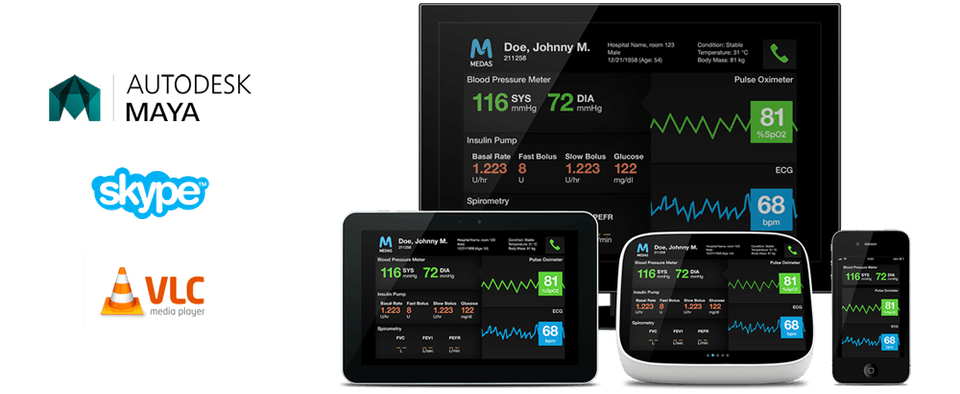
QML (Qt Modeling Language) is a programming language provided by the Qt framework. QML is a programming language that can be used for UI development within the Qt framework, making it easy to implement modern, advanced UIs.
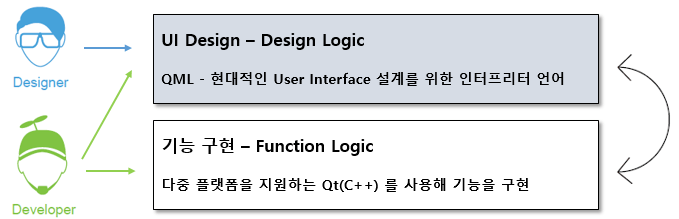
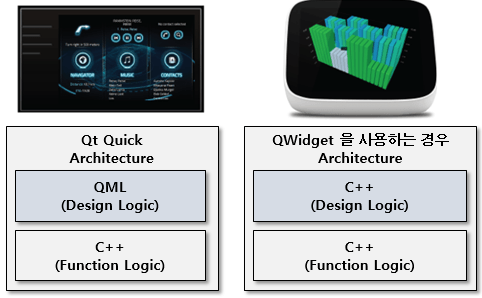
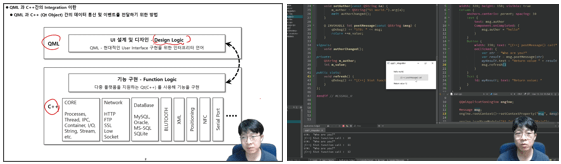
When developing GUI programs using the Qt framework, you can distinguish between the design logic of the UI and the functional logic of the functional portion. Among these, QML is a language of choice as an alternative to C++ when developing UIs that correspond to the design logic . Specifically, developing UIs with QML allows for a complete separation of design and functional logic, thereby increasing source code reusability.
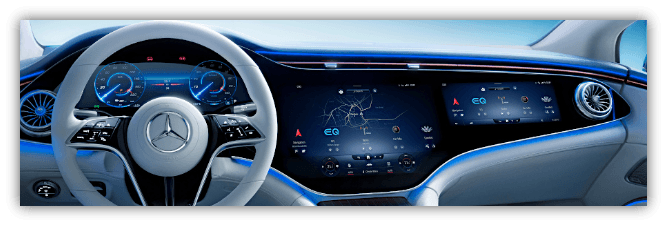
Developing design logic using QML allows you to implement UIs much more easily and quickly than developing using C++. It also allows you to easily apply modern, advanced GUI technologies like Flickable, Gesture, Animation, and 3D.
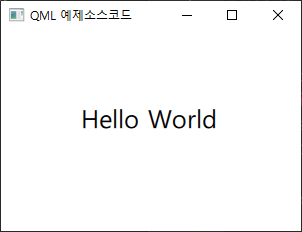
Let's look at a "Hello World" output example, a common example when first learning a programming language. It's easy to see how concise QML is.
import QtQuick
Window {
width : 300
height : 200
visible : true
title : qsTr ( "QML Example Source Code" )
Text {
x : 80
y : 70
text : "Hello World"
font. pixelSize : 25
}
} QML example source code execution screen
QML is simple and straightforward. Even non-developers can easily understand it. Therefore, designers and developers can communicate with each other using QML code and share ideas.
Therefore, QML allows designers and developers to collaborate using the same development tools, reducing development time compared to before .
Anyone (developers, designers) who wants to easily implement modern, advanced UI/UX using QML in Qt
Those who want to increase source code maintainability and reusability by separating design logic and functional logic.
Designers and developers can communicate and collaborate effectively through the same tools as QML.
Learn how to develop modern, advanced UX/UI using QML.
You will learn how to use QML to completely separate design logic from functional logic.
You can naturally learn QML development skills required in the field by studying the theory by section and writing code yourself based on various practical examples.
Theory and practice at once
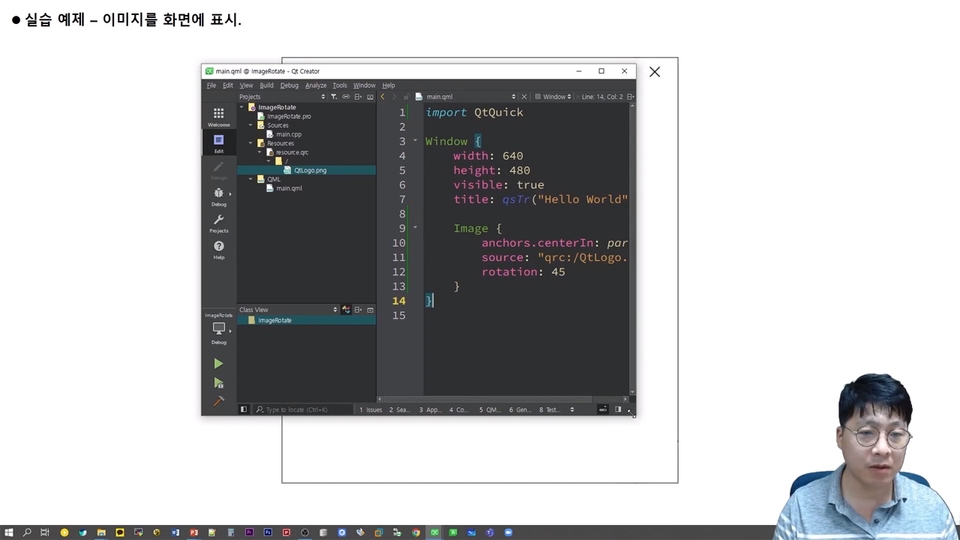
In addition to QML grammar, the course is designed to enhance practical skills. After each section's theoretical study, you'll learn practical examples and implement them yourself, further enhancing your practical skills.
Beyond the online walls
We've captured the image of a knowledge sharer on the screen. Learn anytime, anywhere, as if you were taking an offline class, with vivid live coding.
Section 1. Anaimation
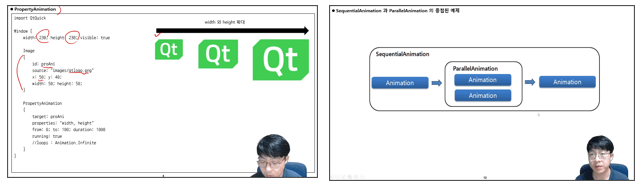
Animations provide an easy way to apply animations to GUI elements. For example, a button might appear and disappear. Animations can be used for this. A button might disappear for one second, for example, or a specific amount of time can be given for the Opacity value to change from 100% to 0%.
Using these animations, you can create effects similar to those used on GUIs. You can also implement effects that allow smooth screen transitions. Therefore, in this section, you'll learn how to use animations on GUI elements.
Section 2. Implementing a Ball Bounding Example Using Animation and Easing Curves
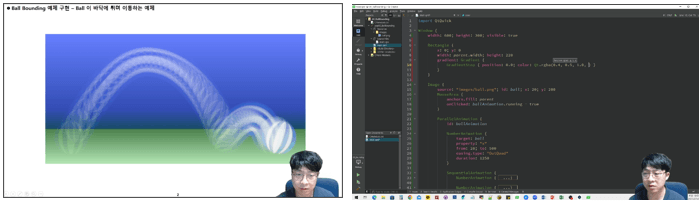
Easing Curves allow you to create more sophisticated effects by using specific options within your animations. For example, by accelerating a specific time interval during a 10-second animation, you can create a variety of effects.
In this section, you will learn how to use easing curves in animation through practical examples.
Section 3. State and Transition
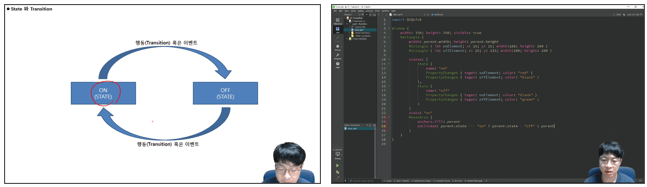
A state represents a condition. A transition represents an action. For example, in an on/off switch, the conditions are "ON" and "OFF," and the action (transition) is defined as the change from "ON" to "OFF." Using states and transitions, you can group complex behaviors and have them change collectively when the conditions change, making complex GUI implementations easier to implement.
Section 4. Implementing an Image Viewer Example Using State and Transition
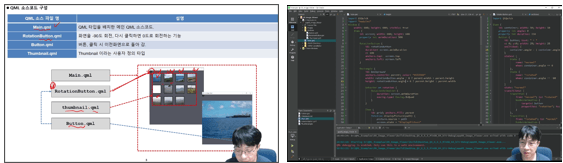
In this section, we will implement an Image Viewer using the State and Transition learned in the previous section.
Section 5. Model and View
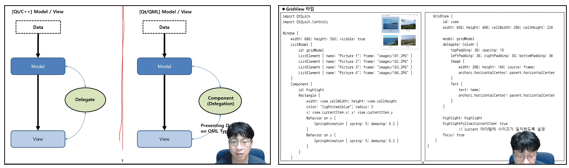
Models and Views are used to display large amounts of data on a GUI. For example, when displaying 100 data items in a table, the data is stored in the Model, and the View represents how the data stored in the Model is displayed on the GUI. The View can be a table or a tree. In this section, you'll learn how to use Models and Views.
Section 6. Implementing a Chess Game Using Model and View
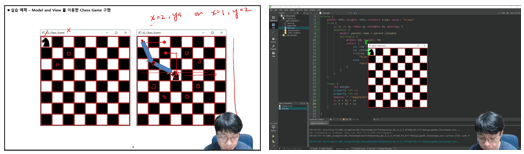
Learn how to implement an example of a Chess Knight using Model and View.
Section 7. Integration between QML and C++
Learn how to call specific class-specific functions in C++ from QML, and how to call specific JavaScript functions from C++. You'll also learn how to call functions and pass data between QML and C++ through hands-on examples.
Section 8. Implementing New QML Types Using C++
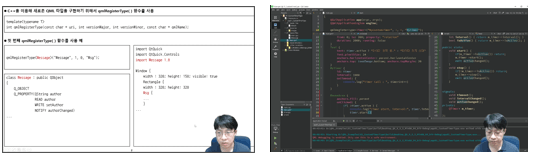
You'll learn how to implement your own custom types, like those provided by QML. In a hands-on example, you'll learn how to implement a Timer type yourself.
Section 9. Implementing QML Types Using the QQuickPaintedItem Class
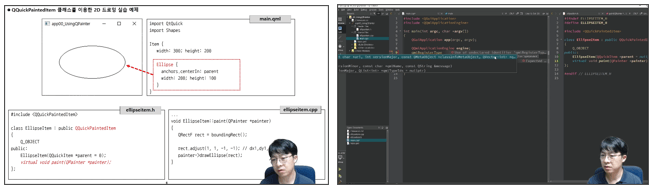
Just as we used QPainter to display 2D graphic elements on QWidget, we will learn how to use QQuickPaintedItem class provided in C++ to display 2D graphic elements on QML Type using QPainter.
Section 10. Implementing QML Types in Nested Structures
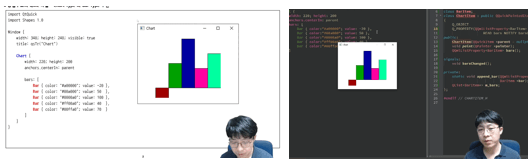
When simply implementing a Type, you may need to implement a hierarchical structure. For example, you may need to implement multiple Types within a Type. In this section, we'll learn how to implement a hierarchical Type through the topic of Chart.
Section 11. Mapping QML Objects and Variables from C++
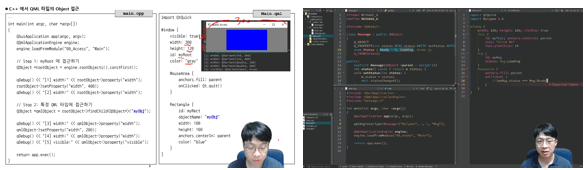
In this section, you will learn about data exchange between C++ and QML and how to map variable types between C++ and QML.
Section 12. Implementing a Chat Example Using C++ and QML
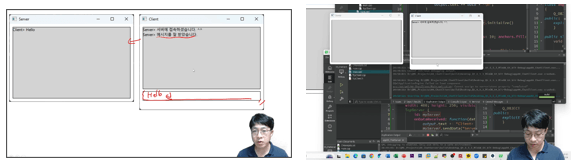
This section demonstrates a simple chat example, implementing chat functionality in C++ and the screen in QML. This section teaches you how to build applications using C++ and QML.
👉 See how you've changed after learning.
After taking this course, you'll be able to use QML fluently. You'll also understand the differences and pros and cons of using QML in real-world projects versus the traditional C++/Qt approach, QWidget.
Additionally, when implementing a project using QML, you can completely separate the design logic (QML part) and functional logic (C++) of the implemented source code, thereby increasing the reusability of the written code.
Q. In addition to theory and grammar, will I be able to access a variety of practical examples?
Yes, you can. After each section's theoretical lecture, you'll have a hands-on coding session with the instructor, using examples. This allows you to learn practical programming skills using QML in the workplace.
Q. Are there any reference materials or textbooks for the lectures I am studying?
I currently serve as an administrator for the Qt Developer Community ( qt-dev.com ). You can find additional resources related to Qt and QML on this site.
Q. Is there anything I need to know before attending the lecture?
This course requires basic knowledge of C++ and Qt. If you have no experience with Qt, we recommend taking the previous "Qt Programming" course before taking this course.
Q. What level of content is covered in the class?
Covers everything from QML basics to advanced topics for various application areas.
💾 Note
For more details, please check out the previewed Section 1 [QML Reference and Recommended Qt Versions for Learning QML] lesson.
Who is the target audience for learning?
Those who want to develop UI using QML
Anyone who wants to develop UI using QML in the Qt framework
Is player knowledge necessary?
C++ Basics
Qt Basics
Who is this course right for?
For those who want to develop UI using QML
For those who want to develop UI using QML in Qt framework
Need to know before starting?
C++ Basics
Qt
1,144
Learners
116
Reviews
111
Answers
4.7
Rating
9
Courses
Work Experience
Current: SW Team Leader in the Embedded field
LG Electronics, VS Division IVI Advanced Platform/Module Development
SW Maestro, SW Mentor
Teaching Experience
Samsung Electronics, Qt & QML Lectures
LG Electronics, In-house Instructor for Qt & QML
Hancom Academy, Qt Guest Lecturer
Guest Lecturer for Qt at numerous IT companies
Books
Qt Programming
Qt Quick Programming
Qt5 Programming Guide
MeeGo Programming Complete Guide
Qt Practical Programming
SW Community Management
Qt Developer Community Administrator ( www.qt-dev.com )
All
47 lectures ∙ (8hr 56min)
Course Materials:
All
8 reviews
4.9
8 reviews
Reviews 126
∙
Average Rating 5.0
5
2024/09/07/Sat 17:45 I listened to the lecture well. I learned a lot about QT QML. Thank you for making QT QML 1/2 great lectures. Have a nice day.
Hello. Thank you for your good review, sunny75. Dream of Kim Daejin.
Reviews 2
∙
Average Rating 5.0
5
I am following the roadmap and watching the lectures well. It was a great help in understanding Qt and QML in general. And it is good that you shared the materials on GitHub. In the future, it would be really good if there were a project (a program that runs on multiple screens) that can utilize the entire thing rather than just partial practice. When I look at web lectures, there are grammar or network classes at the beginning and then a CRUD bulletin board as a practice project, so if there is a process of creating a project using what I learned, the concepts that partially remain in my head will be connected and completed. I will also wait for the embedded lecture that will come out in the future. Thank you.
Hello. Son, Thank you for such a detailed course review. Thank you so much for letting me know what I need to improve. Thank you so much for your valuable feedback. I will buy you a cup of coffee someday when I have the chance. ^^; And I am preparing a project-style lecture titled "Temporary title: Implementing a real-time personal broadcasting station project". After that, I plan to conduct the "Embedded Linux Programming using Qt" and "Qt for MCU" lectures. Lastly, thank you so much for your great feedback.
Reviews 35
∙
Average Rating 5.0
5
This is currently the only Qt course that teaches everything from the very beginning.
Thank you so much for the good review, White. Good reviews are a great source of strength in providing good content. I will work even harder in the future :)
Reviews 3
∙
Average Rating 5.0
5
It was a good lecture. I hope you can do an in-depth course next time. Please give me Python-QML.
Hello. JunHwan Song Thank you so much for your great review. I am also preparing a video related to Qt Python. :)
Reviews 4
∙
Average Rating 5.0
5
I'm retaking this course. It's a lecture good enough to be worth taking again. If you are a Qt beginner, I think it's definitely worth completing.
Thank you so much for the great review, Junhyun Lee.
Check out other courses by the instructor!
Explore other courses in the same field!