강의

멘토링

커뮤니티

Applied AI

/

AI Creative

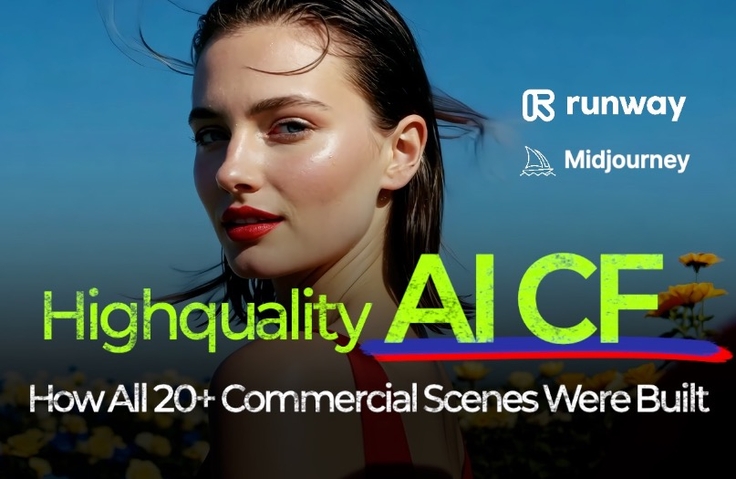
High-Quality AI Video All-in-One Class: Midjourney & Runway (25+a Scene Production)

Create high-quality AI videos with Midjourney&Runway. Director Kim Dong-ah, who collaborated with Samsung, will personally guide you step-by-step through the AI video production process based on a virtual brand.

(4.7) 9 reviews

46 learners

  • Dong Ah K
생성형ai
ai영상
runway
미드저니
인공지능
Video Production
AI
Midjourney
Generative AI

What you will gain after the course

  • Video Production Workflow using Runway

  • Runway Image Ref Feature: Diverse Usage Methods

  • 25+ Scene-Specific Prompt Design & Connection Know-how


A video director who collaborated with Samsungteaches you directly
AI Video Practical Production All-in-One


"Can we create our brand advertisement with AI?"
"How can we seamlessly connect AI-generated videos?"

This course is created by Director Kim Dong-ah, a video advertising expert who has collaborated with Samsung,
based on the virtual brand 'BELROSE' commercial video
where you'll learn step-by-step how to plan, generate, and connect over 25 AI scenes,
and it's a hands-on course where you'll create your own high-quality AI commercial video.


From practical video production know-how using the latest AI tools like Midjourney, Runway, and D-ID
to prompt application strategies that can be used for real brands,


the curriculum is designed with a structure that anyone can follow,
making it immediately applicable to real-world work for everyone from AI beginners to marketers, designers, and video professionals.


To properly learn AI,
you need good references.


However, learning just the basic features alone makes it difficult to connect to actual video production.
That's why this course is structured to follow along with a virtual brand 'BELROSE',
capturing the same workflow and considerations similar to actual brand advertisement video production.


Conceptualize scenes that align with your brand concept and maintain consistent tone and message across each scene
Combine various AI tools to design a natural video flow

Since it's a fictional brand, you can freely experiment without the pressure of real-world work,
and you can safely practice prompt design and directing strategies that can be applied to actual brand videos.

Follow along with virtual brand AI videos and create your own AI videos for your brand.


CHECK 1

In this class,
we will create over 25 AI videos




In this course, we'll create everything from products to natural objects, people, and imaginative scenes
by directly producing over 25 AI videos across various topics.








This is a portion of the practice video. All students will create similar results themselves.

What makes this class more special

CHECK 2
An advanced course focused on practical application beyond the basics

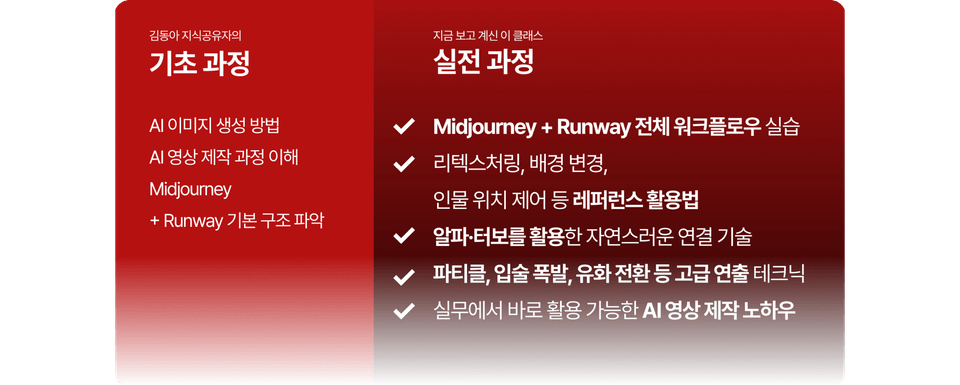
This course is an advanced course exclusively for those who have completed the basic course,
where you'll practice the complete AI video production workflow based on Midjourney + Runway
and create results at the level of actual commercial videos.

Retexturing, background changes, character positioning control, natural scene transitions,
and even advanced production techniques like particles, lip explosions, and oil painting conversions in a practical curriculum
that will elevate your skills to a level where you can immediately apply them to your projects.


First Half

Step-by-Step Guide to Creating Virtual Brand Videos
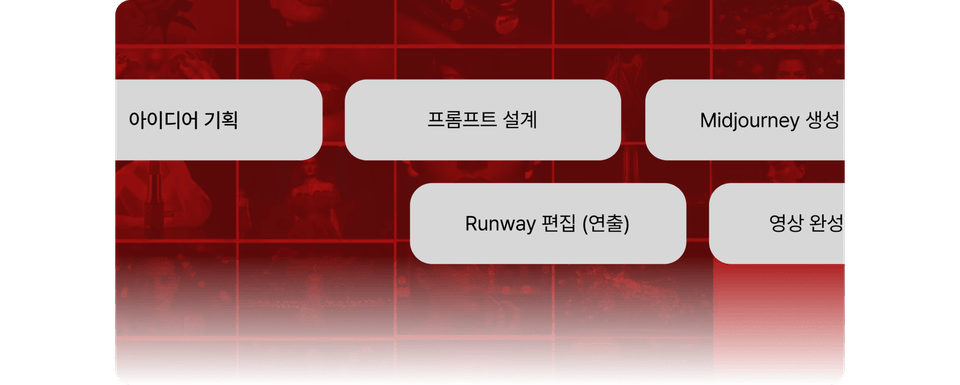
Planning → Prompt Design → Image Generation → Connection In-depth explanation of the process
• Introduction to key scenes used in the video from 6,500 images and 1,200 clips actually generated

Second Half

Midjourney·Runway Advanced Production Techniques
Alpha·Turbo·Image Ref techniques for natural scene transitions
Retexturing·Background changes·Character positioning and other detailed reference utilization tips

CHECK 3
Through creating more than 25 scenes,
ultimately apply them to my own work

This class is not just a simple demo or theoretical explanation.
With a practice-centered structure, you'll directly plan, generate, and connect over 25 AI video scenes.
You'll first watch the completed video to understand the overall flow,
then explore the planning background, tools used, production timeline, prompt strategies, and other practical contexts together.

In this lecture, which contains only the essentials,
you can complete a natural and smooth AI commercial video
through Midjourney + ImageFX → Runway integration practice.

After taking the course

You can perform the entire process from prompt design → scene creation → connection on your own

You can immediately apply 25+ scene-specific know-how and advanced directing techniques to complete a high-quality portfolio

Through AI video production methods, you will acquire practical & planning materials along with processes and scripts that can be utilized.

Benefits exclusively for students

When a new course is launched, we will provide a discount coupon to students enrolled in .
※ If you request a refund during the course, discount coupons cannot be provided.
※ Discount coupons will be provided before the new course launch.

FAQ

Q. Do I need to complete the free introductory course before taking this course?

A. Yes, we recommend taking the free introductory course that covers the basic usage of Midjourney and Runway (prompt basics, image generation, basic editing) before starting this course. However, if you already have foundational knowledge of Midjourney and Runway, you may proceed directly with this course.

Q. What if the course difficulty is too high?

A. This course is designed at an 'beginner-plus' level, allowing those who have completed an introductory course to naturally continue their learning. If you find any chapters difficult to understand during the course, please use the rewind and replay features to review, and feel free to leave questions on the Q&A board for additional explanations.

Q. I'm not familiar with the 'Image Ref' or 'Alpha Connection' features during class. Will I be able to follow along?

A. Since each feature is explained step-by-step with screenshots and hands-on practice, you can follow along easily even if you're encountering it for the first time. If you get stuck at any point, please leave a question on the Q&A board.

Pre-Course Information

Practice Environment

  • Operating System and Version (OS): Windows, macOS compatible

  • Required Tools: PC/Laptop with internet connection, imageFX, Midjourney & Runway with paid plan

  • PC Specifications: As a web-based generation service, it is independent of PC specifications.

Prerequisites and Important Notes

  • Q&A: Please use the Q&A board within the course to ask questions.

  • Update: Example prompts/Runway versions may be updated according to technological changes.


  • Copyright: Course materials and example prompts may only be used for individual student learning purposes and external sharing is prohibited

Recommended for
these people

Who is this course right for?

  • Those who completed the free introductory lecture and wish to experience practical project application.

  • Solo creators looking to elevate their ad video production skills.

  • Marketers, Designers, PDs looking to boost work efficiency with AI video creation

Need to know before starting?

  • Basic knowledge about Midjourney and Runway is needed.

  • You can watch basic knowledge in my free lecture.

Hello
This is

1,417

Learners

84

Reviews

5

Answers

4.9

Rating

4

Courses

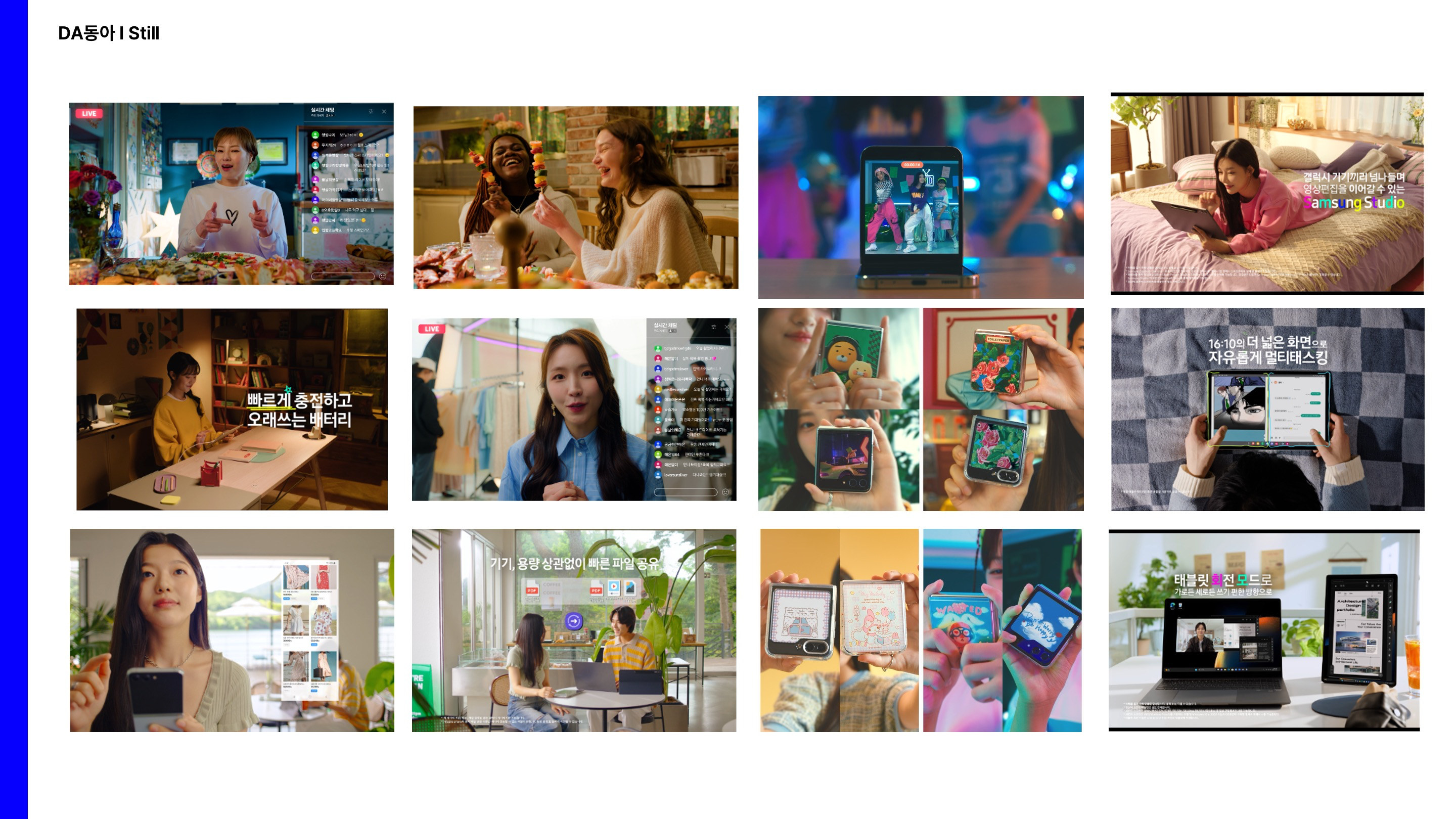
안녕하세요. 영상을 통해 이야기를 만들어가는 영상 감독 김동아입니다.

저는 오랜 시간 다양한 영상 콘텐츠 제작 현장에서 경험을 쌓아왔습니다. 삼성 갤럭시 시리즈 CF를 비롯한 다수의 상업 광고국내외 영화제에서 인정받은 독립 영화 를 연출하며 폭넓은 실무 역량과 저만의 시선을 키웠습니다.

변화하는 미디어 환경 속에서, 저는 최근 미드저니와 런웨이를 활용한 '생성형 AI 영상 제작'에 깊이 몰두하고 있습니다. 기존 영상 제작 노하우에 AI 기술을 접목하여 새로운 창작의 가능성을 탐구하는 중입니다.

이 강의를 통해 제가 직접 겪고 배운 생성형 AI 영상 제작의 핵심 노하우를 진솔하게 나누고자 합니다. 여러분도 AI와 함께하는 창작의 즐거움을 발견하고, 자신만의 독창적인 영상 콘텐츠를 만들어가시길 진심으로 응원합니다


 https://www.youtube.com/@88Dongah


Port_Kimdong-ah.jpg.webp


주요 경력 (Director)


Commercial (광고/CF)

  • 2024년

    • SAMSUNG Eureka S24 활용영상

    • SAMSUNG SKT flip&fold6

  • 2023년

    • SAMSUNG Galaxy Tab FE

    • SAMSUNG Galaxy Book4

    • SAMSUNG Z Flip5 & Fold5

    • SAMSUNG Galaxy Tab S9

    • 더 리본 TV CF

  • 2020년

    • 록피드 CF

    • 쿠첸 파워락

    • 홈CC 인테리어 CF

MOVIE (영화)

  • 2024년

    • 계장수그녀

      • 제5회 수려한합천영화제 대상

      •  

  • 2021년

    • 미호 (Miho)

      • 6회 충무로 영화제 관객상

      • 20회 광화문 단편영화제 본선

    •  

  • 2020년

    • 4.5평 (4.5m2)

      • 13회 LA인디쇼트페스트 신인감독상 & 심사위원상

      • 4회 LA독립단편영화제 최고의 실험영화상

      • 5회 인디아 월드필름페스티벌-21 심사위원상

      • 9회 콜카타 국제단편영화제 심사위원상

      • 2020 할리우드 인디 필름 어워드 최고의 실험영화상

      • 2020 파리한국 영화제 노미네이트

      • 2020 ARFF 베를린 노미네이트

      • 2020 제주혼듸단편영화제 노미네이트

Curriculum

All

40 lectures ∙ (2hr 17min)

Course Materials:

Lecture resources
Published: 
Last updated: 

Reviews

All

9 reviews

4.7

9 reviews

  • 박진우님의 프로필 이미지
    박진우

    Reviews 4

    Average Rating 4.0

    5

    32% enrolled

    • hjoo님의 프로필 이미지
      hjoo

      Reviews 9

      Average Rating 5.0

      5

      11% enrolled

      • Dong Ah K
        Instructor

        감사합니다 :)

    • kimsj님의 프로필 이미지
      kimsj

      Reviews 1

      Average Rating 5.0

      5

      30% enrolled

      • shb01066님의 프로필 이미지
        shb01066

        Reviews 1

        Average Rating 5.0

        5

        30% enrolled

        • 안경이님의 프로필 이미지
          안경이

          Reviews 1

          Average Rating 5.0

          5

          60% enrolled

          $93.50

          Dong Ah K's other courses

          Check out other courses by the instructor!

          Similar courses

          Explore other courses in the same field!