







Designer Generative AI Practice: Extracting Chill-Style Results
jejucoding
Generative AI for Designers🧙♂️ We reveal practical know-how to maximize design work efficiency with generative AI like Canva and Midjourney.
Beginner
ChatGPT, AI, Midjourney
What if you could do difficult PR planning and design courses all at once? Even complete novices can finish content like a pro with AI!


Reviews from Early Learners
5.0
rlaaudg
It contains a lot of helpful content for beginners ^^ I listened to the lecture well~! I want to take the new lecture when it comes out!
5.0
jinkyung9301
The lectures are very informative, from basic to advanced content!ㅎㅎ There are so many parts that I can use, so I really listened to them well😀😀 I've always used the functions that I used in Photoshop, but I think I learned a lot of new functions that I can use, so it's great🩷
5.0
고등어
The course covers practical content. You can easily learn the most commonly used functions in Photoshop, including shortcuts. You can easily create results using artificial intelligence and Photoshop.
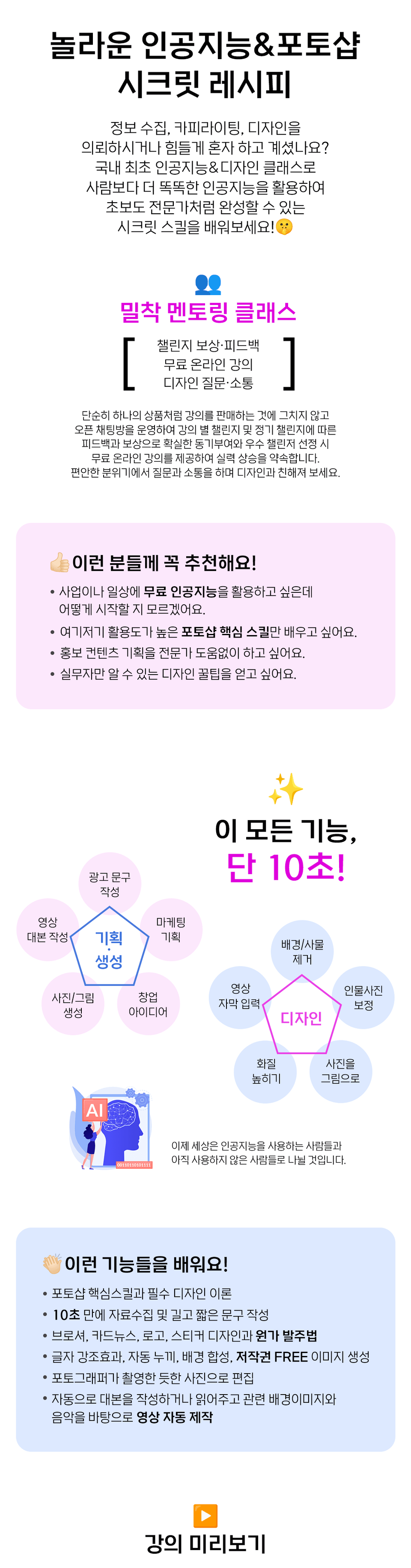
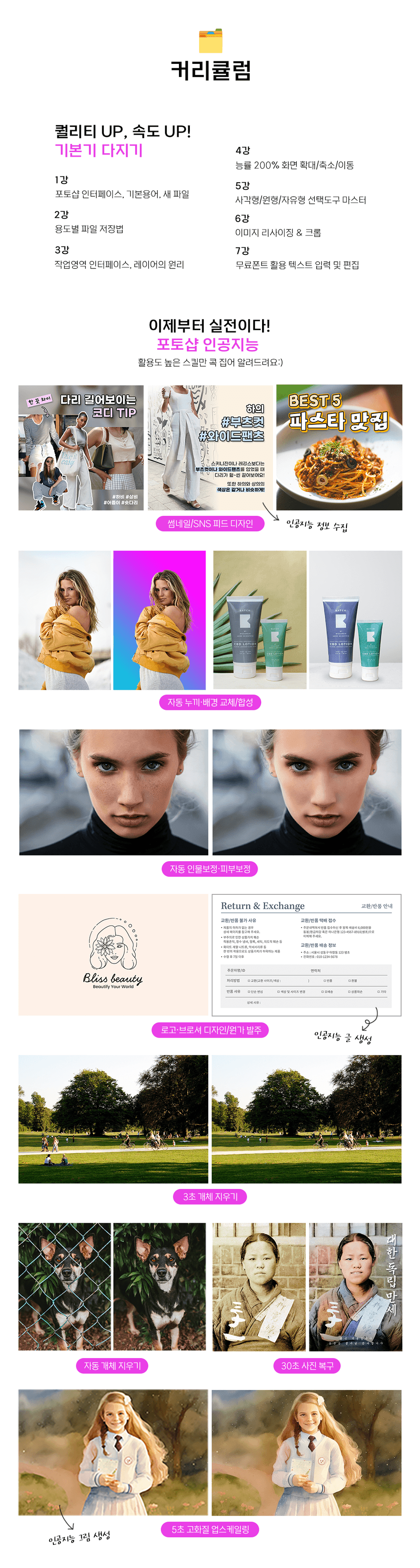
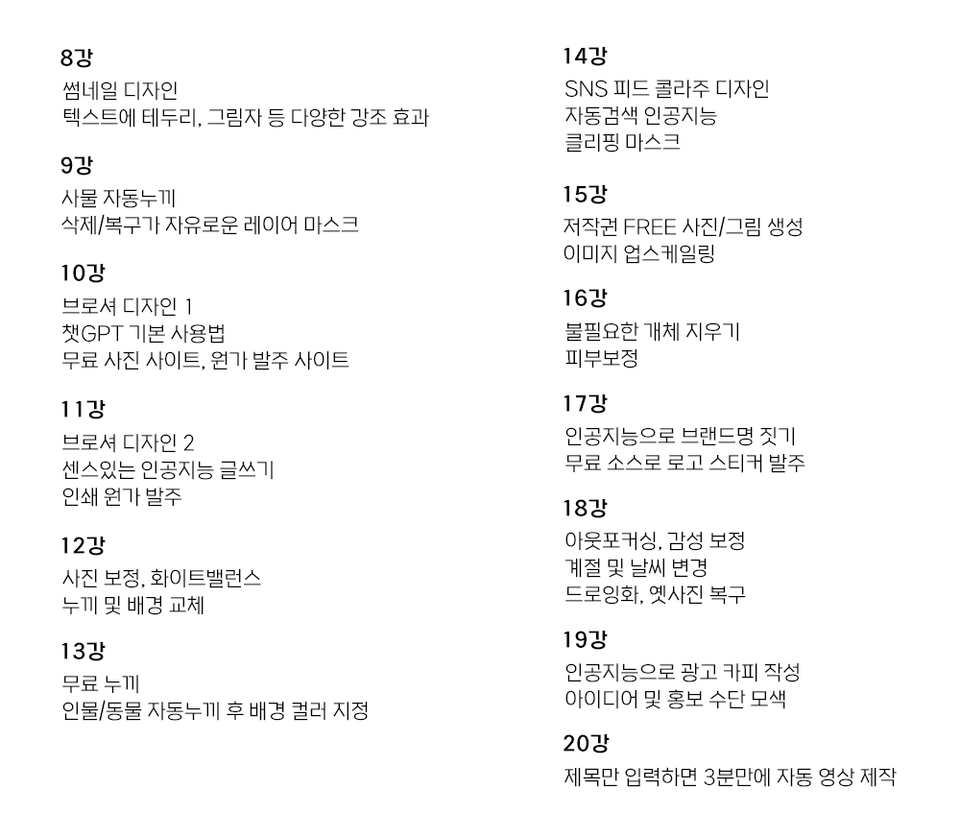
Photoshop Core Skills and Essential Design Theory
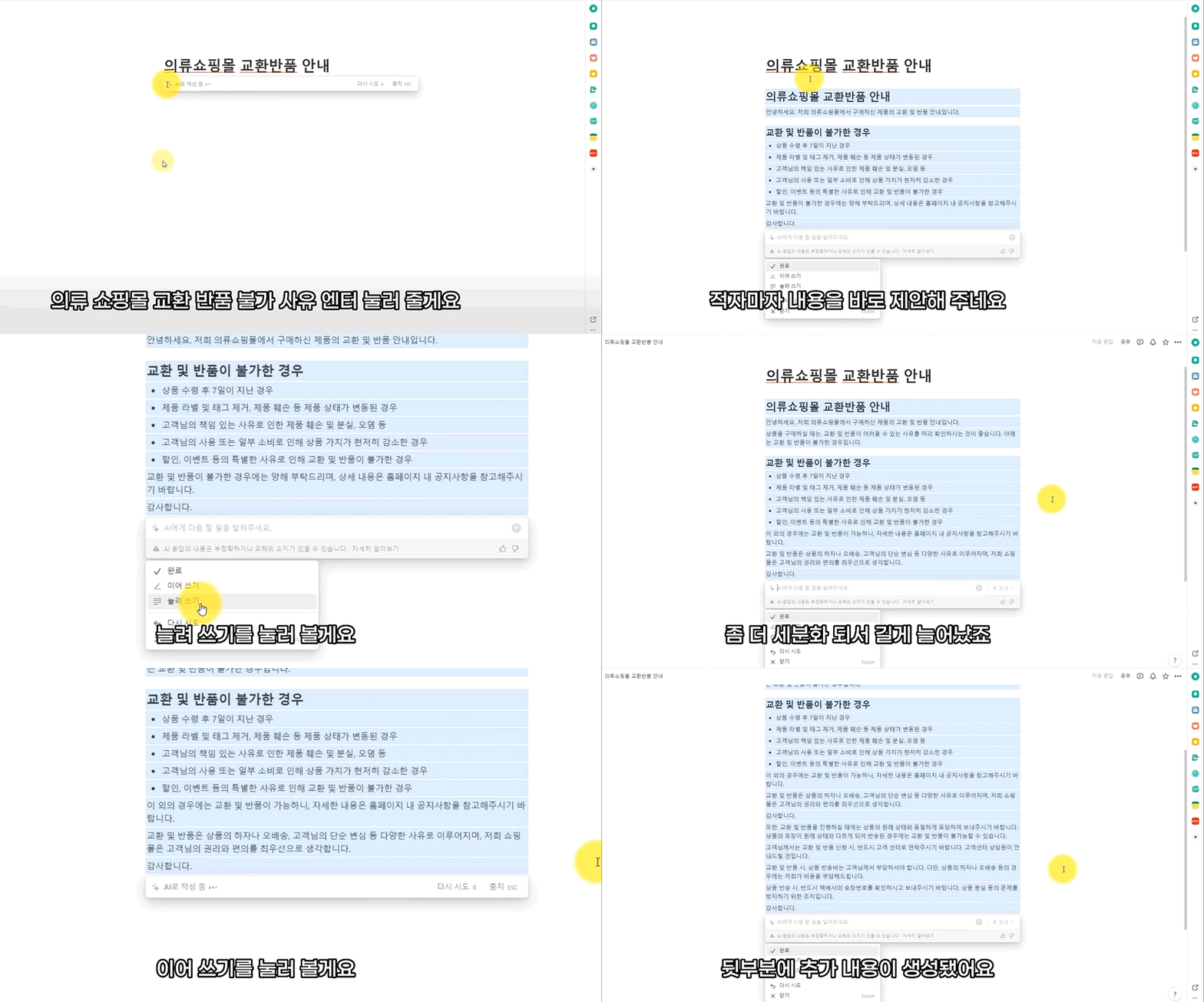
Data collection and ad copywriting in 10 seconds
Brochure, Card News, Logo, Sticker Design, and How to Order at Original Cost
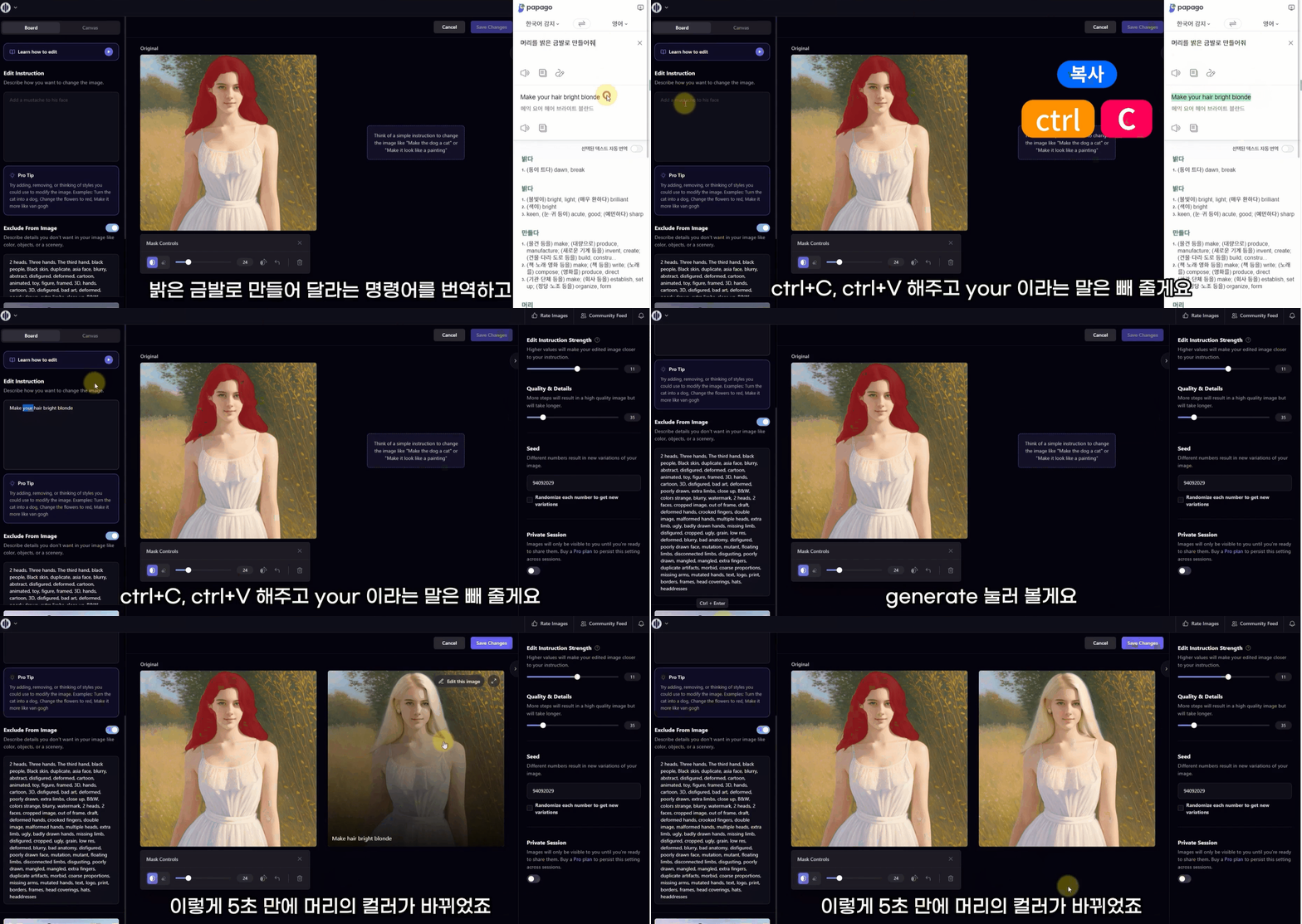
Text highlighting, Auto cutout, Background merging, Royalty-FREE image generation
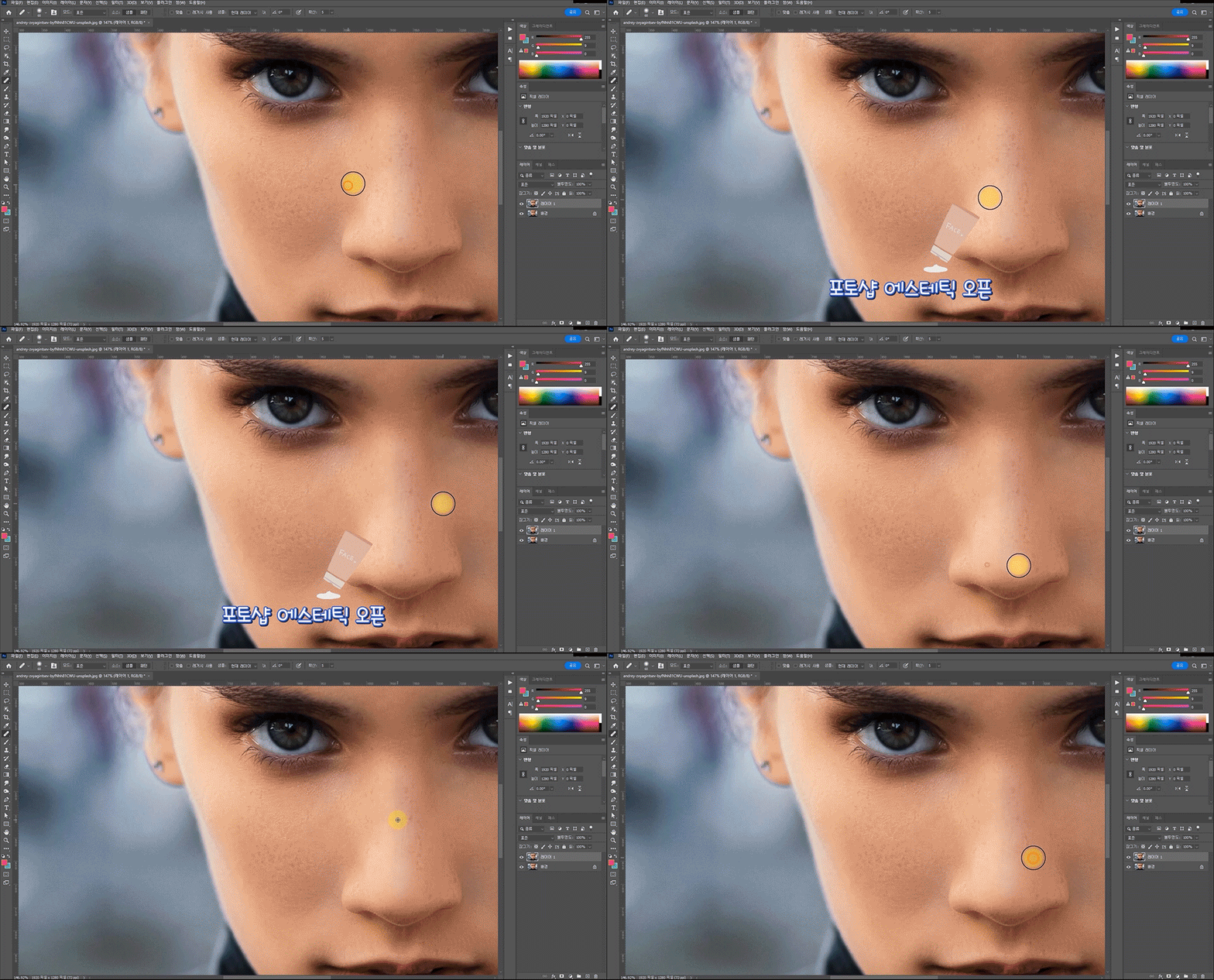
Edit to a photographer-quality photo.
Automatically generate or read scripts and automatically produce videos based on relevant background images and music.
Artificial intelligence meets Photoshop!
Even beginners can create something like a professional in no time ✨
📢 Things to note before taking the course
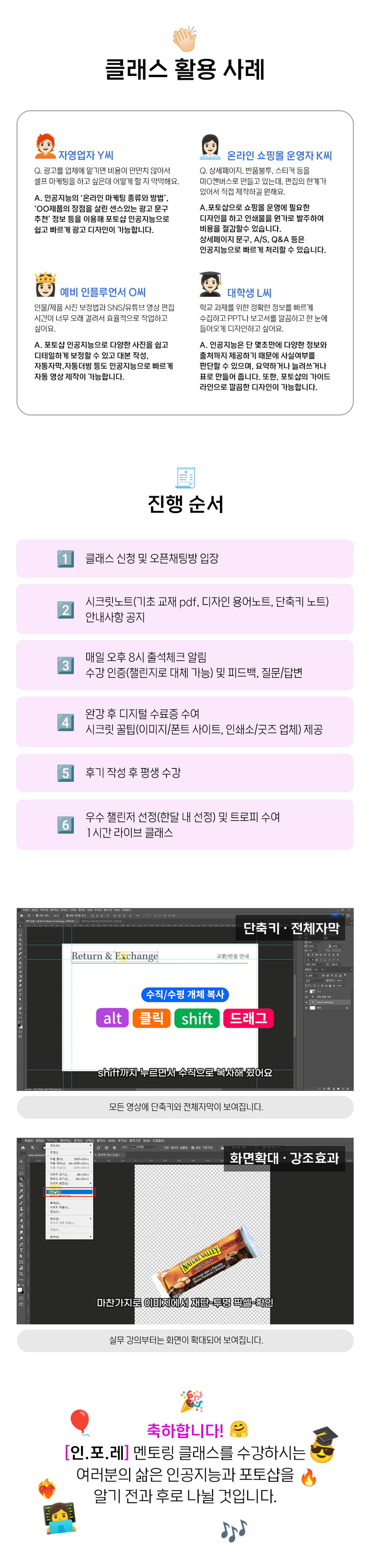
Simply attending lectures isn't enough to improve your skills. We promise to help you achieve a dramatic improvement in your skills through intensive mentoring, including feedback and rewards for each lecture's challenges (assignments).
All you need is a willingness to learn. Through open questioning and communication, we'll help you become familiar with design and develop the skills to create your own designs!
Who is this course right for?
I want to learn only highly versatile Photoshop core skills.
I'd like to plan promotional content without expert help.
I want to get pro design tips.
56
Learners
7
Reviews
1
Answers
5.0
Rating
1
Course
I'm a designer with 13 years of experience!
I'll turn even a complete beginner into a pro:)
🔹 Former idus Artist
🔹 Former Photoshop & Custom Goods Instructor at Anseong Lifelong Learning Center
🔹 Former CEO of an Advertising Design & Printing Company
🔹 Former Design Team Leader at a Package Design Company
✔ MBC KidZania Seoul/Busan exhibition booth and sign design
✔ L'Occitane advertising print and regular mail DM design
✔ KINTEX Motor Show exhibition booth and sign design
Blog | YouTube: Sangcho Computer Room
All
23 lectures ∙ (3hr 30min)
Course Materials:
All
7 reviews
5.0
7 reviews
Reviews 12
∙
Average Rating 4.6
5
Today was a complete class. Looking back now, the basics were just a warm-up for the practical class. I was proud to learn various functions and shortcuts for using Photoshop in the basics, but when I got to the practical class, I was overwhelmed by the amount of content. Among the content I learned in the practical class, the methods for various cuts, AI video production, and the use of Photoshop's neural filter were particularly impressive. They also taught me how to draw AI pictures, but this part was a bit difficult to follow. Except for drawing AI pictures, I was able to work easily and quickly just by following the video. In addition, they even taught me how to print and create thumbnails so that I could apply my work to business, so I thought that I would be able to do a lot of creative work if I just learned this one class. This is a class that is worth the money, and the level of the lecture is just enough to follow, so I recommend you start without any pressure.
Wow🙊........ This is the first time I've seen such a touching review. I gave you a lifetime pass for leaving a review! I did my best to help you learn shortcuts and basics solidly and practical content, so I'm so proud and motivated that you recognize it 💪 I hope it'll be a big help to your business too, so you can work less and earn more! You can easily create AI images with the help of Papago. Thank you so much!!🙏
Reviews 1
∙
Average Rating 5.0
5
It contains a lot of helpful content for beginners ^^ I listened to the lecture well~! I want to take the new lecture when it comes out!
Photoshop updates so frequently that new lectures are only offered as 1:1 real-time lectures! You will be able to learn more about Photoshop in the book that will be published soon (intermission promotion haha). Thank you!
Reviews 1
∙
Average Rating 5.0
5
The lectures are very informative, from basic to advanced content!ㅎㅎ There are so many parts that I can use, so I really listened to them well😀😀 I've always used the functions that I used in Photoshop, but I think I learned a lot of new functions that I can use, so it's great🩷
It makes me so happy to see such great reviews of the lectures I worked so hard to create! I hope you create many high-quality designs with the new features!
Reviews 10
∙
Average Rating 5.0
5
The course covers practical content. You can easily learn the most commonly used functions in Photoshop, including shortcuts. You can easily create results using artificial intelligence and Photoshop.
I am grateful to those who give detailed feedback on the lectures like this, so that I can make better lectures😍 I have no doubt that you will be able to freely make fast and perfect designs by utilizing AI and Photoshop 200% since you have been working hard👏👏 I will change the course period to lifelong:)
Reviews 1
∙
Average Rating 5.0
Explore other courses in the same field!