
강의

멘토링

커뮤니티

Design

/

3D Modeling

3DS MAX Introductory Course (From Beginner to Automotive Example)

This is a beginner's course for 3DS MAX. This course provides a simple introduction to Max and the interface of Max, as well as various concepts that you must know. You can learn the basic and important parts that are easy to miss! This course has already been verified by many people. 3DS MAX is not difficult at all. Get started now!

(4.8) 52 reviews

2,585 learners

  • mokmaheim
3ds MAX
Thumbnail

Reviews from Early Learners

What you will gain after the course

  • Basic concepts and interface of 3DS MAX

  • Setting and using shortcut keys for efficient modeling

  • Creating Objects and Understanding Coordinate Axes

  • Editable Polygon Modeling Basics

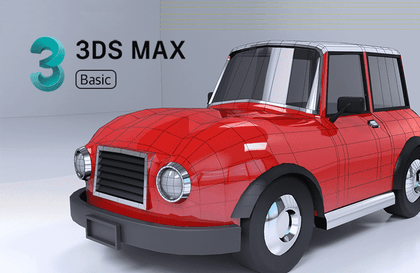
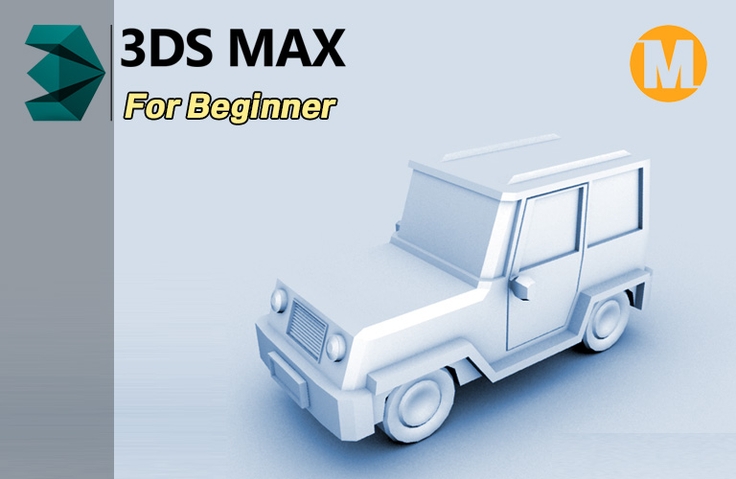
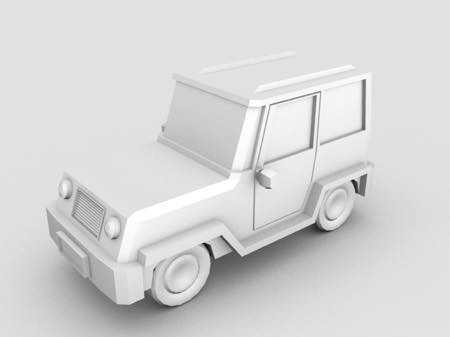
  • Low polygon car modeling and rendering

1. Course Introduction

"A lecture that has already been viewed and verified by many people!" This is an introductory course for those who are new to 3ds MAX. You can learn step by step from the introduction of 3DS MAX, the interface, and the basic concepts essential to building your skills so that you can easily get started with 3DS MAX by Mokma, who provides good materials for many people on his blog.

Mokma, who has honed his skills solely through online learning, will learn 3DS Max with ease, leveraging the know-how he's accumulated through trial and error. Furthermore, you'll learn how to use Max naturally through hands-on examples of creating a simple, low-polygon car. 3DS Max is not difficult at all! Invest just three days!

Course Version: 3dsmax 2011 or later versions


3ds Max Course

2. Helpful people

  • Those who want to learn 3D but find offline academy fees burdensome
  • Anyone who wants to work in the 3D CG field, such as a 3D printer, animation, or game artist
  • Anyone who wants to learn CG
  • Anyone who wants to learn 3D modeling
  • Anyone

3. Course Features

  • Skills covered: 3D modeling, 3DS Max
  • Course Level: Introductory
  • Requirements: PC, 3DS MAX

4. Shortcut key settings

Starting with 3dsmax 2020.2, the existing shortcut key setting method has changed.

Section 01. I have uploaded the changed shortcut key setting method in the HotKey Editor.

Save Save Save Save


Are you curious about the next lecture?

Recommended for
these people

Who is this course right for?

  • 3D Modeling Beginner

  • For those new to 3DS MAX

  • Anyone who wants to learn efficient workflow

  • People who prefer hands-on learning

  • People interested in car modeling

Hello
This is

10,158

Learners

173

Reviews

290

Answers

4.8

Rating

5

Courses

3D CG를 취미로 하는 사람입니다. 정보가 많지 않던 시절 힘들게 배운 지식을 기반으로 지금 배우시는 분들께 조금이나마 보탬이 되고자 강의 제작을 하게되었습니다.  지금은 열심히 개인 애니메이션을 만들고 있습니다.  3D 애니메이션은 많은 시간과 노력과 전문 지식이 필요합니다.  제가 먼저 열심히 해본 후에  애니메이션 전반관련한 강의를 제작할 예정입니다.

Mokmaheim 유투브채널

Curriculum

All

23 lectures ∙ (4hr 46min)

Course Materials:

Lecture resources
Published: 
Last updated: 

Reviews

All

52 reviews

4.8

52 reviews

  • 9019180560님의 프로필 이미지
    9019180560

    Reviews 1

    Average Rating 4.0

    4

    96% enrolled

    Thank you for always giving me quick answers when I have questions. I'm still a beginner in modeling, so it was very difficult, and I especially lost focus during rendering and post-processing. As you said, repeated practice is the only answer~ It was my first 3dsmax lecture, and I've finally finished it! Thank you for your hard work.

    • mokmaheim
      Instructor

      Thank you for your hard work.

  • yhr0678님의 프로필 이미지
    yhr0678

    Reviews 3

    Average Rating 4.7

    5

    100% enrolled

    Thank you so much for the kind class!

    • major022108님의 프로필 이미지
      major022108

      Reviews 1

      Average Rating 4.0

      4

      100% enrolled

      It helped me a lot.

      • mokmaheim
        Instructor

        Thank you for your effort!

    • leezzu09041286님의 프로필 이미지
      leezzu09041286

      Reviews 2

      Average Rating 5.0

      5

      91% enrolled

      You explain it in a way that even beginners can easily learn!!

      • mokmaheim
        Instructor

        Thank you!!! I will continue to work hard in the future!

    • hyongsu44님의 프로필 이미지
      hyongsu44

      Reviews 868

      Average Rating 5.0

      5

      100% enrolled

      Thank you for your valuable lecture. Happy New Year and always take care of your health.^^

      Free

      mokmaheim's other courses

      Check out other courses by the instructor!

      Similar courses

      Explore other courses in the same field!