강의

멘토링

커뮤니티

Design

/

3D Modeling

Mastering 2D CAD (Open Software)

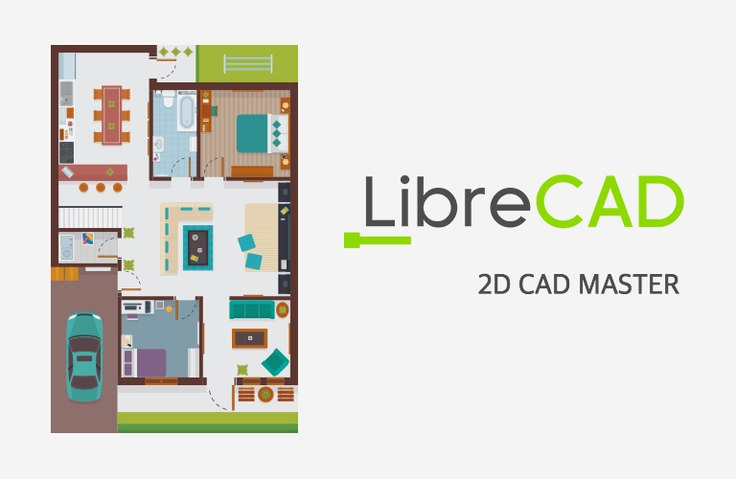
2D AutoCAD's rival. Open source program LibreCAD. It also works on Linux, macOS, Unix, and Windows operating systems. The interface and usage are almost similar to AutoCAD, and since the software price is free, you can use it anytime, anywhere without any burden. LibreCAD is compatible with the DXF file format, so it is also compatible with other graphic design CAD software. In particular, when requesting 2D processing, it is recommended to use dxf files due to compatibility and version. This is useful software for students, small business operators, and hobbyists who want to learn AutoCAD but are concerned about the cost. Now, I will introduce you to the world of LibreCAD. I hope you have a fun and informative time.

(4.0) 4 reviews

65 learners

Level Basic

Course period Unlimited

  • gremaza
CAD
CAD
LibreCAD
LibreCAD
CAD
CAD
LibreCAD
LibreCAD

Reviews from Early Learners

Reviews from Early Learners

4.0

5.0

김영승

100% enrolled

Thank you for your effort

5.0

하정구

89% enrolled

It's a rare lecture so it's helpful.

5.0

happyojj

100% enrolled

I learned LibreCAD in a way that was easy to understand. Thank you.

What you will gain after the course

  • 2D drawing, CNC G-code generation linked with Makercam

※ Be sure to check the learning-related materials on the news bulletin board.

Learning Objectives

  • Learn how to create and utilize drawings using open 2D CAD software (LibreCAD).

Helpful people

    • If any of the following applies to you, this will definitely help.
        • Anyone who wants to create drawings using 2D CAD
        • Those who are concerned about the cost of CAD software and want to learn free CAD software
        • Students, small business owners, or hobbyists who want to learn CAM and CNC for product manufacturing.
        • Those who wish to obtain a CAD certificate or find employment (production, technical sales)

Things to learn

  • Introduction, installation, and interface of 2D CAD and LibreCAD
  • Files and Options, Edit, View, Plugins
  • Tools - Line, Circle, Curve, Ellipse, Polygon, Selection, Dimension, Modify, Information, Text, Hatch, Point
  • Widgets, Drawings, Help
  • Drawing (using layers), file saving and output, MakerCam integration, and CAM simulation

Note

Introduction of knowledge sharers

Kim Yong-il
I majored in mechanical design automation programming and have worked for a mechanical engineering company. I have 2D & 3D mechanical design (using AutoCAD, Inventor, CATIA, Rhino, and SolidWorks). I hold qualifications such as a general mechanical engineer, a fixture design engineer, and an electrical engineer. I also have experience using CAM software (Mastercam, PowerMill, Visualcam, CamBam, and Makercam). I also have experience in CNC equipment (MACH3, FAGOR), 3D modeling (Blender, Rhino), 3D printing, prototype production, and equipment training.
(Currently) operating the Gremaja Workshop

Recommended for
these people

Who is this course right for?

  • Beginners who want to create drawings using 2D CAD

Need to know before starting?

  • Computer, Internet, and System Basics

Hello
This is

152

Learners

10

Reviews

2

Answers

3.1

Rating

3

Courses

Currently operating Gremja Workshop and serving as a Section Manager in the Production and Development Department of a jewelry components manufacturing and sales company. Majored in Mechanical Design and Automation Programming with experience working in machinery-related firms. Proficient in 2D & 3D mechanical design (utilizing AutoCAD, Inventor, CATIA, Rhino, and SolidWorks). Holds certifications including Engineer General Machinery, Industrial Engineer Jig & Fixture Design, and Craftsman Electricity. Experienced in CAM software (Mastercam, PowerMill, VisualCAM, CamBam, MakerCAM), CNC equipment (MACH3, DSP controllers), 3D modeling (Blender, Rhino), and prototyping using 3D printing. Skilled in manufacturing various products using CNC engravers, laser markers, and UV printers.

(Using CAM) Prototype production using CNC equipment (MACH3, DSP controllers), 3D modeling (Blender, Rhino), and 3D printing; manufacturing various products using CNC engravers, laser markers, and UV printers.
그레마자공작소_창동_명함.jpg

Curriculum

All

9 lectures ∙ (4hr 40min)

Published: 
Last updated: 

Reviews

All

4 reviews

4.0

4 reviews

  • youngskim5226님의 프로필 이미지
    youngskim5226

    Reviews 9

    Average Rating 5.0

    5

    100% enrolled

    Thank you for your effort

    • gremaza
      Instructor

      Thank you for your good evaluation. Thank you for your hard work watching the lecture. There are currently various CAD software (reference: https://usmiling.tistory.com/2095). Find the tool that suits you and study it. Then, always stay healthy and have a good day!

  • hajunggu6082님의 프로필 이미지
    hajunggu6082

    Reviews 1

    Average Rating 5.0

    5

    89% enrolled

    It's a rare lecture so it's helpful.

    • gremaza
      Instructor

      Thank you for your good review! I hope the lecture was helpful. If you are curious about other CAD software, please refer to the following link. Have a nice day~ https://usmiling.tistory.com/2095

  • happyojj1151님의 프로필 이미지
    happyojj1151

    Reviews 1

    Average Rating 5.0

    5

    100% enrolled

    I learned LibreCAD in a way that was easy to understand. Thank you.

    • gremaza
      Instructor

      Yes~ Thank you~^^ If you have any questions about CAD, please contact me anytime~😀 My email address is~ freesnut@naver.com

  • krjuice8862님의 프로필 이미지
    krjuice8862

    Reviews 1

    Average Rating 1.0

    1

    33% enrolled

    There's a problem with the sound.

    • gremaza
      Instructor

      Hello, student. We apologize for the poor sound quality in the lecture. There was an issue during the initial lecture production, so we significantly reduced the course fee. We plan to improve and re-register it when conditions allow in the future. We ask for your understanding on this matter, and have a great day. For reference, if you would like to listen using English subtitles, please refer to the following link: https://www.youtube.com/playlist?list=PLRnDjo-4KCAq5BprqcbQb-cZvjY7MJpqb

$8.80

gremaza's other courses

Check out other courses by the instructor!