
inflearn logo

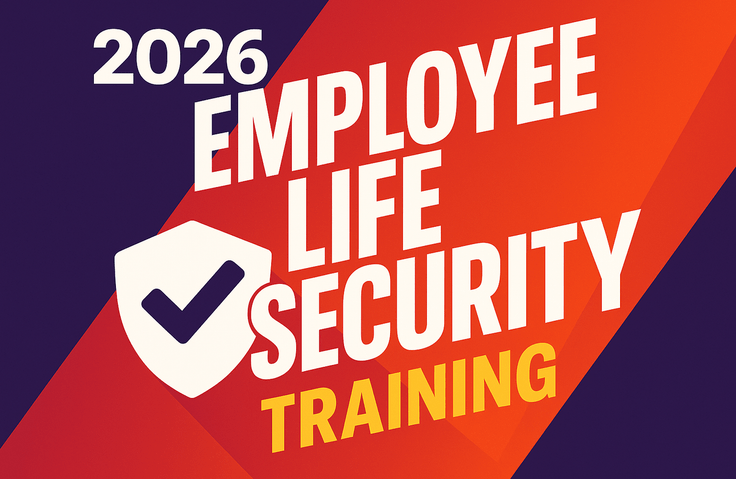
2026 Employee Daily Security Training: “My Small Actions Are the Company’s Great Security”

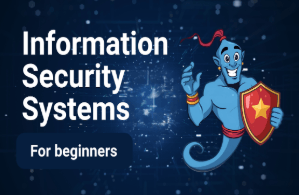
This is mandatory company-wide information security training that helps employees internalize, through real-world examples, the security threats encountered in everyday work—from arriving at work to leaving for the day, starting with a single click or a single document—and the latest security practices for 2026, without difficult IT jargon.

1 learners are taking this course

Level Beginner

Course period Unlimited

security training
security training
security training
security training

What you will gain after the course

  • The ability to identify and respond to sophisticated phishing, smishing, and the latest malware in everyday life

  • Completely prevent frequent personal information breaches in practice

  • Building Habits Around Essential Smart Office Security Routines

  • Competence in secure document storage and disposal, and compliance with security requirements for external/remote work

🛡️ My small actions are the company's strong security

[2026 Information Security & Personal Data Protection Practical Guide for All Employees]

"Do security incidents happen because hackers break into systems like in the movies?
The truth revealed by statistics: 95% of corporate breaches begin with 'small acts of human carelessness.'"


💡 Course Overview

Have you ever felt relieved when you saw the password on a sticky note attached to your monitor as soon as you arrived at work?
Have you ever carelessly double-clicked an attachment in an email that appeared to be a tax invoice from a business partner?
Have you ever thought, "I sent it to my personal email so I could work from home—what's the problem?"

Security is by no means the sole responsibility of the IT or information security team.
The strongest security firewall is not an expensive solution, but the three-second moment of doubt—“Huh? This seems strange”—and small, consistent habits practiced by every employee.

This course was designed for non-IT and general office employees in departments such as management support, HR, general affairs, finance, sales, and marketing. Instead of difficult technical terms or complex coding concepts, it presents practical, everyday security guidelines that anyone can follow in just one second through real-life situations encountered at their desks and computers every day from the moment they arrive at work until they leave, along with vivid examples of data breach incidents.


⚖️ Why must you take this course now? (Key Issues for 2026)

  1. [2026 Amendment] Strengthening of the Personal Information Protection Act and the Survival Crisis Facing Businesses

    • The maximum fine has been significantly increased from the existing 'revenue related to the violation' to 'up to 3% of the company’s total revenue'. (For a company with annual revenue of 100 billion won, the maximum fine is 3 billion won!)

    • Even a single personal information breach must be reported and notified within 72 hours of discovery, and in cases of intent or gross negligence, punitive damages of up to five times the amount and criminal penalties will follow.

  2. Targeting by increasingly sophisticated new cyberattacks

    • Attacks targeting employees by spying on their social media profiles: OSINT-targeted phishing (spear phishing)

    • Infostealers that steal passwords saved in your browser in just one second

    • Imitating the CEO’s voice perfectly to induce fund transfers through AI deepfake financial fraud (BEC)


✨ 4 special strengths unique to this course

  • 🚫 No difficult computer jargon!

    • Anyone can understand it intuitively through everyday analogies such as door locks, sticky notes, and the table of contents and body of a book.

  • 📰 In-depth analysis of 6 real data breach incidents featured in the news!

    • It covers vivid real-life incidents, including omitting BCC in group emails, sending an Excel file to the wrong KakaoTalk group chat, leaving delivery labels unattended, entering confidential information into ChatGPT, exposing monitors in internal company vlogs, and the disastrous sale of secondhand laptops after merely formatting them.

  • ⚡ One-second security routines you can practice right at your desk!

    • We provide practical tips you can implement before leaving work today, including locking your screen with Windows + L, developing a three-second phishing detection habit, encrypting Excel passwords and delivering them through separate channels (Two-Channel), and permanently deleting files with Shift + Delete.

  • 🚨 One-minute golden-time action manual when an incident occurs!

    • "Learn clearly how to disconnect your network and follow the internal self-reporting process to prevent 99% of the damage without panicking when you accidentally click a file."


Recommended for these people

For all employees

All employees who want to learn the basic security practices to follow in the workplace and prevent mistakes, without complicated IT terminology.

New employees, interns, and mid-career hires

Those who need to build a solid foundation from the basics after joining the company in internal security regulations, work PC management, clean desk practices, and internal messenger etiquette

Professionals who handle customers’ personal information or important contracts and accounting documents

Practitioners responsible for tasks vulnerable to personal information breaches, such as downloading customer databases, sending emails announcing external events, and processing tax invoices

Features of This Course

  • 🚫 No difficult computer jargon!

    • Anyone can understand it intuitively through everyday analogies such as door locks, Post-it notes, and a book’s table of contents and main text.

  • 📰 An in-depth analysis of six real-world data breaches reported in the news!

    • It covers vivid real-life incidents, including omitting BCC in group emails, mistakenly sending an Excel file to the wrong KakaoTalk group chat, leaving a shipping label unattended, entering confidential information into ChatGPT, exposing a monitor in an internal company vlog, and selling a used laptop after merely formatting it.

  • ⚡ A one-second security routine you can practice at your desk right now!

    • We provide practical tips you can implement before leaving work today, including locking your screen with Windows + L, developing a three-second phishing detection habit, encrypting Excel passwords and delivering them through separate channels (Two-Channel), and permanently deleting files with Shift + Delete.

  • 🚨 One-minute golden-time action manual in the event of an incident!

    • "When you accidentally click a file," we clearly explain how to disconnect the network cable to prevent 99% of the damage without panicking, along with the internal voluntary reporting process.

You’ll learn about these topics

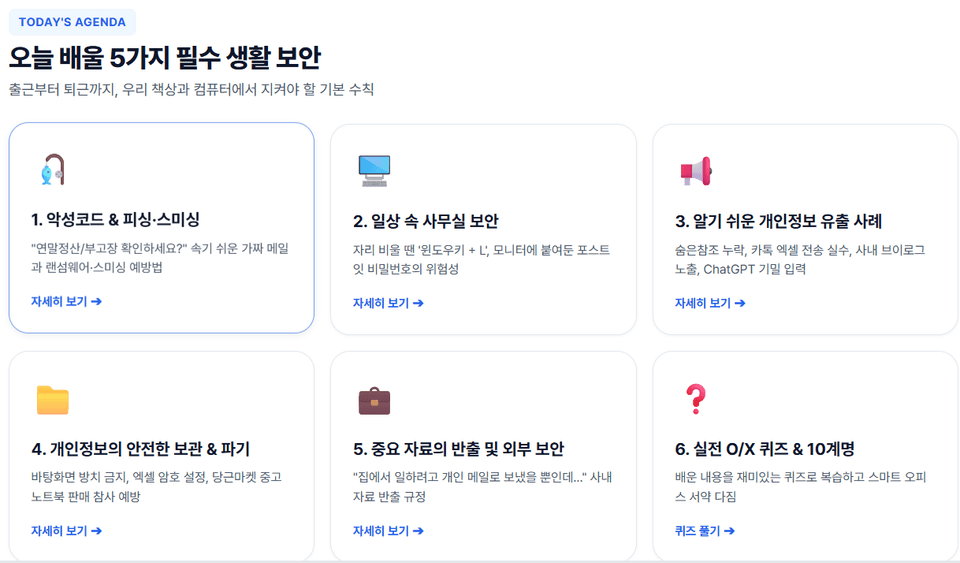
5 Essential Everyday Security Practices

"Basic rules to follow at our desks and computers from the moment we arrive at work until we leave"

1: Malware & phishing and targeted collection prevention
2: Smart office security practices to follow every day
3: 6 easy-to-understand examples of personal information leaks for the general public
4: Secure storage and complete destruction of personal information
5: Security for taking important company materials off-site and working externally

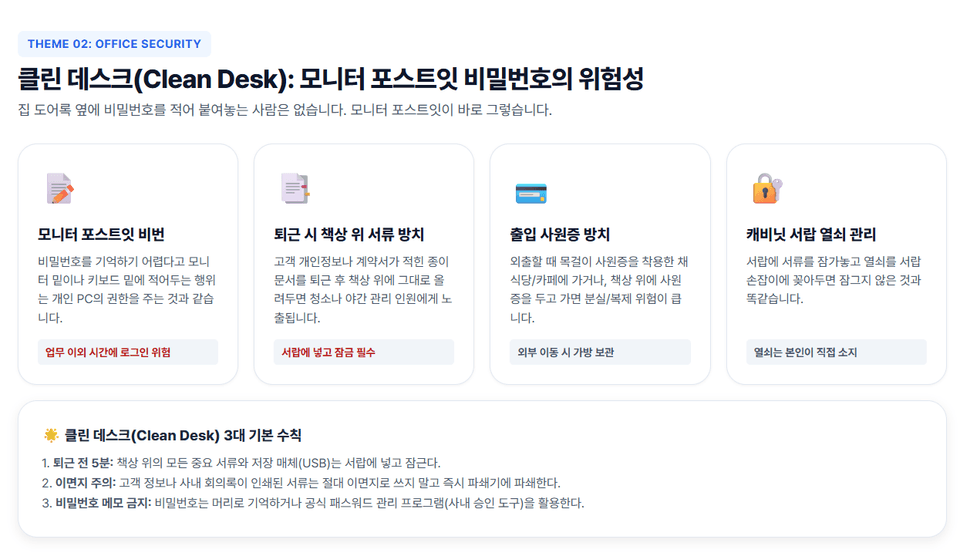
Clean Desk: The Risks of Passwords on Monitor Sticky Notes

Monitor Post-it Password Security

Leaving documents unattended on your desk when leaving work
Leaving your employee access card unattended
Managing cabinet and drawer keys

Instructor Introduction (CEO Jungwon Cho)

- Head and CEO of Security Project
- Security consulting and training for over 200 large and small companies
- (Former) IT Planning and Information Security Team, KB Securities
- (Former) Penetration Testing Team, A3 Security
- (Former) External IT security instructor at Multicampus
- (Former) Adjunct professor in the Department of Industrial Security at Chung-Ang University
- (Former) Adjunct professor at Seoul Digital University

Published Books
- Android Mobile App Penetration Testing (Acon Publishing, 2017)
- Complete Practical Web Penetration Testing Using bWAPP (Hanbit Media, 2016)
- The IT Engineer’s Side Job: Writing a Book (Bfan Books, 2015)
- Using Burp Suite for Web Penetration Testing (Hanbit Media, 2015)
- WordPress Plugin Vulnerability Analysis and Penetration Testing (Hanbit Media, 2015)
- How to Live as an IT Engineer 1 (Bfan Books, 2015)
- Android Mobile Malware and Penetration Testing Assessment (Acon Publishing, 2014)
- What Is Penetration Testing? (Wikibooks, 2014)
- Penetration Testing Using Kali Linux (Acon Publishing, 2014)
- The World of Digital Forensics (Infothebooks, 2014)
- The Great Detective Hacker Who Catches Crackers (Seongandang, 2010)

Published over 30 books, including

🙋‍♂️ Frequently Asked Questions (FAQ)

Q. Can even non-majors with no knowledge of computers or information security take this course?
A. Yes, it is designed for people with no technical background and general office workers. It does not cover professional coding or server knowledge at all, and anyone can complete it with interest through real-world work habits and case studies from the office.

Q. Can this be used to fulfill the requirements for mandatory legal education (personal information protection training)?
A. Yes. It thoroughly covers the legal responsibilities under the latest 2026 amendments to the Personal Information Protection Act (a fine of 3% of revenue, destruction requirements, and safety measure standards), as well as actual data breach cases and technical and administrative protective measures, making it highly suitable as mandatory in-house information security and personal information protection training.

Q. How long is the course, and how are the exercises structured?
A. This is a highly focused course lasting about one hour, with Win + L shortcut key practice, an Excel password encryption exercise, and interactive true/false quizzes included throughout the lecture, so you won't have a chance to get bored.

Notes Before Taking the Course

Learning Materials

  • PPT-format PDF materials

Prerequisite Knowledge and Important Notes

  • "No prior knowledge is required at all."

  • It is designed for the level of non-IT professionals and beginners who have no technical knowledge of coding, servers, networks, or the like.

  • Anyone can easily understand and immediately put it into practice as long as they know only basic computer skills, such as “pressing the Windows key and L on the keyboard,” “setting a password for an Excel file,” and “double-checking the spelling of an email address.”

Recommended for
these people

Who is this course right for?

  • All employees (non-IT office staff in general administration, HR, general affairs, finance/accounting, sales, marketing, etc.)

  • Personnel responsible for handling customer personal information or important contracts and accounting documents

Need to know before starting?

  • "No prior knowledge is required at all."

Hello
This is boanproject

Inflearn Verified

105,872

Learners

3,493

Reviews

447

Answers

4.7

Rating

68

Courses

Boan Project ( www.boanproject.com ) provides online and group lectures in various fields, including IT security, big data, machine learning, and IoT.

Curriculum

All

5 lectures ∙ (1hr 4min)

Published: 
Last updated: 

Reviews

Not enough reviews.
Please write a valuable review that helps everyone!

boanproject's other courses

Check out other courses by the instructor!

Similar courses

Explore other courses in the same field!

Limited time deal

$18.70

29%

$26.40