A course where anyone—from general users unfamiliar with programming to office workers looking to simplify their tasks—can learn how to create data processing rules, merge multiple documents, and easily automate workflows with just a few mouse clicks!
This was a great lecture that explained the basics of Power Query.
What you will gain after the course
Easily automate the collection, editing, and processing of various materials.
Automate the process of creating data processing rules and merging multiple data sets.
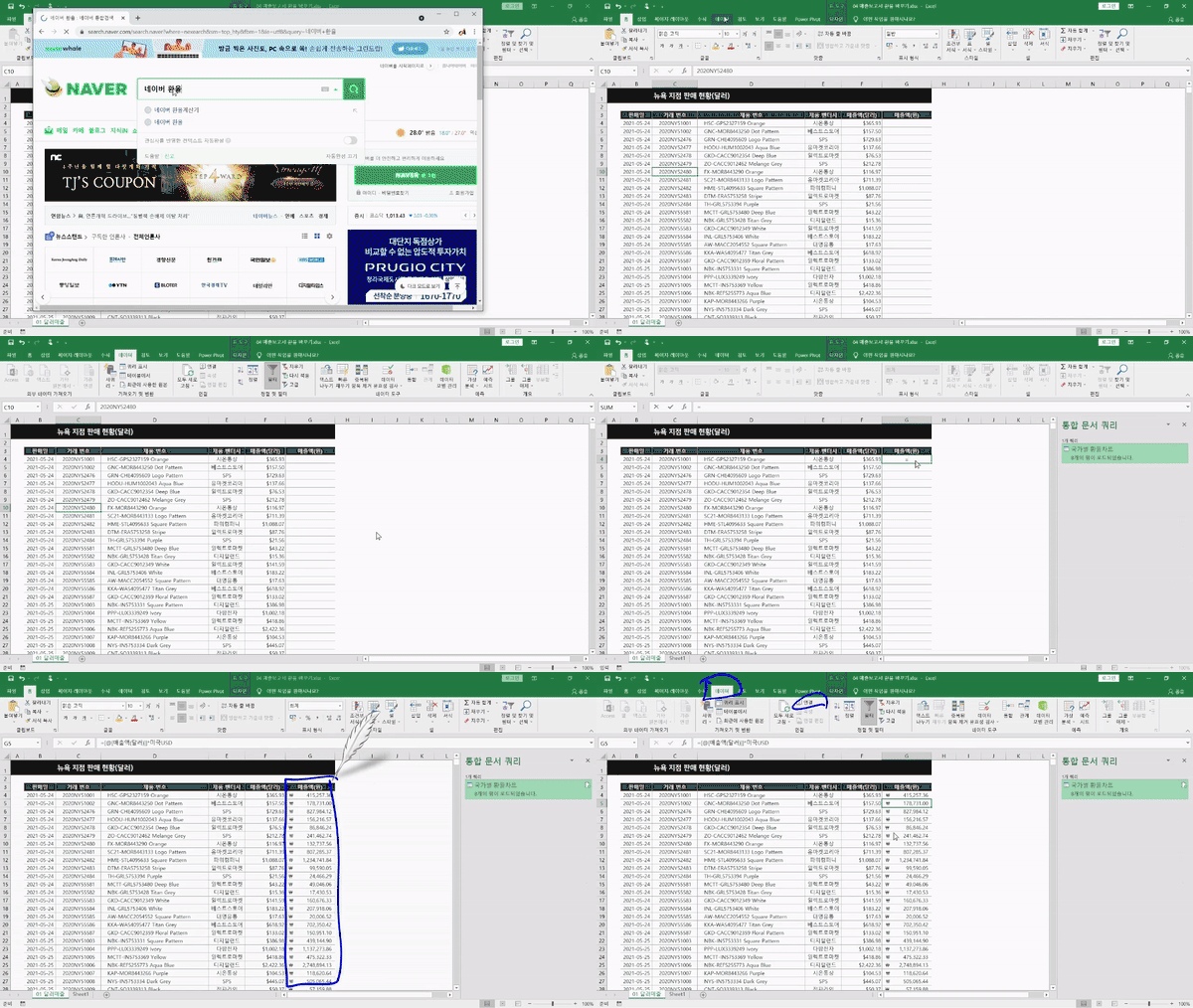
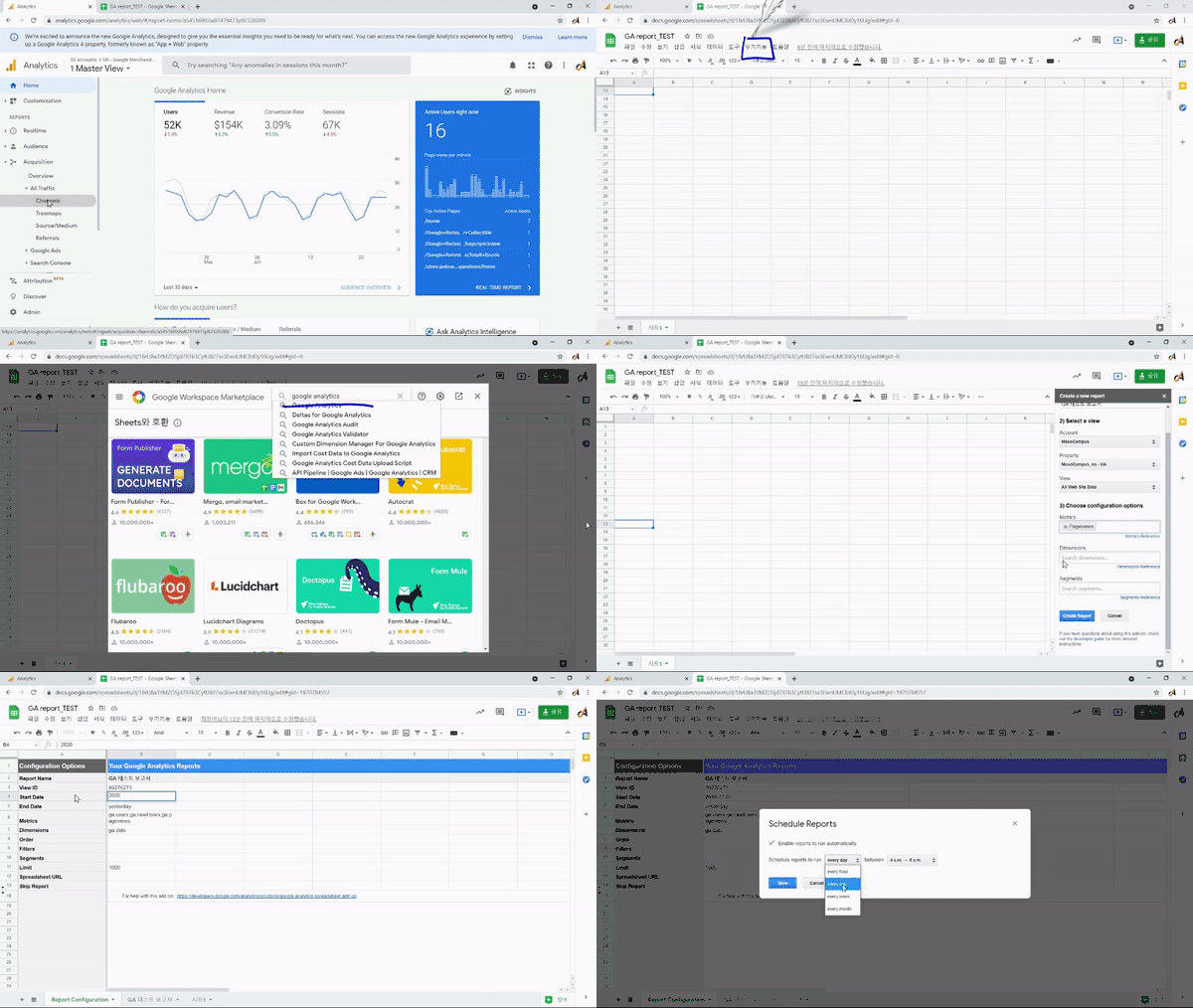
You can specify automatic data updates for exchange rates, surveys, analytics, and more according to a reserved schedule.
Automation of repetitive tasks and error correction using saved task history is possible.
The secret to data preprocessing that gets you home on time! Power Query for beginners.
🚩Can you automate tasks even with Excel?
The task that takes up the most time in practical data analysis is “data preprocessing”.
It's difficult, tedious, and there's always a part or two that gets missed, so you must have thought you'd like someone to do it for you automatically.
Furthermore, you have likely felt frustrated at least once because you didn't know which tools to use to collect and add new data to an existing DB.
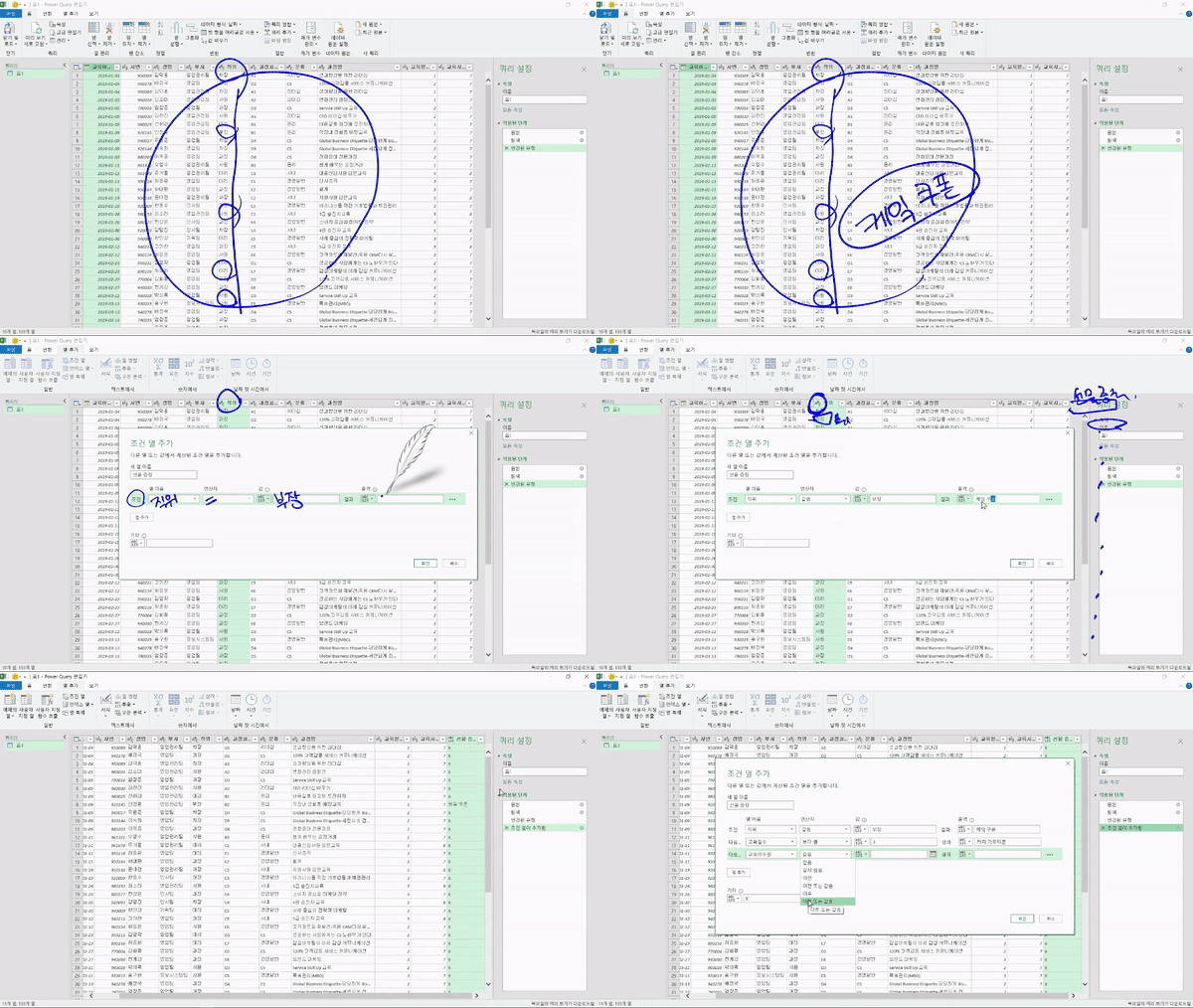
Excel Task Automation – Power Query allows you to practice with data similar to what is used in real-world scenarios, providing methods to automatically perform data acquisition and preprocessing to begin data analysis, enabling you to clearly see insights for problem-solving.
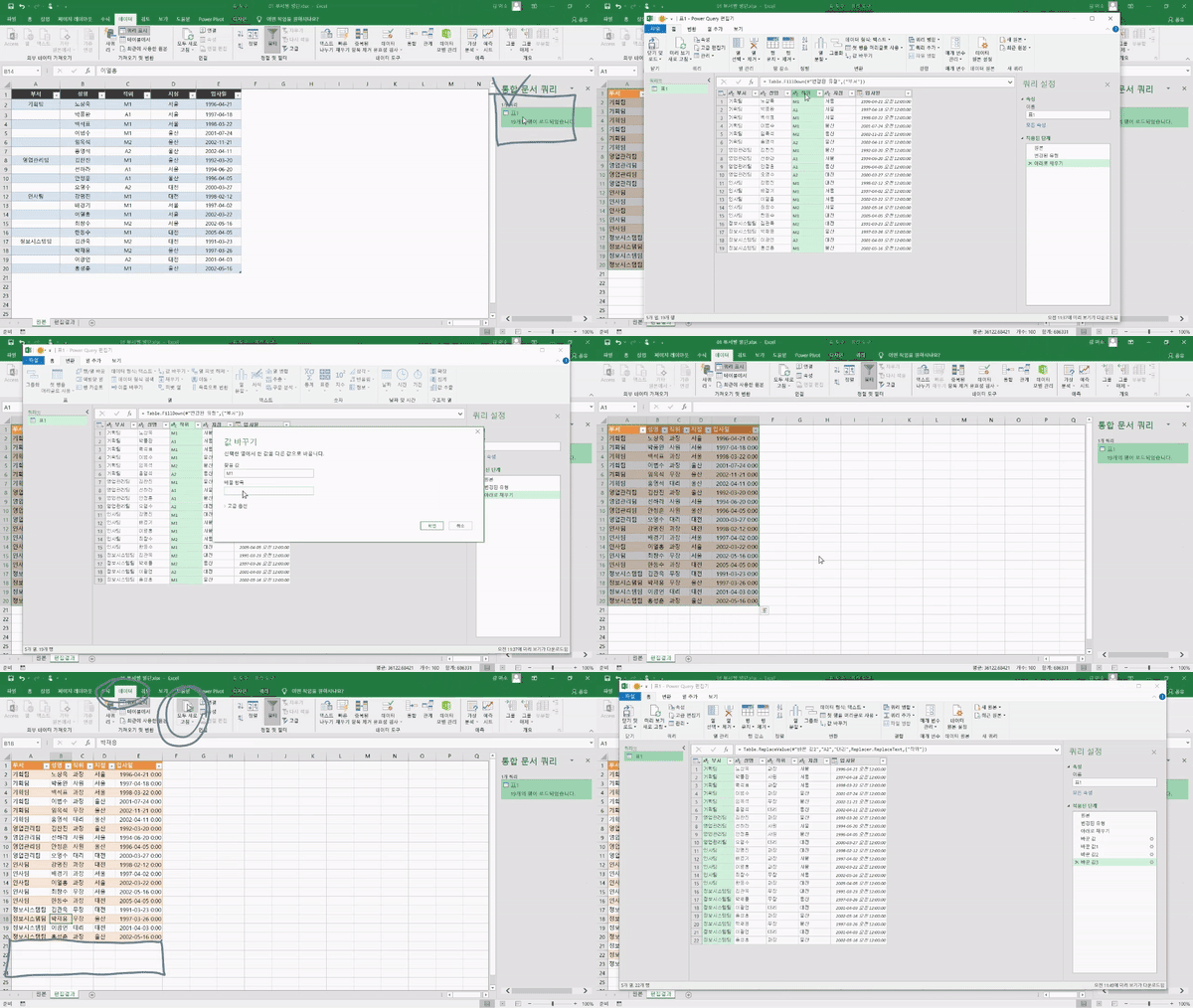
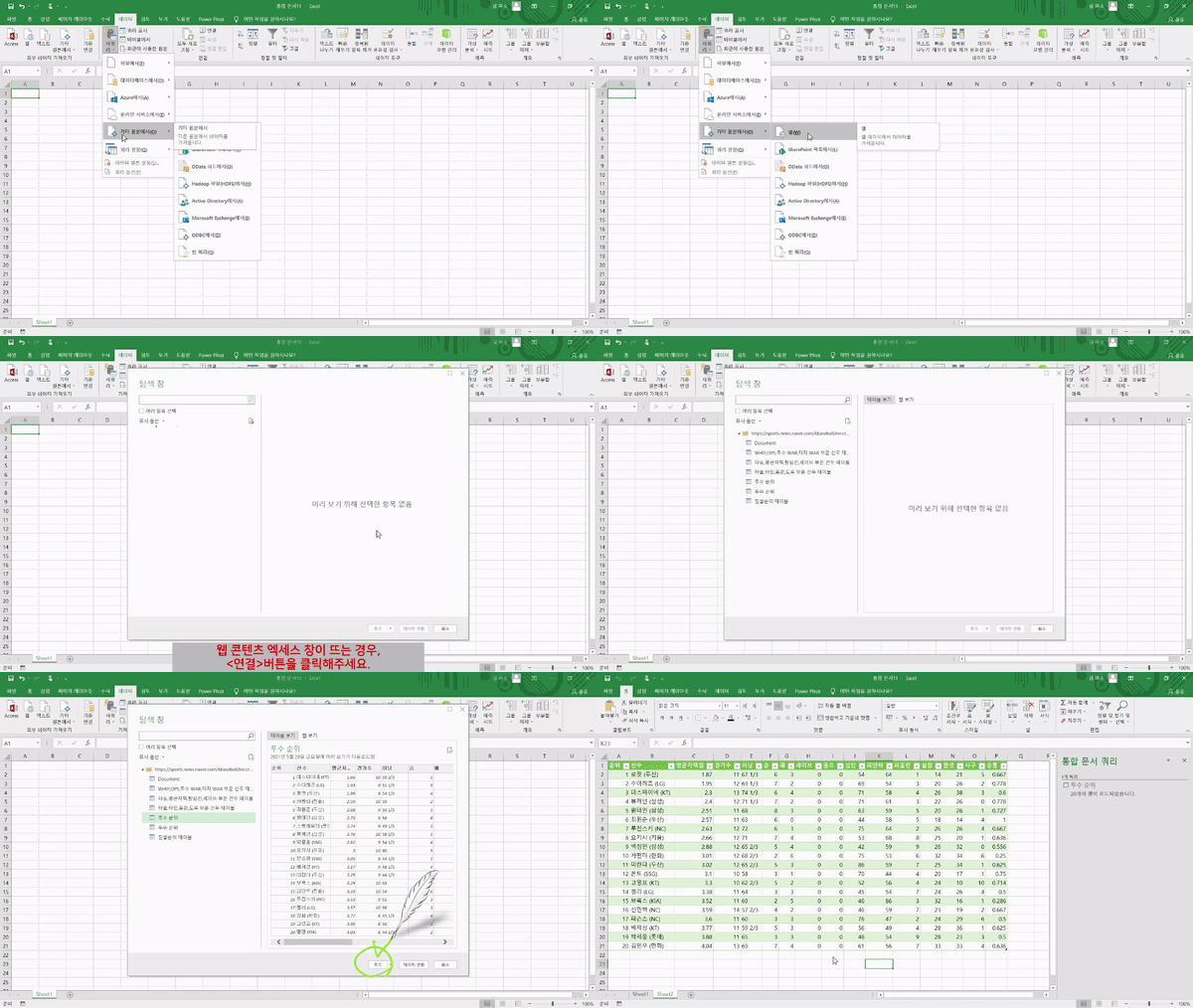
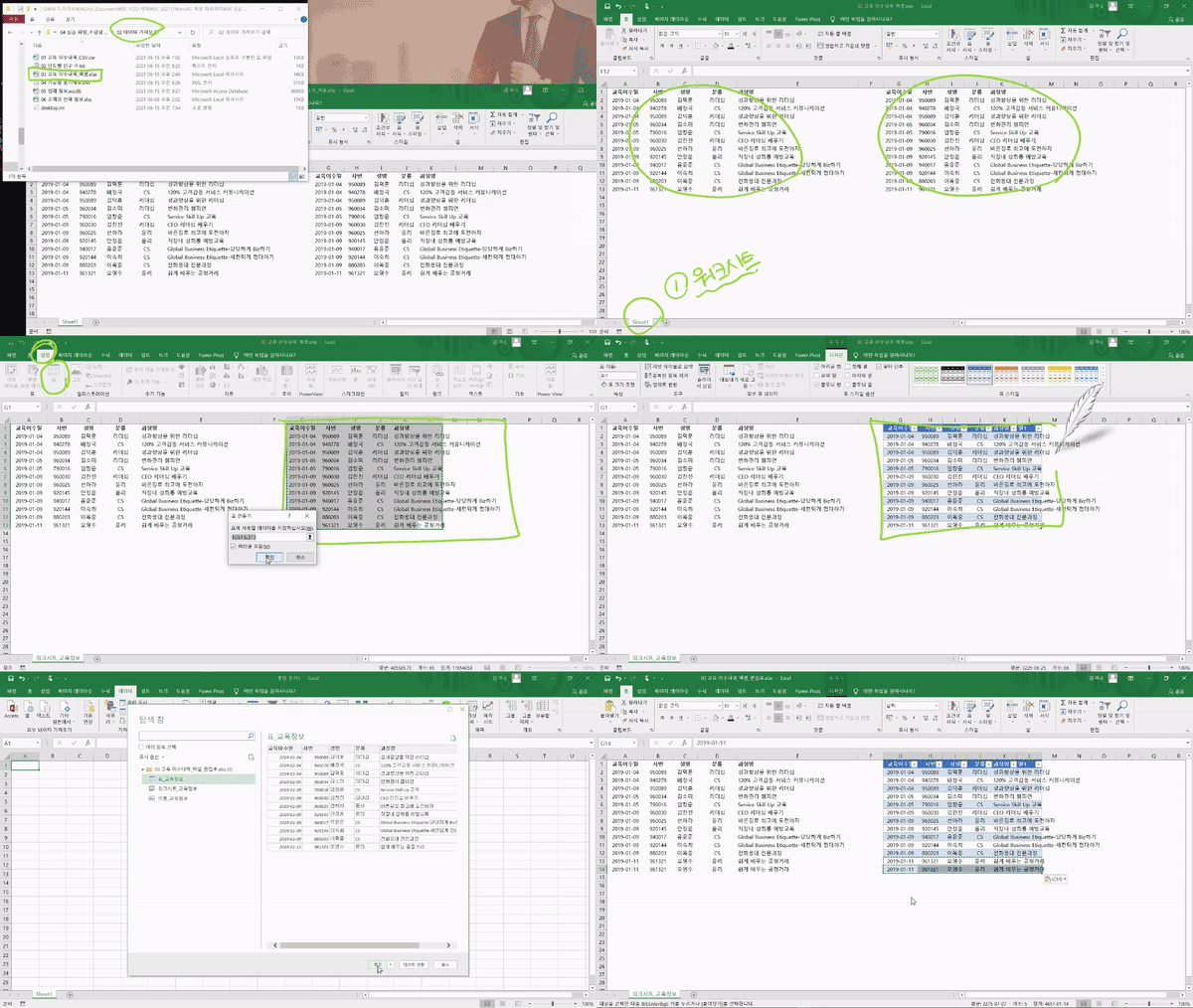
This course allows even those who know nothing about programming languages to take it and apply it to their work immediately. Through Power Query, you can automatically collect external data with Drag and Drop and just a few clicks, and edit it as easily as handling clay. You can combine files stored in numerous folders into one, and since this entire process is saved, it becomes much easier to automate tedious repetitive tasks. Power Query reduces work time surprisingly well.
👍Recommended for the following people
- Those who feel overwhelmed and don't know where or how to start processing data from practical datasets
- Those who are tired of repetitive Excel tasks and often forget to rename files
- Those who want to easily analyze data by automatically importing analytics reports, spreadsheets, and surveys into Excel
- Those who find it difficult to figure out how to combine and manage data from various sources all at once
👀Course Features
Excel Task Automation - Power Query Key Points!
1. Practical work is Excel anyway, Improve work efficiency using only Excel features
Even if you obtain good data, preprocessing is essential, and more data to process will inevitably keep coming in. By using Power Query's connectors and editor, which reduce the energy and time spent on Excel each time, you will develop the ability to easily import and process data simply within Excel without the need for other programs, efficiently performing tasks.
2. Functions, functions, and more functions. Now, automate with just a few clicks
While Excel functions are considered a basic skill in today's practical work, handling data with complex functions inevitably leads to an accumulation of work complexity and difficulty. This course enables you to easily manage data that is already vast and continues to grow, not by writing formulas, but by creating automated processes using clicks, drag and drop, and task history.
3. Consolidating and managing scattered data in one place
To ensure you can make quick decisions at any time, you can easily import the data you need from anywhere—whether it's from old folders, your cloud storage, or Google Surveys and Analytics reports. You can also simply handle all management tasks such as formatting changes, indexing, grouping, and pivoting for the imported data.
4. Immediately applicable to work through hands-on practice
Ultimately, it is a matter of whether you can derive meaningful insights in practice. By learning all the functions you will use in the field step-by-step, and through the process of working directly with common practice data, you can apply what you learn to your actual work immediately.
🏆After taking Excel Workflow Automation – Power Query
After taking Excel Business Automation - Power Query, you will gain the following capabilities.
1.You can develop automation skills to drastically reduce work hours by automating various repetitive Excel tasks that you constantly encounter in practice.
2. Even in companies without a built-in data system, these methods can be applied to Google Analytics, surveys, or even unrefined simple Excel files through connectors, so after taking the course, you will be able to handle data without any issues regardless of its source or format.
3. Learning unnecessarily complex tools is inefficient. By using Excel functions that anyone can learn and implement easily right now, we will practice everything from the basics to the advanced application of Power Query as simply as possible to master the techniques for data collection and preprocessing.
📚Learning Content
💬Frequently Asked Questions Q&A
Q. Do I need prior knowledge of Excel or data analysis? A. <Excel Task Automation - Power Query> is an advanced Excel analysis course, so it can be taken relatively smoothly if you have a basic understanding and knowledge of Excel or data analysis. If you would like to learn basic Excel usage first, we recommend taking <Introduction to Practical Excel for Immediate Use>.
Q. Are there any requirements or prerequisites for taking this course? A. Since this is a practice-oriented course, it is recommended to have a dual monitor or an extra device to separate the lecture screen from the practice screen. Also, as the practice sessions are conducted based on Windows OS, we recommend taking the course in a Windows environment.
Q. I'm a complete beginner in data analysis and have never coded before, is it possible for me? A. Of course it is. Instead of using complex coding, this course helps you develop data analysis skills primarily by using the commonly used Excel.
✒️ About the Instructor
✔️ Please check before taking the course!
-Since this is a practice-oriented course, it is recommended to prepare a dual monitor or an extra device to separate the lecture screen from the practice screen. Additionally, as the practice sessions are conducted based on Windows OS, we recommend taking the course in a Windows environment.
-Lecture notes and practice files are located in the <00. Material Download Center> section.
Recommended for these people
Who is this course right for?
Those who feel overwhelmed by the creation and preprocessing of datasets required for practical work
Those who want to solve business problems using data collected from all available sources.
For those who want to manage data more delicately and lightly
Those who want to focus more on data analysis and derive meaningful insights by reducing repetitive tasks.
Need to know before starting?
As this is a practice-oriented course, we recommend using dual monitors or an extra device to separate the lecture screen from your practice screen.
Since the practice sessions are based on Windows OS, we recommend taking the course in a Windows environment.
The Excel Task Automation - Power Query course is a practical course that can be taken relatively smoothly if you have basic knowledge of Excel and data.



































![[Pass ITQ Excel A in One Go] in 3 daysCourse Thumbnail](https://cdn.inflearn.com/public/courses/329652/cover/b44e11b6-a47e-4993-86ea-a85da9836bb5/329652-eng.png?w=420)

![[Star Instructor Teacher Choi] The Standard for Passing Quickly|ITQ Excel MasterCourse Thumbnail](https://cdn.inflearn.com/public/files/courses/343264/cover/01kxzse3ftyrhrd3te3b03e3ch?w=420)
