


강의

멘토링

커뮤니티

Programming

/

etc. (Programming)

Agent development, difficult? With Microsoft, it's easy!

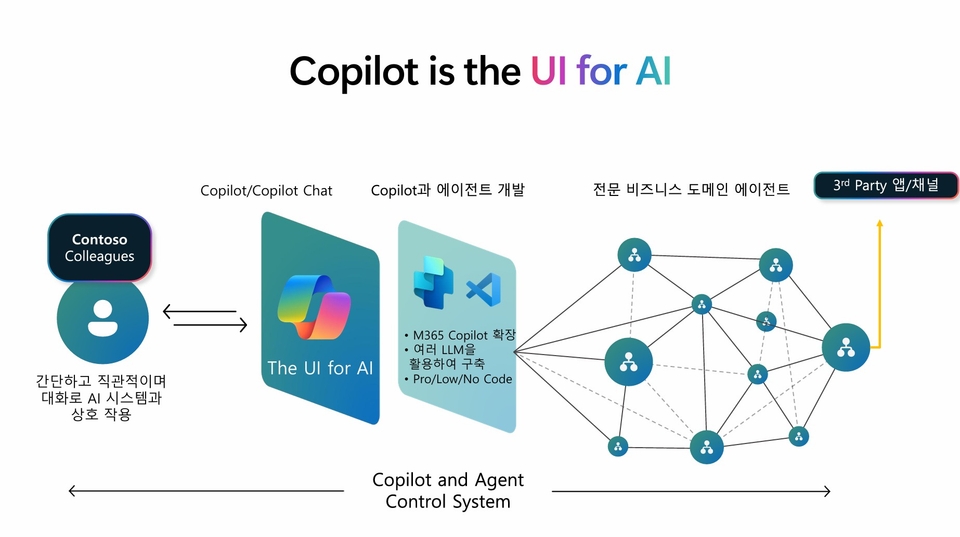
By utilizing the operating principles and development tools of Microsoft 365 Copilot agents, you can systematically learn how to design and expand agents that operate in the way you desire. Chapter 1 organizes the essential concepts and principles to know before creating an agent, Chapter 2 explores agent types and tools suitable for various scenarios, and Chapter 3 allows you to directly implement your own agent using Agent Builder, SharePoint Agent, and Copilot Studio. From basics to hands-on practice, this single course will enable you to connect the potential of Copilot agents to practical applications!

(4.9) 42 reviews

721 learners

Level Intermediate

Course period 72 months

  • microsoftkr
  • MSMW
AI
AI
Microsoft Copilot
Microsoft Copilot
AI Agent
AI Agent
No-code
No-code
LLM
LLM
AI
AI
Microsoft Copilot
Microsoft Copilot
AI Agent
AI Agent
No-code
No-code
LLM
LLM
Thumbnail

Reviews from Early Learners

Reviews from Early Learners

4.9

5.0

Sungwan Kim

31% enrolled

Thank you for organizing the information about MS Agent so well.

5.0

JY Kim

31% enrolled

You pinpointed the key points well and explained them in an easy-to-understand way, which was very helpful. Thank you.

5.0

하늘 김

31% enrolled

It's very beneficial when creating agents!

What you will gain after the course

  • M365 Copilot Agent: Understanding Operation & Design

  • Learn to utilize Graph Connectors and Declarative and Custom Engine Agent Architectures

  • Using agent development tools (e.g., Agent Builder, Copilot Studio, etc.)

  • Enhancing expertise in the design and development of various types of agents (guidelines, knowledge, tasks, etc.)

  • Enhancing decision tree configuration and tool selection capability for agent development

Agent Development Masterclass from Microsoft Experts


“Why can’t my agent give me the answers I want?!”

Agent development is no longer difficult! In this course, you can systematically learn practical content that can be applied directly to practice, from the operating principles of the M365 Copilot agent to design and expansion methods using actual development tools.

After building a solid foundation of basic concepts and learning agent types and tools for various scenarios, implement your own agent through hands-on practice. With a practical configuration that utilizes Microsoft’s latest tools such as Agent Builder, SharePoint Agent, and Copilot Studio, you can maximize the potential of your agent!


🎙 Introducing the planner of this course

Jeongwoo Choi

Senior Technical Specialist, Microsoft Korea

As a Microsoft AI Business Solutions Specialist, I play a key role in customer-facing strategic projects and internal technical sales initiatives, excelling at explaining complex technologies in a very easy-to-understand manner and turning them into practical cases, making me a great bridge between technology and business.

📖 Features of this course

💡 Let's find out

Time to get down to the basics! Before creating an agent, it’s important to first understand the concepts and principles. We’ll start with where the agent is located in Microsoft 365 Copilot, how it interacts with users, and then systematically look at the LLM-based conversation flow and how Copilot works.

👀 Let's take a look

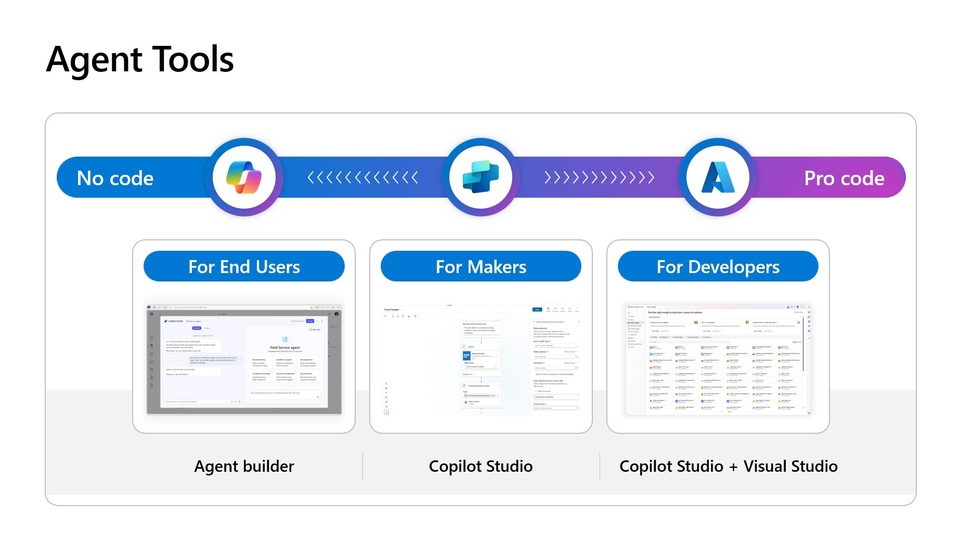
Time to get your design on track! Now that you’ve mastered the basic concepts, it’s time to look at the tools and components you need to actually create an agent. This chapter introduces the different types of agents and their corresponding use scenarios, and provides specific guidance on how to combine features to design for your purposes.

💻 Let's experience it

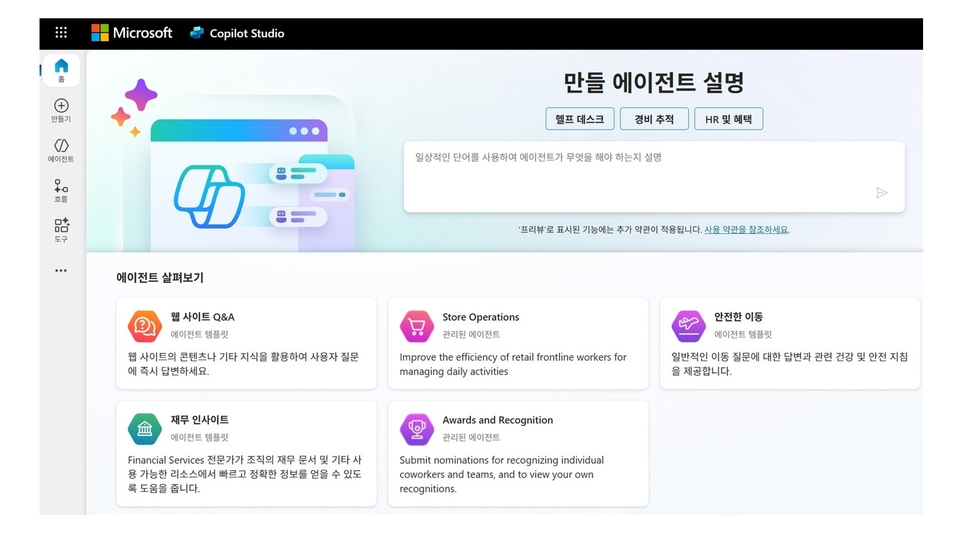
Now it's time to make it yourself! Learn effective prompt design methods and implement agents using real tools, along with a collection of useful development tips from real-world applications. You can gain hands-on experience that can be applied directly to real-world applications by practicing in various environments such as Agent Builder, SharePoint Agent, and Copilot Studio.

Things to note before taking the class

Development tool usage environment

Complete the course and download your Microsoft AI certified badge below!

https://aka.ms/inflearn_badge

Recommended for
these people

Who is this course right for?

  • IT professional interested in AI and Machine Learning

  • A corporate manager pursuing operational automation and efficiency

  • IT Consultant and Solution Architect

  • Agent Development Tools Beginner

  • Analyst interested in tech-driven problem-solving

  • Startup founder who wants to expand AI-based services

Hello
This is

3,514

Learners

252

Reviews

4.8

Rating

6

Courses

Hello, this is Microsoft Korea.

We will deliver the latest news and informative lectures from Microsoft.

Curriculum

All

50 lectures ∙ (4hr 30min)

Course Materials:

Published: 
Last updated: 

Reviews

All

42 reviews

4.9

42 reviews

  • jj6253님의 프로필 이미지
    jj6253

    Reviews 8

    Average Rating 5.0

    5

    31% enrolled

    • kyoungminpark8038님의 프로필 이미지
      kyoungminpark8038

      Reviews 5

      Average Rating 4.8

      5

      31% enrolled

      • sungwankim114360님의 프로필 이미지
        sungwankim114360

        Reviews 3

        Average Rating 5.0

        5

        31% enrolled

        Thank you for organizing the information about MS Agent so well.

        • smhan2822님의 프로필 이미지
          smhan2822

          Reviews 1

          Average Rating 5.0

          5

          31% enrolled

          • falling90592737님의 프로필 이미지
            falling90592737

            Reviews 2

            Average Rating 5.0

            5

            31% enrolled

            You pinpointed the key points well and explained them in an easy-to-understand way, which was very helpful. Thank you.

            Free

            microsoftkr's other courses

            Check out other courses by the instructor!

            Similar courses

            Explore other courses in the same field!