

Rhino 6 for Beginners Product Design Part.2
usefulit
This is a lecture on Rhino 3D, which is a basic tool for product design.
初級
Rhino
Learn step-by-step how to use Pages to easily and elegantly complete documents in a Mac environment. A complete Pages guide for mastering practical skills from basic document creation to using tables/charts and collaboration!
You can learn the main features and interface of Pages to write documents efficiently.
You can create high-quality documents by utilizing various visual materials such as text, shapes, images, tables, and charts.
You can complete practical, work-focused documents by utilizing collaboration features and document management methods.
Don't make work documents difficult anymore!
Did you feel overwhelmed and find it difficult every time you edited documents? Everyone has experienced spending a long time inserting and modifying text, tables, and images one by one, only to be disappointed with the results. Now, through the Pages course, reduce the complexity of document creation and increase both efficiency and completeness.
Learn step-by-step how to use iWork's flagship word processor, Pages, which allows you to create documents easily and efficiently in a Mac environment. From document management to data entry, text editing, table/chart utilization, media insertion, and collaboration features — this is a comprehensive course where you can master practical Pages usage all at once.
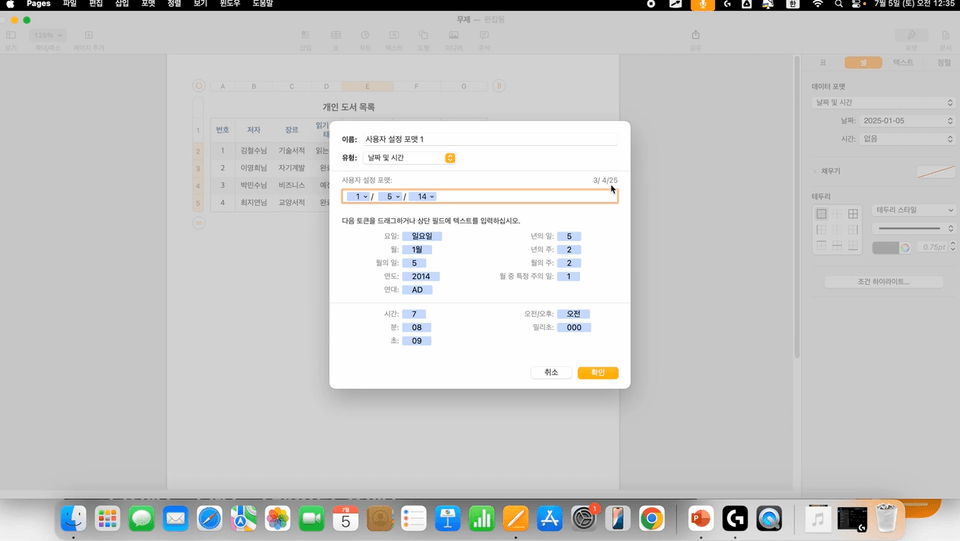
10. Table Editing
Part 1 covers the basic usage of Pages and text/media editing, while Part 2 covers the process of creating high-quality documents through advanced features such as table/chart utilization, document management, and collaboration.
You can understand the main features and interface of Pages and quickly create documents.
Effectively utilize visual materials such as images, tables, and charts to enhance the completeness of documents.
You can implement a collaboration-focused work environment by utilizing collaborative work and document sharing features.
iWork - Pages: Essential tool for document creation and management in Mac environments
Section 1. Learning Pages Basics
Understand the Pages interface and learn document management and data input methods.
Basic Document Management and Data Entry
Learning Basic Functions
Section 2. Working with Text and Layout
Configure text formatting and document layout to enhance message delivery.
Text Format Specification
Text alignment and spacing adjustment
Document format specification
Section 3. Inserting and Managing Visual Elements
Insert and manage visual elements such as shapes and media to create polished documents.
Insert Shape
Media Insertion and Editing
Section 4. Mastering Data Visualization
Learn how to visually represent information using tables and charts.
Object Editing
Insert Table
Table Editing 1
Table Edit 2
Chart Creation and Editing
Section 5. Document Completion and Collaboration Features
Learn to enhance document readability and organization, and master efficient document management and collaborative work.
Using Writing and Editing Tools
Document Management and Organization
Document sharing and collaboration
This course does not provide instructor Q&A.
Lecture materials and lesson plans can be downloaded from the [Class Materials] in the first lesson of Section 1 and Section 4.
Who is this course right for?
Working professionals and freelancers who want to systematically learn document creation and management
Mac users who are new to Pages or want to increase their practical application skills
Anyone who wants to directly create actual documents such as reports, assignments, and collaboration materials
8,278,677
Learners
6,372
Reviews
4.6
Rating
309
Courses
I will help you grow through useful IT lectures.
All
17 lectures ∙ (8hr 1min)
Course Materials:
$46.20
Check out other courses by the instructor!
Explore other courses in the same field!