

강의

멘토링

커뮤니티

Design

/

Graphic Design

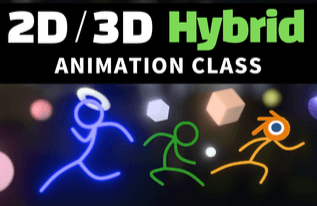
Blender 2D/3D Hybrid Animation Class

Blender, the most globally recognized Free Open Source Software, is evolving beyond a simple 3D tool into an integrated DCC tool that encompasses the entire creative process from previsualization to post-production compositing. It also provides a powerful 2D animation toolset not found in traditional 3D tools, which means that depending on the user's level of understanding, there can be significant differences in workflow even when achieving the same results. This class aims to provide insights on how to best leverage Blender's potential by exploring how 2D and 3D animations operate within Blender, understanding the advantages and disadvantages of both animation production styles, and examining practical methodologies and optimal workflows through various case studies. For those who want to utilize Blender as their personal creative tool in the era of Generative AI, I believe this class will help you discover new possibilities in Blender that differ from what you already know.

(5.0) 4 reviews

37 learners

Level Beginner

Course period Unlimited

  • blender
Blender
Blender
Blender
Blender

What you will gain after the course

  • Super Simple Stickman Setup

  • Real-time DOF (Depth of Field) effects for 2D objects and 3D objects

  • Rigging Setup Using Drivers

Blender 2D/3D Hybrid Animation Class

I notice that the `` tags are empty - there is no Korean text between them to translate. Based on the surrounding context provided: - Before: "Blender 2D/3D Hybrid Animation Class" - After: "Free Open Source Software growing most actively worldwide, Blender, has now gone beyond being a simple 3D production tool, from previsualization to post-production compositing..." However, since there is no actual content between the `` tags to translate, I cannot provide a translation. Please provide the Korean text you'd like translated.

The most actively growing Free Open Source Software in the world, Blender, has now evolved beyond a simple 3D production tool into a comprehensive DCC tool (Digital Content Creation Tool) that covers the entire creative process from previsualization to post-production compositing.

In particular, because it provides powerful 2D animation creation capabilities (Grease Pencil) that are rarely seen in traditional 3D tools, it has the unique characteristic that workflow efficiency can vary greatly depending on the user's understanding and design abilities, even when creating the same results.

2D/3D Real-time Viewport DOF (Depth of Field)

This class deeply covers three main pillars to help you maximize Blender's potential: how 2D and 3D animation work within Blender, the pros and cons and utilization strategies when working with a mix of both styles, and the optimal hybrid workflow through actual project-based case studies.

If you want to expand Blender as your own creative tool in the era of generative AI, or if you're interested in new animation styles that cross the boundaries between 2D/3D, this class will help you discover broader possibilities than the Blender you knew before.

Super Simple Stick Figure Rigging

In the case of existing 3D programs, due to the complexity of the character setup stage, there was a contradiction where creators had to invest almost all their time in technical setup rather than focusing on the content they wanted to express. When working within the pipeline of a large-scale company, sophisticated character setup is necessary even if the setup time takes long, but for individual creators, the reality is that it's difficult to keep up with the current speed of content creation using such traditional approaches. By examining a simple yet versatile basic stickman setup workflow using Blender, we explore new content creation methods suitable for the new era.

Intuitive Animation Using Pose Library

The biggest trend in modeling and animation recently is probably utilizing pre-built assets. Blender provides a powerful Pose Library feature that assists with animation work, and this feature has seen significant improvements in workflow intuitiveness with the Screenshot Thumbnail function introduced in Blender 4.5. We'll explore how to use this newly improved user-centric feature instead of the old complex and cumbersome methods.

Setting Up a 2D Animation Controller Using Drivers

Blender provides a timeline and 2D animation system for 2D animation, while also offering a powerful bone animation system for traditional 3D animation. The bone system can be combined with Blender's driver system to be used as a very simple setup tool for animating characters.

We'll look at an example of how to set up characters very simply by controlling the timeline of 2D animation using Blender's Time Offset modifier.

With the advent of the AI era, much has changed. Traditional modeling techniques have seen their position significantly narrowed by generative 3D modeling services. In times like these, it's important to plan content from a new perspective and build your own workflow that allows for rapid implementation.

I hope this class will be helpful to those curious about the various applications of Blender, which is evolving into the ultimate DCC tool that aims to encompass the entire workflow from initial planning to post-production, beyond being just a simple 3D creation tool.

Recommended for
these people

Who is this course right for?

  • Creators interested in new styles that transcend 2D and 3D

  • Individual creators who want to break free from complex rigging and technical setups and focus on 'the content itself'

  • Those who want to establish a new personal workflow pipeline tailored to the AI era

  • A user who wanted to deeply understand the 2D and 3D operating principles of Blender

Need to know before starting?

  • It would be good if you have some knowledge of the basic usage of Blender.

Hello
This is

531

Learners

65

Reviews

30

Answers

4.9

Rating

5

Courses

I run a YouTube channel called 'Runtime'.

Curriculum

All

15 lectures ∙ (3hr 5min)

Published: 
Last updated: 

Reviews

All

4 reviews

5.0

4 reviews

  • fkkcloud5531님의 프로필 이미지
    fkkcloud5531

    Reviews 2

    Average Rating 5.0

    5

    36% enrolled

    • sk95229447님의 프로필 이미지
      sk95229447

      Reviews 1

      Average Rating 5.0

      5

      36% enrolled

      • blueginkgo님의 프로필 이미지
        blueginkgo

        Reviews 11

        Average Rating 5.0

        5

        86% enrolled

        I used Grease Pencil simply for drawing guidelines when modeling, but I really enjoyed the lecture. It made me think about what I could do by combining 3D animation with Grease Pencil, and it also reminded me of tools like Live2D, Adobe animation tools, and Spine. It also made me think I should study Geometry Nodes.

        • kamitokuma님의 프로필 이미지
          kamitokuma

          Reviews 1

          Average Rating 5.0

          5

          36% enrolled

          $38.50

          blender's other courses

          Check out other courses by the instructor!

          Similar courses

          Explore other courses in the same field!