Introduction to Autodesk Maya 3D Graphics Part.2 Modeling
This is an introductory course on 3D graphics modeling using the 3D modeling software Autodesk Maya. The course consists of four parts in total, and this specific session focuses on learning Maya's modeling features in depth.
Really, after watching this lecture, my hands got used to Maya a lot. Just follow along even the simple things. In my case, I mostly just understood and moved on, so when I did it later, there were times when I remembered something but where was it! Still, since there was a lecture material, I was able to find it right away, but I can't do this forever, right? So, try to follow along even the simple things. It's really good. And even if you didn't follow along, there are about 20 lectures below that are focused on practice, so if you watch them and follow along, your hands will be able to follow along well. It's much better to understand with your hands than with your head, so follow along! I'm going to go listen to another lecture now!
5.0
강창균
100% enrolled
Even for someone new to Maya, the modeling was easy to follow.
5.0
장유현
100% enrolled
It was a very informative lecture.
What you will gain after the course
Maya
3D Graphics
Get started with 3D graphics using Maya. 📐
(Continued from Autodesk Maya 3D Graphics Introduction Part 1.)
🗒 Course Introduction
(Please note that instructor Q&A is not provided for this course.)
Autodesk Maya holds the status of being used as the industry-standard 3D modeling software in the fields of film, animation, and commercial advertising. It leads the industry particularly in the field of animation, and it also fully meets user demands in modeling, special effects, and rendering.
This course helps beginners starting 3D graphics for the first time to learn basic 3D graphic concepts from the perspective of using Maya.
PART 1: Introduction to MODELING
In modern 3D graphics work, modeling is a fundamental process that starts at the very first stage and is an essential concept for gaining an understanding of three-dimensional forms. In particular, it can be considered essential knowledge for beginners because it provides insight into the important context of how modern 3D graphics work is carried out through polygon-based modeling. In this course, we will explore the modeling features of Maya 2019 while also learning the basic concepts and workflow techniques required to proceed with modeling tasks.
Learn the modeling concepts of Maya and the basic functions for actual work.
Based on the learning, we will create a simple product modeling result.
PART 2: MODELING Basics
We continue the basic learning process for polygon modeling. In this course, we will explore how to utilize NURBS-based modeling functions, such as curve creation and editing, from a polygon modeling perspective and verify their efficiency. Additionally, we will examine the basic concepts and methods of UV work required for so-called image mapping—applying images to objects—to build a fundamental foundation for polygon texturing.
Learn the concepts of Maya's curve-based modeling and try using surface creation commands within polygon modeling.
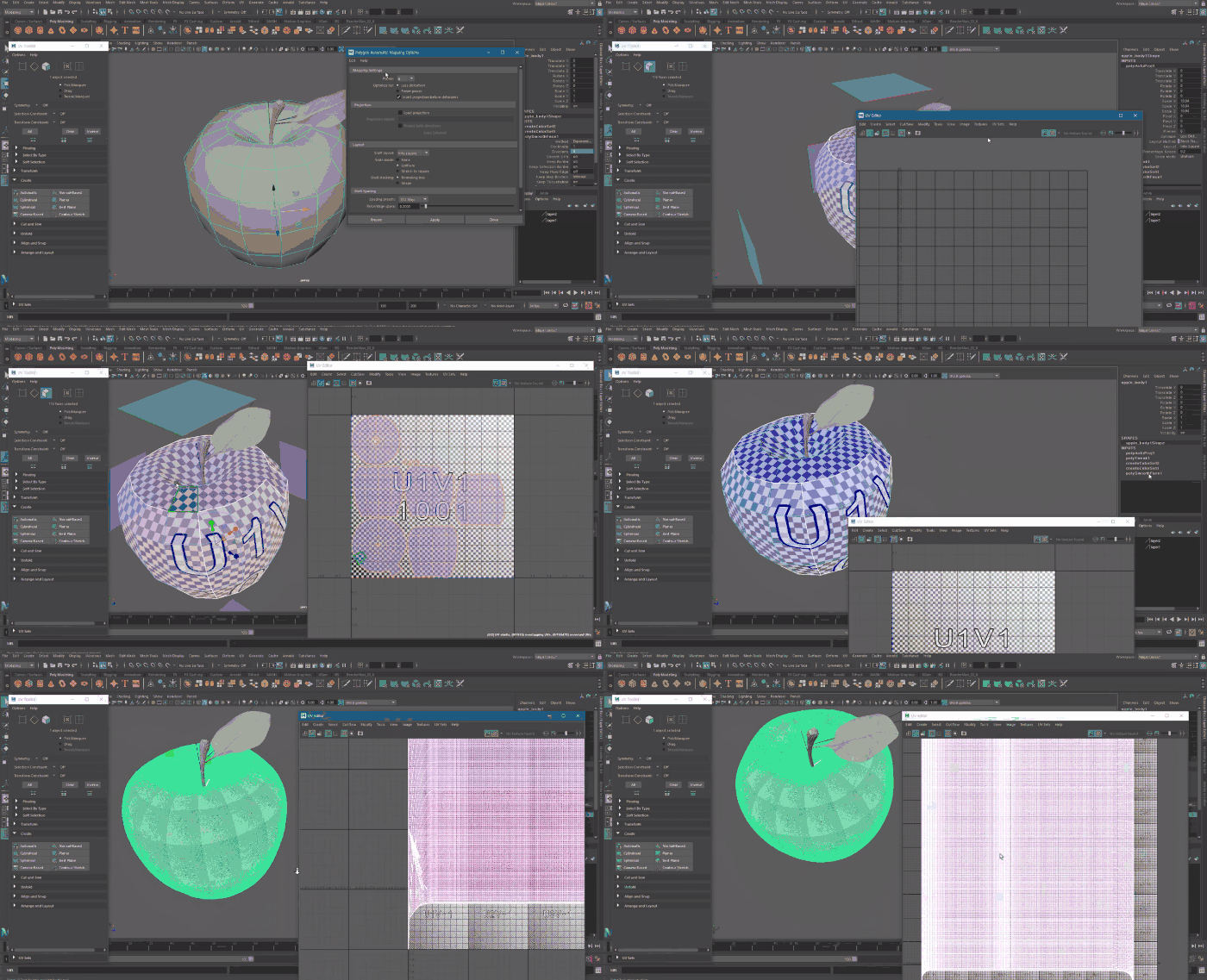
Learn the concepts of UV mapping and the basic tools required for polygon image mapping.
PART 3: Advanced MODELING
In this part, we will conduct hands-on practice to create various objects using the modeling functions learned so far. At the same time, we will proceed with UV work and explore sculpting methods for organic modeling, as well as utilizing animation features such as deformers and motion paths from a modeling perspective. We will also perform test rendering on the completed models, learn how to obtain wireframe results, and check how to use Paint Effects from a modeling standpoint. Through this process, you will be able to organize your overall perspective on Maya polygon modeling.
Practice modeling various objects using polygon features and perform UV mapping.
We will explore using animation features, such as deformers and motion paths, from a modeling perspective.
Learn about sculpting brush-based modeling methods and workflow concepts.
We will briefly explore using the Paint Effects feature from a modeling perspective.
✅ Lecture notes for each lesson are attached to the first lecture of each section.
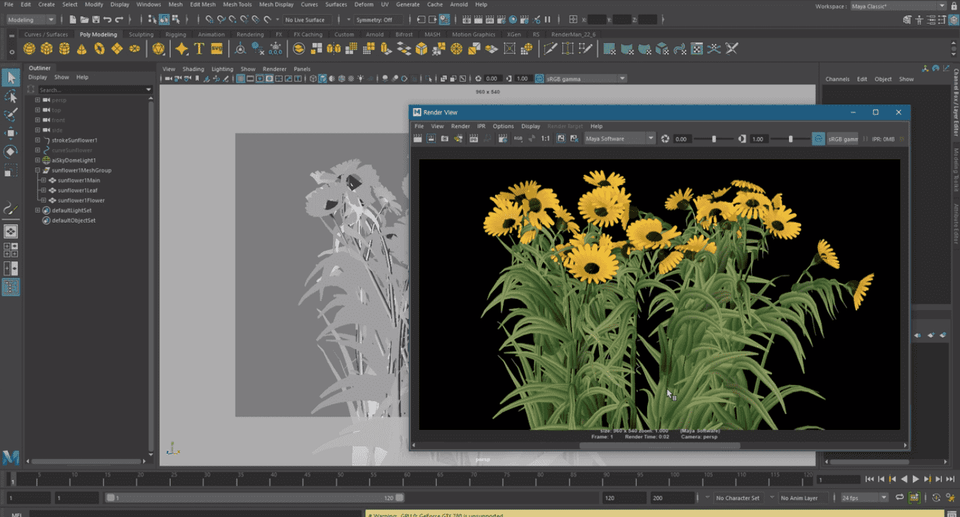
🌈 A Sneak Peek at the Lecture Screen
🙌 Tools covered here
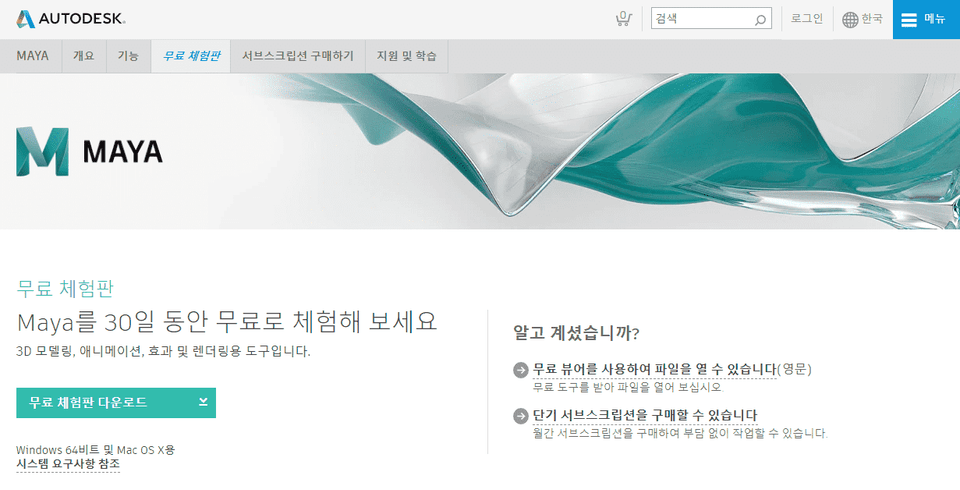
This course covers Autodesk Maya 2019version, so it is recommended to have that version or higher. Maya only runs on 64-bit system environments. Please check the official website for more details. Official Website Link You can download and use a 30-day free trial of the latest version of Maya from the official website.
🙋🏻♂️ Expected Questions Regarding the Lecture
Q. Can non-majors or beginners take this course? A. This is an introductory course that anyone interested in 3D graphics can take. Since this course follows Intro to Autodesk Maya 3D Graphics Part 1, please make sure to take that course first.
Q. What can I do after learning Maya? A. Maya is a tool widely used in the global visual effects industry and can be utilized for 3D modeling, rendering, animation production, and motion graphics. Maya was used to create numerous famous works, including the game <God of War>, the animation <Frozen>, and the movie <Avatar>.
📢 Please check before taking the course!
This course does not provide Q&A support from the instructor regarding the course content.
This course is recorded in 720p. Please check the video quality through the [Preview] before enrolling.
Recommended for these people
Who is this course right for?
Those who want to learn 3D graphics
Those who want to learn Maya
Need to know before starting?
Photoshop Basics
Students of Introduction to 3D Graphics Starting with Autodesk Maya PART 1
Really, after watching this lecture, my hands got used to Maya a lot. Just follow along even the simple things. In my case, I mostly just understood and moved on, so when I did it later, there were times when I remembered something but where was it! Still, since there was a lecture material, I was able to find it right away, but I can't do this forever, right? So, try to follow along even the simple things. It's really good. And even if you didn't follow along, there are about 20 lectures below that are focused on practice, so if you watch them and follow along, your hands will be able to follow along well. It's much better to understand with your hands than with your head, so follow along! I'm going to go listen to another lecture now!











![[Photoshop Revolution Broadcast] Photoshop Basics CompleteCourse Thumbnail](https://cdn.inflearn.com/wp-content/uploads/photoshop002.jpg?w=420)




![[Photoshop Revolution Broadcast] Photoshop Advanced Completion - Mastering the Pen ToolCourse Thumbnail](https://cdn.inflearn.com/wp-content/uploads/photoshop001.jpg?w=420)
![How to Make a Unity 2D Roguelike Game [Korean Subtitles]Course Thumbnail](https://cdn.inflearn.com/wp-content/uploads/unity003.jpg?w=420)


![Easy-to-Use AI Gemini for Business [Basic]Course Thumbnail](https://cdn.inflearn.com/public/files/courses/344017/cover/01m0xp2ndxkvg7tw9dw2fr1qbg?w=420)