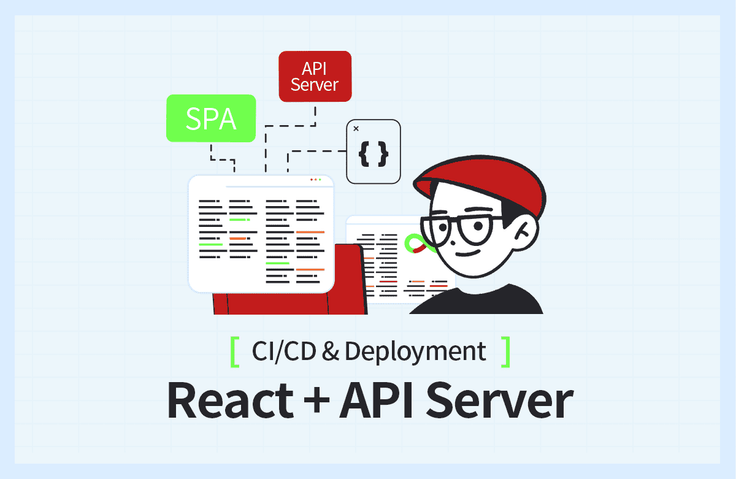
React + API Server Project Development and Deployment (CI/CD)
Create a React development environment, the hallmark of SPAs, and automatically generate API documentation through a Node.js-based API Server and Swagger. Understand the differences between local development environments and development servers, and easily follow along to use AWS.
Course materials: https://bit.ly/okreactapi
As mentioned in the lecture, this is not a lecture about React or Node.js. This lecture focuses on processes such as deployment, domain registration, and CI/CD settings. Junior developers tend to neglect elements such as CI/CD compared to development, but CI/CD is an essential process for the continuous development of a program. Through this lecture, I was able to easily learn how CI/CD is actually performed. I enjoyed the lecture :)
5.0
wofjeiong2ewg23
100% enrolled
I'm new to programming and have just started developing locally and can easily create projects, but I was unfamiliar with the development environment settings and deployment CI/CD, and it was difficult to understand them.
In particular, I had a hard time understanding what to do on the server, but it explained everything from the installation page guide to the environment settings, and covered the entire creation - setting - simple error resolution - deployment, so I was able to go through a cycle.
The most difficult part when learning is that you have no choice but to move on to an abstract understanding because you have no experience, but after going through a cycle like this and looking at the lecture materials again, I think I gained more based on my experience, thinking, "Oh, that's what I did earlier!"
Rather than those who want to get a detailed explanation of the projects (React, etc.) used from the development environment settings to deployment, it would be very helpful for those who are curious about "How on earth do I create, set up, deploy, and automate a project?" I don't know how much I can use the knowledge I learned in the lecture because I haven't worked in the field yet, but I'm sure that when I work on a project or in the field later, I'll be able to recall the experience I gained from the lecture and lay the foundation for learning. I hope this lecture will be widely known to beginners like me!
Thank you for the great lecture.
5.0
프로그래머
100% enrolled
It was a useful lecture because I was able to gather all the scattered concepts related to distribution at once. After finishing it, I got a sense of what I need to study more intensively.
What you will gain after the course
React Development Environment and Server Configuration
Creating a Vite-based React Development Environment
Node.js-based API Server
API Documentation Automation with Swagger
Differences between local development environment and development server
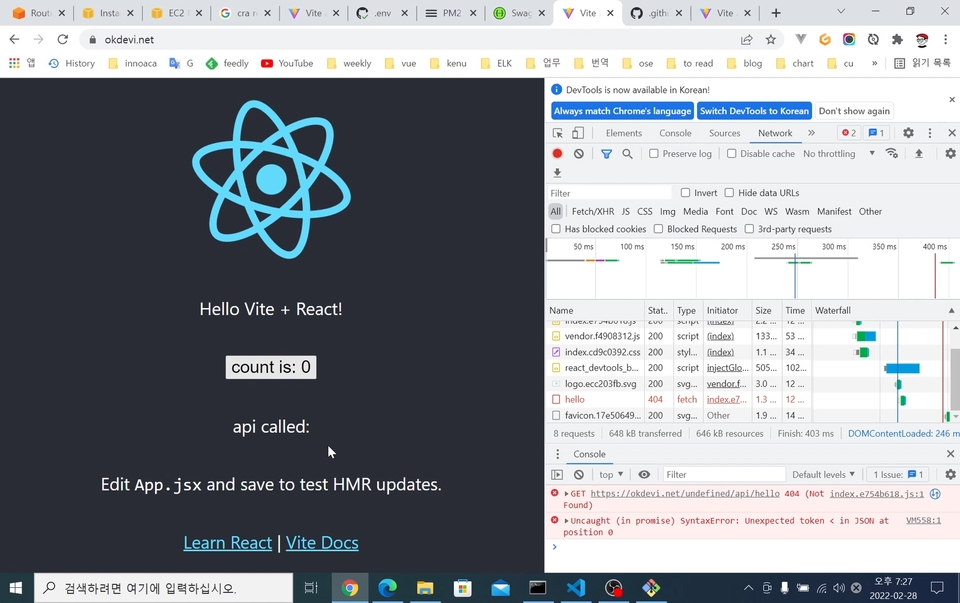
Resolving CORS Issues
AWS EC2 Server Setup Basics
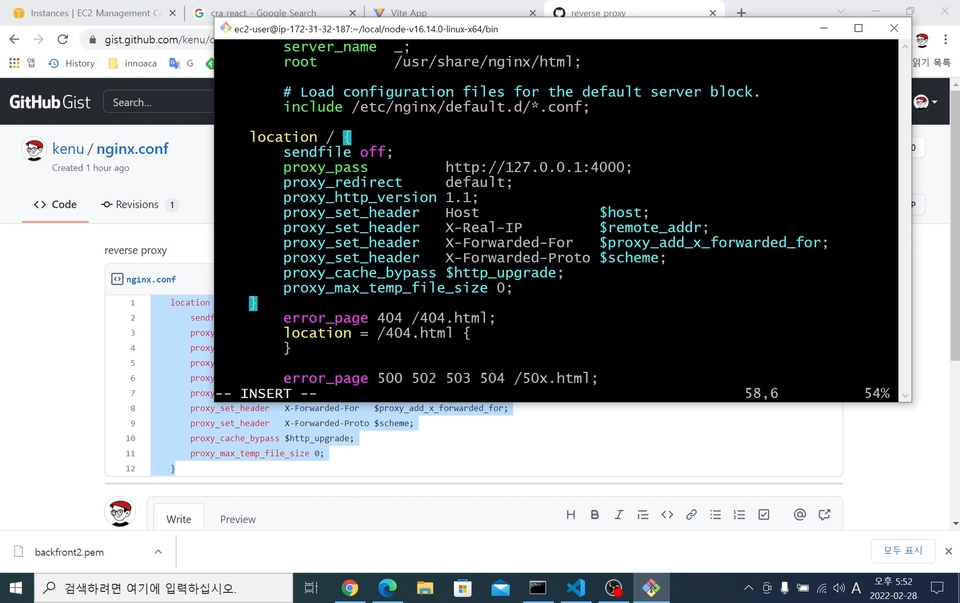
Nginx (Web Server) Basic Usage
Connecting Nginx and Node.js
Free HTTPS Certificate Issuance
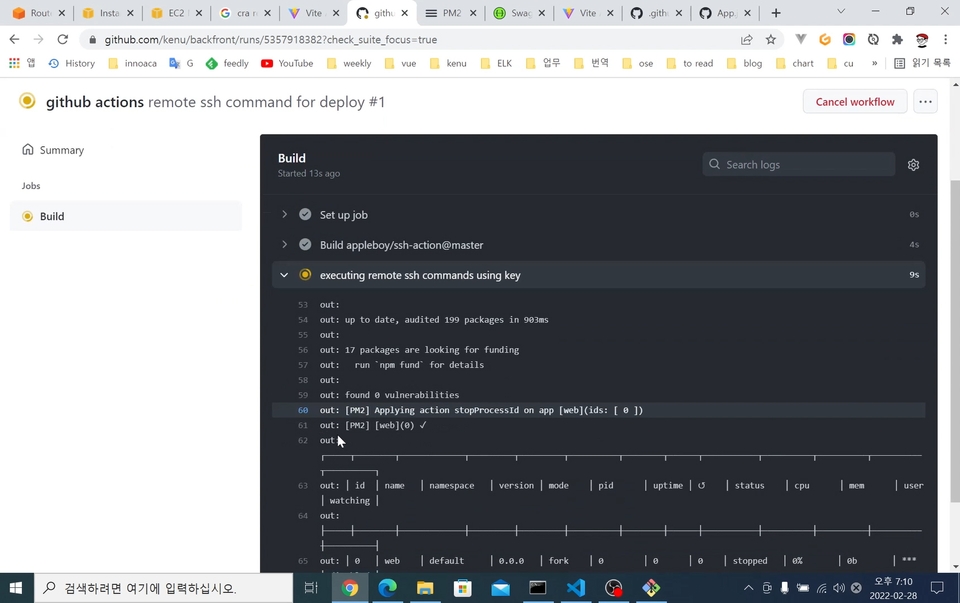
GitHub Actions for CI/CD Automation
Build your SPA project local development environment and challenge yourself with automated server deployment! ✌
📢 Please check before taking the course!
This course does not cover React and Node.js syntax, but focuses on development environment setup and deployment.
Course materials can be downloaded from Section 1 - SPA Development Environment Setup (1) class.
React SPA Project, Server Deployment + Automation 💡
Have you developed a frontend environment and API server but feel overwhelmed about how to deploy them? Do you want to learn the unfamiliar development environment setup and the flow for deployment CI/CD?
In this course, you'll directly experience the process of setting up a local development environment for React projects and automating server deployment. We'll cover the React-based Single Page Application (SPA) development environment, which differs from traditional web development approaches, and introduce methods for deploying and serving these applications on servers. Additionally, we'll explore API documentation automation using Swagger and learn about the differences between local development environments and deployed server environments.
The videos were created based on Windows, but you can follow along almost identically on Mac and Linux as well. Check out in the course how everything from development environment setup to deployment and automation works!
Recommended for these people 🎁
✅ Someone who prefers service-oriented development over grammar-focused development
✅ Those who don't know how to deploy code that runs on a server
✅ Those who want to know the differences from classic web methods
✅ Those who are new to AWS or want to learn HTTPS server configuration
📌 Collection of Skills Used in the Course
VSCode
Node.js
Git
GitHub
GitHub Actions
AWS EC2
AWS Route53
Nginx + HTTPS (SSL Certificate)
Learning Content Preview 📚
01. Getting Ready
Introduction to Essential Development Platforms, Development Tools, and Related Account Registration
02. SPA Development Environment Setup
Basic project environment setup for frontend and backend to work on a local computer
03. Deployment Process
Introduction to procedures and methods for deploying to servers for service
04. Domain Registration and HTTPS Setup
Introduction to connecting domains and servers, and methods for HTTPS connections
05. Automating Deployment
Description of the process where code changes are automatically deployed to the development server
06. CORS Configuration
CORS Issues in Local Development Environment and Build Environment Variable Configuration
Former '15~'17 GS SHOP Venture Investment Team CoE Part
Former '12~'16 eGovFrame Evangelist
Nice to meet you, I'm Kenu!
Once you print Hello World, you're ready to start developing! It's not just about having experience writing code, but gaining the confidence to deploy your own code to a server so people can actually use the applications you create.
Check out the Q&A! 💬
Q. Can non-majors also take this course?
Yes, non-majors can definitely take this course. We'll explain everything thoroughly, starting from installing the relevant programs! (You should have JavaScript as prerequisite knowledge!)
Q. What level of content does the class cover?
This explains development environment setup, deployment, and automation without covering React and Node.js syntax.
Q. When the versions of technologies used in the courses are updated, are the courses updated as well?
If the major version upgrade makes it difficult to proceed with the course, updating the course content will be necessary. Therefore, we are considering updates until 2025.
Recommended for these people
Who is this course right for?
Someone who joined as a startup developer but has no mentor
For those new to SPA development environments and server deployment
People who are new to using AWS
Those who want to learn HTTPS server configuration
I am the founder of https://okky.kr and share what I have learned at https://github.com/kenu/okdevtv.
I am collecting the latest videos from development-related channels at https://mp4.okdevtv.com..
I have conducted over 500 programming broadcasts on KenuHeo YouTube..
I am collecting the latest videos from development-related channels at https://mp4.okdevtv.com. I have hosted over 500 programming broadcasts on the KenuHeo YouTube channel.
As mentioned in the lecture, this is not a lecture about React or Node.js. This lecture focuses on processes such as deployment, domain registration, and CI/CD settings. Junior developers tend to neglect elements such as CI/CD compared to development, but CI/CD is an essential process for the continuous development of a program. Through this lecture, I was able to easily learn how CI/CD is actually performed. I enjoyed the lecture :)
I'm new to programming and have just started developing locally and can easily create projects, but I was unfamiliar with the development environment settings and deployment CI/CD, and it was difficult to understand them.
In particular, I had a hard time understanding what to do on the server, but it explained everything from the installation page guide to the environment settings, and covered the entire creation - setting - simple error resolution - deployment, so I was able to go through a cycle.
The most difficult part when learning is that you have no choice but to move on to an abstract understanding because you have no experience, but after going through a cycle like this and looking at the lecture materials again, I think I gained more based on my experience, thinking, "Oh, that's what I did earlier!"
Rather than those who want to get a detailed explanation of the projects (React, etc.) used from the development environment settings to deployment, it would be very helpful for those who are curious about "How on earth do I create, set up, deploy, and automate a project?" I don't know how much I can use the knowledge I learned in the lecture because I haven't worked in the field yet, but I'm sure that when I work on a project or in the field later, I'll be able to recall the experience I gained from the lecture and lay the foundation for learning. I hope this lecture will be widely known to beginners like me!
Thank you for the great lecture.
Thank you for your course review. I am glad that it was helpful.
Establishing a development + deployment environment is basic. Creating the service you want here requires more effort.
I hope you create a good service.
I support you!
It was a useful lecture because I was able to gather all the scattered concepts related to distribution at once. After finishing it, I got a sense of what I need to study more intensively.
It is a lecture that covers setting up and deploying a development environment, but from the perspective of someone who has attended all the lectures, it felt like I just got a taste of the content rather than learning anything.
I have purchased many lectures from Infraun so far, but this lecture is so expensive even though it is less than 2 hours long, so I bought it thinking that there would be some hidden secret or advanced information, but it ends at a level of a taste, so I really don't understand why it is so expensive.
For nginx, it ends with copying and pasting the configuration file once, and there is no mention of the pros and cons of vite compared to webpack, and I used the free issuance through certbot for the certificate issuance, but it seems like it could explain to some extent whether this free issuance service can be used in actual commercial services, but it ends with just installing and running it once, so I feel like it was a waste of money to buy it.
Thank you for the detailed course review. I organized it in about 2 hours because I thought it was the fastest way to experience it. I'm sorry if you felt it was expensive. However, I included many reference links in the materials, and I wanted to charge this price based on my experience collecting and creating those materials.
https://okdevtv.com/mib/nginx
https://okdevtv.com/mib/vite
https://okdevtv.com/mib/letsencrypt
https://okdevtv.com/mib/...
I would appreciate it if you understood that this is a lecture that summarizes YouTube broadcast scripts.
I will try to share better content with reference to what you said.
I hope you become a happy engineer.
I think the price is too high compared to the course structure.
Before purchasing the course, I recommend searching AWS deployment CI/CD related blogs.
There are plenty of blog posts with similar content.
I recommend purchasing it if you still feel difficulty after reading the blog posts.
- React + API Server project development and deployment (CI/CD):
https://inf.run/Q7Ld1 - 50% discount coupon code: 15108-f2af1e086101
Added. Thank you.

















![[DevOps Basics 3] Building CI Properly with GitHub ActionsCourse Thumbnail](https://cdn.inflearn.com/public/courses/330205/cover/1fb88cde-cf81-4402-bd78-67246dd4010f/330205-eng.jpg?w=420)