
Python with Jupyter Notebook
pbj0812
I wanted to briefly cover the basics of Python through Jupyter Notebook, which allows you to immediately check the results of your coding.
初級
Python
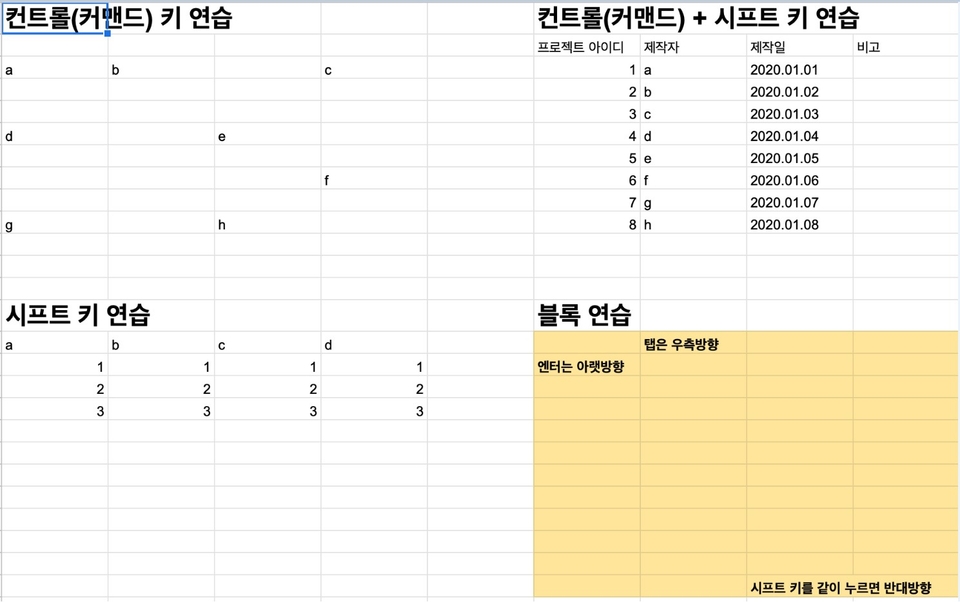
This is not a complete list of Google Spreadsheets, but rather a collection of only the things I use to preprocess data in my field.
Reviews from Early Learners
5.0
sound2167
It was a basic course, but I needed it so I took it. It was fun because it was explained in an easy-to-understand way.
5.0
당황한 노새
I didn't know much about Excel, but it was easy, light, and useful.
5.0
조조
This just saved me a lot of time! Thank you!
How to use Google Spreadsheets Basics
Data preprocessing using Google Sheets
Processing Data with Google Spreadsheets : A Guide from a Professional 👨💻
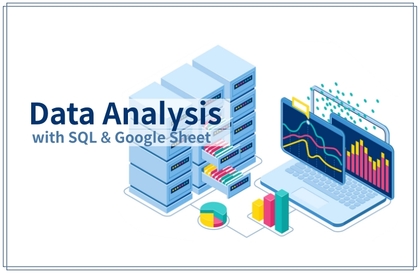
As a data analyst at a platform company, one of the most essential tasks is data extraction . This means processing information stored in databases and providing it to those who need it. Programming languages like SQL and Python are commonly used for this, but Google Sheets allows for more efficient data processing. However, spreadsheets offer so many features that it can be overwhelming to know which ones to learn. Therefore, in this lecture, I've introduced the key features and functions I use in my field for data processing .
✅ Rather than focusing on theory, we have created a system that focuses on possible examples to help you think about the relevant situations.
✅ We provide practice files so that you can practice along with the lectures, not just watch them.
✅ This course is verified as it is based on spreadsheet training conducted in-house .
Q. How is this different from previous lectures?
A. I created this book by selecting only the grammar and functions I use in my field. Therefore, rather than covering everything about spreadsheets, I focused on only the essentials.
Q. What is not covered in this course?
A. This lecture focuses on preprocessing raw data, so it does not cover creating charts or dashboards.
Q. Do you have any plans for additional lectures on spreadsheets?
A. I am thinking about charts/dashboards and automation, which are not covered in this course.
Who is this course right for?
For those who are new to Google Sheets (Excel)
Those who received data from data analysts but had difficulty preprocessing
People who have computer skills but cannot use Google Sheets (Excel)
9,953
Learners
448
Reviews
15
Answers
4.8
Rating
8
Courses
- Current) KREAM Data Analyst
- Former) ABLY Data Analyst
- Former) wadiz Data Analyst
- Former Senior Researcher, AI Development Team at XIILab
- Former) Associate, Numerical Modeling Team 1, Ara Total Technology
- Inha University, Department of Ocean Sciences (Bachelor's/Master's)
All
18 lectures ∙ (52min)
Course Materials:
3. Cell Basis
03:56
4. Fixed frame
02:49
6. Format
02:35
7. Cell counting
01:54
9. reference
02:50
10. vlookup
04:53
11. iferror
03:12
12. arrayformula
03:30
13. split
01:52
14. Filtering
01:11
17. Pivot Table
03:22
All
84 reviews
4.8
84 reviews
Reviews 3
∙
Average Rating 5.0
5
It was a basic course, but I needed it so I took it. It was fun because it was explained in an easy-to-understand way.
Thank you for listening!!!
Reviews 1
∙
Average Rating 5.0
5
This just saved me a lot of time! Thank you!
Thank you for listening!!!! I was wondering what the reaction would be like when I made the lecture, but I'm glad you saved money ㅠㅠ
Reviews 1
∙
Average Rating 5.0
5
Master Google Spreadsheets in just 1 hour. Really simple, just what you need, no frills! Is there a next version? lol
Thank you for your words!!! Currently... I'm planning to write a book with the contents and other things... After that, I'm thinking of making the update part into a lecture... I'm lazy so it's delayed... I'll try to get my mind back with this course review!!!
Reviews 1
∙
Average Rating 5.0
5
I'm embarrassed to say this, but this is the first time I've used a spreadsheet since I started working, so I was a little confused, but this lecture really helped me understand the basic concepts!
Thank you!!! You don't have to be embarrassed for not knowing!!!
$4.40
Check out other courses by the instructor!
Explore other courses in the same field!