


Hello! This is Gwangmyeong Peanut!
It's been a while since I last greeted you. The reason is that I told you last time that I had completed providing custom nodes and additional lectures. However, I have created a node that I've always wanted to have, so I'd like to share it with you, my students.
Node Name: GM_Dilation
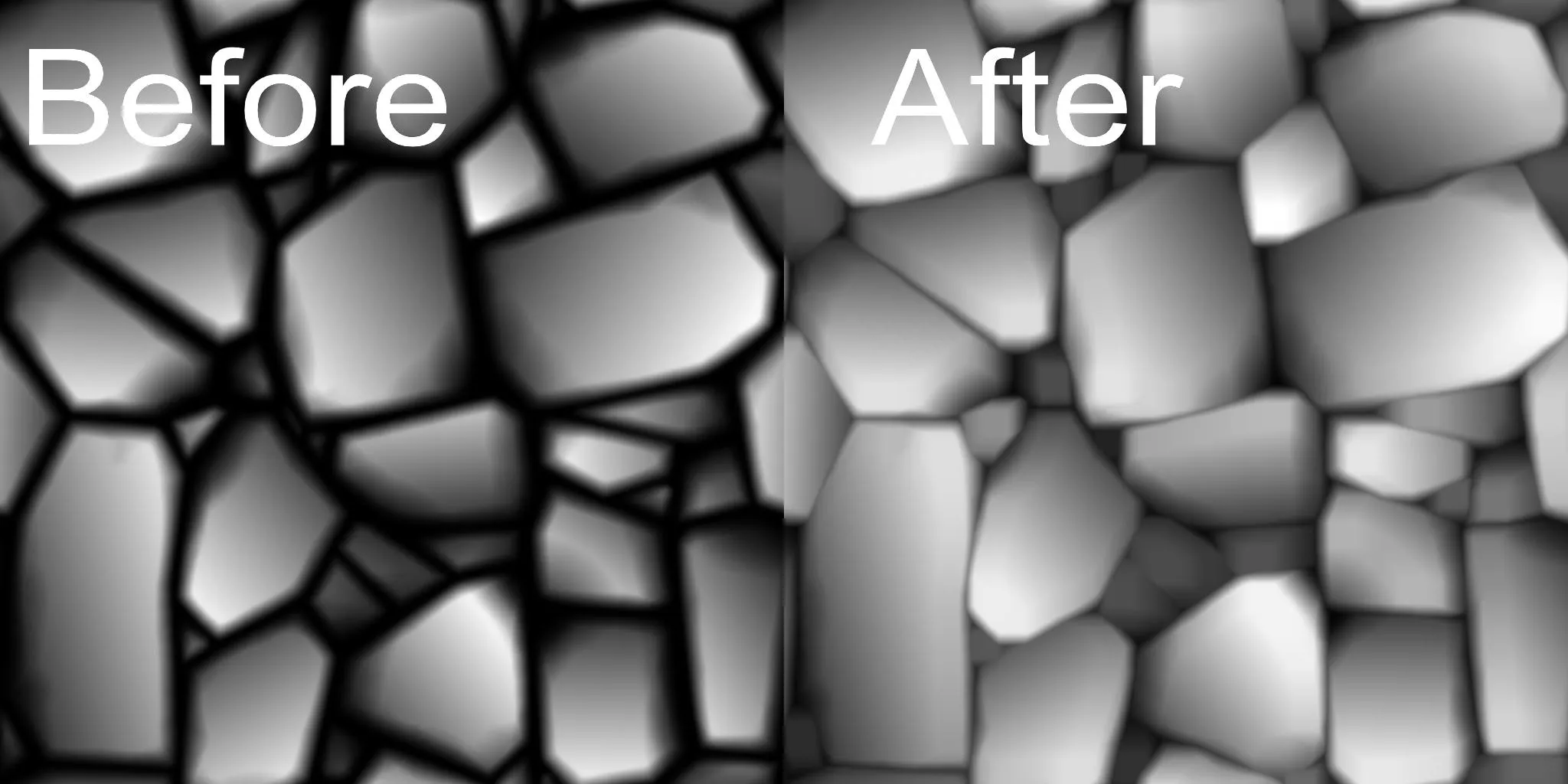
This is a node that can narrow the gaps by increasing the size of each pattern, as in the image above.
When working on things like bricks and stone floors, there are often times when you want to attach more patterns while maintaining the gap between the details. In particular, when working on details, the gaps will gradually widen as they are chipped away. If you use this node, you can close the gaps again.
Those who have searched overseas sites, etc. may have already encountered other nodes with the same function. I have found some as well, but they are not nodes that I have made, and they were made in very old versions, so there were errors, making it difficult to share them separately. However, I needed them, and I thought it would be good to make them myself and share them with you this time. Since it is a function that I have desperately thought about every time I do subdi, I think the students will need it too!
Thank you so much for taking the class!