


import pygame 실행이 안 돼요
2727
작성한 질문수 3
pip install game 안 돼서 다른 분이 알려주신대로 py -m pip install pymongo --user 쳐서 처음 터미널 부분은 넘기고 그 다음에 import pygame 까지 나도코딩님이랑 똑같이 입력하고 실행했는데 터미널창에 아무것도 뜨지 않아요. 그냥 그대로 계속 따라가서 8분 5초에 있는 거까지 다 입력하고 실행했는데 창이 안 떠서 질문드립니다. 도와주세요 ㅠㅠ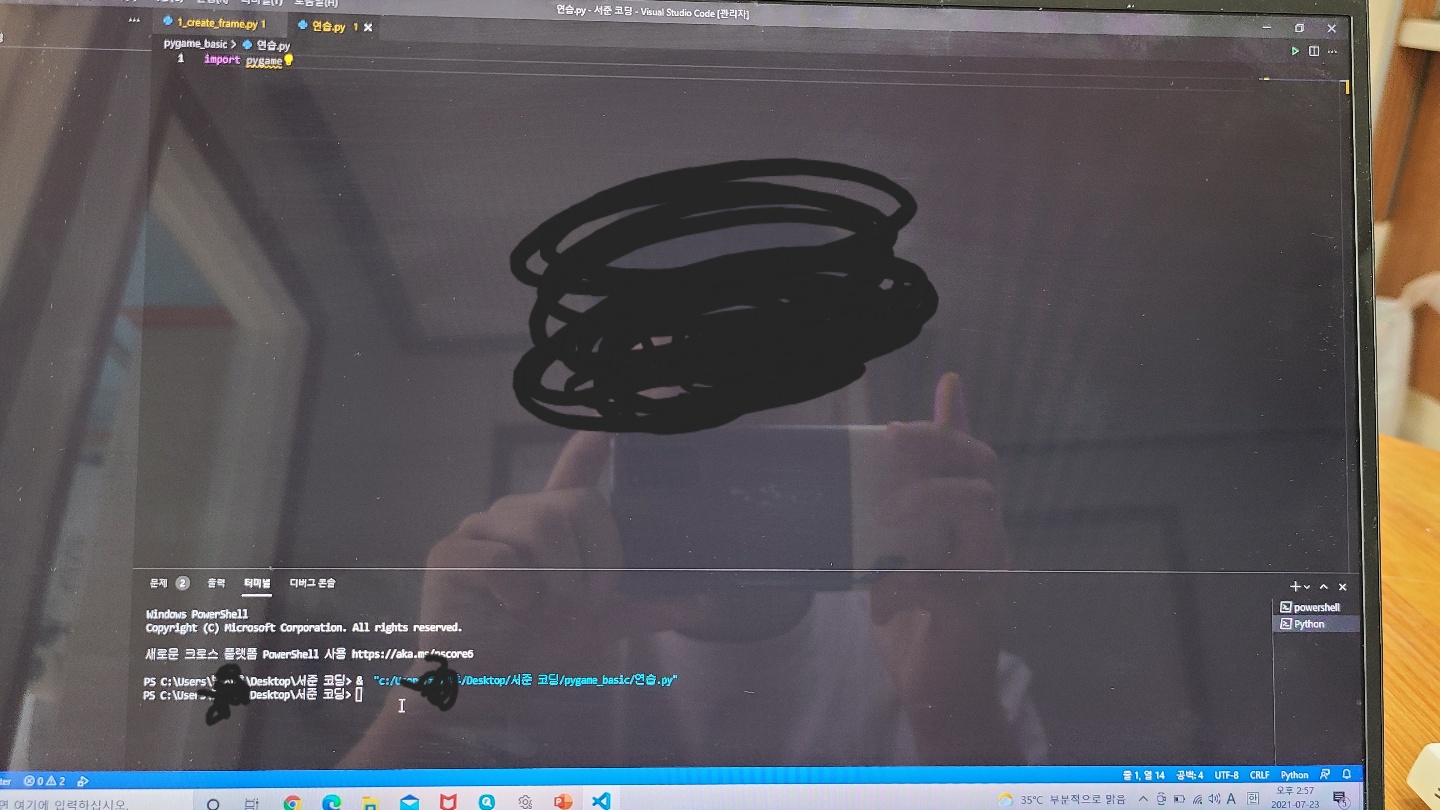
답변 1
0
import pygame만 하면 아무것도 안 뜨는게 맞습니다.
pip install game이 아니라 pip install pygame 아닌가요
이 코드를 실행하고 흰색 Test 글자와 검은 배경이 뜨면 됩니다.
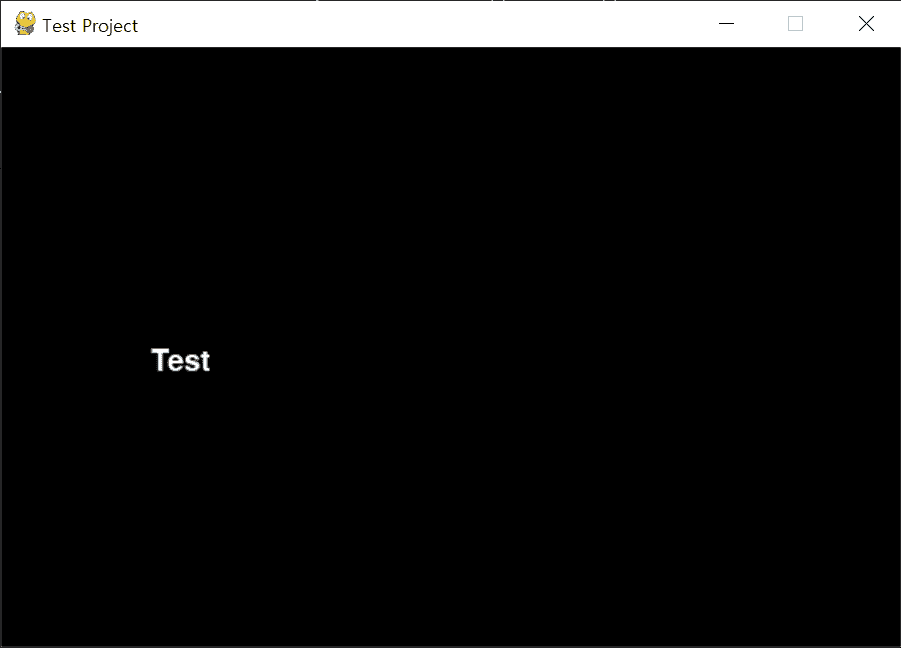
이렇게 뜨면 됩니다
pygame 설치오류
0
218
1
pip install pygame 이 실패합니다
0
232
1
pip install pygame 이 안되요
0
1097
1
(4:00) linting enabled 항목이 보이지 않습니다
0
177
1
마지막 프로젝트 그림 파일들을 올려주실 수는 없을까요?
0
216
1
import pygame에서 계속 오류가 발생해요
0
3660
2
무기 Y포지션 speed 감소
0
302
1
pygame 공부
0
509
0
마지막 부분 스프라이트가 맨 왼쪽에 위치해있습니다
0
272
1
공 쪼개기 문제
0
313
0
실행시 글자가 깨집니다.
0
314
1
키보드 이벤트 오류
0
575
1
스크린의 높이를 680으로 설정했을 때 오류?
0
306
1
pygame.time.get_ticks() 질문있습니다.
0
541
0
캐릭터의 이동
0
334
0
적(똥)과 케릭터가 충돌했을 때 게임 오버가 뜨게 만들려고..
0
302
1
시작을 하기에 앞서...
0
398
0
이미지 배경을 투명하게 하려면?
0
387
0
파이게임이 실행은 되는데....
0
233
0
실행이 안됩니다.
0
325
0
똑같이 따라 쳤는데 오류가 생겨요
0
308
0
배경색이 안 나와요
0
336
0
Error
0
157
0
weapon
0
234
0