


스토어 모듈화를 시키면 TodoList.vue가 보이지 않는 현상
436
작성한 질문수 25
modules로 따로 모듈화 시키지않고
store.js에 state, getters, mutations을 바로 적용하면
정상작동이 되는데
store.js
import Vue from "vue"
import Vuex from "vuex"
import todoApp from "./modules/todoApp";


Vue.use(Vuex);

export const store = new Vuex.Store({

    modules : {
        todoApp : todoApp
    }

});
module/todoApp.js
let storage = {
    fetch(){
        const arr = [];
        if (localStorage.length > 0){
            for (let i=0; i< localStorage.length; i++){
                let JsonStr = localStorage.getItem(localStorage.key(i))
                arr.push(JSON.parse(JsonStr));
            }
        }
        return arr;
    }
};

const state = {
    headerText : "TODO it!",
    todoItems : storage.fetch()
};

const getters = {
    getheaderText(state){
        return state.headerText;
    }
};

const mutations = {
    addTodo(state,obj){
        //obj -> {completed: false, item: value}
        //JSON.stringify 하는 이유는 값을봤을때 obj라 떠서 정보를 모름
        localStorage.setItem(obj.item, JSON.stringify(obj));
        state.todoItems.push(obj)
    },

    clearAll(state){
        localStorage.clear()
        state.todoItems = []
    },

    removeTodo(state, payload){
        // payload -> {obj: obj, index: index}
        console.log(payload.obj.item, payload.index, state.todoItems)
        localStorage.removeItem(payload.obj.item);
        state.todoItems.splice(payload.index,1)
    },

    toggleComplete(state, obj){
        //해당 객체 체크하기
        obj.completed = !obj.completed;

        //해당 객체 LocalStorage갱신
        //체크 전 삭제 뒤 체크 후로 다시 추가
        localStorage.removeItem(obj.item);
        localStorage.setItem(obj.item, JSON.stringify(obj))
    }
};

export default {
    state : state,
    getters : getters,
    mutations : mutations
}
TodoList.vue
<template>
    <section>
        <transition-group name="list" tag="ul">
            <li v-for="(todoItem,index) in this.$store.state.todoItems" v-bind:key="todoItem.item" class="shadow">
                <i class="checkBtn fas fa-check" v-bind:class="{checkBtnCompleted: todoItem.completed}" aria-hidden="true"
                    v-on:click="toggleComplete(todoItem)"></i>
                <span v-bind:class="{textCompleted: todoItem.completed}">{{todoItem.item}}</span>
                <span class="removeBtn" @click="removeTodo(todoItem, index)">
                    <i class="far fa-trash-alt" aria-hidden="true"></i>
                </span>
            </li>
        </transition-group>
    </section>
</template>

<script>
export default {

    //props : ["propsdata"]

    methods : {
        removeTodo(obj, index){
            //this.$emit("removeTodo", obj, index)
            const payload = {
                obj : obj,
                index : index
            }

            this.$store.commit("removeTodo", payload)
        },

        toggleComplete(obj){
            //this.$emit("toggleComplete", obj)
            this.$store.commit("toggleComplete", obj)
        },


    }

}
</script>

<style scoped>
    ul {
        list-style-type: none;
        padding-left: 0px;
        margin-top: 0;
        text-align: left;
    }

    li {

        font-family: 'DynaPuff', cursive;
        font-family: 'Karla', sans-serif;
        display: flex;
        min-height: 50px;
        height: 50px;
        line-height: 50px;
        margin: 0.5rem 0;
        padding: 0 0.9rem;
        background: white;
        border-radius: 5px;
    }

    .checkBtn {
        line-height: 45px;
        color: #62acde;
        margin-right: 5px;
    }

    .removeBtn {
        margin-left: auto;
        color: #de4343;
    }
    .list-enter-active, .list-leave-active {
        transition: all 1s;
    }

    .list-enter , .list-leave-to{
        opacity: 0;
        transform: translateY(30px);
    }

    .textCompleted {
        text-decoration: line-through;
        color: #b3adad;
    }

    .checkBtnCompleted {
        color : #b3adad
    }

</style>
왜 module로 따로 모듈화 시키고
store.js에 state, getters, mutations을 todoApp으로 등록하면
TodoList.vue에서 보여지지 않는걸까요?
모듈화만 시켰을 뿐인데 왜 차이가 나는걸까요?
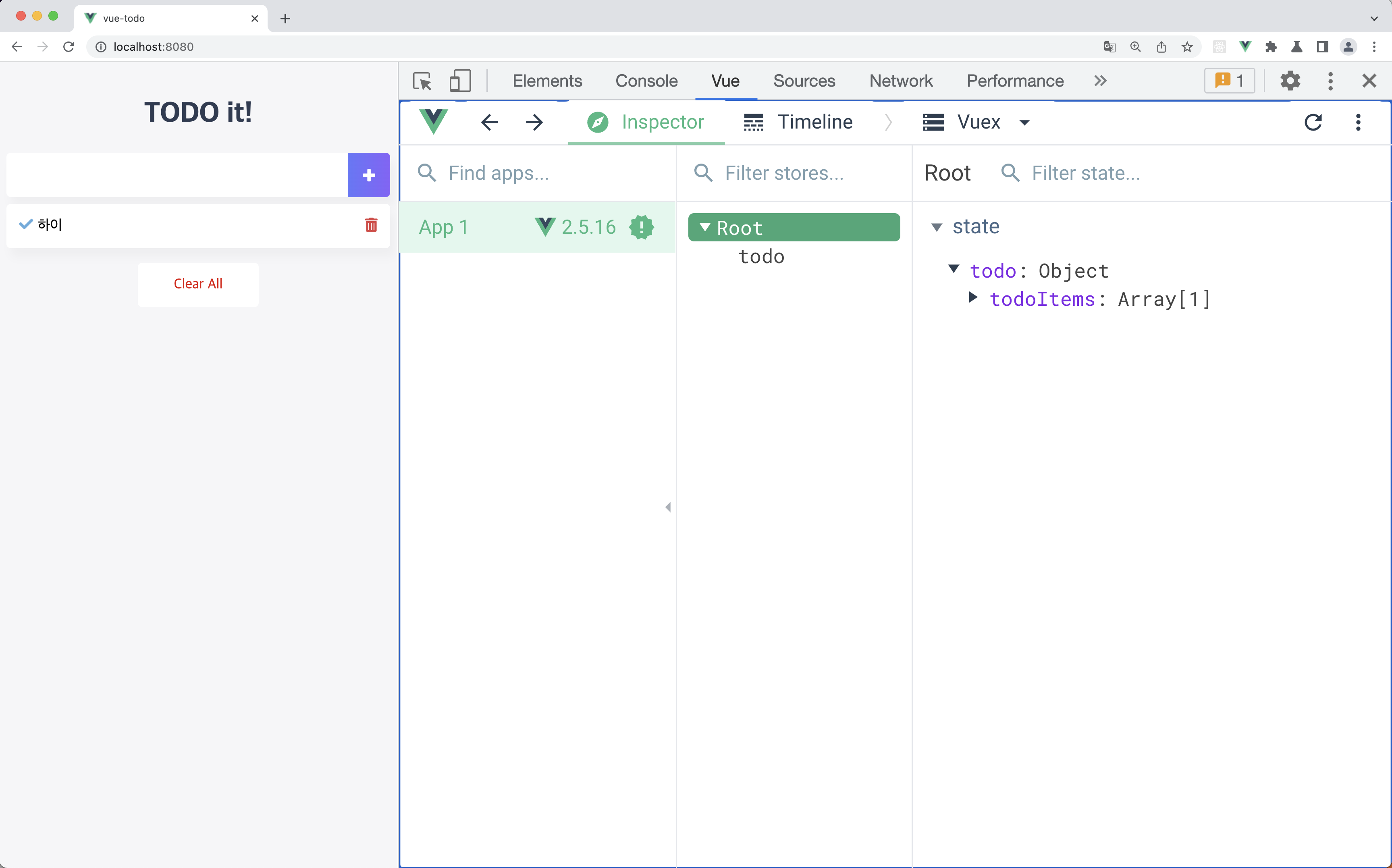
밑 이미지는 mutations들도 정상작동이 되는데 TodoList에서 보여지지 않는 현상 첨부입니다!

답변 1
깃권한요청드립니다
0
80
1
Chrome 개발자 모드 확장이 안됨
0
467
1
깃 권한 요청드립니다
0
174
1
vue.js 중급 리포지토리 권한 관련
0
188
1
vuex + axios 질문 있습니다!
1
269
2
깃 권한 요청드립니다!
0
210
1
강의 깃주소 문의
0
186
1
router-view에 props를 어떻게 넘길 수 있나요?
1
352
2
Vue가 인식되지 않는 현상
0
260
1
기초강좌는 어디있나요?
1
247
2
App.vue가 필요한 이유
0
253
1
getter가 정의되어 있지 않아 오류가 발생합니다.
1
316
1
뷰 라이프사이클
1
235
1
TSLint 말고 TSLint Vue 설치해도 되나요?
1
443
3
로컬 스토리지는 어디에 있나요?
1
346
1
vuex 실행시 새로고침해야지만 리스트에 나타나는 현상
1
471
2
export default 관련한 질문
0
422
2
깃허브 vue-todo 접근불가에 따른 확인요청
1
413
2
깃허브에 문제있는것 같습니다.
1
338
2
인프런 강의 재생 화면 구성 변경 문의드립니다
1
377
2
addTodo Helper 함수 적용
1
284
1
vuex 헬퍼 전역 설정
1
326
2
github 권한요청드립니다.
1
305
2
이벤트 위치에 대한 궁금증 입니다.
1
276
2