


스프링부트 버전관련 질문
551
작성한 질문수 6
안녕하세요 멘토님!
프로젝트앱을 다운받아 열었더니 빌드후에 다음과 같이 오류가 나타납니다.. 전에 프로젝트를 3.xx버전으로 했어서 이 경우에 java 17이상만 가능하기 때문에 java11을 사용하지 못해 나는 오류인것 같은데 어떻게 진행하면 될까요?
problem occurred configuring root project 'library-app'. > Could not resolve all files for configuration ':classpath'. > Could not resolve org.springframework.boot:spring-boot-gradle-plugin:3.0.1. Required by: project : > org.springframework.boot:org.springframework.boot.gradle.plugin:3.0.1 > No matching variant of org.springframework.boot:spring-boot-gradle-plugin:3.0.1 was found. The consumer was configured to find a runtime of a library compatible with Java 8, packaged as a jar, and its dependencies declared externally, as well as attribute 'org.gradle.plugin.api-version' with value '7.5' but: - Variant 'apiElements' capability org.springframework.boot:spring-boot-gradle-plugin:3.0.1 declares a library, packaged as a jar, and its dependencies declared externally: - Incompatible because this component declares an API of a component compatible with Java 17 and the consumer needed a runtime of a component compatible with Java 8 - Other compatible attribute: - Doesn't say anything about org.gradle.plugin.api-version (required '7.5') - Variant 'javadocElements' capability org.springframework.boot:spring-boot-gradle-plugin:3.0.1 declares a runtime of a component, and its dependencies declared externally: - Incompatible because this component declares documentation and the consumer needed a library - Other compatible attributes: - Doesn't say anything about its target Java version (required compatibility with Java 8) - Doesn't say anything about its elements (required them packaged as a jar) - Doesn't say anything about org.gradle.plugin.api-version (required '7.5') - Variant 'mavenOptionalApiElements' capability org.springframework.boot:spring-boot-gradle-plugin-maven-optional:3.0.1 declares a library, packaged as a jar, and its dependencies declared externally: - Incompatible because this component declares an API of a component compatible with Java 17 and the consumer needed a runtime of a component compatible with Java 8 - Other compatible attribute: - Doesn't say anything about org.gradle.plugin.api-version (required '7.5') - Variant 'mavenOptionalRuntimeElements' capability org.springframework.boot:spring-boot-gradle-plugin-maven-optional:3.0.1 declares a runtime of a library, packaged as a jar, and its dependencies declared externally: - Incompatible because this component declares a component compatible with Java 17 and the consumer needed a component compatible with Java 8 - Other compatible attribute: - Doesn't say anything about org.gradle.plugin.api-version (required '7.5') - Variant 'runtimeElements' capability org.springframework.boot:spring-boot-gradle-plugin:3.0.1 declares a runtime of a library, packaged as a jar, and its dependencies declared externally: - Incompatible because this component declares a component compatible with Java 17 and the consumer needed a component compatible with Java 8 - Other compatible attribute: - Doesn't say anything about org.gradle.plugin.api-version (required '7.5') - Variant 'sourcesElements' capability org.springframework.boot:spring-boot-gradle-plugin:3.0.1 declares a runtime of a component, and its dependencies declared externally: - Incompatible because this component declares documentation and the consumer needed a library - Other compatible attributes: - Doesn't say anything about its target Java version (required compatibility with Java 8) - Doesn't say anything about its elements (required them packaged as a jar) - Doesn't say anything about org.gradle.plugin.api-version (required '7.5')
답변 1
0
안녕하세요, lynn1602님! 질문 주셔서 감사합니다! 😊
이런 경우는, 두 가지 방법이 있을 것 같아요!!
[1. 본 과정 자체를 3.x.x 버전으로 따라 한다]
이렇게 되면 굳이 java 11을 설치할 필요가 없이 제공되는 예제 코드의 스프링 부트 버전을 올리고 진행하시면 될 것 같습니다!
실제로 스프링 부트 2.x.x 와 3.x.x 의 차이가 본 강의에서 크게 나타나지는 않아서 강의를 따라하시는데 크게 무리가 없으실 거에요!!
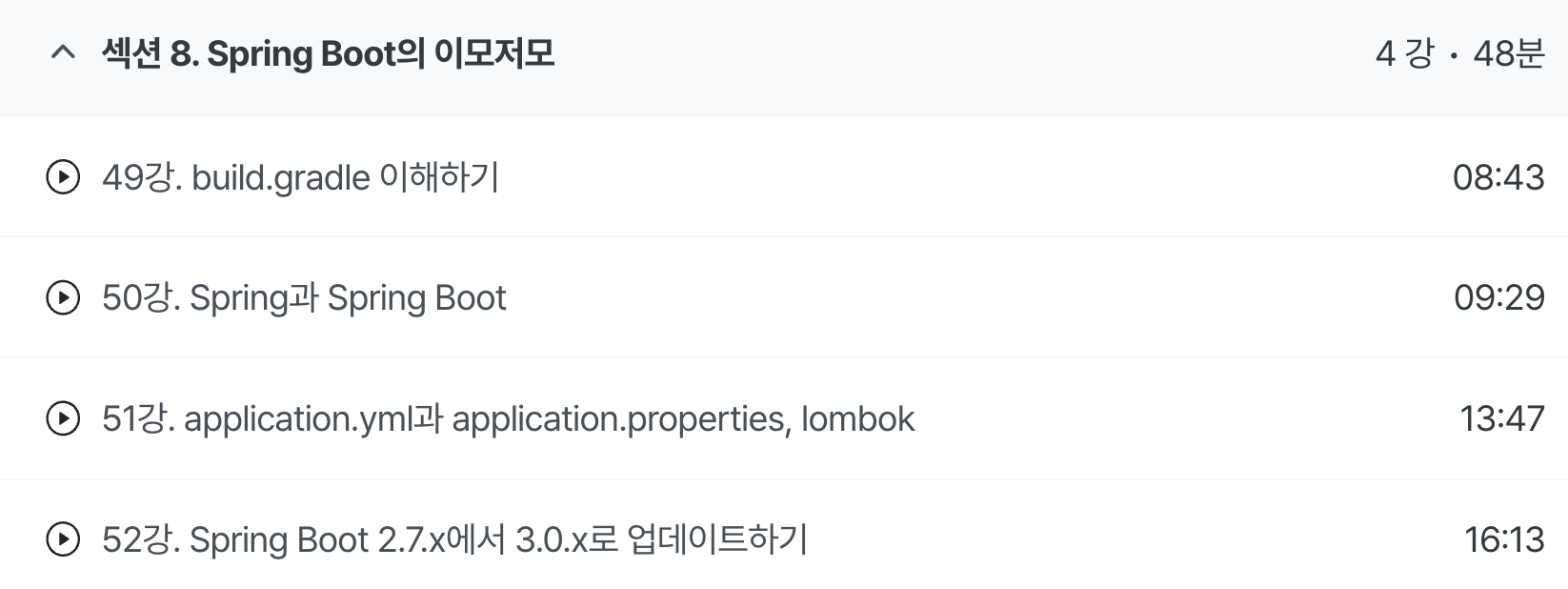
[2. JDK 11을 설치하고 해당 프로젝트에서 JDK 11을 사용하도록 설정한다]
52강을 참고해보시면! 새로운 JDK를 설치해서 IntelliJ에 어떻게 설정을 적용하는지 방법이 안내되어 있습니다!
이 방법을 참고하셔서 JDK 11을 사용하도록 설정해 본 강의를 따라하실 수도 있을 것 같아요!!
저라면, 스프링 부트 버전에 따른 강의 내용의 차이가 거의 없기 때문에 조금 덜 번거로운 1번 과정을 사용할 것 같습니다. 스프링 부트의 버전을 어떻게 바꿀 수 있는지도 52강에서 다루고 있습니다.
답변이 도움이 되었으면 좋겠습니다. 감사합니다! 😊
패키지 구분에 대해 궁금한게 있습니다
0
111
2
리액트 관련 질문이 있습니다.
0
133
2
스프링부트 버전
0
159
2
7강 강의를 들으려고 했는데 오류가 나서 서버가 안 켜지는거 같아요.
0
162
2
33강. UserLoanHistory의 관계성에 대한 질문
1
125
2
Java JDK 버전 문의의 건
0
226
2
ec2 에서 Linux버전이 달라져서 설치가 안되는것 같은데 자료 최신화좀 해주세요.
0
156
3
h2 console 접속했을 테이블 질문
1
111
1
ec2 서버에서 스프링 실행도 되고 인바운드 설정까지 했는데 index.html 안됨
0
155
2
15강. updateUser() 질문
0
101
2
깃허브 질
0
152
2
여기까지 다 끝냈다고 하셨는데
0
133
2
왜안될까요
0
122
2
MySQL 창이안ㄴ뜹니다
0
122
2
포스트맨
0
85
1
spring 개념적인 질문
0
126
2
인텔리제이 샘플코드 실행 안됨 오류
0
223
2
aws 배포할때 .env 파일에 저장한 환경변수에 관하여 여쭤볼게 있습니다
0
132
1
마이그레이션 오류입니다.
0
240
3
Whitelabel Error Page 오류가 났습니다.
0
291
2
안녕하십니까! 오류가 났습니다.. 도와주세요 ㅜㅜ
1
145
3
궁금한게 있습니다.
0
108
2
DTO 관련
0
110
2
궁금한게 있습니다!
0
108
2