Introduction to Adobe Premiere Pro CC 2018, 2019 Video Editing Part 1
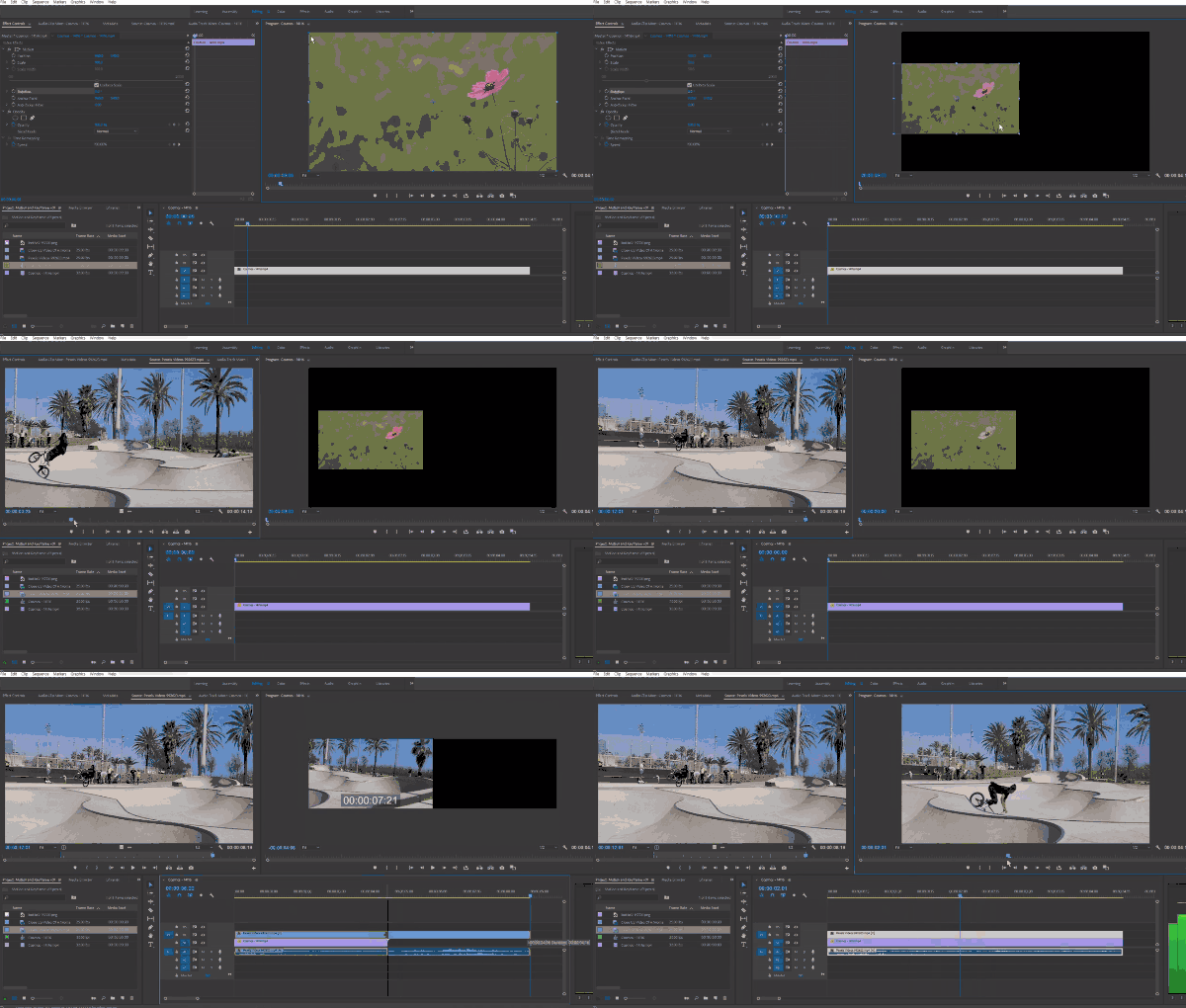
This course will teach you the core editing features of Premiere Pro and enable you to edit videos. In the first part, you will learn the basic features of Premiere Pro and simple color correction and visual effects.
I am taking the course with the intention of learning from the beginning again. There are many things I didn't know. It may be because my basics are not solid ^^; I am taking it with the intention of learning something new. I will work hard in the remaining courses ~
5.0
kyunghee kim
25% enrolled
It seems like you prepared the lecture thoroughly. There is no unnecessary explanation, and you know the situations that beginners might get stuck in and explain them thoroughly. I have taken many program lectures, but this is the first time I have learned this much. Thanks to you, I think I became familiar with Premiere quickly. If there are other lectures by the instructor, I would like to take them again.
5.0
fop_
100% enrolled
It's an easy-to-understand and detailed lecture.
The instructor's voice also plays a part. Haha
Thank you.
What you will gain after the course
Premiere Pro's Core Features
Video editing skills
Video editing with Premiere Master it! 🎬
🗒 Course Introduction
(Please note that this lecture does not provide instructor-assisted answers.)
Adobe Premiere Pro CC is a traditional track-based video editing software that provides a wide range of editing capabilities, from personal UCC to Hollywood films. This course is a Premiere course designed to cover the most essential editing features in the shortest possible time for those with no prior experience with Premiere Pro.
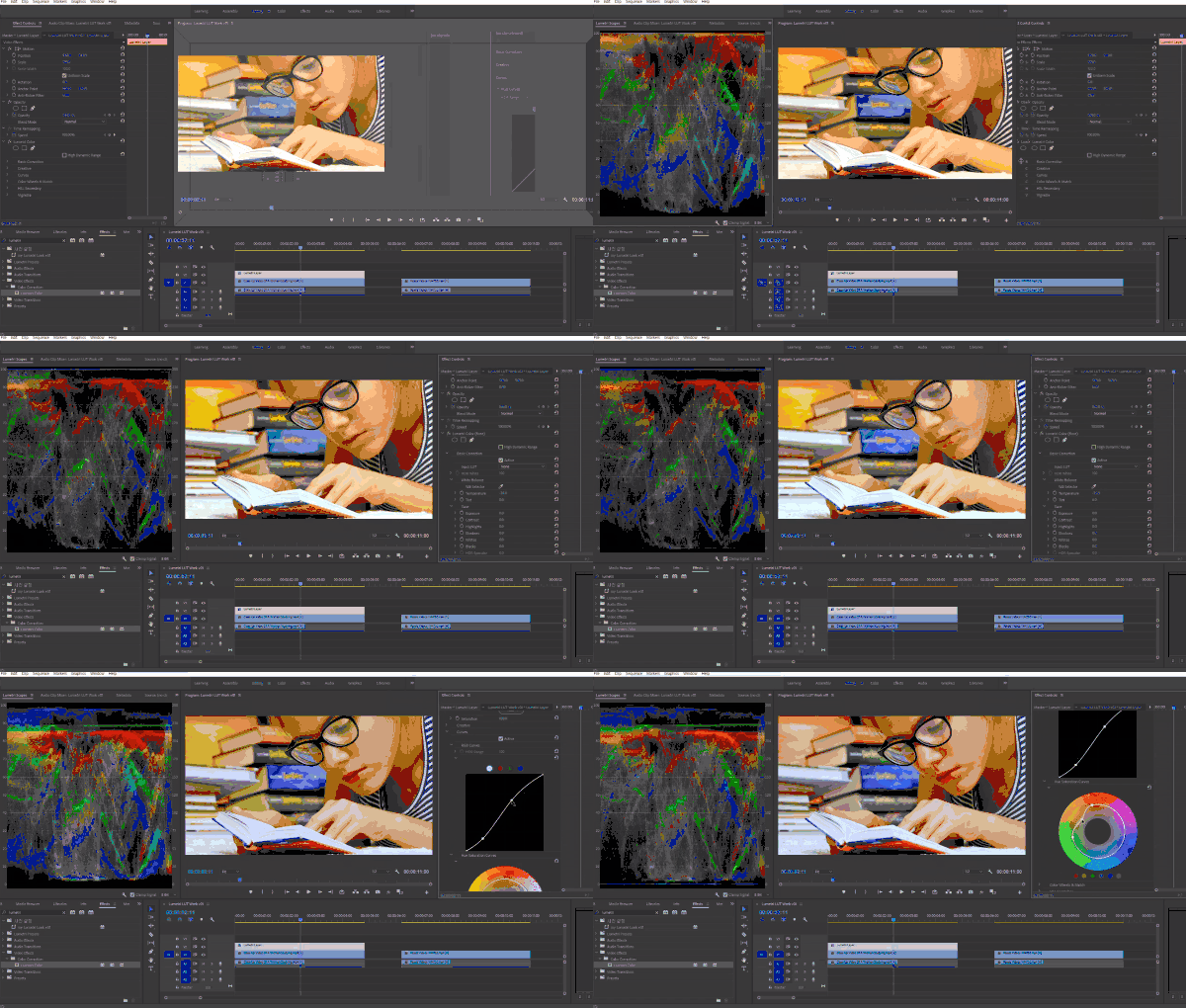
In PART 2, we'll learn how to use the basic visual effects that Premiere Pro has, as well as how to work with mattes and masks for partial visual effects. We will also cover Lumetri Color, one of Premiere Pro's strengths, so you can learn the basic knowledge and features needed for simple video color correction tasks.
🌈 Preview the lecture
🙌 Tools covered here
Adobe Premiere Pro CC
This course uses Adobe Premiere Pro CC 2018-2019 . Therefore, we recommend using the latest Premiere Pro version (CC 2018, 2019, or later). You can download and use a free trial version from the official Adobe website. Official site link
🙋🏻♂️ Expected questions related to the lecture
Q. Can non-majors and beginners also take the course? A. This course begins with an introduction to Premiere Pro, so anyone interested in video editing can take it. However, those with experience using other Adobe tools like Photoshop will learn faster.
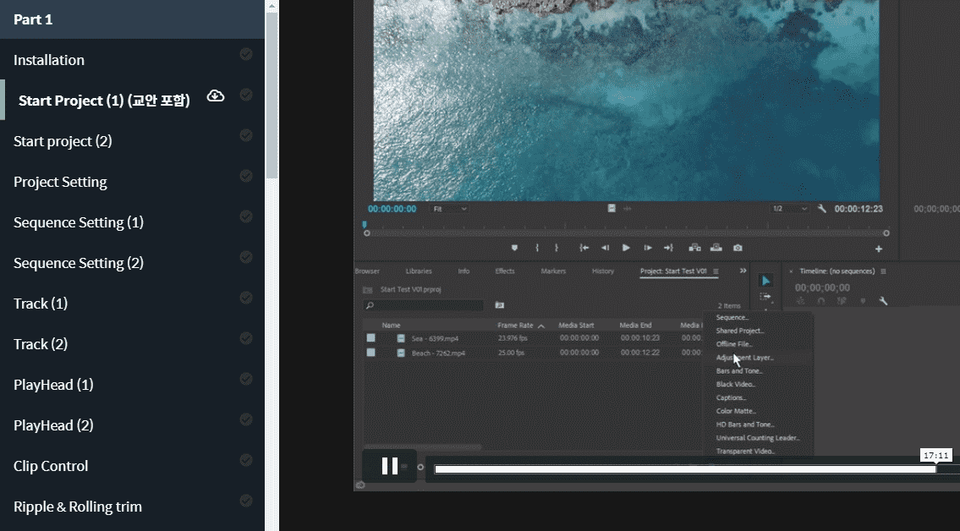
Q. Are lecture notes included? A. Yes, you can download the lecture notes by clicking the cloud-shaped icon on the left tab while watching the lecture. The syllabus is attached to the second lecture of each lecture part.
About a year ago, the lecture was released for free, so I took it, and now I'm taking the lecture in a hurry because I felt I needed to develop myself.
Before taking the lecture, when I was editing with Premiere, I didn't know anything and just searched the Internet and didn't get satisfactory results. But after learning this lecture, it taught me the concepts and application methods for the basic functions, so the functions of Premiere were easily remembered.
I think it's good for those who want to learn the basics of editing with Premiere.
I am taking the course with the intention of learning from the beginning again. There are many things I didn't know. It may be because my basics are not solid ^^; I am taking it with the intention of learning something new. I will work hard in the remaining courses ~
It seems like you prepared the lecture thoroughly. There is no unnecessary explanation, and you know the situations that beginners might get stuck in and explain them thoroughly. I have taken many program lectures, but this is the first time I have learned this much. Thanks to you, I think I became familiar with Premiere quickly. If there are other lectures by the instructor, I would like to take them again.














![[Photoshop Revolution Broadcast] Photoshop Basics CompleteCourse Thumbnail](https://cdn.inflearn.com/wp-content/uploads/photoshop002.jpg?w=420)
![[Photoshop Revolution Broadcast] Photoshop Intermediate CompleteCourse Thumbnail](https://cdn.inflearn.com/public/courses/324136/course_cover/6bafe72e-0196-41d1-ad2c-b3bcbf583407/free_photoshop.png?w=420)
![How to Make a Unity 2D Roguelike Game [Korean Subtitles]Course Thumbnail](https://cdn.inflearn.com/wp-content/uploads/unity003.jpg?w=420)