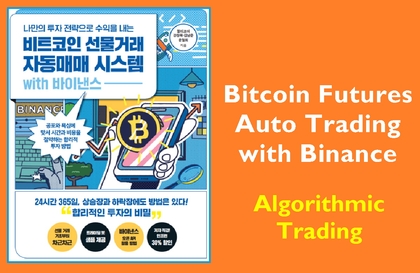
Binance Futures API Integration and Real-time Order
Oracle Cloud Instance Creation - Creating a Server
Python-based Practical Trading Code Usage
Risk management techniques (entry weighting, distributed profit-taking, full liquidation, etc.)
This content provides the source code of a complete Python trading bot capable of real-time automatic trading on Upbit or Binance Futures exchanges. The program allows 24-hour real-time trading using Oracle's free cloud instance, and includes a split purchase + split profit-taking strategy.
✅ Use 15x leverage (based on Binance futures) ✅ Funds split based on 20% of assets ✅ Full profit cut + split profit cut strategy based on average unit price ✅ API authentication, anti-slippage
- You must enter your Upbit and Binance Futures API keys for it to work.
- Backtesting and risk management are the user's responsibility.
- Investment performance may vary depending on market conditions and entry point.
- Based on past backtests, there are cases where monthly returns of around 2-5% were recorded, but this is based on data from a specific period and does not guarantee actual transaction results.
- The program does not guarantee financial loss or profit, and all investment decisions and results are the user's own responsibility.
※ Due to the nature of this product as digital content (original source code), refunds are not possible once downloading begins after purchase.
※ Please be sure to check the contents before purchasing and make your decision carefully.
※ For those who find it difficult to implement directly, we provide a free server. (Optional)
📌Disclaimer
- This software is for informational purposes only and is not responsible for any financial gains or losses. All users must conduct transactions at their own discretion and risk.
- All transactions are made at the investor's own discretion and responsibility, and this program does not provide investment advice.







![[Sebasi] Yanadoo's 7 Principles of Success | CEO Kim Min-chul강의 썸네일](https://cdn.inflearn.com/public/files/courses/338313/cover/01k1arc172eqbxrzq4a03k6ejk?w=420)





![[Rookiss Live Seminar] Introduction to Startups in the AI Era강의 썸네일](https://cdn.inflearn.com/public/files/courses/339790/cover/ai/2/2a32621e-82e3-42cb-b664-570736fae9dc.png?w=420)