Getting Started with AWS Cloud for Beginners
usefulit
This is a series of video lectures for AWS beginners and college students enrolled in AWS Educate. We will briefly introduce the AWS registration process and free tier services.

Basic
AWS
This is a Photoshop course for beginners that will teach you the most basic and important functions of the graphic editing tool Photoshop.
Reviews from Early Learners
5.0
심병주
The explanation is incredibly detailed. Even if you don't know anything about Photoshop 1, the explanation is so detailed that you can learn it just by following it.
5.0
hk221b
Thank you for the kind and easy to understand explanation!
5.0
멜티블루
I have some experience with Photoshop, but I started watching it to study again the functions I didn't know well. It was a function I was definitely using and knew, but it was taught in detail so that I could use it in more ways. It wasn't too light that I couldn't think of anything else during the lecture, and it gave me the impression that it was systematic because it was explained one by one in a businesslike and heavy voice. I recommend it.
Adobe Photoshop
Image editing, photo correction
(Please note that this lecture does not provide instructor-assisted answers. )
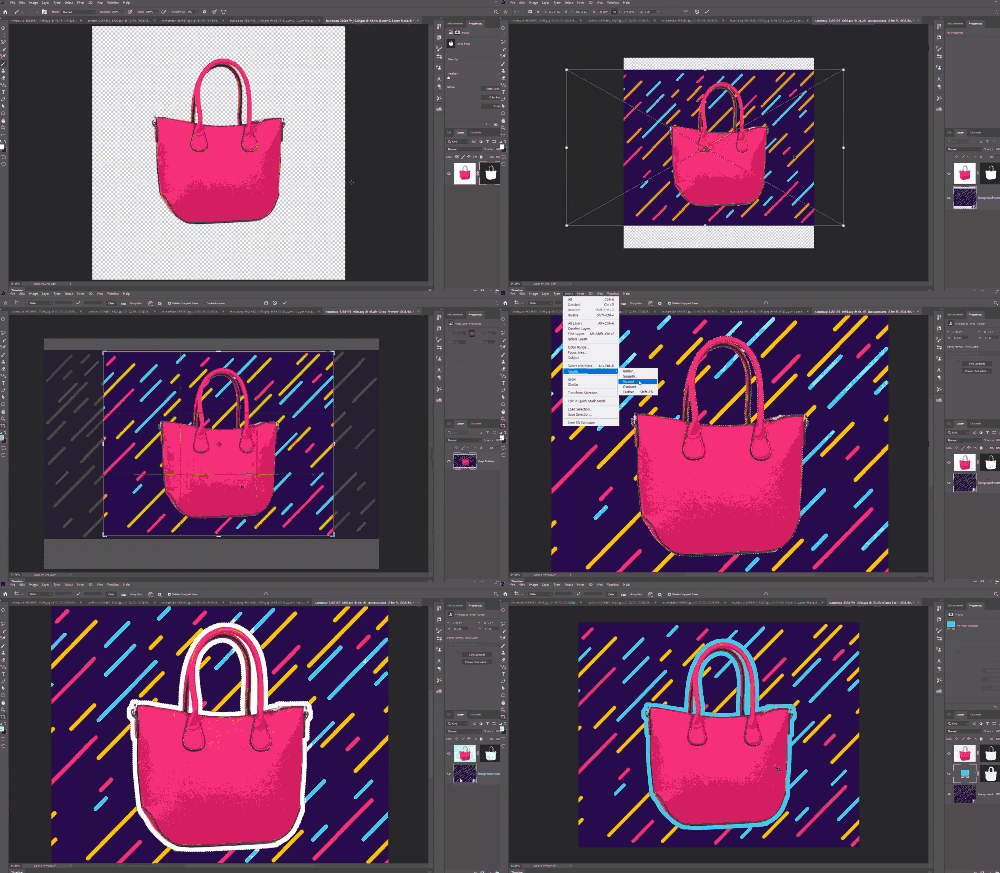
Photoshop is an essential tool for image processing, serving as an industry standard across the graphic design, photography, and photography industries. This course will help beginners easily understand the most essential features of Photoshop CC 2019.
In the first part, you will learn the basic working methods and concepts of working with layers and masks, along with the basic operation concepts of Photoshop.
In the second part, we'll explore how to use the most basic tools, like brushes and shapes, and examine the crucial role of smart objects and smart filters in layer work. We'll also cover the fundamental concepts and role of blend modes, which are color calculation methods between layers. This process will help you become more familiar with the workflow inherent in Photoshop's layered workflow.
In the third part, you'll learn how to use Photoshop's built-in color correction features and the concepts behind them. You'll also learn how to use filters like sharpen and blur, as well as several methods for precisely masking specific areas of an image. Finally, you'll cover the fundamental role of Camera Raw, which is used to color correct RAW images captured by digital cameras.
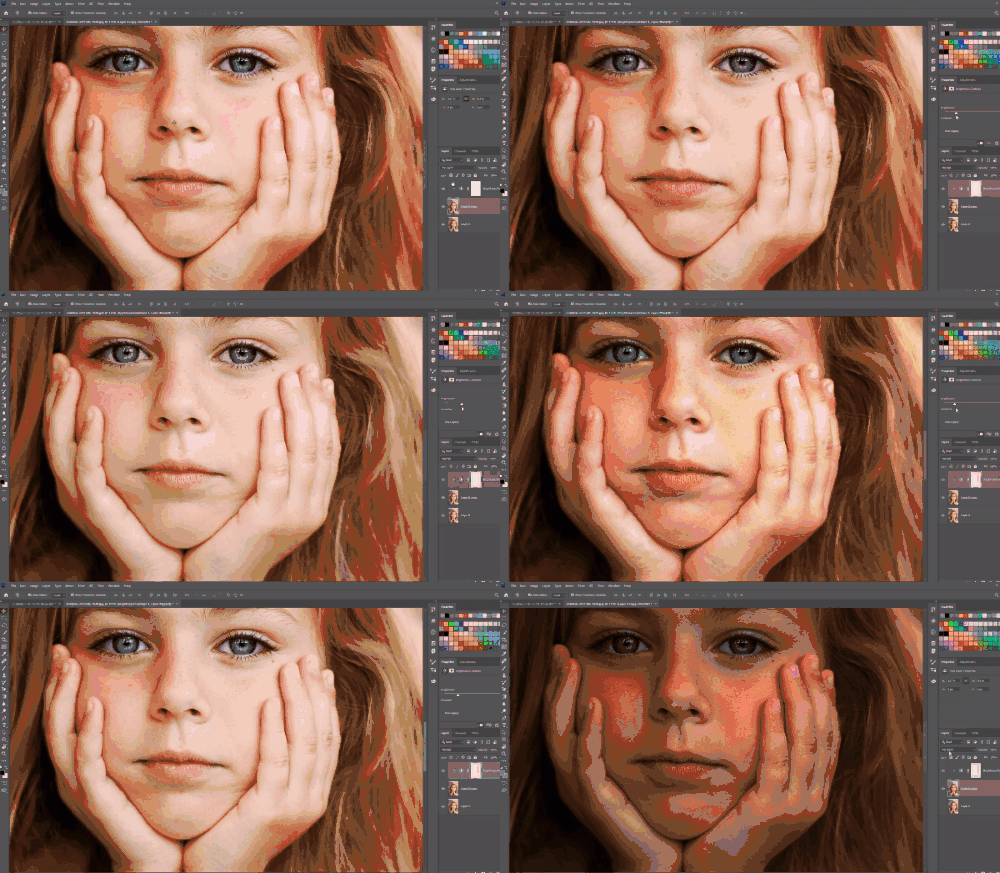
This course uses Adobe Photoshop CC 2019 , so we recommend that you have that version or higher. (At least CC 2014 is required.)
You can download and use a free trial version from the official website. Official site link
Q. Can non-majors and beginners also take the course?
A. This is a Photoshop course for beginners, starting with tool installation. Anyone can take it.
Q. Are lecture notes included?
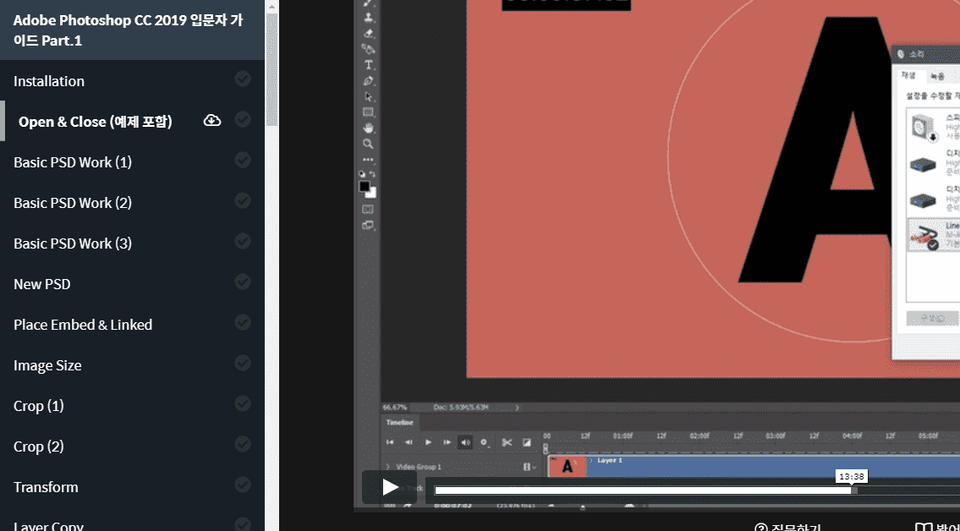
A. Yes, you can download the lecture notes by clicking the cloud-shaped icon on the left tab while watching the lecture.
The syllabus is attached to the second lecture of each lecture part.
Who is this course right for?
For those new to Photoshop
For those who want to review the basic functions of Photoshop.
Need to know before starting?
doesn't exist

8,278,000
Learners
6,433
Reviews
4.6
Rating
308
Courses
I will help you grow through useful IT lectures.
All
62 lectures ∙ (33hr 3min)
Course Materials:
1. Installation
29:59
6. New PSD
31:57
8. Image Size
30:12
9. Crop (1)
31:35
10. Crop (2)
33:01
11. Transform
33:04
12. Layer Copy
31:17
13. Layer Basic (1)
28:18
14. Layer Basic (2)
34:05
15. Layer Mask
32:49
19. Vector Path
32:07
20. Clipping Mask
30:19
21. Brush Tool
30:37
25. Mixer Brush Tool
32:30
26. Shape Tool
32:58
29. Smart Object
29:42
30. Smart Filter
30:36
33. Darken & Lighten
33:00
34. Inversion
29:21
36. Channels (1)
35:15
37. Channels (2)
31:51
38. Channels (3)
34:42
39. Adjustment Layer
31:53
40. Layer Style
31:23
44. Levels
31:37
45. Curve (1)
34:31
46. Curve (2)
31:33
47. Hue & Satruation
33:02
48. Black & White
34:13
49. Channel Mixer
29:43
50. Color Balance
33:20
53. Sharpen
30:27
54. Blur
32:46
55. Blur Gallery
31:22
56. Distort
33:44
57. Blending Options
32:01
60. Camera Raw (1)
27:59
61. Camera Raw (2)
31:07
62. Camera Raw (3)
33:39
All
51 reviews
4.7
51 reviews

Reviews 1
∙
Average Rating 5.0

Reviews 1
∙
Average Rating 5.0
5
I have some experience with Photoshop, but I started watching it to study again the functions I didn't know well. It was a function I was definitely using and knew, but it was taught in detail so that I could use it in more ways. It wasn't too light that I couldn't think of anything else during the lecture, and it gave me the impression that it was systematic because it was explained one by one in a businesslike and heavy voice. I recommend it.
Reviews 5
∙
Average Rating 3.4
Reviews 1
∙
Average Rating 5.0
Reviews 1
∙
Average Rating 5.0
Check out other courses by the instructor!
Explore other courses in the same field!






![[Fantasy Pig's Feet] From design to codingCourse Thumbnail](https://cdn.inflearn.com/public/courses/332845/cover/5d0ef569-50e5-4300-96ed-3205d526795b/332845.png?w=420)