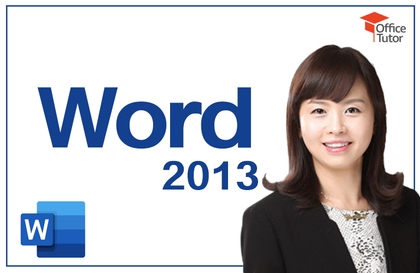
Word 2016: Learn Quickly and Easily

You can learn new features in Word 2016, create various practical documents, and acquire effective ways to use Word 2016.

(4.9) 19 reviews

159 learners

Level Beginner

Course period 12 months

MS-Office
MS-Office
Word
Word
MS-Office
MS-Office
Word
Word
날개 달린 동전

Recommend Course to grow and earn commission!

날개 달린 동전

Marketing Partners

Recommend Course to grow and earn commission!

Reviews from Early Learners

Reviews from Early Learners

4.9

5.0

박상수

100% enrolled

BEST!!!

5.0

javadacom

41% enrolled

I am listening to the good lecture well. But where do I download the documents used in the lecture materials? I get similar materials for each training and listen to the training in Word.

5.0

오가은

100% enrolled

LikeLike

What you will gain after the course

  • You can systematically understand the various features of Word 2016.

  • You can improve your document writing efficiency by learning useful Word features and document writing techniques.

Word, quickly master everything from basics to practical knowledge!

Microsoft MVP (Data Platform, 2018-present)

✨ Career

- Full-time instructor at New Horizon Korea

  Headquarters English textbook translation and production, dedicated to corporate training

- PJ Holdings Education Center Education Team Leader

  Instructor management, new course planning, etc.

- Dream Presentation Education Planning Team Leader

  Presentation production planning, training planning/management, etc.

- OfficeTutor BPA team instructors and freelance instructors

💻 Development experience

- Eulji Hospital: Patient Management Program

- DNV Korea: Process Management Program

- Civa Special Chemical: Accounting Management Program

- Medtronics: Process Management Program

- L'Oréal Korea: Sales Management Program

- Daehan Swiss Chemical: Accounting Management Program

- Lafarge Halla Cement: Project Management

- Lotte Hotel: Education Management Program

- SK Corporation: Participation in groupware development project (Office 2007 part)

🏫 Lectures and books

- Baeum.com: MS-Access (Intermediate) Course

- Chung-Ang University: Visual Basic lecture

Office Tutor: Developing a Course to Maximize Excel Chart Utilization

- SK Corporation: Excel 2007, PowerPoint 2007, Word 2007

Writing in-house textbooks

- Office Tutor: Word 2007 Course Development

- Digital Books: PowerPoint 2007 textbook author

Recommended for
these people

Who is this course right for?

  • For those who want to know about new features in Word 2016

  • For those who want to know the overall functions of MS Word

  • For those who want to write documents quickly and effectively

  • For those who want to become a power user of MS Word

Hello
This is officetutor

2,747

Learners

410

Reviews

19

Answers

4.7

Rating

36

Courses

Officetutor was established in 1999 for content development and training on Microsoft Office-related programs, and is dedicated to sharing the expertise accumulated by top experts for each Office product (Microsoft MVPs) with Office users.

Officetutor's official website (officetutor365.com) serves as a knowledge portal for Office users, featuring over 300,000 pages of free tutorials and Q&A accumulated over the past 20 years, along with Microsoft Office online video courses. Additionally, it regularly hosts various educational programs every month through 'Futourists' (futourists.kr), a study membership program for Microsoft 365 champions.  

More

Curriculum

All

22 lectures ∙ (8hr 52min)

Course Materials:

Lecture resources
Published: 
Last updated: 

Reviews

All

19 reviews

4.9

19 reviews

  • sychoicas5069님의 프로필 이미지
    sychoicas5069

    Reviews 2

    Average Rating 5.0

    5

    100% enrolled

    I heard it well

    • unisong114
      Instructor

      Thank you for taking the class :)

  • hoperpark5339님의 프로필 이미지
    hoperpark5339

    Reviews 5

    Average Rating 5.0

    5

    100% enrolled

    BEST!!!

    • javadacom4745님의 프로필 이미지
      javadacom4745

      Reviews 1

      Average Rating 5.0

      5

      41% enrolled

      I am listening to the good lecture well. But where do I download the documents used in the lecture materials? I get similar materials for each training and listen to the training in Word.

      • unisong114
        Instructor

        First of all, thank you for taking the class. :) I'm sorry you were inconvenienced because you couldn't find the class examples. Please click the [Class Materials] button on the top right of the video screen for the first learning content, [Word 2016 Course Introduction and Expected Effects], to download the lesson plan and class examples. Thank you.

    • ge0426oh4345님의 프로필 이미지
      ge0426oh4345

      Reviews 1

      Average Rating 5.0

      5

      100% enrolled

      LikeLike

      • unisong114
        Instructor

        Thank you for taking the class :)

    • csy52164937님의 프로필 이미지
      csy52164937

      Reviews 2

      Average Rating 5.0

      5

      100% enrolled

      Thank you for the great education.

      • unisong114
        Instructor

        Thank you for taking the class :)

    officetutor's other courses

    Check out other courses by the instructor!

    Similar courses

    Explore other courses in the same field!

    $59.40