



[Meetup VOD] AI Era, Why TDD Now?
inflearn
This is a recorded video of the TDD online live meetup held in July 2025.
Beginner
TDD, AI, Refactoring
This is a class that teaches intermediate and advanced level data analysis and visualization chart creation methods to those who can handle Excel basics. With this class, you can master Excel completely!
34,743 learners
Level Intermediate
Course period Unlimited

Reviews from Early Learners
5.0
최혜림
I have taken many courses, but this is the first time I am writing a review. This course is the best course for Excel data analysis. It is really the best, without any unnecessary things. It boosts my confidence.
5.0
Gy K
I had a vague understanding of Power Query, but this course helped me understand it much better. I was able to immediately apply what I learned in the course to my actual work, and I was so happy. Thank you for the great course!
5.0
윤진원
It seems like it will be very helpful in practice. It is a really very useful lecture. It is fun. Thank you.
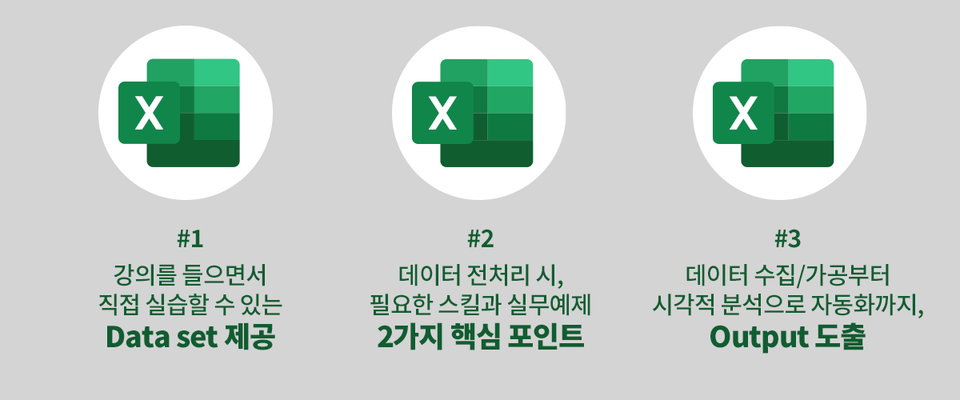
Skills needed for data preprocessing
Data analysis and visualization through practical data
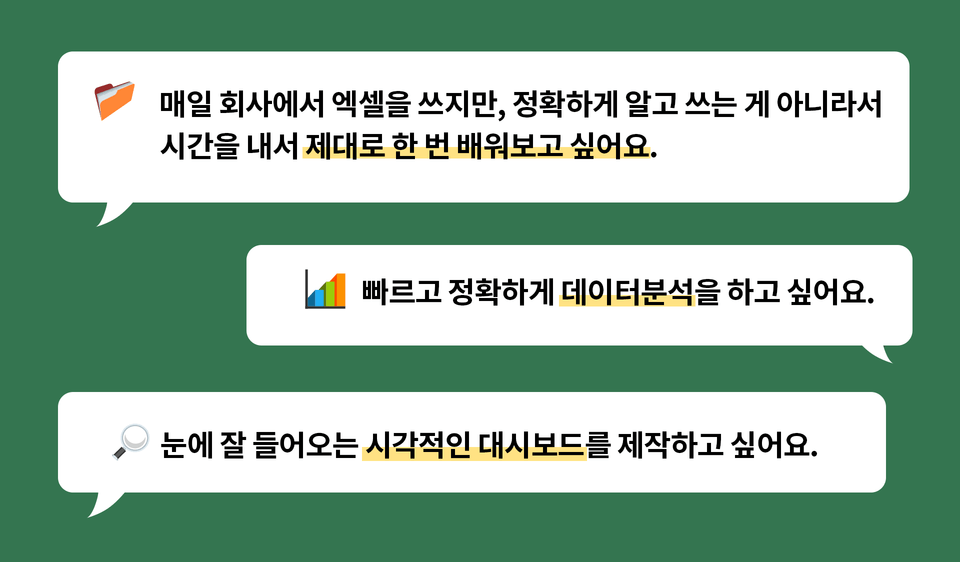
When you use Excel at work, don't you just use a few familiar shortcuts? When you have a lot of data to process because you don't know other functions, don't you manually process it yourself?
Fundamentally, why is Excel still difficult for us? If you think it is a waste of time to study it separately because you deal with it every day, now is your chance. If you want to learn more about Excel and improve your work capabilities, don't miss it!
From data analysis with Excel
Anyone who wants to create visualization charts
I know the basics but there is more
For those who want to know how to use Excel
Repetitive data processing
Anyone who wants to automate
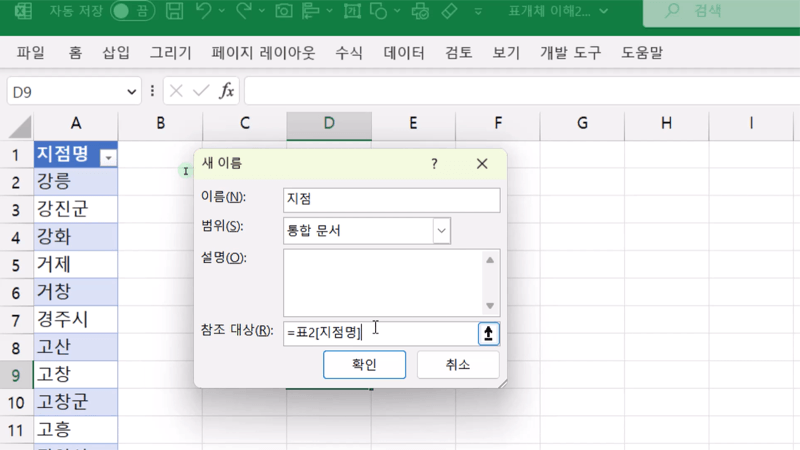
Dynamic range using table objects
When designing a semi-automatic Excel file, we will practice linking a data range by using a table object in a frequently used combo box (data validation).
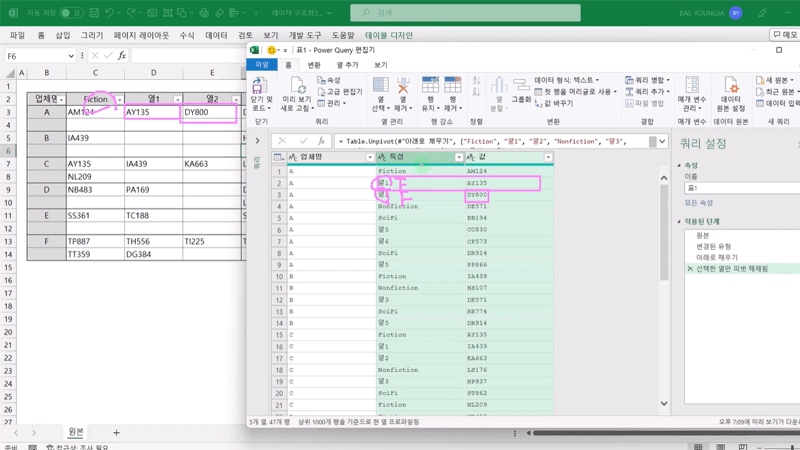
Structuring Data
You will practice structuring your data so that it is suitable for analysis in a variety of ways. You will be able to follow the standard process of Power Query processing.
Data preprocessing with PowerQuery
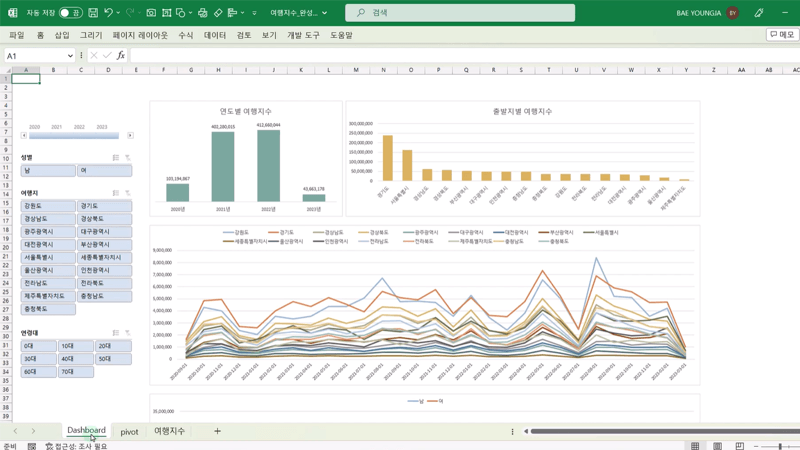
We will collect data and analyze how domestic travel destinations have changed over the past three years by year and region, and derive insights. You can learn how to preprocess data!
Visualize with charts
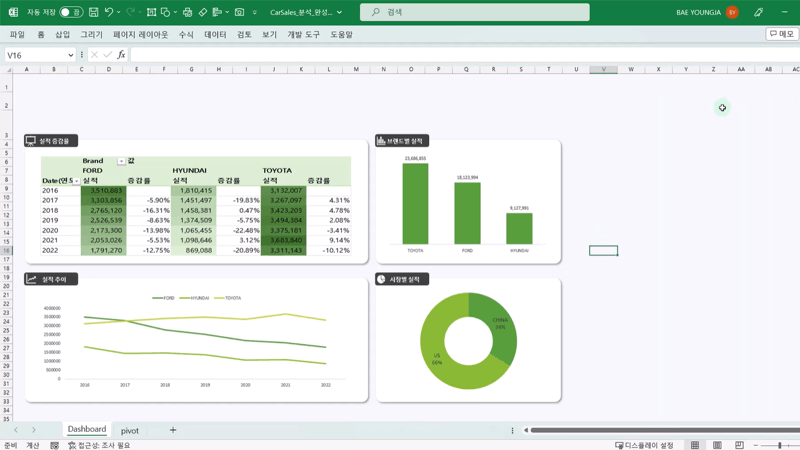
Visualize data such as performance trends by year, performance by brand, and performance by market in a chart so that you can see them at a glance. Visualize various data and utilize them effectively!
▶️ Things to note before taking the class
Who is this course right for?
Those who want to analyze data and find insights using Excel
Those who want to show visible analysis results through data visualization
727,409
Learners
7,878
Reviews
118
Answers
4.8
Rating
154
Courses
I believe that opportunities for learning should be free from economic and physical limitations.
We pursue equality in opportunities for growth.
All
28 lectures ∙ (7hr 38min)
Course Materials:
All
91 reviews
5.0
91 reviews
Reviews 1
∙
Average Rating 5.0
5
I have taken many courses, but this is the first time I am writing a review. This course is the best course for Excel data analysis. It is really the best, without any unnecessary things. It boosts my confidence.
Thanks to Hye-rim's review, I feel more confident. Thank you ♪(^∇^*)
Reviews 8
∙
Average Rating 5.0
5
I am learning a lot and having fun because you explain things in an easy and detailed way.
Super Kandoli, fighting! Thank you ♪(^∇^*)
Reviews 3
∙
Average Rating 4.0
5
It was great that you taught me how to make a dashboard step by step from 1 to 10!! I would love it if your other classes also had this kind of free service 😊😊 It was a lot of help in my work. Thank you!
I just answered your question from January 13th (January 18th). I'm sorry it took so long. Thank you (✿◡‿◡)
Reviews 1
∙
Average Rating 5.0
5
I had a vague understanding of Power Query, but this course helped me understand it much better. I was able to immediately apply what I learned in the course to my actual work, and I was so happy. Thank you for the great course!
'I am so happy to be able to apply it to my work right away' I am also 'so happy to see Gy K's post and smile' Thank you (*^▽^*)
Reviews 1
∙
Average Rating 5.0
5
It seems like it will be very helpful in practice. It is a really very useful lecture. It is fun. Thank you.
Thank you, Jinwon ( ̄︶ ̄)↗
Check out other courses by the instructor!
Explore other courses in the same field!