

inflearn logo

Learn Illustrator CC 2020 Properly

Learn the main features of Illustration CC 2020 to use Illustrator easily and quickly.

(4.8) 29 reviews

70,906 learners

Level Basic

Course period 12 months

Illustrator
Illustrator
Illustrator
Illustrator

Reviews from Early Learners

4.8

5.0

똑똑한 까치

100% enrolled

Friendly voice but not so professional skills... The speaking speed is a bit slow, so I watched it at 2x speed and it was perfect! (Of course I stopped when taking notes, but I couldn't give up the speed...) Thanks to this, I'm learning how to use illustrations well.

5.0

PANDA K

100% enrolled

This is a good lecture to briefly go over how to use it.

5.0

할수있다

100% enrolled

Thank you, I listened well.

What you will gain after the course

  • Take advantage of the professional features of Illustration CC 2020

  • Other useful menus and commands in Illustration CC 2020

Illustrator, how to use it properly ?

Lecture Introduction 📚

※ This course does not offer Q&A sessions with the instructor. Please keep this in mind when registering for the course.

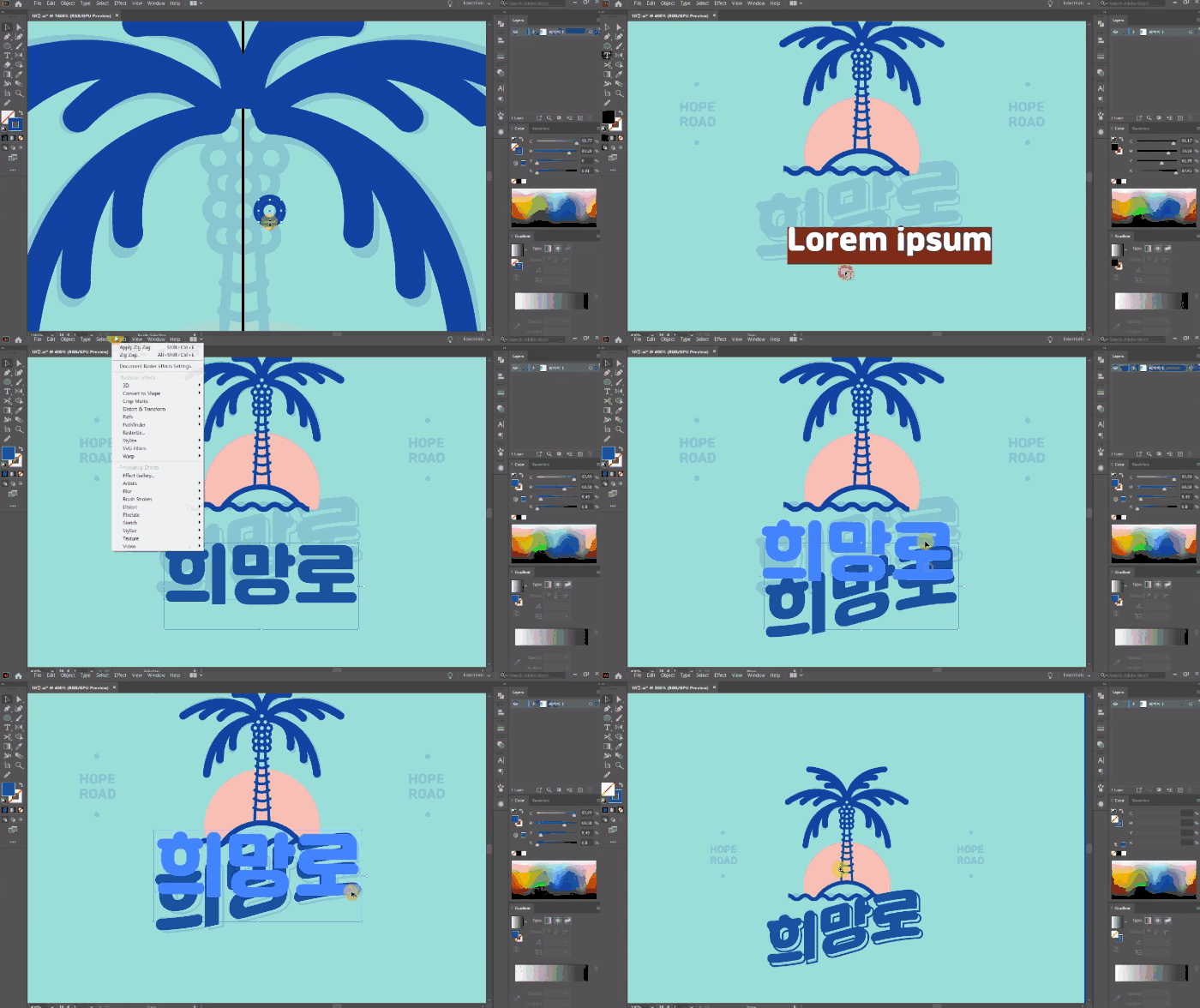
This course explains useful menus and commands in Illustrator CC 2020 and presents simple examples to help you learn them. Through practical examples, you'll gain a deeper understanding of Illustrator's overall capabilities and specialized aspects. Learn to utilize Illustrator CC 2020's specialized features, even those you might otherwise overlook!

Learning Objectives 🔖

  • Learn the key features of Illustrator CC 2020 to quickly and easily utilize Illustrator.
  • By learning the functions that are mainly used in practice, you can increase practical usability.

Preview of the lecture 👀

Tools covered here 🧰

  • Adobe Illustrator CC

This course uses Adobe Illustrator CC 2020 , so we recommend that you have that version or higher.
You can download and use a free trial version from the official website. Official site link

Things to check ☑️

  • This course does not offer instructor-led Q&A sessions. Please keep this in mind when registering for the course.
  • To take this course, you must have basic knowledge of Illustrator (beginner level or higher).
  • Lecture materials and lesson plans can be downloaded from the class [Learning Materials].

Recommended for
these people

Who is this course right for?

  • People who need Illustration CC 2020 but are not familiar with it

  • Beginners who want to learn Illustration CC 2020

Hello
This is usefulit

8,278,000

Learners

6,433

Reviews

4.6

Rating

308

Courses

I will help you grow through useful IT lectures.

Curriculum

All

15 lectures ∙ (4hr 25min)

Course Materials:

Lecture resources
Published: 
Last updated: 

Reviews

All

29 reviews

4.8

29 reviews

  • jiyoungan1492님의 프로필 이미지
    jiyoungan1492

    Reviews 5

    Average Rating 5.0

    5

    100% enrolled

    This is a helpful lecture

    • hyde31633589님의 프로필 이미지
      hyde31633589

      Reviews 350

      Average Rating 5.0

      5

      100% enrolled

      Thank you, I listened well.

      • yhui75857376님의 프로필 이미지
        yhui75857376

        Reviews 2

        Average Rating 3.0

        5

        100% enrolled

        Friendly voice but not so professional skills... The speaking speed is a bit slow, so I watched it at 2x speed and it was perfect! (Of course I stopped when taking notes, but I couldn't give up the speed...) Thanks to this, I'm learning how to use illustrations well.

        • ehowlpanda7776님의 프로필 이미지
          ehowlpanda7776

          Reviews 36

          Average Rating 4.3

          5

          100% enrolled

          This is a good lecture to briefly go over how to use it.

          • ggglmh1351님의 프로필 이미지
            ggglmh1351

            Reviews 1

            Average Rating 5.0

            5

            100% enrolled

            I like basic cooking

            usefulit's other courses

            Check out other courses by the instructor!

            $18.70