Basic workflow for lighting, rendering, and shading operations
The process of creating reflection, refraction, bump, and displacement textures, and UV texturing.
Using Depth of Field, Motion Blur, and Global Illumination features
Realistic graphics come from the details! Shall we become a master of light? 💡
Lecture Topic 📖
Reality created by light and texture!
Maxon Cinema 4D R23 software is a comprehensive 3D graphics tool that can be used for 3D motion graphics, animation, and video production.
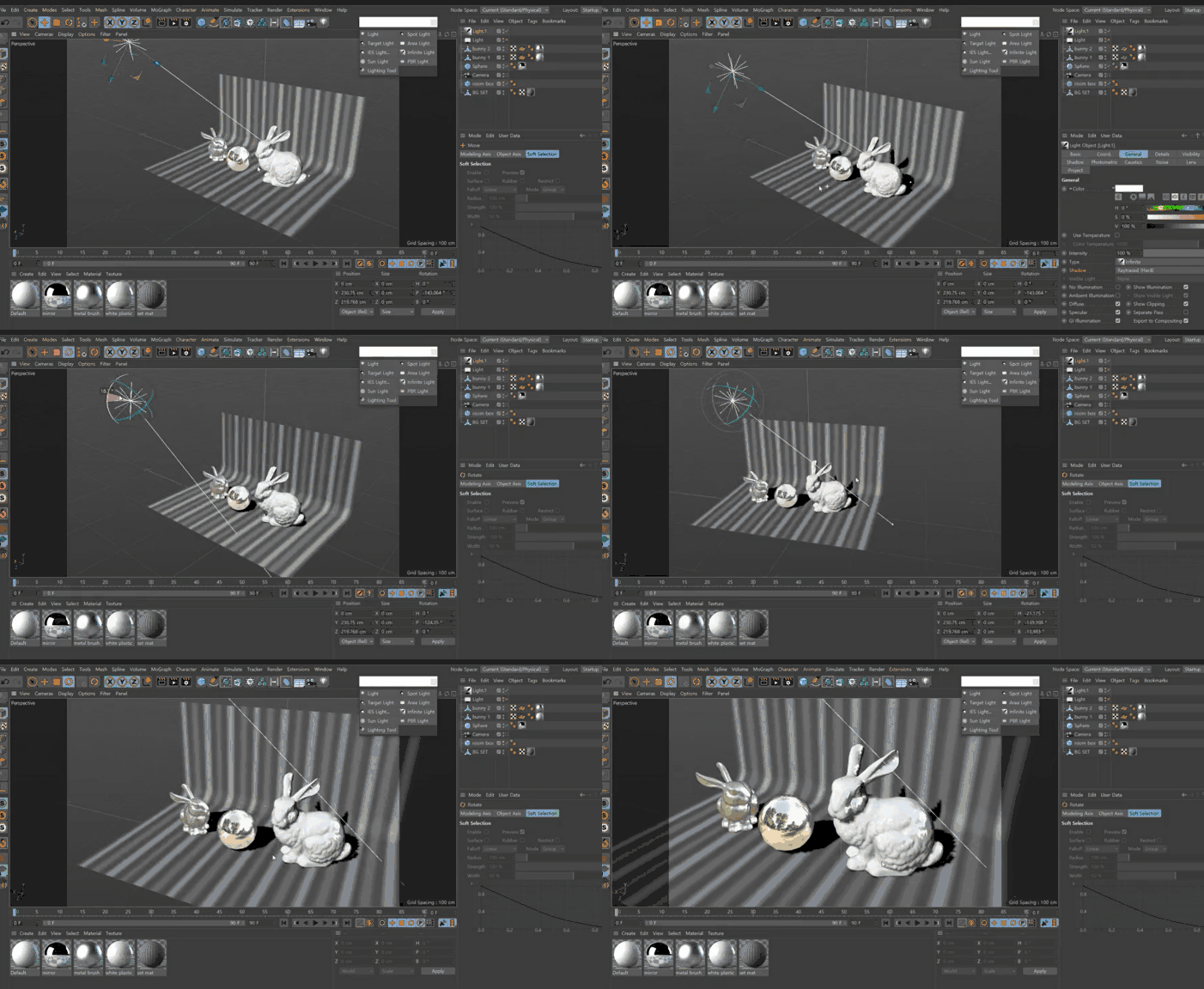
In the previous course, <Cinema 4D R23으로 시작하는 3D 그래픽 입문 Part.2 Modeling>, we learned key modeling functions and practiced modeling. This course is a process that introduces how to use the lighting and rendering features of the C4D R23 software. You can create light and shadows on objects and apply reflection, refraction, and diffusion to textures. Let's also experiment with using features like Global Illumination to create indirect diffuse light source effects between objects or applying rendering effects together.
This course is a follow-along style lecture, designed so that anyone can learn easily by following the video at their own pace.
Course Preview 🧐
Try applying light and shadow to an object (from 'Reflectance (1)').
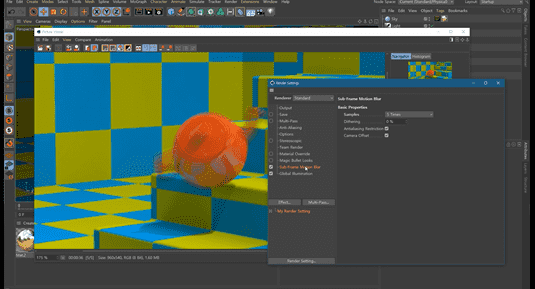
Learn how to apply rendering effects (from 'Motion Blur').
📢 Essential Reading Before Taking the Course
This course does not provide Q&A from the instructor. Please keep this in mind when signing up.
There are minimum system requirements for the C4D program. Please check them in advance on the official Maxon website.
This course uses Cinema 4D R23. Therefore, we recommend using that version of Cinema 4D. You can purchase the program from the Maxon official website or use various versions such as the trial (demo version) or short-term membership. Official Website
Anticipated Q&A 💬
Q. Is prior knowledge required?
Yes, it is recommended to have a basic understanding of the operational concepts of Cinema 4D R23.
Q. Are course materials included in the lecture?
You can download the teaching materials by clicking the cloud icon on the left tab of the lecture playback screen. For this course, they are available for download in the first lecture.
Recommended for these people
Who is this course right for?
Those who have only a little basic knowledge of Cinema 4D R23
Those who want to learn the basics of lighting and rendering using Cinema 4D
Need to know before starting?
Basic knowledge of Cinema 4D
Taking the Introduction to 3D Graphics Part. 1 course starting with Cinema 4D R23























![[Photoshop Revolution Broadcast] Photoshop Basics CompleteCourse Thumbnail](https://cdn.inflearn.com/wp-content/uploads/photoshop002.jpg?w=420)