Calm and detailed lecture explanation
Thank you
My personal wish is that the course period could have been a little longer. I came here to look for the OBS settings again, but the expiration date is almost over. I hope you can add more information on how to make YouTube shorts using OBS.
Please continue to give us many good lectures. Always stay healthy and happy.
5.0
kuksundo
100% enrolled
This is the best lecture, thank you
5.0
seyoung_lee
100% enrolled
Good, I understand!
What you will gain after the course
Basic features of OBS
Internet broadcasting
The studio in my room! Decorate the A to Z of broadcasting with your own hands 🎙️🖥️
Internet broadcasting, I can do it too! 🙋♀️
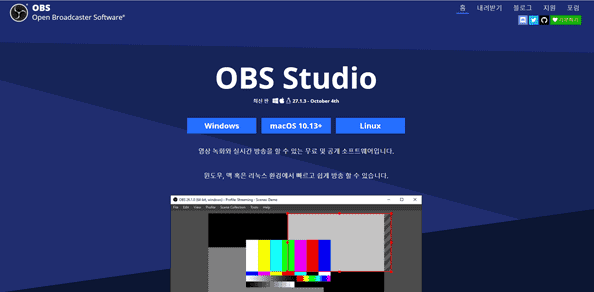
OBS Studio is a free program that allows you to record computer games and even stream live on YouTube. This makes it a popular choice. Official website
In an era where anyone can create a broadcast through YouTube and other platforms, if you're just starting to get interested in internet broadcasting, pay attention to this lecture!
This introductory course covers everything from program installation and basic setup. Follow along slowly and you'll find yourself hosting YouTube live broadcasts and music shows .
📢 Required reading before taking the course
Please note that this course does not offer Q&A sessions with knowledge sharers .
Preview of the lecture 👀
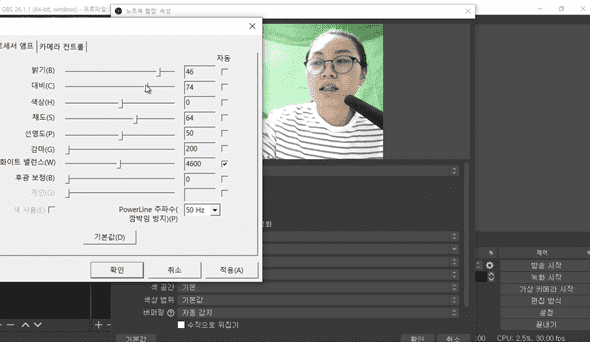
Learn how to use a webcam and set it up for broadcasting (from 'Using PowerPoint & a Webcam').
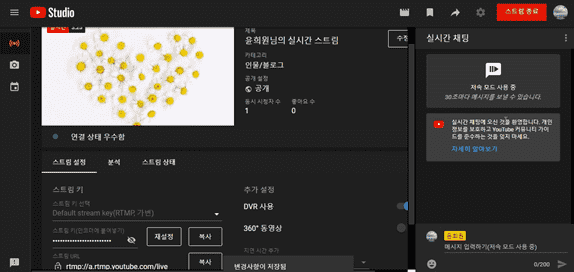
Let's try broadcasting an internet broadcast directly (from 'Broadcasting an internet broadcast (YouTube)').
Expected Questions Q&A 💬
Q. Can beginners/non-majors also take the course?
Yes, this is a beginner's course that covers everything from program installation and setup.
Q. Are lesson plans included in the lectures?
You can download the lecture notes by clicking the cloud-shaped icon on the left tab of the lecture playback screen. For this lecture, you can download them from Lesson 1.
Recommended for these people
Who is this course right for?
Anyone interested in YouTube and internet broadcasting
Anyone who wants to try YouTube and internet broadcasting
Calm and detailed lecture explanation
Thank you
My personal wish is that the course period could have been a little longer. I came here to look for the OBS settings again, but the expiration date is almost over. I hope you can add more information on how to make YouTube shorts using OBS.
Please continue to give us many good lectures. Always stay healthy and happy.




















![[Integrated] Introduction to AI Video + Shorts ProductionCourse Thumbnail](https://cdn.inflearn.com/public/files/courses/343177/cover/01kx2mmgmppa8h7jdb8kx9bxye?w=420)