강의

멘토링

커뮤니티

NEW
Design

/

Photography & Video

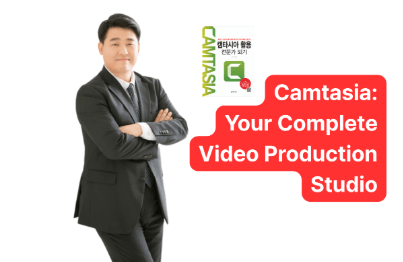
[Camtasia Beginner's Guide] Bestselling Instructor's Practice! Quick Guide to Ultra Time-Saving Online Course Creation Methods

A practical course where you can efficiently learn screen capture using Camtasia, video editing, and export procedures along with essential features, specifically tailored for creating video courses. Also explains the overall online course workflow and tips that beginners don't know: Includes shortcut key reference chart and easy file name management sheet

1 learners are taking this course

Level Beginner

Course period Unlimited

  • UMINO
Camtasia
Camtasia
Video Production
Video Production
video
video
Camtasia
Camtasia
Video Production
Video Production
video
video

What you will gain after the course

  • You'll be freed from the stress of editing work and able to spend time on creative content production.

  • You will be able to strategically utilize screen zoom and annotation features to create engaging educational materials that provide a good learning experience and are rated as "easy to understand."

  • Even beginners will be able to master the efficient project file management methods and file naming conventions that professional instructors use in practice (includes management sheet)

  • You'll be able to create easy-to-understand video lectures with short editing time

  • You'll be able to master useful shortcut keys (includes quick reference chart)


Camtasia
Overwhelming Video Editing Speed

Camtasia goes beyond being just a screen recording tool—it's a powerful video editing solution optimized for creating online courses.


Do you want to reduce the time spent editing your courses, but find yourself frustrated by complex features and long editing times once you get started?

Are you unsure how to apply visual elements that aid learner comprehension, such as screen zoom and annotation features?

Are you tired of repetitive editing tasks and finding yourself delayed in creating new course content?

With Camtasia, you can be freed from editing stress, complete engaging online courses quickly and efficiently, and increase student satisfaction.


From basic to advanced video editing using Camtasia,
tips for screen recording and efficient export methods,
we thoroughly explain the skills needed for online course production.

By the time you finish this course, you will


You can dramatically reduce the time it takes to create online courses by leveraging Camtasia.

  • You'll be freed from complex and time-consuming video editing work, allowing you to focus more on planning and creating creative course content.

Create engaging courses that increase student satisfaction with screen zoom, pan, and annotation features.

  • You can do more than just record the screen - use zoom in/zoom out features to emphasize specific parts, and utilize annotation features to clearly display mouse cursor movements, keyboard inputs, and more. This will lead students to leave positive feedback such as "easy to see" and "easy to understand."

You can master efficient project management know-how at a professional instructor level.

  • You will learn project file management methods and systematic file naming conventions that even beginners can easily follow. Even as your course materials accumulate, you'll be able to instantly find and manage the files you need without confusion. (Project file name management sheet provided)

You can complete accurate course videos in a short time without repetitive editing work.

  • You'll master Camtasia's core editing features and keyboard shortcuts, enabling you to quickly cut unnecessary parts, clean up audio, and naturally apply screen transition effects. As a result, you'll experience the efficiency of completing a 20-minute course video with just a few minutes of editing time. (Keyboard shortcut reference guide provided)


Learn video production with Camtasia stress-free by quickly mastering just the core features!

Ultra-Fast Online Course Creation with Camtasia
Video Production Know-How to Boost Your Sales

This course brings together only the core features of Camtasia and teaches you efficient editing methods optimized for online course production. Through features that can be directly applied in practical work, such as screen zoom, noise removal, and layout export, we provide a "simple and fast" video production experience.

Camtasia Practical Usage Tips

We will cover practical examples including how to use the screen zoom function to enhance learner comprehension, how to ensure clear audio quality with the noise removal function, and how to significantly reduce editing time by utilizing shortcut keys and file management sheets.

Course Materials Provided

We provide a "Ready-to-Use Shortcut Key Reference Sheet" and "File Name Management Sheet" that can be immediately applied to course production, supporting efficient management of project files and video files while increasing editing work speed.

Quick Start Online Course Creation with Camtasia


Section 1

Introduction to Creating Online Courses with Camtasia

We explore why Camtasia is the ideal tool for creating online courses. We explain its intuitive interface, easy operation methods for beginners, utilization of shortcut keys for quick editing, and the importance of zoom functionality to enhance the learner experience. Additionally, we introduce efficiency-boosting features such as noise removal and batch export.


Section 2

Screen Recording Basics and Efficient Recording Strategies

We will explain effective screen recording methods using Camtasia. We provide preliminary precautions to reduce errors that may occur during recording, as well as recording tips to make editing work easier. We will guide you on how to minimize tabs and screen displays and reduce noise that occurs during audio recording.


Section 3

Camtasia Advanced Editing Features Master Guide

You will learn Camtasia's diverse editing features in depth. This includes detailed explanations of preview, undo, redo, timeline zoom in/out, screen cropping, zoom and pan effects, cut editing including ripple delete, speed adjustment, noise removal, and how to utilize annotation features. Furthermore, you will create professional videos by adding text and captions, inserting external media, and utilizing convenient keyboard shortcuts.


Section 4

Exporting Camtasia Projects and Files

Learn how to effectively manage Camtasia projects and export them in various formats. Understand the three types of project saving and master the process of exporting data as MP4 and M4A files. Maximize work efficiency with the batch export feature that allows you to process multiple files simultaneously.


Section 5

Techniques to Maximize Efficiency in Online Course Production

We'll introduce advanced techniques to accelerate your online course creation process using Camtasia. We'll share essential pre-editing tasks, effective naming conventions for projects and files, methods for organizing course materials, and personalized file storage strategies. Additionally, we'll provide tips for speeding up editing work using a multi-function mouse.


We can solve these problems!


📌

Beginner online course creators

Those who have purchased Camtasia but don't understand the basic features,
spend too much time on video editing, and can't make progress on course creation

📌

Online instructors spending too much time on video editing

People who are spending too much time editing with screen recording tools and are looking for more efficient tools

📌

Online instructors who want to improve the learning experience

Those who want to improve their editing techniques to be praised as "easy to understand,"
but also want to reduce the time spent on video editing even a little

Notes Before Enrollment


Practice Environment

  • OS: Windows or macOS

  • Required Software: Camtasia (purchased full version or trial version)

  • Recommended specifications: A PC capable of running the latest version of Camtasia smoothly

Prerequisites and Important Notes

  • This course is designed for those who are using Camtasia software for the first time.

  • No experience in creating online courses is necessary.

  • Basic computer skills for efficient video editing are required.

Learning Materials

  • Practical training materials for core functions needed for course instruction

  • Camtasia shortcut key quick reference guide provided

  • Practical management sheet provided for video file name management


💡What you'll gain from taking this course

This course is designed in a format that can be utilized for resumes and portfolios even after completing the course

A certificate of completion will be provided. Simply by taking the course, you'll receive a free certificate of completion, allowing you to keep proof of your learning achievements✨

💡How to Take the Course

You can freely switch the audio and subtitle languages to match your learning style!

Select your preferred language from the settings icon at the bottom of the screen to make your learning experience more comfortable🍀

Recommended for
these people

Who is this course right for?

  • Beginners who have purchased Camtasia but don't understand how to use the basic features and want to learn in a short time

  • An online instructor who is spending too much time editing with their current screen recording tool and is looking for a more efficient tool

  • Instructors who have already published video courses but are struggling because editing takes too much time and they can't make progress on creating new content

  • Instructors who want to improve their screen presentation and editing techniques to gain positive reviews

  • Online instructors who want to edit their videos to improve the learning experience, but also want to save as much time as possible on video editing

Need to know before starting?

  • Required: Camtasia 2024 (The instructor will demonstrate operations using a Windows PC, but the basic operations are the same for Mac)

Hello
This is

CEO of Deep Sea Inc. After graduating from Waseda University, I spent 16 years building a career as an HR expert (specializing in recruitment, talent development, and organizational development) at a global foreign-affiliated company operating in over 220 countries. I have been extensively involved in establishing human resource strategies that support corporate growth.

While living in the United States, I experienced firsthand the innovation brought by generative AI and its overwhelming impact on operational efficiency. After returning to Japan, I founded DeepSea Inc. and have since been dedicated to developing and delivering online courses that teach AI skills ready for immediate application in business settings.

My courses are designed to help busy business professionals acquire **"practical skills that deliver results in a short amount of time."** Rather than cramming in difficult theories, I emphasize templates that can be used immediately in the workplace and highly reproducible know-how. These courses can also be implemented as corporate training programs.

As the author of books such as "ChatGPT x Audio Broadcasting" and "100 AI Time-Saving Techniques for Moms," my mission is to explain how to utilize AI technology in daily life and business in an easy-to-understand way. I look forward to delivering practical knowledge on improving productivity through AI to our learners in South Korea.

Curriculum

All

30 lectures ∙ (2hr 6min)

Course Materials:

Lecture resources
Published: 
Last updated: 

Reviews

Not enough reviews.
Please write a valuable review that helps everyone!

Limited time deal

$71,500.00

50%

$110.00

UMINO's other courses

Check out other courses by the instructor!

Similar courses

Explore other courses in the same field!