Spotfire User Training Advanced 4: Statistics and Other Features
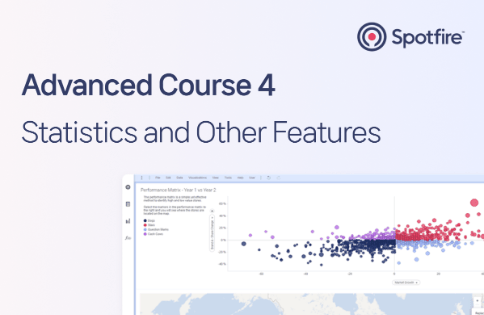
Visualization Solution Spotfire - Advanced User Training is a course that teaches you how to use the functions that were briefly covered in the basics, Spotfire functions that can be used in calculated columns, and statistical analysis functions provided by Spotfire. The fourth part introduces how to analyze data correlations using the statistical analysis functions built into Spotfire, and other functions that were not covered in the previous parts.
This was a great training session that allowed me to learn only the essential core content from Spotfire user training.
5.0
ohman246
100% enrolled
This was the easiest and most relaxing lecture. I still need to improve my skills on my own, but it was very helpful.
5.0
김귀석
100% enrolled
It was a useful education.
What you will gain after the course
Spotfire Advanced Features
Spotfire statistical analysis features
Other Spotfire features
Spotfire, advanced data visualization and utilization!
What is Spotfire? 📝
Spotfire ® is Already being used by various domestic companies In-Memory, Self-Service based It is a big data visualization statistical analysis solution .
Goals of this course ✏️
This course introduces Spotfire's advanced features, including built-in statistical analysis capabilities, as well as various other features not covered in previous courses . It includes a definition and usage guide for each feature, along with practical exercises demonstrating its application. A temporary license and training data files are provided for the training.
Lecture Features 💡
✔ The lectures are structured so that you can follow along right away by taking the professional content through practice. ✔ We explain the various methodologies and tools required for data visualization, from data handling and advanced charting features to statistical analysis methods. ✔ Follow the menu structure of Spotfire and explain the functions of each menu. ✔ Data files for practice and temporary licenses for practice are provided.
Programs used 🧰
✔ Spotfire® 10.10
Expected Questions Q&A 💬
Q. I'm curious about how the lectures are structured.
This course covers data analysis with Spotfire. It introduces the features, explains situations where they're needed, and provides examples so you can practice them yourself. You can load a practice data file and follow along with the lecture content to immediately master the features.
Q. I'd like to try out the hands-on training, but where can I download Spotfire?
We provide a three-month temporary license and installation file for use during the course period to those who register for the course. After registering for the course, please apply for a temporary license in the "News" tab.
Q. Where can I download the practice data files used in the lecture?
The sample data files used as lecture materialscan be downloaded from the"Lecture 1.Statistical Analysis (1) - Box Plot" screen after registering for the course.
Q. Can beginners also take the course?
This course is designed for advanced Spotfire users and is not recommended for beginners. If you are unfamiliar with the Spotfire interface, we recommend taking the prerequisite courses, Basic and Advanced, first.
This course featured a total of four instructors. Video and audio quality may vary depending on the instructor. Thank you for your understanding. (Please check the preview video for the lecture.)
This course does not offer a Q&A session with the instructor. If you have any questions during the course, please check the announcements in the [News] tab.
Recommended for these people
Who is this course right for?
Anyone who has learned the basic functions of Spotfire
Anyone who wants to do statistical analysis using Spotfire
P&D Solution is a South Korean company specializing in data visualization and analysis. Since introducing Spotfire to the domestic market for the first time in 2003, we have been supporting BI innovation for companies across various industries through proactive problem-solving and execution in a leading environment, based on our experience collaborating with top domestic and international partners.