강의

멘토링

커뮤니티

Programming

/

Desktop Application

[Beginner] Cross-Platform App Development with Qt QML and C++

You can get started with desktop app development using Qt QML and C++. This course targets the Windows operating system for development. You can also develop on macOS in the same way.

(4.6) 11 reviews

102 learners

Level Beginner

Course period Unlimited

  • codebridge
윈도우
윈도우
Hybrid App
Hybrid App
C++
C++
GUI
GUI
Qt
Qt
QML
QML
윈도우
윈도우
Hybrid App
Hybrid App
C++
C++
GUI
GUI
Qt
Qt
QML
QML

Reviews from Early Learners

Reviews from Early Learners

4.6

5.0

jeong9032

24% enrolled

There were few lectures on QML, so I was struggling, and this lecture helped me get started quickly. The information you provided as a bonus was also a great tip. :) Thank you for the great lecture!!

5.0

다중언어GUI

100% enrolled

Thank you for the great lecture!

5.0

개린이 :)

12% enrolled

I think this is the most friendly lecture I've ever heard! The explanations are well organized and the content is applied to practice right away, so even a complete beginner like me had no trouble understanding! I felt like I was gradually accumulating knowledge, so I felt less burdened. Thank you so much for the great lecture! :)

What you will gain after the course

  • From Qt6 Project Creation to UI Development

  • Application Software Development Using Qt QML and C++

  • App development with UI and data model configuration

Course Topics 📖

  • Through this course, participants will learn how to create user interfaces using Qt and QML, and implement business logic with C++.
  • Students will gain the ability to create applications that can be used across various platforms, from mobile apps to desktop applications and embedded systems.
  • I created this course while learning Qt framework development, with the goal of providing an introductory lecture that could be of some help to future Qt beginners.


Target Audience/Course Objectives 🙆‍♀️

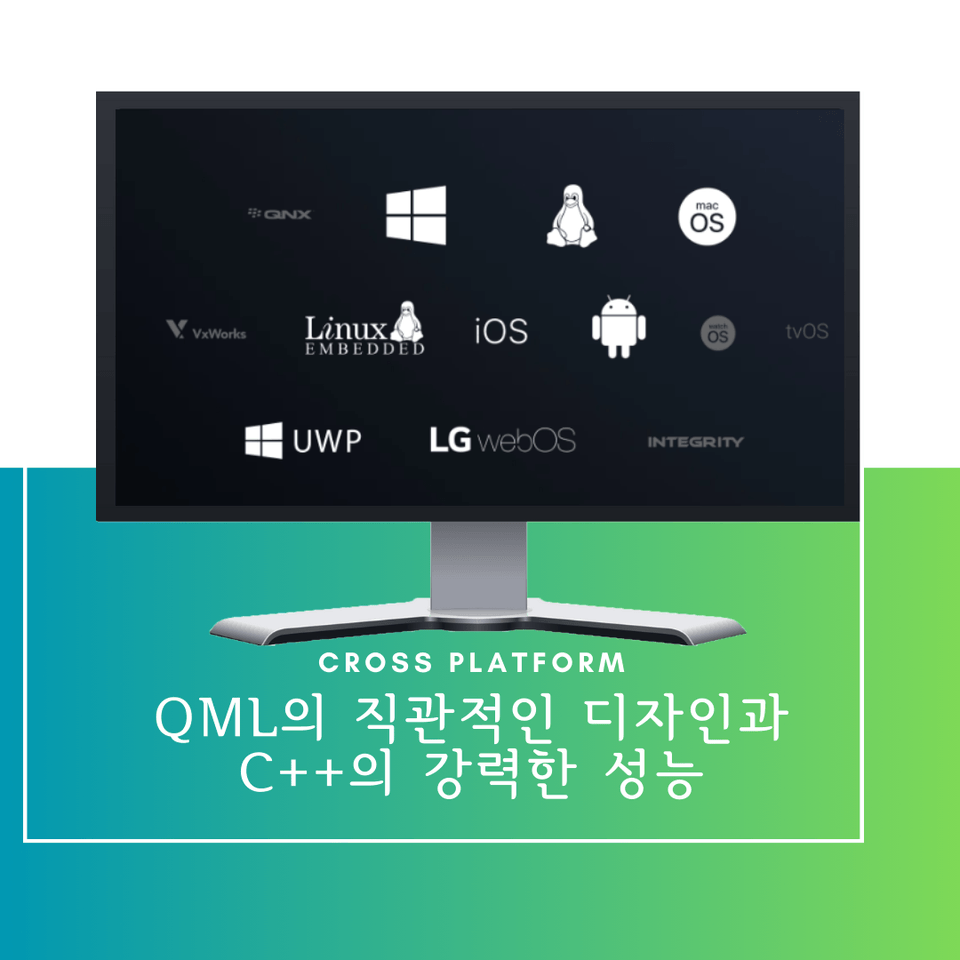
  • Qt and QML are powerful cross-platform development tools.
  • The "Introduction to Application Development with Qt QML and C++" course is designed for developers who want to leverage this technology to create applications with stunning user interfaces and robust business logic.
  • This course provides a comprehensive curriculum that covers everything from the basics of GUI development to data modeling and business logic handling in C++.

Target Audience (as defined by the instructor)

  • Students who want to quickly learn to use it in projects that utilize QML
  • Students who want to get started with cross-platform app development using C++

Course Features ✨

  • Practice-Oriented Curriculum: Through lectures that harmoniously combine theory and practice, you can acquire knowledge and skills that can be immediately applied in real development environments.
  • Step-by-step approach: Learn systematically from basic concepts to advanced techniques, building your knowledge progressively.
  • Rich Examples and Hands-on Practice: You can deepen your understanding by immediately practicing what you've learned through various examples and exercises.

Learning Content 📚

  • The "Introduction to Application Development with Qt QML and C++" course covers comprehensive content from the basics of the Qt framework to QML UI composition, C++ integration, and feature implementation.
  • Students will acquire fundamental skills and learning strategies needed for practical work, including GUI development, business logic implementation, and staying up-to-date with the latest information.

Anticipated Q&A 💬

  • Q: Qt와 QML을 배워야 하는 이유는 무엇인가요?
    • A: Qt and QML are powerful and flexible cross-platform development tools that allow you to create applications that work on various platforms with a single development effort. Additionally, they enable excellent user interfaces and efficient development processes.
  • Q: 이 강의에 필요한 사전 지식이 있나요?
    • A: Basic programming knowledge (object-oriented programming, C++, UI/UX) is helpful, but we explain concepts from the fundamentals so beginners can understand as well.
  • Q: 강의 수강 후 실제 프로젝트에 바로 적용할 수 있나요?
    • A: Yes, the course covers examples and exercises similar to real projects, so you can apply what you've learned directly to actual development projects right after completing the course.

Important Notes Before Enrollment 📢

Practice Environment

  • Windows 10 or higher
  • Qt 6.6.0
  • MSVC 2019 C++

Prerequisites and Important Notes

    • If you have any questions during the course, feel free to ask anytime. Active participation leads to better learning outcomes.
    • If you have knowledge of object-oriented programming concepts (especially C++), you'll be able to understand more quickly.

Recommended for
these people

Who is this course right for?

  • For those who want to quickly learn Qt QML used in projects

  • People who want to create cross-platform apps based on C++

Need to know before starting?

  • C++ Basic Syntax

  • Object-Oriented Programming

Hello
This is

501

Learners

61

Reviews

16

Answers

4.7

Rating

10

Courses

플랫폼 사이의 경계를 허무는 개발에 매력을 가지고 관련 강의를 제작하고 있습니다. 잘 부탁드립니다!

경력

현) IT 대기업 개발자

서울 4년제 컴퓨터 공학 졸업


[Eng]

I am fascinated by development that breaks down barriers between platforms and am creating related lectures. Thank you for your support!

YouTube: https://youtube.com/channel/UChmHjzyYedu9yYb3YmnOOog?si=xM1HueA3TJ4BjnV3

Contact: codebridge747@gmail.com

Experience

Current) Developer at a major IT corporation

Bachelor's degree in Computer Engineering from a Seoul 4-year university

Curriculum

All

26 lectures ∙ (5hr 22min)

Course Materials:

Lecture resources
Published: 
Last updated: 

Reviews

All

11 reviews

4.6

11 reviews

  • laurenjang7999님의 프로필 이미지
    laurenjang7999

    Reviews 3

    Average Rating 4.7

    4

    100% enrolled

    The lecture content was all great. However, it would be good if you could enlarge the screen a bit during practice sessions.. The coding content was hard to see..😭😭

    • codebridge
      Instructor

      Thank you for taking the course and leaving such a valuable review! As you mentioned, I recorded the Qt beginner course at normal screen scaling.. I thought it was fine during recording, but I can see how it might not be very visible on mobile devices.. I'm sorry. 😢😢 Taking similar feedback into account, I recorded the Qt intermediate course with 1.5x screen scaling, so I hope that will be helpful..! Please take care not to catch a cold this fall and have a peaceful day. ☺️ Below is the link to the Qt intermediate course I mentioned. Please take a look. 🙇‍♂️ https://inf.run/FKpC7

  • yhhan3604님의 프로필 이미지
    yhhan3604

    Reviews 3

    Average Rating 5.0

    5

    32% enrolled

    • codebridge
      Instructor

      Thank you for taking the course. ☺️

  • easystar님의 프로필 이미지
    easystar

    Reviews 25

    Average Rating 4.5

    4

    100% enrolled

    • codebridge
      Instructor

      Thank you for taking the course. ☺️ If there are any areas where the course could be improved, please let me know~!

  • jshong1330님의 프로필 이미지
    jshong1330

    Reviews 4

    Average Rating 5.0

    5

    32% enrolled

    • codebridge
      Instructor

      Thank you for taking the course. ☺️

  • fain9301님의 프로필 이미지
    fain9301

    Reviews 97

    Average Rating 4.8

    5

    100% enrolled

    • codebridge
      Instructor

      Thank you for taking the course. ☺️

$42.90

codebridge's other courses

Check out other courses by the instructor!

Similar courses

Explore other courses in the same field!