Blender beginner's basic course
nodeep777
Free
Beginner / Blender
4.9
(206)
14,100+
This is a lecture for beginners that focuses more on practice than theory. You can learn Blender's menus and functions.

Beginner
Blender

Reviews from Early Learners
5.0
제주삼다
It was sufficient for studying the basic widgets of PySide6. While I wish there had been a more practical project example, I think those with some development experience could quickly create a simple GUI app with just this much. Previously, I only made tools with Tkinter and kept giving up while trying to learn PySide6, but as I kept looking at it, I realized that the methods and classes are actually quite intuitive. Thank you
5.0
SH Chang
The lecture structure is clean, making it great for studying quickly and getting a good grasp of the concepts. Naming objects and instances in Korean helps distinguish between what's basic syntax and what I've created, which improves readability and enables faster learning.
5.0
김경일
It's great that you can check directly through coding right away.
Python GUI Development
PySide6
Qt Designer
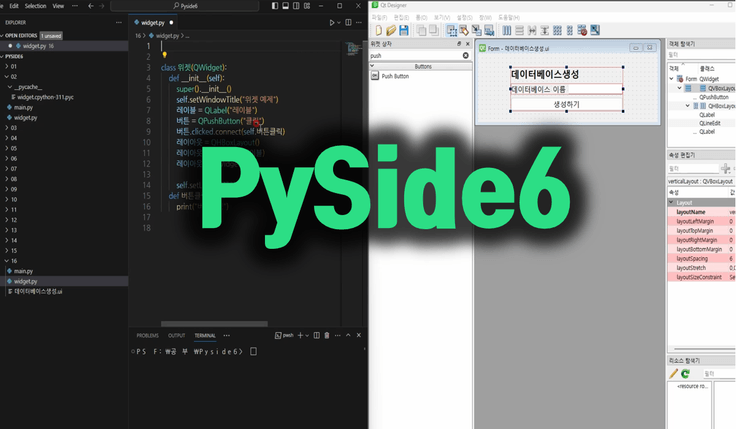
PySide6 is a tool that allows you to create GUI-based programs using Python.
It is a cross-platform framework for Windows, Mac OS, and Linux.
📌 You can learn how to use each widget.
📌 You can customize your GUI using drag-and-drop using Qt Designer.
📌 Learn how to connect to a MySQL database.
📌 Learn how to package into an executable file.
💡 Quick and easy!! Invest less than 10 minutes a day for a month.
Each lecture is structured to be less than 10 minutes long.
It is structured around practice rather than theory, so you can use it right away.
We've made it easy for non-experts to access.
Recommended for those who want to learn GUI quickly.

Program with Python
I want to make it.
I studied the basics of Python,
For those who are unsure of what to start with

Not console-based
I want to create a GUI-based app.
With PySide6 and Qt Designer
You can learn it very easily.

I have no development experience
Is that okay?
Anyone can easily do it with the introductory course
We made it accessible.
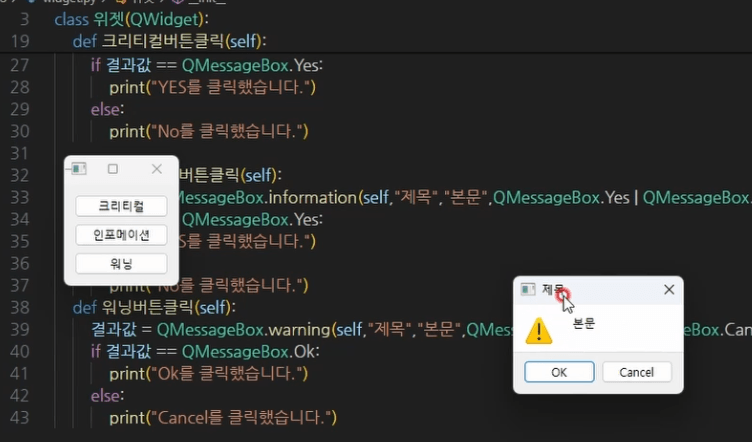
I wrote the code in Korean as much as possible to make it easier to understand.
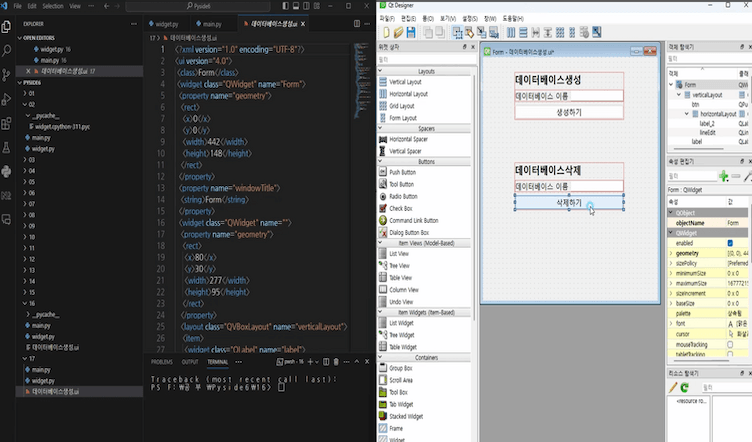
You can configure your screens using drag and drop using Qt Designer.
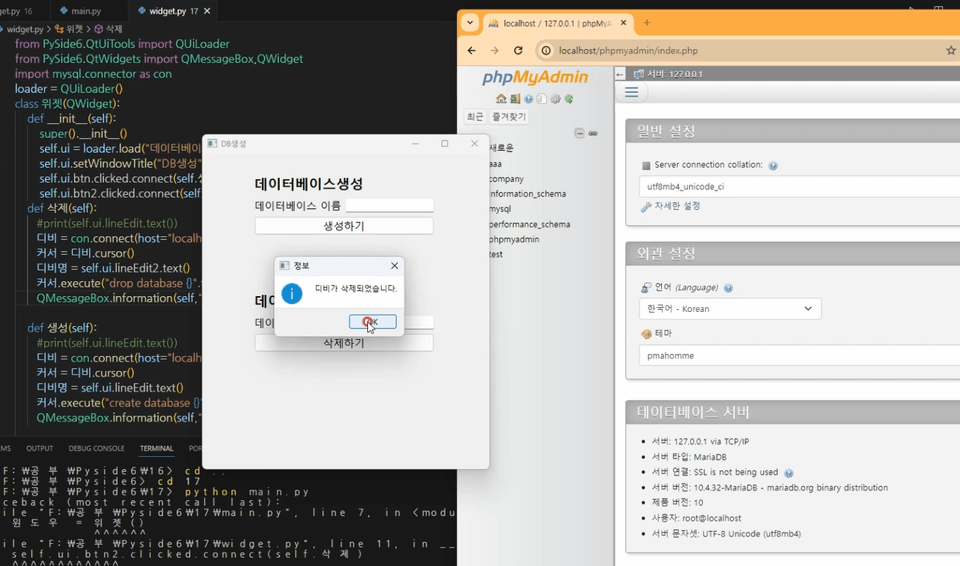
Learn how to install MySql and how to connect to it.
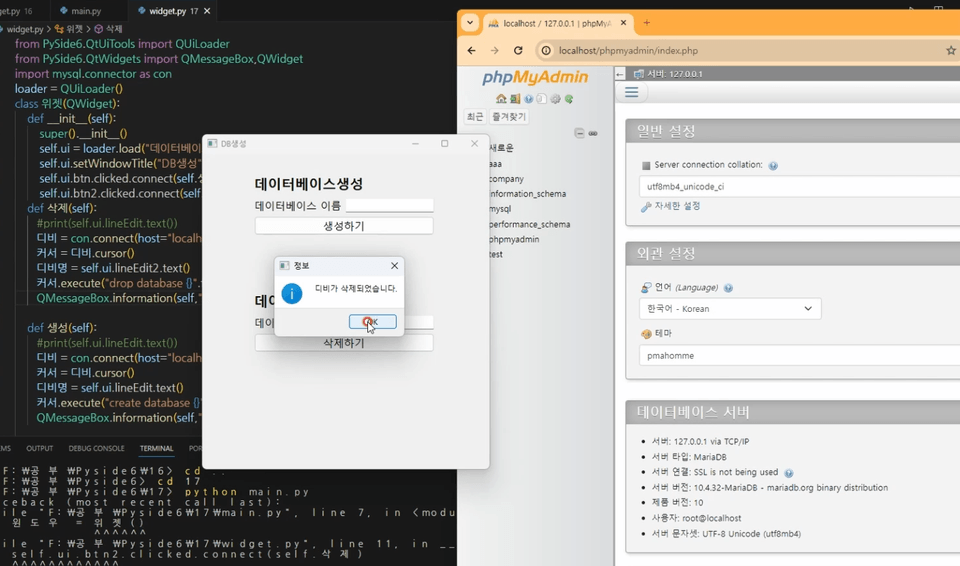
This course focuses more on practice than theory.
pyside6 is a framework that can run on Windows, Mac OS, Linux, etc., but the lecture will be conducted on Windows.
I use Visual Studio Code as my development tool.
Source code is provided.
Basic knowledge of Python is required.
You can follow along even if you don't have basic Python knowledge.
Who is this course right for?
People who want to learn Qt Designer
People who want to create a GUI program with Python
Need to know before starting?
Python Basics
15,824
Learners
311
Reviews
72
Answers
4.8
Rating
14
Courses
I began my career as a developer for computer programs such as production and quality control systems, POP, smart factories, and PMS before transitioning into teaching. Program development is not as difficult as one might think. Anyone can get into it once they master the right way to study.
All
37 lectures ∙ (2hr 52min)
Course Materials:
7. 6th QLineEdit
05:32
13. 12th QSizePolicy
04:17
18. 16-2 QtDesigner
07:23
30. 23-1 Dialog
02:49
31. 23-2 Dialog
06:07
All
14 reviews
4.3
14 reviews

Reviews 12
∙
Average Rating 5.0
Edited
5
It was sufficient for studying the basic widgets of PySide6. While I wish there had been a more practical project example, I think those with some development experience could quickly create a simple GUI app with just this much. Previously, I only made tools with Tkinter and kept giving up while trying to learn PySide6, but as I kept looking at it, I realized that the methods and classes are actually quite intuitive. Thank you
Reviews 4
∙
Average Rating 5.0
Reviews 1
∙
Average Rating 5.0
Reviews 7
∙
Average Rating 5.0
Reviews 4
∙
Average Rating 5.0
Check out other courses by the instructor!
Explore other courses in the same field!
25% off for new members
$32.90
25%
$42.90

![[Level 1] Python Programming with Qt: IntroductionCourse Thumbnail](https://cdn.inflearn.com/public/courses/335089/cover/838ed04b-4bc0-4f9f-bd00-91361fcb6238/335089.png?w=420)
![[Level 3] From Beginner to Expert: Practical Application Master Class with Qt and PythonCourse Thumbnail](https://cdn.inflearn.com/public/courses/335355/cover/df1bb1b2-848a-430b-9eb3-087e418d0ffb/335355.png?w=420)
![[Python beginner] ChatGPT voice translation app made with FlutterCourse Thumbnail](https://cdn.inflearn.com/public/courses/333668/cover/94589a80-ab05-4bd1-ad98-1e42b75a47fc/333668.png?w=420)
![[Python Game Development] Minesweeper Creation That Even Beginners Can FollowCourse Thumbnail](https://cdn.inflearn.com/public/files/courses/337795/cover/01k38rm474bcf23g0rwx8cs2y1?w=420)