강의

멘토링

로드맵

OpenClaw, the AI Agent that keeps working even when you're away: From initial setup to full automation

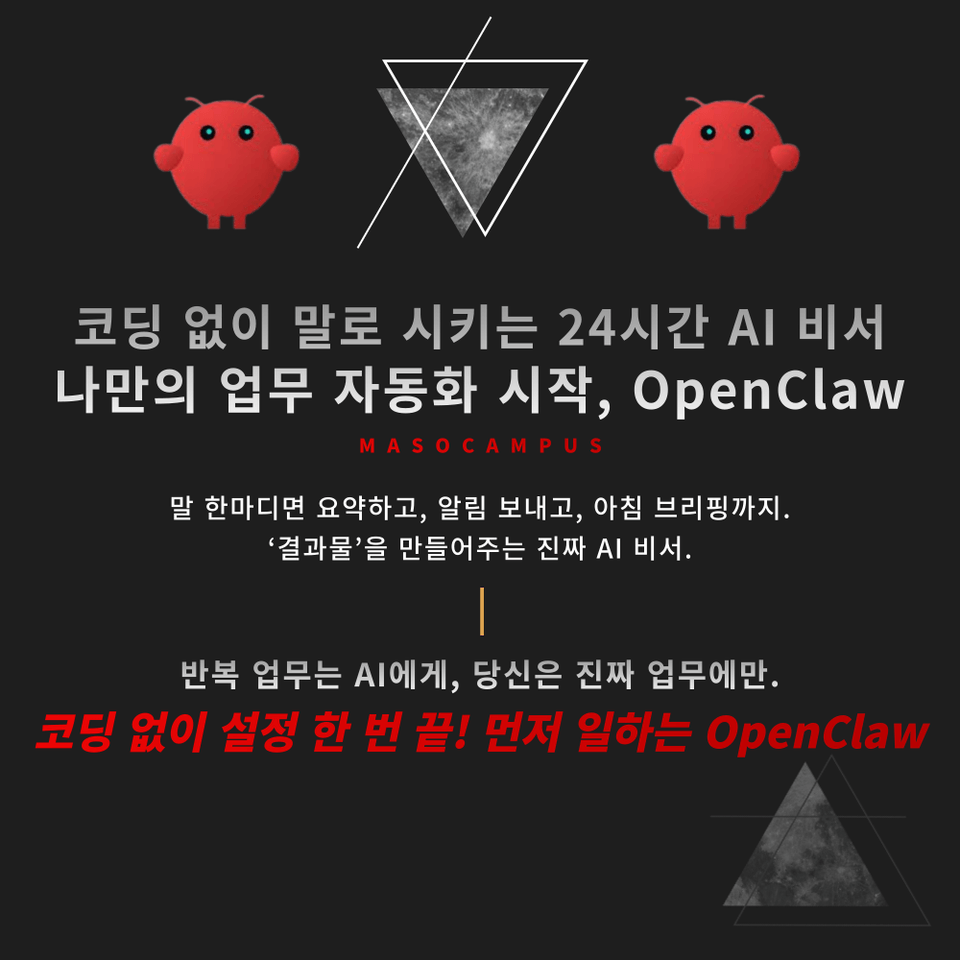
Opening a new window, copying, and pasting into a messenger every single time — let today be the last! OpenClaw Practical Course: Your own AI assistant that works directly for you.

2 learners are taking this course

Level Basic

Course period Unlimited

saas
saas
AI
AI
AI Agent
AI Agent
openclaw
openclaw
saas
saas
AI
AI
AI Agent
AI Agent
openclaw
openclaw

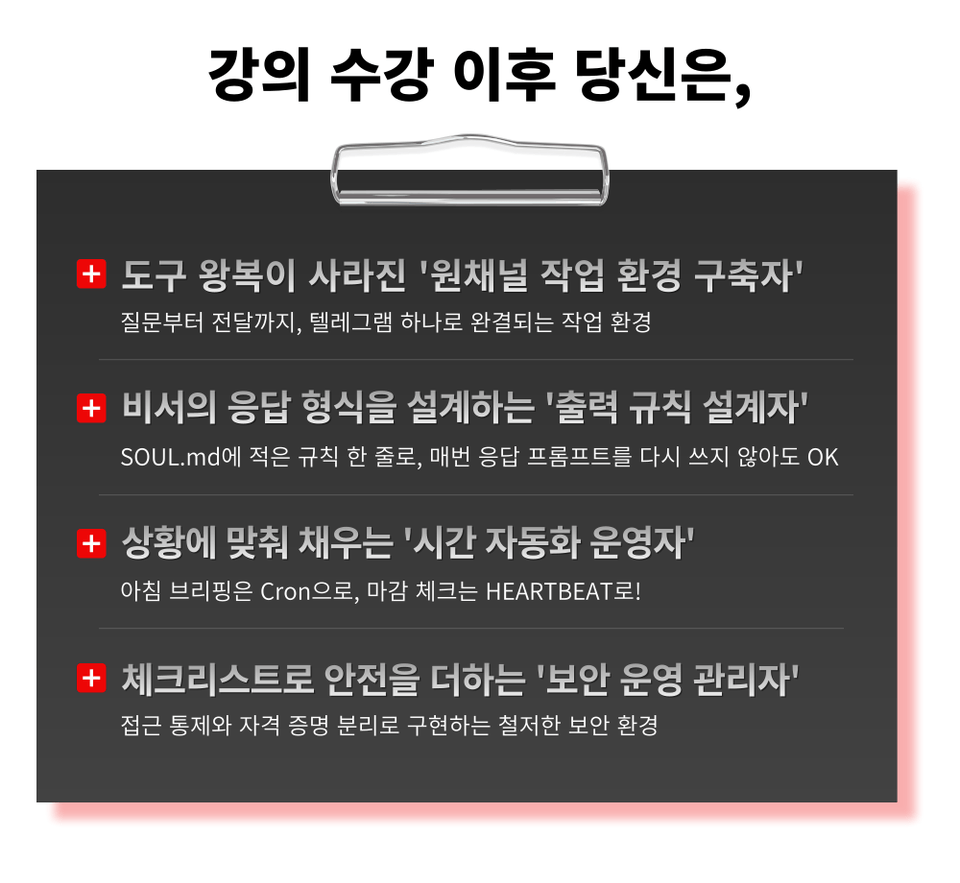
What you will gain after the course

  • A work environment completed entirely within Telegram, from inquiry to delivery.

  • With just one line of rules written in SOUL.md, it's OK even if you don't rewrite the response prompt every time.

  • Morning briefings with Cron, closing checks with HEARTBEAT!

  • A thorough security environment implemented through access control and credential separation


Opening a new AI window, copying the answer, and pasting it into the messenger…
What if the actual work remains untouched while you're busy switching between tools?


The AI assistant starts working first!


– Every morning at 7 AM, schedules and news automatically arrive on Telegram on time
– Fixed output design for meeting minutes, articles, and reports in a core 3-line-risk-action item format
SOUL.md and MEMORY.md assistant customization that imprints tone and preferences
– HEARTBEAT for regular checks, Cron for scheduled execution – implementing time automation based on purpose
– From requesting evidence → re-questioning → to verification, the assistant checks the results on its own


End complex workflows with OpenClaw, manage all tasks in one place on Telegram!
Take the course today and start your Telegram briefing tomorrow morning.


AI agents that run even when you're away, OpenClaw curriculum features

This is a practical AI assistant introductory course for non-developers, teaching you how to assign tasks with a single word on Telegram without coding.

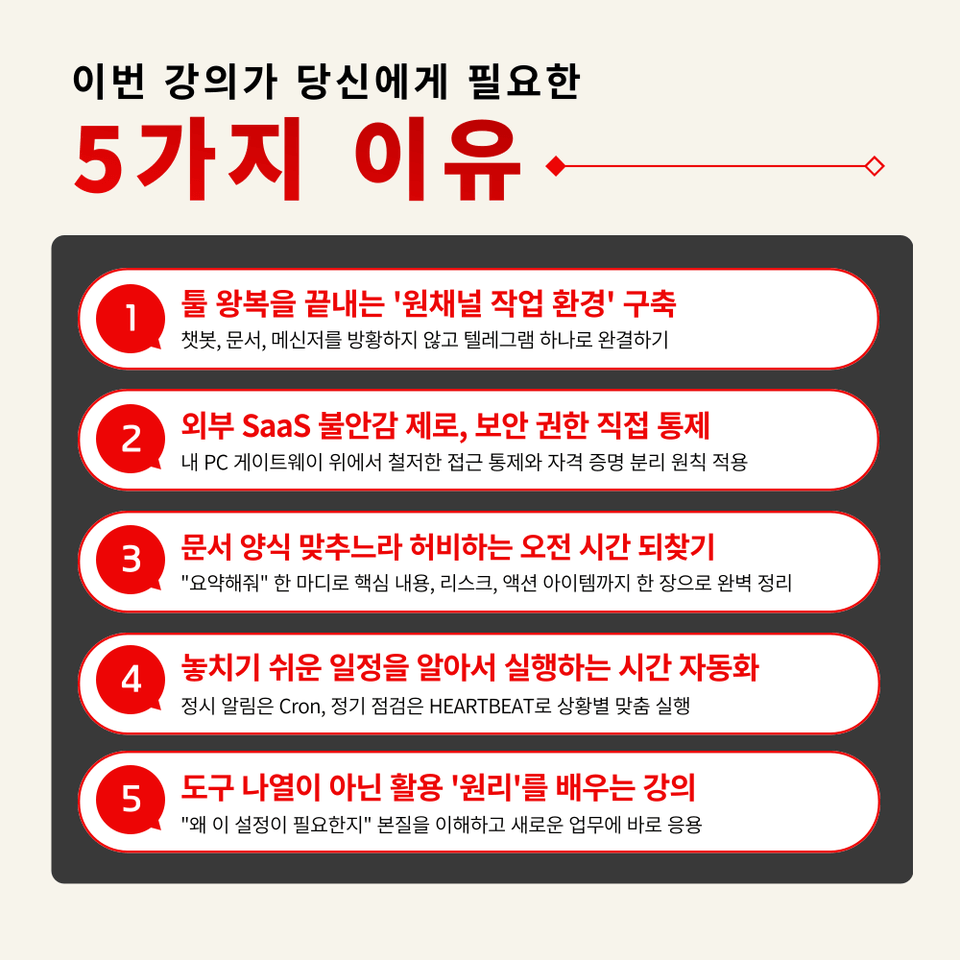
1. Understanding the principles of how AI works, not just how to use it
By understanding the Gateway ↔ Agent ↔ Channel flow, you can apply it to tasks not covered in the lecture on your own

2. Installation practice for non-developers to pass without a hitch in 30 minutes
From pre-check → botToken registration → first conversation test, proceeding with troubleshooting checkpoints

3. Customizing your assistant by embedding tone, memory, and repetitive task rules into files
Categorizing Workspace file roles and fixing assistant response formats tailored to your work style

4. Creating an Information Summary Assistant that Organizes Minutes, News, and Reports into a Single Format
Design it so that a single command, "Summarize this," automatically outputs 3 key points, risks, and action items

5. Building time automation where schedules and news arrive via Telegram every morning
Configure morning briefings and reminder automation yourself, and explore the expansion roadmap for security audits, cost management, MCP, and n8n


Your own AI assistant that works every day once set up

Create a work environment that's already awake before you even start your day!

OpenClaw Practical Lecture: Automating Work Without Coding

1. Sign up for the course

2. Complete about 30 minutes of preparation with Node.js and Telegram by following the lecture

3. Activating your own AI assistant

Telegram works before I even turn it on. OpenClaw practical automation!

“Go beyond being an ‘AI user’ and become a ‘24-hour colleague’ working together!”


Every morning, getting answers from a chatbot, moving them to documents, pasting them into messengers...
It is slowly eating away at your day.

With just a single setup, Openclaw transforms into a perfect 'practical briefing room.'


We confidently recommend this to the following people.

– Office workers who do the same work two or three times because they have to move and share answers received from chatbots into documents every time
– Practitioners in security-sensitive organizations who need an AI environment that runs on their own PC because the introduction of external SaaS is blocked
– Managers who spend the same amount of time every week on structured tasks such as meeting minutes, news summaries, and report reviews
– Non-developers who are capable of copying and pasting terminal commands but find writing code burdensome
– Those who have repeatedly experienced AI tools disappearing from their workflow after a few days of learning them
– Learners who want to organize and start everything from the introductory stage to 'operation, security, and expansion' all at once


From 3-line summaries and risk checks to deriving immediate action items all at once.
Just 3 hours is enough!

Course Features

STEP 1. [Pain Point Diagnosis] Diagnosing where your work is leaking: repetition, context disconnection, and tool fragmentation

Compare the differences between Rule-based, Workflow, and Agent automation, and identify where OpenClaw fits as the right solution


STEP 2. [Installation and First Connection] From WSL/Node.js 22+ to BotFather, passing through all the bottlenecks

From pre-check → installation → botToken registration → first chat test, including troubleshooting branches, even non-developers can complete it within 30 minutes


STEP 3. [Understanding Structure and Customization] Gateway ↔ Agent ↔ Channel, why the assistant remains even when the session is reset

Fix the tone, memory, and repetitive task rules in your own way by directly handling the roles of the four files: SOUL/MEMORY/HEARTBEAT/TOOLS


STEP 4. [Practice Output 1] Fixed output of 3 key lines, risks, and action items with just one phrase: "Summarize this"

Agent Reach search enhancement + Evidence request → Re-questioning → Verification routine for the assistant to perform self-quality checks


STEP 5. [Practice Output 2] Complete the environment where morning briefings and reminders automatically arrive via Telegram

Separate operation of Cron (scheduled execution) and HEARTBEAT (regular health checks) + Error inspection checklist for permissions, time zones, and log units


Today is the last day for those tasks you repeated every day.
Start your own OpenClaw AI assistant to boost your work efficiency now!

Hand over repetitive tasks to AI with OpenClaw.

When you speak, the AI executes it directly, and a workflow is completed where the results accumulate in your Telegram.

Frequently Asked Questions Q&A

Q. I've never coded before; will I be able to follow along?
A. The course is designed for non-developer office workers. If you can copy and paste commands, you can complete the practice, and we provide troubleshooting steps for parts where people often get stuck.

Q. Is a separate paid subscription required?
A. OpenClaw is open-source and free to use, and creating a Telegram bot is also free. However, the LLM API called by the assistant incurs usage-based charges. In the course, we will provide guidance on cost trade-offs by model and operational examples at a level of $3–5 per month based on GPT-4o-mini.

Q. Is it possible to follow along in a Windows environment?
A. Yes, it is. For Windows 11 users, we recommend the combination of WSL (Ubuntu) + nvm + Node.js 24. The practice steps include installing PowerShell and Ubuntu, basic customization, and even how to handle network issues like ETIMEDOUT.  


Please check before taking the course!

  • Since this is a practice-oriented course, it is recommended to prepare a dual monitor or an extra device so that you can separate the lecture screen from the practice screen.

  • Also, since the practice sessions are based on Windows OS, we recommend taking the course in a Windows environment.

  • The lecture materials and practice files are located in the <00. Textbook Download Center> section.

Recommended for
these people

Who is this course right for?

  • Office workers who do the same task two or three times because they have to move answers received from a chatbot into a document and share them every time.

  • Practitioners in security-sensitive organizations who need an AI environment that runs on their own PC because the adoption of external SaaS is blocked.

  • Managers who spend the same amount of time every week on structured tasks such as meeting minutes, news summaries, and report reviews

  • Non-developers who are comfortable with copying and pasting terminal commands but find writing code burdensome

  • Those who have repeatedly experienced learning AI tools only to have them slip from their grasp after a few days

  • Learners who want to organize everything from the introductory stage to 'operations, security, and scaling' all at once before starting.

Need to know before starting?

  • The course is designed for non-developer office workers. You can complete the hands-on exercises simply by copying and pasting commands, and we provide troubleshooting steps for sections where you are likely to get stuck.

  • OpenClaw is open-source and free to use, and creating a Telegram bot is also free. However, the LLM API called by the assistant incurs usage-based charges. The lecture provides guidance on cost trade-offs by model and includes operational examples, such as maintaining a monthly cost of around $3–$5 based on GPT-4o-mini.

  • It is possible. For Windows 11 users, the combination of WSL (Ubuntu) + nvm + Node.js 24 is recommended, and the practice steps include installing PowerShell and Ubuntu, basic user customization, and even handling network issues such as ETIMEDOUT.

Hello
This is Masocampus

12,026

Learners

1,772

Reviews

146

Answers

4.7

Rating

116

Courses

"I will grow more than yesterday. And, I will help those who strive to grow more than yesterday."

With Actionable Content that embodies the sincerity and aspirations of Maso Campus,

100 million cumulative hours of lectures shared online and offline since 2013!

This precious experience and time are always the source of growth for both Maso Campus and our students.

The Miso Campus team strictly adheres to two principles for the growth of us all. 1. Actionable Content that can be put into practice immediately after learning. 2. Respecting the time and effort of participants.

The Miso Campus team strictly adheres to two principles for the growth of us all.

1. Actionable Content that you can actually use after learning 2. Time-Saving Curriculum that respects the participant's time and effort Grow with Miso Campus's Actionable and Time-Saving Curriculum

1. Actionable Content that you can surely use once you learn it

2. Time-Saving Curriculum that respects the time and effort of participants

We hope you will walk the path of growth together with Masocampus's Actionable and Time-Saving Curriculum.

We hope you will walk the path of growth together with Maso Campus's Actionable and Time-Saving Curriculum.

Curriculum

All

23 lectures ∙ (2hr 46min)

Published: 
Last updated: 

Reviews

Not enough reviews.
Please write a valuable review that helps everyone!

Limited time deal

$34,650.00

30%

$38.50

Masocampus's other courses

Check out other courses by the instructor!

Similar courses

Explore other courses in the same field!