

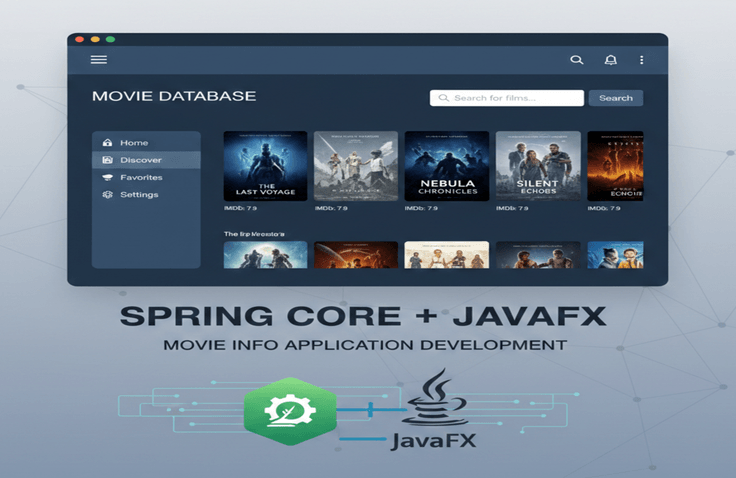
[Java Practical Project UI Edition] Building a Movie Information Application Based on Spring Core + JavaFX
In [Java Practical Project: UI Edition], we will create a movie information application that operates solely on pure Java technology using JavaFX. This course is designed to help you deeply understand the "structure connecting screens and logic" by directly implementing UI event handling, asynchronous logic, and user interaction flows in Java before moving on to web and smartphone apps. You will train your structural thinking by separating business logic and UI through integration with Spring Core, and learn how to solve UI performance degradation issues that may occur when fetching movie information from external APIs using asynchronous processing. Through this, you will clearly understand the principles of data flow, event listeners, and thread-based asynchronous processing, elevating your understanding of the Java language itself to the next level. In short, this course is a "practical stage to experience the essence of UI and the core of asynchronous processing with Java before moving to the web." Do not forget that this is not a class for just typing along with code, but a learning experience where you can personally master the principles of connecting UI and logic.
17 learners are taking this course
Level Basic
Course period Unlimited
News
3 articles
・
Edited
📢 OpenClaw.AI Basic Part 2.5 Course Opening Announcement
Hello, I'm Kevin, the instructor for the OpenClaw.AI Master Class basic course.
I am finally posting an announcement as [Basic Part 2.5] Fundamentals of Multi-Agent Team Design and Role Separation has been released on Inflearn. :)
This Part 2.5 further expands the "AI Assistant in my PC" created in Parts 1 and 2,
This is a lecture focused on growing a single Telegram bot into a small AI team with divided roles.
👉[Go to OpenClaw.AI Basics Part 2.5 Lecture]
What we will build together in Part 2.5
- Using Telegram Forum Groups + Topic-based Routing
We will configure a multi-agent environment that operates two agents,
content-plannerandcontent-editor, with a single bot.- To the
/workspace/content/planning//workspace/content/draftsfoldersWe will actually create a content workflow where planning deliverables and draft/edited versions are separated.
- Through the scenario of "generating ideas and outlines in the planner room → refining the writing in the editor room," we will complete a realistic multi-agent collaboration routine based on manual copy-pasting.
Especially recommended for these people
- Those who have followed OpenClaw Parts 1 and 2 but are still making a single agent do everything
- Those who want to develop a Telegram bot not just as a "single chatbot," but as an AI team divided into a Planner and a Writer/Editor
- Solo creators, newsletter/blog operators, and YouTubers who want to organize their workflow by delegating content planning, drafting, and refining tasks to role-specific agents.
- Developers, planners, and PMs who are interested in multi-agents but want to start light in their current OpenClaw + Telegram environment instead of using a massive framework
Part 2.5 Core Curriculum at a Glance
- Section 1: For both existing and new students
Part 2.5 Joining Route A (5-minute environment check) / B (Minimum setup onboarding) Guide + Super simple review of OpenClaw UI
- Section 2: Single-agent vs. Multi-agent concepts,
Understanding the structure of how multiple agents are deployed within
openclaw.json, and checking the current configuration withopenclaw agents list- Section 3:
- Define
content-planner/content-editoragents- Separate workspaces for
/content/planningand/content/drafts- Telegram forum group &
planner-planning/editor-editingtopic creation- Find Group ID / Topic ID → Complete agent routing by topic
- Section 4:
- planner ↔ editor semi-manual collaboration practice (based on human copy-paste)
- Preview of the 4-agent automated collaboration pipeline (Leader/Planner/Editor/QA) to be covered in Part 3
Checklist before taking the course
- It is best if you have the WSL2 + Docker + OpenClaw + Telegram Bot environment used in Parts 1 and 2 ready.
- Even if you haven't taken Parts 1 and 2, I have structured it so that you can set up the minimum environment required for the multi-agent practice by following the “Environment Check Route A / Minimum Setup Onboarding Route B” included in Part 2.5.
- You will need a Gemini API key issued by Google AI Studio.
If you have any questions or get stuck while taking Part 2.5, please feel free to leave them on the Q&A board at any time.
Based on your feedback, we will continue to strengthen the practice examples and troubleshooting guides.
I hope this Part 2.5 serves as an opportunity to expand your OpenClaw environment from "one smart assistant" into a "small AI team with divided roles."
Thank you.
📢 Notice: OpenClaw.AI Basic Part 2 Course Now Open
Hello, I am Kevin, the instructor for the OpenClaw.AI basic course.
I am writing to inform you that [Basic Part 2] OpenClaw.AI Master Class: A Smartphone Remote Assistant Completed with Telegram and Vision AI has been released on Inflearn. ^^
I hope my lecture can be of even a little help in allowing you to utilize OpenClaw smartly in your daily life.
👉[Go to OpenClaw.AI Basics Part 2 Lecture]
What we will create together in Part 2
- Build an environment to remotely control your agent anytime, anywhere using Telegram on your smartphone.
- Complete a household account book routine where a single receipt photo is automatically analyzed and recorded using Gemini 2.5 Flash's vision capabilities.
- Upgrade the Docker + workspace environment created in Part 1 into a real-world automation scenario.
Especially recommended for these people
- Those who say, "Now I want to use agents on my smartphone without a browser."
- Those who want AI to automatically classify and record receipt/image data instead of manually organizing it every time.
- Those who want to connect OpenClaw, which they only got a taste of in Part 1, to actual work/life automation.
Part 2 Core Curriculum at a Glance
- Section 1: Part 1 environment check and "Agent in My Pocket" scenario orientation.
- Section 2: Creating a Telegram bot with BotFather → Pairing → Real-time connection with OpenClaw agent.
- Section 3: Send receipt photos via Telegram → Automatic extraction of date, business name, amount, and items → Automation of cumulative storage in the
expenses/folder.Pre-course Checklist
- It is best if you have the Docker container and Gemini API key used in Part 1 ready.
- Even if you haven't taken Part 1, you can set up the minimum required environment by following the “Hands-on Environment Pre-check List” provided in Part 2.
If you have any questions or get stuck while taking Part 2, please feel free to leave them on the Q&A board at any time.
Based on student feedback, I will continue to reinforce the practice exercises and troubleshooting guides.
📢 [News] Opening the path to becoming an 'AI Conductor,' the only key to breaking through the hiring freeze.
OpenClaw Master Class Basic Series Part 1 Open!
Hello, students!
While the previously released courses focused on building fundamental programming skills (based on Java), I believe this course marks the starting point for living as a developer and IT professional walking alongside AI.
I hope my lecture can be of some help in becoming an IT intellectual who can live enjoyably alongside AI.
If you would like to know more details about the course, please read the information below and click the course link. Thank you!
"Is developer employment over now?" This is a painful question many are asking amidst the recent chill in the job market. However, the truth felt on the ground is a bit different. While the era of the 'coder' who simply writes code as instructed is fading, the value of the 'architect' who designs system structures while wielding AI as a tool is rising more steeply than ever.
This [OpenClaw.ai Masterclass Basic Part 1] is not just a lecture for learning a new tool. It is the most practical starting point for you to gain an overwhelming competitive edge as a commander leading an AI army, rather than being a victim swept away by AI trends.
🚀 Why is this lecture crucial for your career right now?
Evolution from 'Coder' to 'Intelligent System Manager'
While others are asking ChatGPT for a single line of code, you will build 'autonomous agents' that judge for themselves and complete tasks. You will personally prove the reality of the "talent who does the work of 10 people alone" that companies crave.Using 'security', the biggest corporate fear, as your weapon
While most developers hesitate to adopt AI due to security concerns, you will provide a clear solution on "how to safely integrate AI into practical workflows" through a Docker-based security sandbox. This will be your powerful differentiator that makes interviewers nod in agreement.A combination of unchanging fundamentals + the latest AI trends
Object-oriented principles, system architecture, and the philosophy of security. We add the wings of OpenClaw onto the solid foundation we have built. We will help you regain the confidence that only developers with technical self-sufficiency can possess.
🛠 Core competencies to master in Part 1: Foundations
Docker Sandbox: Building an isolated working environment to run AI while protecting your PC
Agent Intelligence: Understanding autonomous task execution logic through Gemini API integration
Security Strategy: Practical security know-how, including responding to plaintext API key exposure and IP whitelisting
Workflow Automation: Practical processes from file analysis to automated report generation
"The future will not be divided into those who use AI and those who do not, but into those who know how to control AI and those who are controlled by it."
They say it is a difficult era to find employment, but for those who are prepared, I believe it is actually an era of opportunity where you can create the greatest gap. I invite you to the starting point of that overwhelming competitiveness.
I'll see you in the lecture right now!
[Link to the course]: https://inf.run/LWXUC
