
inflearn logo

First Steps in Physical AI Without Hardware: Building an AI That Recognizes Hand Gestures via a Webcam

For those who have tried running hand-recognition examples but feel lost when it comes to teaching an AI your own hand gestures and turning them into something useful, I’ll guide you all the way from installation to data collection, training, and completing the web interface using just a webcam, drawing on my experience overseeing development and training vocational instructors.

16 learners are taking this course

Level Beginner

Course period Unlimited

Python
Python
OpenCV
OpenCV
classification
classification
streamlit
streamlit
mediapipe
mediapipe
Python
Python
OpenCV
OpenCV
classification
classification
streamlit
streamlit
mediapipe
mediapipe

What you will gain after the course

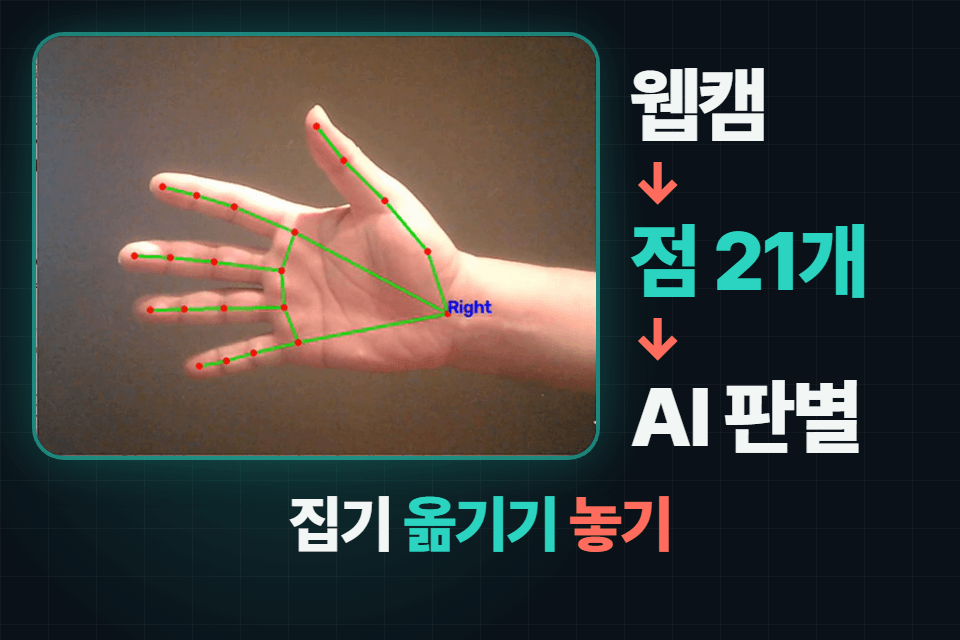
  • Using the MediaPipe Tasks API, you can detect 21 hand landmarks in photos and webcam footage and draw them on the screen.

  • Understand how to extract numerical features such as opening/closing, movement distance, and position from 21 hand keypoints.

  • You can label the data for my hand gestures using the keyboard, collect it in a CSV file, and train a random forest to check its accuracy.

  • Using the trained model, hand gestures in front of a webcam can be recognized in real time as pick up, move, or put down.

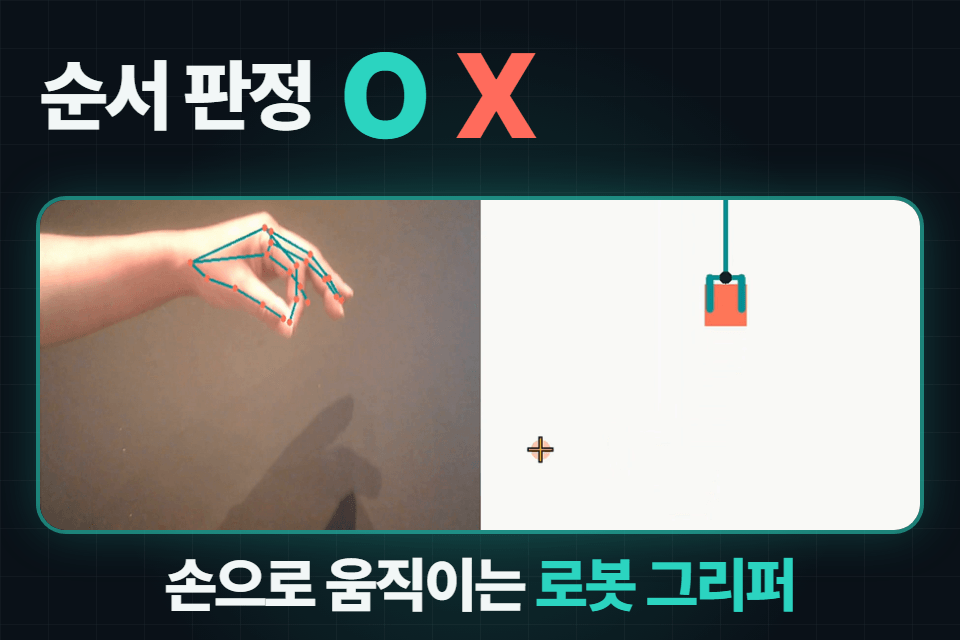
  • You can create logic that determines with O or X whether picking up, moving, and placing occurred in the prescribed order.

  • Complete a web-based AI movement supervisor on your computer that displays webcam evaluation results using Streamlit.

  • When deciding on an action, first determine whether it is an action that the AI can distinguish; if not, use that as a basis for revising the action definition.

With just basic Python, create a hand-gesture AI using only a webcam 🧑‍💻

I’ve learned the basics of Python syntax, but what can I build with it?
Physical AI is trending these days—do I need to buy a robot first?
I’ve followed AI examples, but I’ve never built something that runs all the way through.

If you’re wondering about things like this, start by turning on your laptop’s webcam 🤭

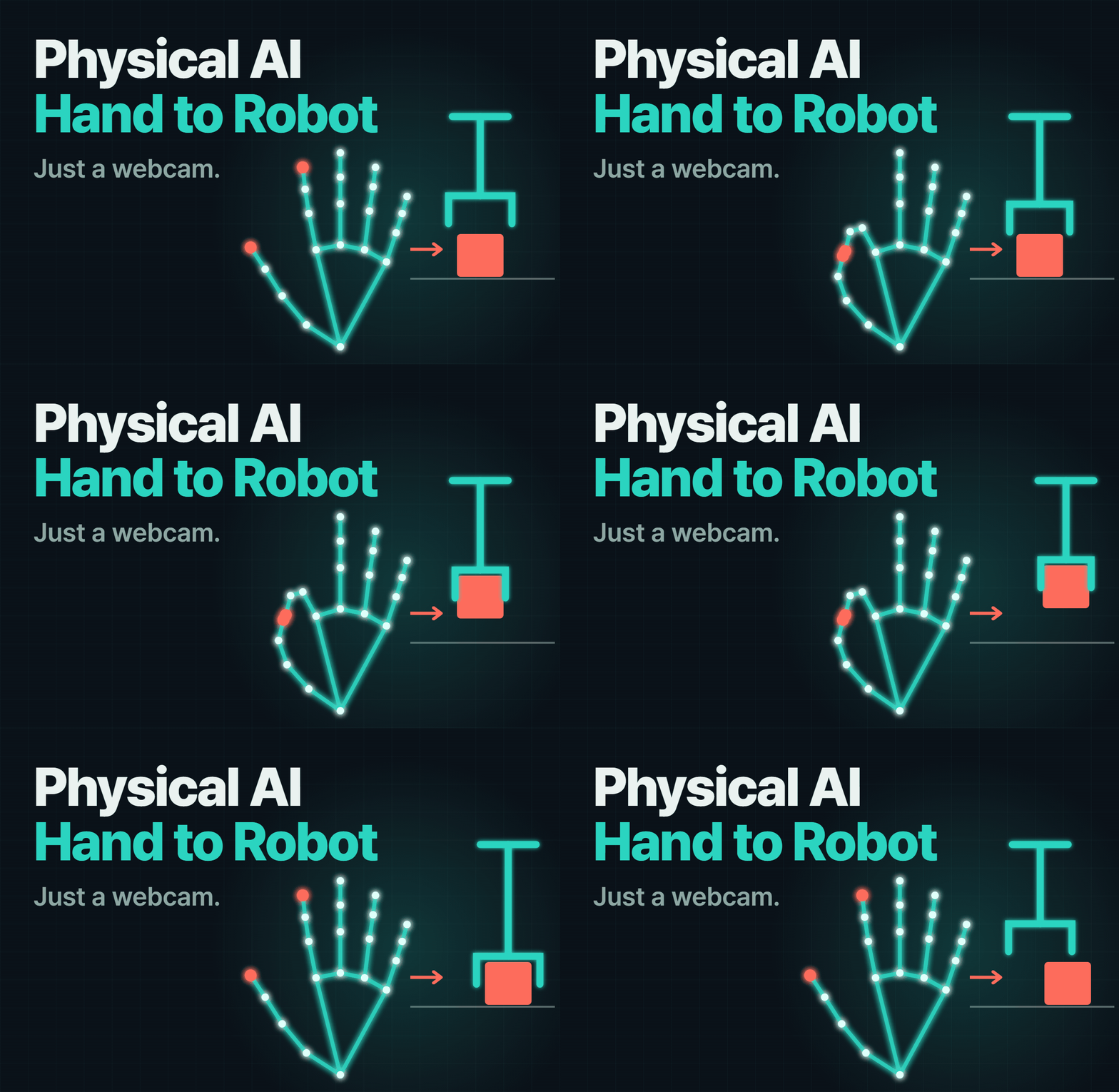
Make a fist to pick something up, move it while keeping your fist closed, and open your hand to put it down.
AI recognizes your hand movements and judges with an O or X whether you performed them in the order of pick up, move, and put down.
By the end of the course, you’ll run the finished project, “AI Motion Supervisor,” directly on your computer 🙌

We don’t use robots, depth cameras, or graphics cards.
You’ll build the entire front end of Physical AI—the part that reads and interprets human movements using a camera—with just a webcam.
This technology can be used anywhere that involves reading human movements, such as verifying tasks in factories, logistics, sign language, exercise, and rehabilitation.

Recommended for these learners

Who should take this course (1)

🐍 For those unsure what to do after learning the basics of Python

If you’ve learned the syntax but haven’t been able to turn it into a project, you can follow along step by step—from installation to completion.

Who should take this course (2)

🤖 For those who want to get started with physical AI without any equipment

Before buying a robot or sensors, you can start by building motion recognition with your laptop’s webcam.

Who should take this course (3)

🧑‍🏫 Teachers and instructors preparing project-based classes

You can use the same class flow in which students collect data themselves and check the results. The completed code is included.

After completing the course,

  • You can find 21 hand landmarks in photos and webcam footage and draw them on the screen.

  • You’ll learn how to convert the 21 hand landmarks into numbers such as openness, movement, and position.

  • You can collect data on your own hand gestures, train an AI with that data, and check its accuracy.

  • You can run an AI that identifies hand movements in front of a webcam in real time as picking up, moving, or putting down.

  • Complete the web interface “AI Motion Referee,” which determines the order of actions as O or X.

  • You’ll develop a criterion for first determining whether a new action is one that AI can distinguish.

Features of This Course

⭐️ Learn by running and modifying code without typing it yourself

There are no dictation or fill-in-the-blank exercises. Run the completed code and see the result first, ask AI about any lines you get stuck on to understand them, then change the values and names to make it your own.

✋ AI only looks at the hand.

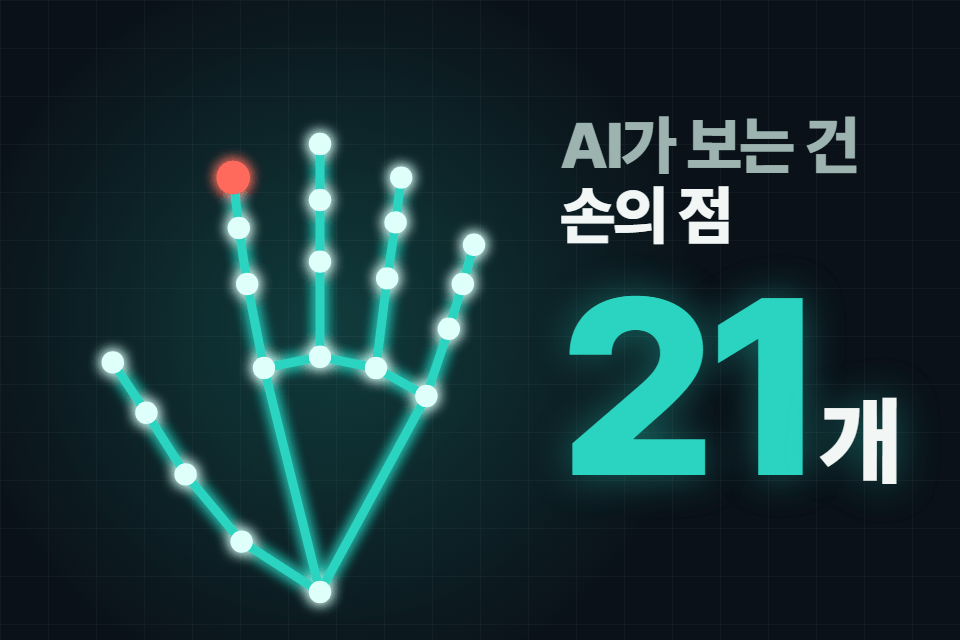
It doesn’t use object recognition. It identifies gestures using only three clues extracted from the 21 hand landmarks: openness/closure, amount of movement, and position. So it’s clear what works and what doesn’t.

I’ll filter out the old approach.

Many hand recognition examples on the internet use the old approach (mp.solutions). All the code in this course uses the newer MediaPipe Tasks API, with the version fixed as well. This saves you time searching through old code.

Check for Distinguishability

Even if you define the actions nicely, it is useless if the AI cannot distinguish them. “Assembly” and “Inspection,” where a worker holds a part and stays still in the same place, look identical if you only look at the hands, so collecting more data will not help distinguish them. Learn how to revise the action definitions in situations like this.

Change them to the names used at my workplace.

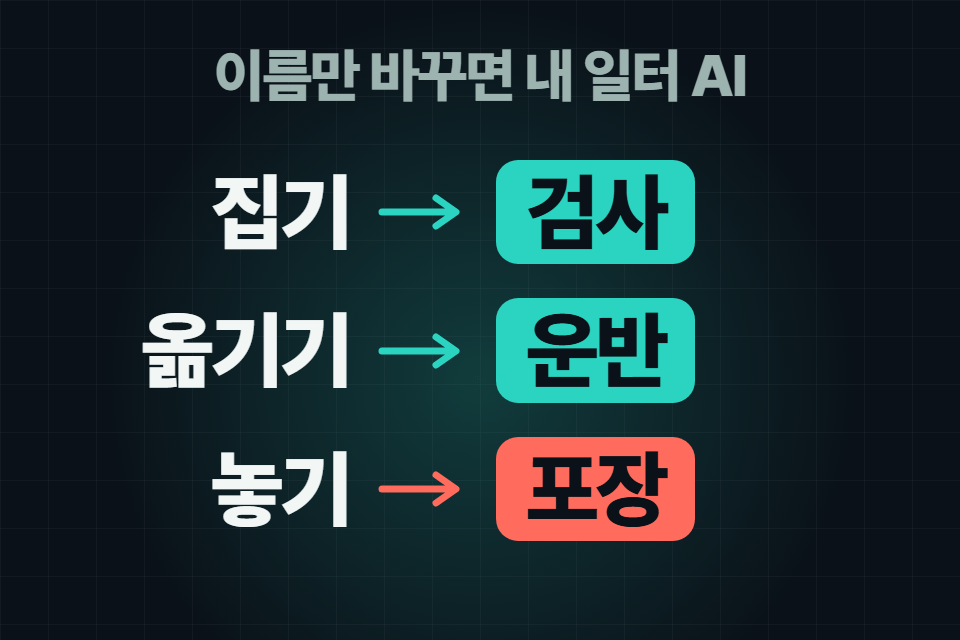
Keep the actions AI learns as picking up, moving, and putting down, and only change the names shown on screen. The completed code displays them as inspection, transport, and packaging, but changing them to the terms used in your workplace, such as loading, picking, and assembly, makes the output different for each person.

11_특징_손은점21개

The AI only looks at your hands

It distinguishes movements using three clues extracted from the 21 hand landmarks: opening and closing, amount of movement, and position.

Change it to the name used at my workplace

Keep the motions that the AI learns as they are, and change only the names displayed on the screen to things like inspection, transport, and packaging.

What you’ll learn

1⃣ From a Hand to 21 Points, 2⃣ From Points to Numbers, Numbers to AI

  1. Environment setup: Prepare Python, VS Code, a virtual environment, packages, and the hand model file while following the actual installation screens.

  2. Photo hand recognition: See a hand in a single photo transformed into 21 points and read the point coordinates.

  3. Real-time hand skeleton: We continuously repeat the same process using the webcam. We also cover distinguishing between the left and right hands and common errors.

  4. Grip and extension, movement, and position: Convert the distances between fingers, the amount the hand center moves, and its screen position into numbers.

  5. Define your movements: Set up picking up, moving, and putting down, then verify them with a check for distinguishability.

  6. Data collection: Perform the motions in front of the webcam and label them with the numbers 1, 2, and 3 on the keyboard to collect your data.

  7. AI training and real-time classification: Train with a random forest, check its accuracy, and then classify hand gestures in real time in front of the webcam.

3⃣ Sequence Check and Completion, 4⃣ Appendix: A Gripper That Follows the Hand

  1. Sequence check: Determine with an O or X whether picking up, moving, and placing occurred in the correct order.

  2. Complete the AI Motion Supervisor: Build a web interface with Streamlit that displays the webcam feed and evaluation results together.

Appendix: Identify facial and body landmarks, then try out an on-screen 2D gripper that follows your hand, as well as an autonomous gripper that moves and places a box on its own with just one pick-up signal.

The person who created this course

  • I’ve spent many years handling solution development, project management, and new business initiatives at IT companies.

  • I teach a variety of courses at several educational institutions.


  • I wrote the “Click Click!” series (Excel Crawling, Understanding Artificial Intelligence with Excel, and MS Power BI) on Wikidocs.

  • I launched the courses “ [Python Beginner] Building a ChatGPT Voice Translation App with Flutter” and “Getting Started with Excel Web Scraping Without Coding” on Inflearn.

  • I run the datastorydavi channel and blog on YouTube and Tstory.

  • I run the davi.kr website.

Do you have any questions?

Q. Do I really not need a robot or a special camera?

Yes, all you need is the webcam built into your laptop. In the appendix, a 2D gripper on the screen takes the place of a robot. We don’t cover moving a real robotic arm; instead, we focus on the steps beforehand: reading and interpreting movements.

Q. Can I follow along even if I don't know machine learning?

Yes. You don’t need to know machine learning, deep learning, OpenCV, or MediaPipe. I’ll explain each one as it comes up. However, I’ll assume you understand basic Python syntax, such as variables, loops, and functions.

Q. Can it perform actions other than picking up, moving, and placing?

The names displayed on the screen can be changed freely. To define a new action for the AI to learn, you first need to determine whether at least one of the opening/closing, amount of movement, or position differs. The course covers these criteria.

Q. Do I have to write the code myself?

No. We provide the complete code for each exercise. Just run it, check the results, and if you get stuck on a line, ask an AI such as ChatGPT, “What does this line mean?” and follow along.

Things to Know Before Taking the Course

Practice environment

  • Operating system and version (OS): Windows (all installation and execution screens are based on Windows)

  • Python: 3.12.1

  • Tools used: VS Code and a virtual environment (venv). Everything is free. Install all packages at once using requirements.txt, and pin mediapipe to 0.10.35.

  • PC specifications: A laptop with a webcam (or a PC with a USB webcam). A graphics card (GPU) is not required.

  • We won’t use Colab or Jupyter. We’ll run it on our own computer because it uses a real-time webcam.

Learning Materials

  • 18 practice code files (.py, completed versions)

  • Three hand, face, and body model files (.task), plus hand photos for practice

  • Class-by-class lesson notes

  • Collection of reference links (primarily official documentation)

Prerequisites and Notes

  • If you know the basics of Python syntax (variables, conditionals, loops, and functions), you can get started.

  • The lecture narration was created using AI-generated voice (ElevenLabs).

  • The data values in the lecture (such as accuracy) are examples collected by the instructor. The values will differ when you practice yourself.

  • If you have any suggestions or feedback, please feel free to send us a message at any time.

  • The copyrights to the course videos and learning materials belong to the knowledge sharer. Unauthorized copying and redistribution are not allowed.

Recommended for
these people

Who is this course right for?

  • Those who know the basics of Python syntax but have never built a working AI product from start to finish.

  • Those who want to move on to directly collecting and teaching their own movements after trying out the MediaPipe examples

  • For those who want to get started with physical AI using only a laptop webcam, without a robot or depth camera.

  • Practitioners who want to experiment with AI in interpreting human movements in settings such as factories, logistics, and sports

  • Teachers and instructors preparing project-based classes in which students collect data themselves and examine the results

Need to know before starting?

  • You should know the basic syntax of Python, such as variables, conditional statements, loops, and functions. This is not a course that teaches the syntax from scratch.

  • You don't need to know machine learning, deep learning, OpenCV, or MediaPipe. Since they're used in the exercises, I'll explain them as we go.

  • The installation of Python and VS Code, as well as virtual environment setup, will be demonstrated on screen in the lecture. Since complete code is provided, you’ll learn by running it and changing the values.

  • A Windows laptop with a webcam is required. I don’t use Colab or Jupyter.

Hello
This is davi

Career Verified

228

Learners

24

Reviews

20

Answers

4.8

Rating

3

Courses

I want to share my experiences in practical AI analysis, big data analysis, and app development with all of you.

Even if I have some shortcomings, I would appreciate your support, and I will work even harder. Thank you.

Curriculum

All

59 lectures ∙ (2hr 10min)

Course Materials:

Lecture resources
Published: 
Last updated: 

Reviews

Not enough reviews.
Please write a valuable review that helps everyone!

Similar courses

Explore other courses in the same field!

Limited time deal

$27.50

28%

$38.50