inflearn logo

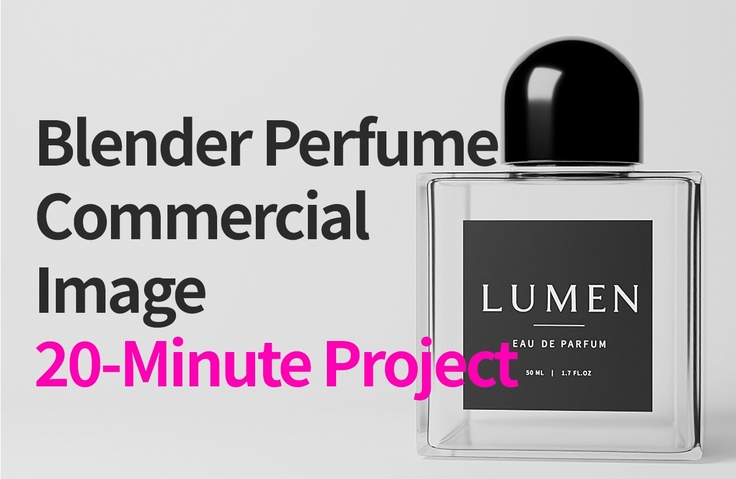
Creating a Blender Perfume Bottle Ad Image: A 20-Minute Project

This is a practical project where you will model a perfume bottle using Blender and complete a product image for advertising. Even beginners can follow along within 20 minutes, experiencing the entire step-by-step process of modeling, material settings, lighting, and rendering. Finally, you will gain an understanding of the advertising video production process combined with AI technology.

(5.0) 7 reviews

44 learners

Level Beginner

Course period Unlimited

Blender
Blender
lighting
lighting
3d-rendering
3d-rendering
materialfx
materialfx
3d-modeling
3d-modeling
Blender
Blender
lighting
lighting
3d-rendering
3d-rendering
materialfx
materialfx
3d-modeling
3d-modeling
Thumbnail

Reviews from Early Learners

5.0

5.0

nanana

100% enrolled

I was hesitant to start because I thought Blender would be difficult, but I decided to give it a try with a light heart. The instructor explained every little detail, so I was able to follow along much more easily than I expected! The final result turned out even better than I hoped, and I'm so satisfied that I can't believe I actually made it myself~~

5.0

하이

100% enrolled

It was great to be able to complete high-quality work quickly and efficiently. The detailed explanation of basic settings and shortcuts was easy to follow and very helpful!

5.0

권태형

100% enrolled

Despite the really short lecture, it covered all the essentials needed for basic work, making it a great way to get a taste of Blender.

What you will gain after the course

  • Master the entire workflow from product modeling to rendering using Blender

  • Creation of commercial product images applying glass material rendering and advertising lighting techniques

  • Understanding the process of developing 3D rendering results into advertising videos by combining them with AI technology

Title: Creating a Blender Perfume Bottle Advertisement Image: A 20-Minute Free Project

Subtitle: Experience the professional production process firsthand, from perfume bottle modeling to product rendering for advertisements.

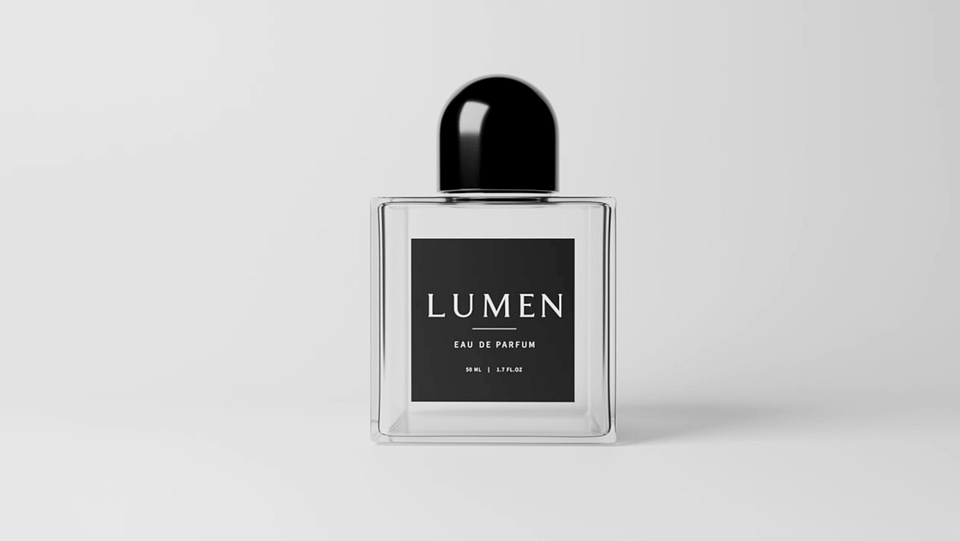
SECTION 01. Blender Perfume Bottle Result (Complete in 20 Minutes Free Lecture)

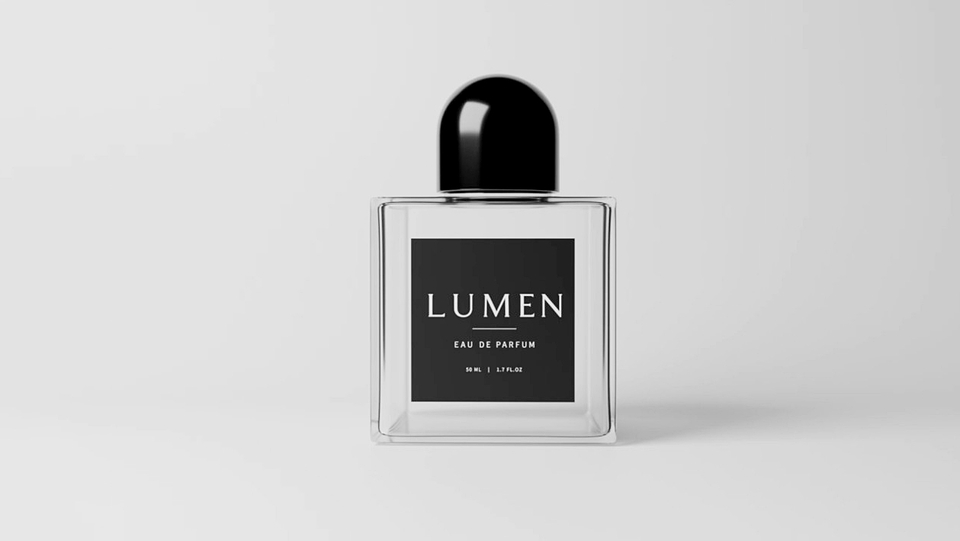
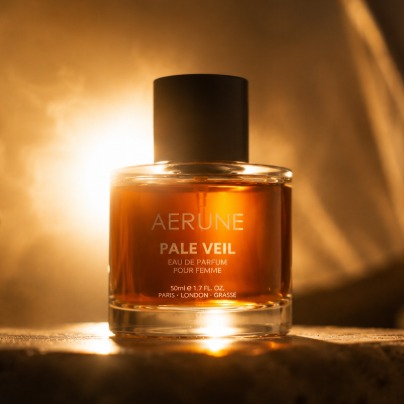
LUMEN perfume bottle rendering image

SECTION 02. Course Introduction

Even if you are starting Blender for the first time, you can complete a finished product.

This course focuses on creating actual results rather than complex theoretical explanations.

  • From perfume bottle modeling to

  • Glass material

  • Product Lighting

  • to rendering

You can experience it firsthand through a single project.

SECTION 03. Final Production Process of Perfume Bottle Advertising Images

After completing the course, you will be able to create results like this through the production process below.

[Production Process]

  • Modeling → Mapping → Lighting → Rendering (

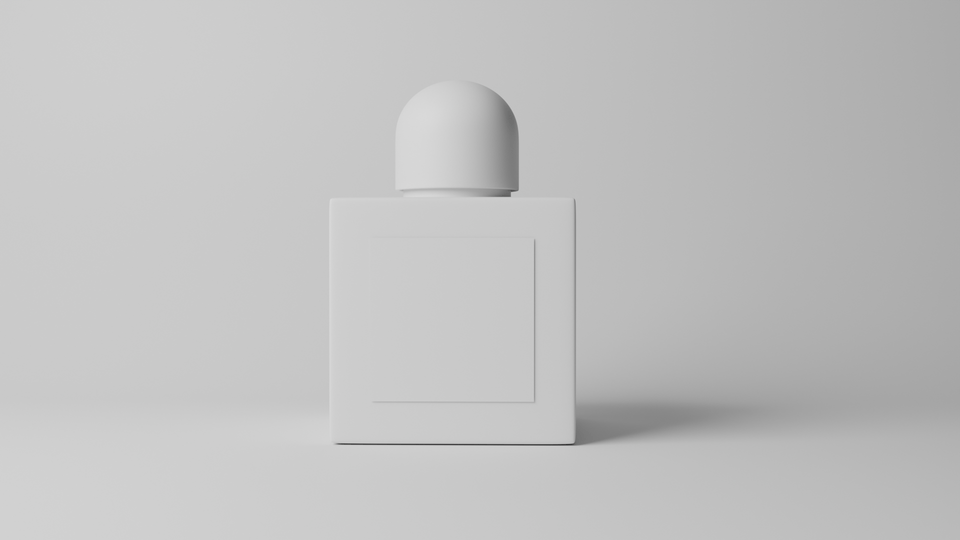
    Creating basic shapes

    Materials and Lighting

    Completion of advertising rendering)

Perfume bottle advertisement image production process: Modeling

Final result of the perfume bottle advertising image production process

Starting from simple basic objects, you will complete product images that can be used for advertisements.

SECTION 04. Recommended for the following people

[Blender Beginners]

  • Those who feel lost about what to create

[Beginner in Product Rendering]

  • product images for advertising

    Those who want to try making them

[AI Creator]

  • For AI video production

    Those who want to create product images

[Designers and Students]

  • In a short amount of time

    Those who want to experience practical, hands-on projects

SECTION 05. Curriculum Details

You will learn these processes in 20 minutes

[STEP 01]

Project Preparation

  • Blender Preferences

  • Install Add-on

  • Check Node Wrangler

[STEP 02]

Perfume Bottle Modeling

  • Creating the basic shape

  • Adjusting proportions

  • Detail refinement

[STEP 03]

Perfume Bottle Mapping

  • Glass material

  • Plastic material

  • Label Material

[STEP 04]

Lighting & Rendering

  • Lighting installation and value input

  • Final Rendering

Through STEPS 01–04, you will learn how to create perfume bottle product images using Blender.

SECTION 06. Lecture Curriculum

[Blender Perfume Bottle Advertising Image Creation Project: 24 minutes]

  • Perfume bottle modeling → Label modeling → Material settings → Lighting → Rendering

[The process of a product image becoming an advertising video: 1 minute 15 seconds]

  • AI image generation →

    AI Video Production →

    AI music production →

    Video Editing →

    Advertisement Complete

SECTION 07. This is not the end.

What if a product image becomes an advertising video?

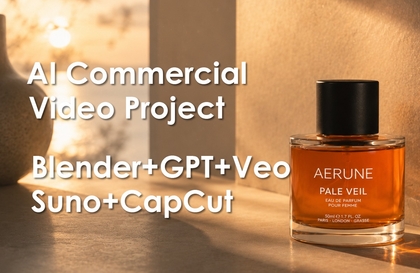
AERUNE Perfume Commercial Video: An example of a product image turned into a commercial video

In this lecture, we covered the product modeling and product rendering processes.

But actual advertisement production does not end here.

The completed product image

  • AI Image Generation

  • AI Video Production

  • AI Music Production

  • through the video editing process

It can be developed into an advertisement video.

SECTION 08. Instructor Introduction

Nickname: TSLab.

Experience

  • 25 years of experience in design lecturing and practical work

  • Former full-time university professor

  • Served as a visiting professor in the Department of Design at a university

  • Author of 3ds Max Visual Effects

  • Served as Director of a specialized design academy (16 years / specialized in portfolio coaching)

  • Served as Head of XR Business Division

  • Served as Director of the Digital Twin Division

  • Experience in 3D and advertising content production

  • Currently researching and lecturing on AI-based advertising production

I conduct project-oriented lectures based on my practical experience.

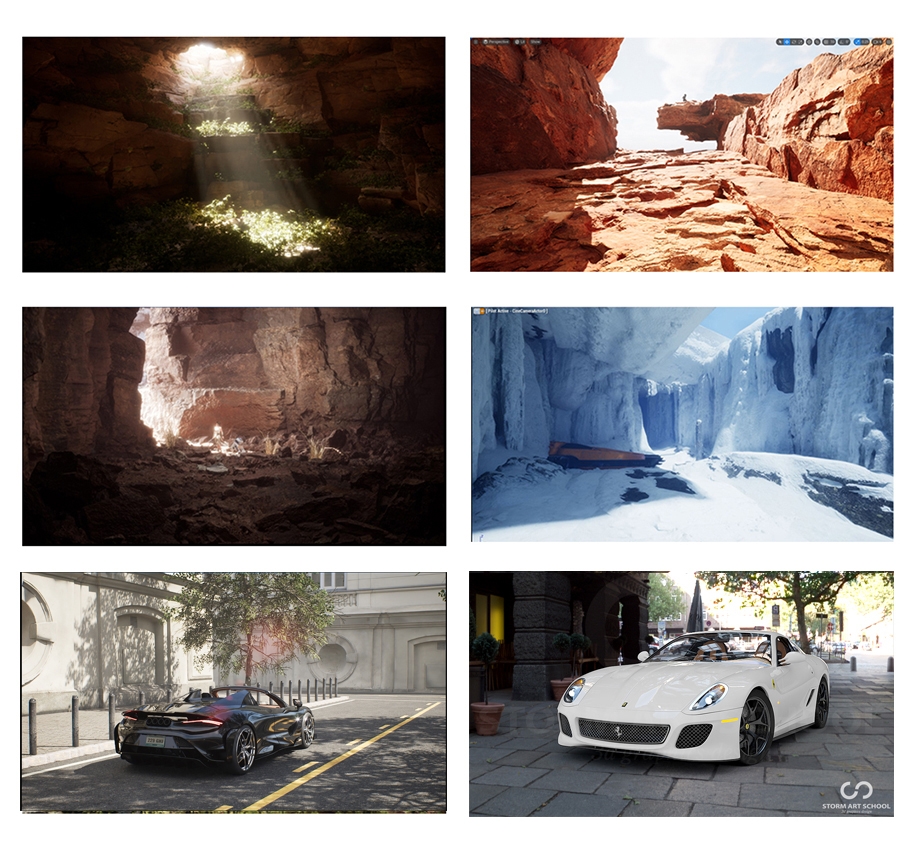
Some examples of practical projects and educational course work

SECTION 09. Wrap-up

Get started right now.

Through this 20-minute project, you can experience the entire process of perfume bottle modeling, mapping, lighting, product rendering, and creating images for advertising. Additionally, see for yourself how the results you create can be developed into an advertising video.

SECTION 10.

Are you curious about the next step?

In this lecture, we used Blender to create a perfume bottle image for advertising.

So, how does this image become an AI image, and how is it completed as an advertising video?

In the next step,

  • Advertising planning using ChatGPT

  • AI image creation

  • AI Video Production

  • BGM production using Suno

  • Final editing with CapCut

Through this process, a single piece of advertising content is completed.

▶ Follow-up Ad Video Production Course

https://inf.run/8Wp2Y

#Blender, #VideoProduction, #ContentCreation, #3d-modelling, #visualisation, #CapCut, #lighting, #materialfx, #3d-rendering

Recommended for
these people

Who is this course right for?

  • Beginners who are starting Blender for the first time and want to quickly create results through practical projects

  • Designers and creators who want to learn product rendering and advertising image production techniques

  • Marketers and content creators who want to utilize 3D modeling for AI advertisement production

Need to know before starting?

  • Basic computer operation skills and understanding of file management

  • Blender software installation environment (No prior experience required)

  • Interest in and willingness to learn 3D graphics and product image creation

Hello
This is thestorm011007

Career Verified

60

Learners

9

Reviews

5.0

Rating

2

Courses

I am TSLab., with 25 years of experience.

• Author of 3ds Max Visual Effects

• Former full-time university lecturer

• Former Visiting Professor of Design Department at University

• 16 years as Director of a specialized design academy

• Head of XR Development Department

• Director of Digital Twin Business Division

• Currently teaching 3D, video, and AI-related courses

Based on my practical design and educational experience, I am researching product advertisement production workflows using Blender and AI. Additionally, I am researching practical 3D+AI video production workflows using various tools such as 3ds Max, Maya, Houdini, and Unreal Engine.

More

Curriculum

All

4 lectures ∙ (27min)

Course Materials:

Lecture resources
Published: 
Last updated: 

Reviews

All

7 reviews

5.0

7 reviews

  • aikobougy2453님의 프로필 이미지
    aikobougy2453

    Reviews 1

    Average Rating 5.0

    5

    100% enrolled

    It was very helpful to start with the initial setup environment, just like yours. By following along calmly, I was able to complete simple yet high-quality objects. All of your explanations were easy to understand. The Blender shortcuts were displayed on the screen, but you also mentioned them every time you used them, so I could follow along well without getting lost!

    • thestorm011007
      Instructor

      Thank you for the great review. I tried to make the lecture as easy to follow as possible, so I'm glad to hear you found it easy. Please try applying what you've learned to other products as well. Thank you.

  • kth791725117973님의 프로필 이미지
    kth791725117973

    Reviews 1

    Average Rating 5.0

    5

    100% enrolled

    Despite the really short lecture, it covered all the essentials needed for basic work, making it a great way to get a taste of Blender.

    • thestorm011007
      Instructor

      Thank you for the wonderful course review. Wishing you all the best in your work.

  • cheum507016님의 프로필 이미지
    cheum507016

    Reviews 1

    Average Rating 5.0

    5

    75% enrolled

    Blender felt difficult and hard to approach, but thanks to your easy-to-follow lectures, I was happy to see results just by following along!

    • thestorm011007
      Instructor

      Thank you for the great review. I am glad to hear that you followed along well. I hope this serves as an opportunity for you to create great designs. Thank you for the review.

  • hiworld님의 프로필 이미지
    hiworld

    Reviews 3

    Average Rating 5.0

    5

    100% enrolled

    It was great to be able to complete high-quality work quickly and efficiently. The detailed explanation of basic settings and shortcuts was easy to follow and very helpful!

    • thestorm011007
      Instructor

      Thank you for the great review. I hope it was very helpful. Thank you.

  • hjw1211069844님의 프로필 이미지
    hjw1211069844

    Reviews 1

    Average Rating 5.0

    5

    100% enrolled

    Other Blender courses were difficult because they didn't mention the shortcuts, but it was so easy to follow along because you announced every single shortcut as you used them. The class wasn't difficult, and it was amazing how quickly I could create things just by following the lecture!!

    • thestorm011007
      Instructor

      Thank you for the great review. I designed the course to make 3D tools easy to use so that you can create things quickly and easily, and I'm glad to hear you're satisfied. It would be great if you tried making other products as well. Thank you.

Similar courses

Explore other courses in the same field!

Free