inflearn logo

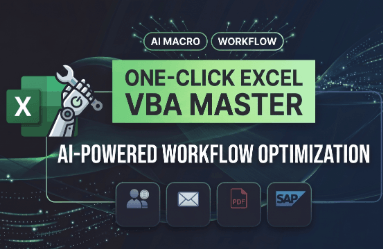
[Complete Task Automation Step 1] No More Grunt Work! Build a '1-Second Execution Ribbon Menu' in My Excel with AI-Generated Code

"Are you still working overtime every day glued to Excel? Now, get it done with just 1 click." With a background spanning overseas sales, sales management, and SCM, I am now a finance and accounting professional. I have developed automation routines using AI and VBA that cut 40 hours of weekly repetitive tasks down to just 8 hours, and reduce an 8-hour workday to a mere 1 hour. I will share the proven practical know-how I've honed through 9 training sessions (4 in-house and 5 external) to date. This is not a course about memorizing coding syntax. Instead, you will work with AI to create macros tailored to your exact needs, register them in your 'custom ribbon menu', and build a practical workflow that gets the job done with a single click. Even if you have no prior knowledge of VBA, you can start applying these techniques to your actual work the very next day after the training.

1 learners are taking this course

Level Beginner

Course period Unlimited

ChatGPT
ChatGPT
VBA
VBA
Excel
Excel
ChatGPT
ChatGPT
VBA
VBA
Excel
Excel

What you will gain after the course

  • My Own Excel Automation Tool: A Custom 'Ribbon Menu' to Handle Complex, Repetitive Excel Tasks with a Single Click (Completed Macro Tool)

  • Practical AI Skills: How to Write Prompts to Perfectly Generate Your Desired Excel Macro (VBA) Code Using AI, Even With Zero Coding Experience

  • Self-Troubleshooting Skills (Debugging): How to calmly fix errors on your own by conversing with AI when your code doesn't work

[Complete Work Automation Step 1] Say goodbye to the copy-paste grind! Add a '1-Second Execution Ribbon Menu' to Your Excel with AI-Generated Code


"Are you sighing every morning with dozens of Excel files open? Now, with just a 10-minute setup, you can head home earlier."


💼 Highly recommended for these professionals!

  • Those working overtime on the same repetitive Excel tasks every day All office workers in Accounting & Finance, HR, General Affairs, Sales Management, Purchasing & SCM, Management Support, and more who are exhausted from processing data in the same repetitive formats every week and every month.


  • For those who found VBA and macros intimidating and overwhelming No more memorizing coding syntax! Master the art of crafting the perfect prompts to put generative AI (like ChatGPT) to work as your very own dedicated programmer.

  • Anyone looking to drastically cut down their work hours Build automation routines that compress a full 8-hour day of tedious Excel grunt work into just one hour with a single click.

  • For those who want to get it done with just 'one button' instead of complicated shortcuts or formulas Embed perfectly matched emoji buttons into your very own custom Ribbon menu at the top of Excel, creating an intuitive environment where tasks execute instantly with a single click.


📘 Instructor Introduction: "Even without knowing how to code, you can apply it to your actual work starting tomorrow."

Former Overseas Sales/SCM ➔ Current Finance & Accounting Professional Having worked across numerous departments, I too used to work late every day, glued to Excel. However, after combining AI and VBA, I reduced repetitive tasks that used to take 40 hours a week to just 8 hours, achieving an 80% reduction in work hours.

This course is not a difficult coding class for developers. It features only thoroughly proven 'practical know-how tailored for non-developers,' refined across a total of 9 sessions (4 in-house corporate training sessions and 5 external classes for working professionals). Use AI to build the macros you truly need for your work, and set up a practical workflow environment that gets the job done with just a single click.


📢 Core Curriculum: 4-Step Roadmap to Flawless Real-World Application

STEP 1. Setting Up the Automation Environment Laying the groundwork for a single-click workflow! Set up the Developer tab, unlock security settings, and establish a trusted location for the AddIns folder—all in just 10 minutes.

STEP 2. Creating AI Macros Instead of complex coding, describe your tasks in everyday natural language to generate VBA code. You'll even learn how to debug in real-time with AI when errors occur.

STEP 3. Build Your Own Ribbon Menu Create your own icon buttons on a custom tab at the top of Excel. Run automations with just a single click for life, without ever having to search for the code again.

STEP 4. Perfect Real-World Application Apply these skills to real-world projects like batch converting 100 files to PDF, conditional data retrieval, and email sending integration—practical tasks you can put to use at work as early as tomorrow.


🎬 Online 10-Lesson Short Masterclass Get instant access to 10 comprehensive lessons packed with everything from basic setup and bulk PDF generation to the concept of input box data retrieval.

Recommended for
these people

Who is this course right for?

  • Office workers (practitioners in accounting, HR, marketing, etc.) who can't even dream of clocking out on time because they're stuck day in and day out collecting the same Excel data and copying and pasting it.

  • I know that "it's much easier if you learn macros or VBA," but I'm a non-developer who gave up in frustration after being overwhelmed by thick Excel books and difficult coding lectures.

  • For those who want to boost work efficiency but have felt hesitant and frustrated about having to constantly ask in-house developers to build RPA solutions.

Need to know before starting?

  • There is none. You just need to have EXCEL installed.

Hello
This is ayoung1034

Career Verified

I am a business automation expert who has progressed through international trade, overseas sales, and sales management, and currently handles accounting and finance operations. Having worked in various roles, I have personally experienced the repetitive work patterns in each department, and each time, I utilized Excel VBA to create essential automation tools for practical use.

In particular, since external internet access was blocked for security reasons in our closed intranet environment, preventing the use of external programs, I have successfully automated complex, repetitive tasks across various roles using Excel alone. Through this process, I realized one thing: ultimately, no one knows your work better than you do. Therefore, I came to understand that true productivity does not come from standardized automation tools, but from equipping individuals with the ability to automate their own work. With the conviction that this is the most reliable path to productivity for both the company and the individual, I have been continuing my work as an in-house instructor.

Today, thanks to AI, we are in an environment where anyone can automate their work. The key is not coding knowledge, but the ability to accurately define and communicate your work requirements to AI. Repetitive tasks exist in every role. If you can accurately define those tasks, AI can reduce an 8-hour job to just 1 or 2 hours, cutting the time by up to 80% or more. As a result, those who want to rest can do so comfortably, while those who want to build expertise can spend their time on more important and valuable tasks. Drawing on the practical expertise and AI know-how I have accumulated through various roles, I will help you apply automation directly to your daily work.

More

Reviews

Not enough reviews.
Please write a valuable review that helps everyone!

Similar courses

Explore other courses in the same field!

Limited time deal

$119,260.00

49%

$8.80