강의

멘토링

커뮤니티

BEST
Programming

/

AI Coding

Developing a TodoList with Claude + IntelliJ - Mastering MCP

Claude + IntelliJ Todo List Development - Complete MCP Mastery Learn how MCP works perfectly by building a TodoList with Claude and IntelliJ!

(4.6) 44 reviews

439 learners

  • Neo
AI 코딩
3시간 만에 완강할 수 있는 강의 ⏰
ai활용
Kotlin
Spring Boot
IntelliJ IDEA
Clone Coding
Model Context Protocol

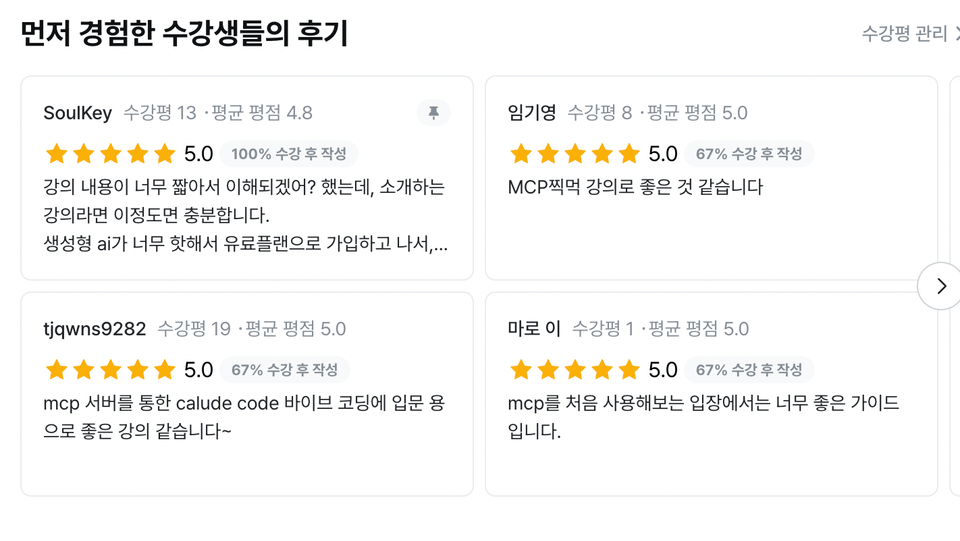
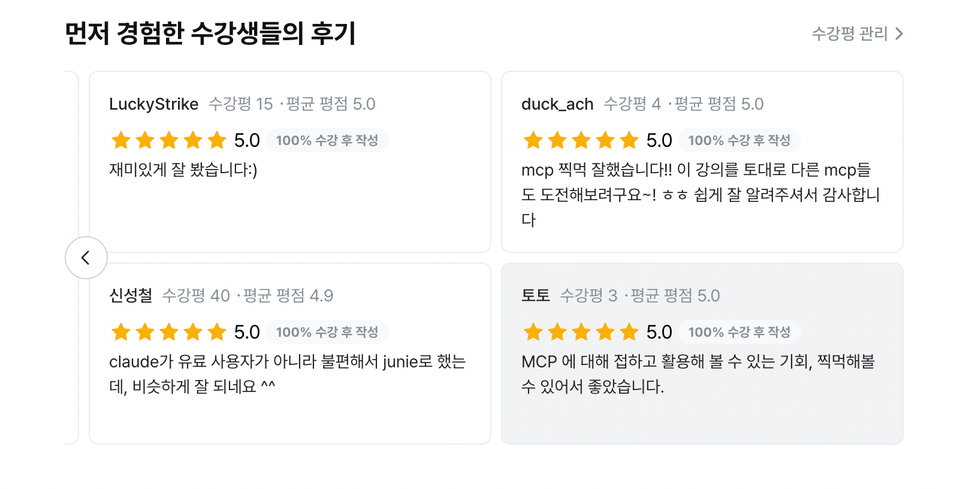
Reviews from Early Learners

What you will gain after the course

  • MCP

  • Claude

  • IntelliJ

Claude + IntelliJ for TodoList Development - Complete MCP Mastery

"Creating a TodoList without a single line of code??"

Now it's possible. In this course, we'll use MCP (Model Context Protocol) technology to integrate Claude with IntelliJ and create a complete TodoList from server to frontend using only text commands in Claude, without writing a single line of code.

MCP, Spring Boot, Kotlin, Clone Coding, IntelliJ IDEA

🚀 Key Points of the Course

  • No Coding! Development with Prompts Only

  • Using Claude for Auto-generated Project Configuration in IntelliJ

  • Full-Stack Development from Backend Server to Frontend UI With Claude

  • Even non-developers can do it! AI development practice that anyone can follow


⭐️ A Complete Beginner's Guide to MCP with Hands-on Practice

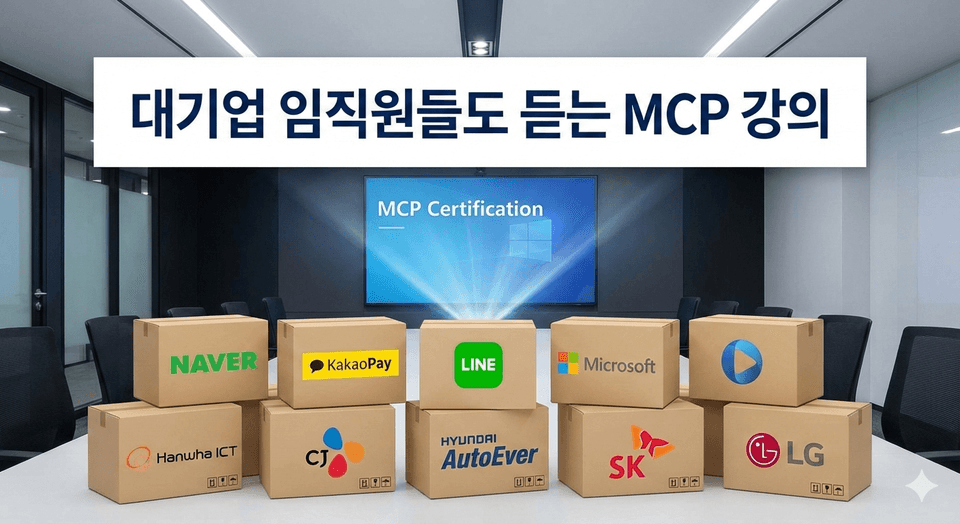
MCP course taken by employees of major corporations! (Based on student management data)

🥰 Heartwarming Reviews from Grateful Students 🥰

📌 Course Results

  • Completed TodoList Web Application

  • Claude + IntelliJ-based MCP Automation Development Template

  • The ability to confidently utilize AI in your development

  • The ability to quickly ask AI questions and receive answers

You'll learn the following content

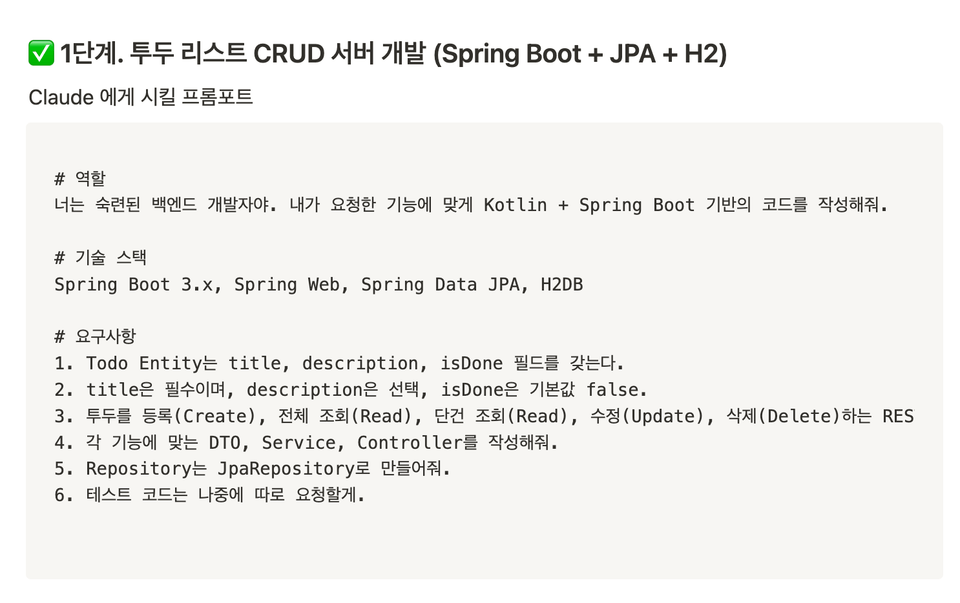
Step 1. Develop Todo List CRUD Server

Simply configured prompts through copy and paste

Develop CRUD Server Quickly and Conveniently

(No code writing at all)

# Translation Server Development Prompt --- **Note**: I've translated this as a title/heading. If you need me to translate a longer document or provide more context about server development prompts, please provide the full text you'd like translated.

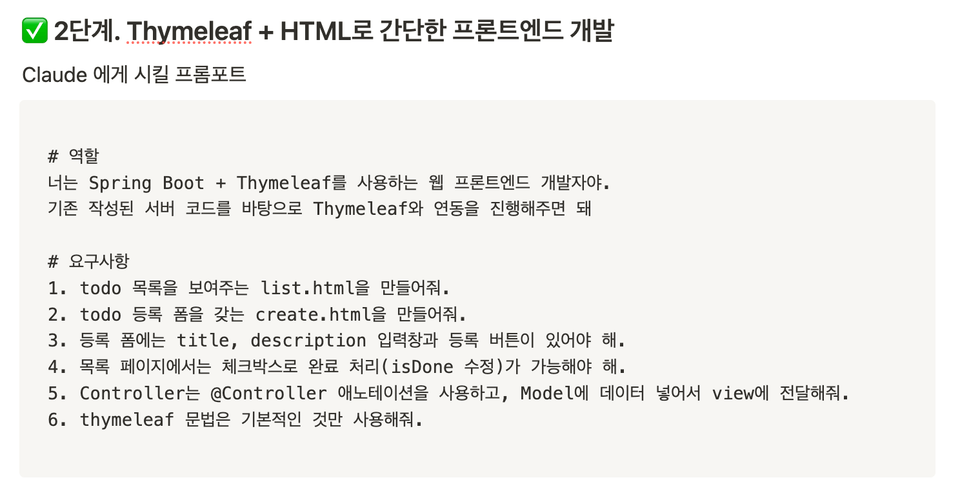
Step 2. Simple Frontend Development with Thymeleaf + HTML

Simply configured prompts through copy and paste

Fast and Easy Frontend Development

(No code writing whatsoever)

# Translation Front-end Development Prompt --- **Note**: This translation assumes "프롬포트" is a typo or stylized spelling of "프롬프트" (prompt). If this is a specific term or brand name that should be preserved,

Neo

  • As a server developer primarily working with Kotlin, I create various development courses covering server development, deployment, Spring AI, and more.

  • I conduct lectures with simple and straightforward short sessions, focusing more on practical application than theory.

  • This is a site I created by applying what I learned from the course. Please take a look!


    https://italianbrainrot.kro.kr/

🥹 Do you have any questions?

Then check it out here!!!
(For other questions, please use the Q&A board! 🥰)

Q. Do I really not have to write any code at all?

Yes, it's real. In this course, you'll spend more time talking to Claude than using your keyboard.
With just natural language prompts like "Create an API to add a todo item," the backend is built, and the frontend is configured too. Of course, you can intervene and touch the code directly whenever you want, but the basic structure is all written by AI.
It's a new approach where you design with your mind and instruct with prompts, rather than coding by hand.

Q. Doesn't Claude only understand English?

Great question! While Claude understands Korean quite well, in a development context, writing prompts in English is much more natural and produces better results.
However, in this course, Korean prompts are provided to make it easier for you to understand. It's literally like "providing a prompt dictionary" as well.

Q. I'm already using IntelliJ. Why do I need this course?

That's exactly why you should take this course!
People use IntelliJ, but almost no one connects it with Claude.
In this course, we'll show you how to integrate IntelliJ's plugins with MCP features to transform your existing IDE into an AI development station.
The core of this course is about unlocking features that already exist in your tools but you've never properly used before.

Points to Note Before Enrollment

Practice Environment

  • Claude (free version), IntelliJ (Ultimate but Community is also fine), MacOS

Learning Materials

  • Notion link provided

Prerequisites and Important Notes

  • It would be good if you have some experience working with AI.

  • If you have experience with server development, that would be even better.

  • You'll benefit even more if you're familiar with the theory behind MCP.

Recommended for
these people

Who is this course right for?

  • Those who want to try using MCP

  • People who want to try coding with AI

Need to know before starting?

  • Basic Setup Knowledge

Hello
This is

1,714

Learners

189

Reviews

30

Answers

4.7

Rating

26

Courses

안녕하세요! 인프런에서 강의를 진행하고 있는 Neo 입니다.

평소 접하지 못했던 개발기술들을 다양한 분들이 접할 수 있도록 하는게 제 목표입니다.

그래서 저는 단순한 이론 나열보다 실무 중심의 커리큘럼을 구성하고, 트러블슈팅 없이 배울 수 있는 실습 위주의 강의를 제공하고자 합니다.

초보자도 부담 없이 따라올 수 있도록 최대한 가볍고 친절한 접근으로 내용을 구성하고 있으며, 지식에 대한 진입 장벽을 낮추는 것에 특히 집중하고 있습니다.
가끔은 마음이 같은 분들과 함께 강의 작업을 진행하기도 합니다!

협업 및 기타 비즈니스 문의는 yeseong0412@gmail.com 으로 부탁드립니다!

Curriculum

All

7 lectures ∙ (54min)

Published: 
Last updated: 

Reviews

All

44 reviews

4.6

44 reviews

  • jyp4님의 프로필 이미지
    jyp4

    Reviews 13

    Average Rating 4.8

    5

    100% enrolled

    Will I understand it? I thought the lecture content was too short, but for an introductory lecture, this is sufficient. After subscribing to a paid plan because generative AI is so hot, I thought Claude was useless compared to ChatGPT, but it turned out Claude had one more strength. I hope you create another course with content that goes beyond the introductory level.

    • gylim78265525님의 프로필 이미지
      gylim78265525

      Reviews 11

      Average Rating 5.0

      5

      67% enrolled

      The MCP taster lecture seems good.

      • seadonggyun2284님의 프로필 이미지
        seadonggyun2284

        Reviews 5

        Average Rating 4.2

        Edited

        5

        100% enrolled

        If I could have taken a bit more of the course, I personally would have given it 5 stars without hesitation. I applied Claude Code, which I've been interested in for a while, to a side project this time, and I was impressed by its performance exceeding my expectations. For your reference, I'm also working on projects like the ones below using this technology. https://github.com/seadonggyun4/seo-select https://github.com/seadonggyun4/seo-toast If time permits, please take a look, and if you like them, even just a star would be a great encouragement. Thank you.

        • yeseong0412
          Instructor

          Thank you for taking the course! If there's anything lacking, please feel free to leave feedback on the course board anytime, and I'll make sure to reflect it!

      • kswms4032624님의 프로필 이미지
        kswms4032624

        Reviews 2

        Average Rating 5.0

        5

        71% enrolled

        • yeseong0412
          Instructor

          Thank you for taking the course!! Have a wonderful day~~

      • hs19167612님의 프로필 이미지
        hs19167612

        Reviews 10

        Average Rating 5.0

        5

        100% enrolled

        • yeseong0412
          Instructor

          Thank you for taking the classes!!

      Limited time deal ends in 7 days

      $6.60

      25%

      $8.80

      Neo's other courses

      Check out other courses by the instructor!

      Similar courses

      Explore other courses in the same field!