
Organize meeting notes and materials into reports, proposals, and PRD drafts.
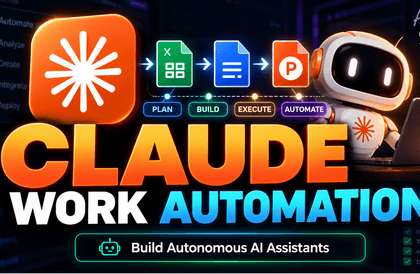
Claude for Non-Developer Professionals (Cowork + N8N + Claude Design)
Beyond simply copy-pasting with AI, you will learn how to actually automate repetitive tasks for non-developer professionals by connecting Claude Chat, Cowork, MCP, n8n, Supabase, and Vercel. Set against the backdrop of a virtual company called DingcoLabs, you will follow hands-on scenarios for PM, Marketing, Sales, CS, and HR to build work automation systems that can be applied to your company immediately.
243 learners
Level Beginner
Course period Unlimited


Reviews from Early Learners
4.9
5.0
정재원
Your delivery is amazing... This lecture is perfectly concise.
5.0
shdwil7724
All of Dingco Dingco's lectures are very suitable for beginners, so I'm really enjoying them!
5.0
박찬국
As I prepare to change jobs, I’ve had many things I wanted to try and challenge myself with, such as task automation. As someone from a non-developer background, this is a truly essential lecture for me. I will study hard, review thoroughly, and put it to good use. Thank you.
What you will gain after the course
Instead of just asking Claude questions, you can give it instructions to directly create reports, proposals, and Excel outputs.
With Claude Cowork, you can process tasks on a folder basis and automatically generate results in .docx, .xlsx, and .md formats.
You can design repetitive task automation by connecting Slack, Jira, Notion, and Google Workspace via MCP.
You can build a deployable AI workflow system yourself using n8n, Supabase, and Vercel.
Take Claude out of the chat window and turn it into an
operating system that keeps your work running.
Design recurring tasks such as meeting minutes, customer inquiries, advertising materials, and applications to seamlessly connect with documents, files, notifications, tickets, and screens.
The problem isn't that you don't know Claude; it's that you lack a structure for getting work done.
If you are getting good answers but your working hours remain the same, there is something you need to look at before your prompting skills.
The moment you transfer it to a PRD, review document, or shared email, it requires manual work all over again.
CSV, PDF, and customer notes are not being integrated into a single, readable output on one screen.
You face the wall of technical knowledge when using Slack, Jira, Notion, and Google Workspace.
AI work tools, at a glance through metaphors.
Chat·Cowork·Skills·MCP·n8n·Deployment — Don't memorize the names. Instead of code, I will show you through illustrations (metaphors) exactly "which frustrations" each tool solves.
"The answers are inconsistent every time."
Give precise instructions by specifying the role, context, and format..
"I have to transfer the answer to a document again."
If you hand it over by the folder, you will receive it as a result file.
"I have to explain the company format every single time."
Once you teach it once, it will continue to be applied as is., nó sẽ tiếp tục được áp dụng y như vậy.
"Connecting Slack and Jira feels like a developer's domain."
Connect company tools with a universal adapter.
"I have to press the same sequence manually every time."
It is changed to a conveyor that flows automatically.
"How do I show the results to the team?"
Open the screen the team sees with a single URL..
The results are identified in four forms.
When the lecture ends, we leave you not just with the feeling of "I asked the right questions," but with the standard of "I can use this again next week."
Receive materials submitted as entire folders back as .docx, .xlsx, and .md deliverables.
Connect tasks so they flow seamlessly through Slack, Jira, Notion, and Google Workspace.
Push it all the way to a format that team members can view using n8n, Supabase, and Vercel.
The difference before and after the lecture is not the number of tools, but the way tasks are completed.
- Transfer Claude's responses back into tables, documents, and emails.
- Every week, similar reports and summaries are created again from scratch.
- The moment you try to connect with company tools, you stop in your tracks due to a lack of development knowledge.
- First, fix the output format and review criteria.
- Hand over materials in folder units and retrieve them as result files.
- Design everything from notifications and tickets to document organization into a single seamless flow.
In my role, this is how the work is completed.
PM, Marketing, Sales, CS, HR — we show you at a glance the actual deliverables from each role and how they transform your workday.
"I spend the whole day just moving meeting notes into the PRD."
Just by inputting your notes, you'll have time left to focus on planning.
"I spend so much time organizing ad CSV files that I can't actually get to the analysis."
Reports are automatic; focus only on strategy.
"I write proposals from scratch every single time."
Since the draft is generated immediately, you can focus solely on persuasion.
"I get so caught up in categorizing inquiries that the actual responses get delayed."
Classification and ticketing are automatic; focus only on the customer.
"I'm comparing 20 applications one by one."
The comparison table is ready at once; focus only on judgment.
They say they're using AI, so why is their clock-out time still the same?
You get the answers you need, but the manual work remains the same. Shall we take a look at a typical day?
Hasn't this happened to you at least once?
Are you still doing that repetitive task by hand?
Have you ever let AI handle the "real work" from start to finish?
Check it out in a 1-minute video, faster than reading.
10 sections · 54 lectures, in the order of how work expands.
Expand step-by-step from prompts to Cowork·Skills·MCP·Claude Design·n8n·deployment. Click on a section to view the detailed table of contents.
섹션 1. 🏢 DingcoLabs에 입사했습니다5강 · 31분
- 1Link to Course Materials
- 2Course Introduction Video02:33
- 3Course Introduction & Welcome to our company, DingcoLabs08:15
- 4Understanding what an LLM is in just 3 minutes12:07
- 5Before vs. After using AI: Weekly reports from 2 hours → 15 minutes08:34
섹션 2. 💬 Claude에게 질문이 아니라 지시하기7강 · 1시간 48분
- 6From creating an account to selecting a model11:59
- 7[Windows] Setting up the Windows development environment for Claude Desktop13:05
- 85 Principles of Prompting: Role, Context, Format, Example, Constraint14:42
- 9Projects: What if you upload your entire team knowledge base?15:17
- 10Artifacts: Generating Charts and Prototypes Instantly22:43
- 11Writing research reports with Web Search & Deep Research10:46
- 12Prompt Template Library by Job Role20:21
섹션 3. 📂 Cowork: AI에게 진짜 일을 맡기다5강 · 1시간 6분
- 13Install it, drop a folder, and assign the first task14:58
- 14[Scenario A] A PM's Day: 5 Memos → Auto-generating a PRD Draft17:00
- 15[Scenario B] A Marketer's Day: Ad CSV → ROI Chart Report10:36
- 16[Scenario C] A Day in Sales: Customer Information → Customized Proposal12:48
- 17[Scenario D] A Day in HR: 20 Application PDFs → Comparison Table11:32
섹션 4. 🎨 Skills로 브랜딩·디자인·문서를 통째로6강 · 1시간 25분
- 18Skills & Plugins: Teaching Claude how to work20:20
- 19[Practice] Registering DingcoLabs Brand Guidelines as a Skill08:32
- 20[Practice] Batch convert 5 Word reports into brand templates15:50
- 21[Practice] 1 Blog Post → Batch Production for LinkedIn + Twitter + Newsletter09:07
- 22Connectors & Chrome Integration: Gmail, Drive, and Competitor Analysis20:14
- 23Scheduled Tasks: Daily Briefings Prepared by AI Every Morning11:36
섹션 5. 🔗 API와 MCP: AI의 연결고리 이해하기5강 · 1시간 17분
- 24API and MCP: Understanding AI's Connection Points24:35
- 25How to Read JSON — Reading Level, Not Coding11:33
- 26[Practice] Making your first Claude API call with Postman13:27
- 27"AI suddenly became stupid" — The power of handling context10:46
- 28What is MCP? The easiest way to understand AI's universal adapter17:26
섹션 6. 🎨 Claude Design: 대화로 디자인하기5강 · 37분
- 29What is Claude Design, and how is it different from what we've learned so far?06:36
- 30Dinkolabs Design System Setup & First Project09:14
- 31Create an investor pitch deck in 5 minutes and refine it together09:28
- 32One-pager, Prototype, and Claude Code Handoff05:12
- 33Tool Selection Guide Summary & Practical Tips06:30
섹션 7. 🖥️ Claude Code: 부엌 열쇠를 맡기다6강
- 34What is Claude Code, and how is it different from Cowork?
- 35First task with Claude Code in Claude Desktop
- 36CLI: The True Freedom of Claude Code
- 37Computer Use & Dispatch — AI controls the screen directly
- 38Claude Code Exclusive Features — Plan Mode, Slash Commands, Memory
- 39Summary of Tool Selection Guide
섹션 8. ⚡ n8n으로 나만의 자동화 파이프라인6강
- 40What n8n is and why we use it
- 41n8n MCP — Claude draws workflows directly
- 42[Automation 1] Gmail → AI Classification → Slack Notification
- 43[Automation 2] Slack Bot — Trend Curation & Inbox Cleanup
- 44[Automation 3] Automatic permanent storage of CS inquiries in Google Sheets
- 45The Temptation of Automation, the Weight of Verification + Week 9 Preview
섹션 9. 🚀 매장 오픈: 내가 만든 걸 세상에 배포하기4강
- 46Supabase: A database you use like Excel
- 47Vercel: Turning My Code into a URL
- 48[Practical App A] CS Customer Inquiry Dashboard
- 49[Practical App B] Feedback Form + Wrap-up
섹션 10. 🎯 종합 프로젝트: 내 직무를 통째로 AI에 맡기다5강
- 50Repetitive Tasks → System · 4-Step Framework
- 51Comprehensive Projects by Job Role — Choose 1
- 52Architecture + Quantifying Time Savings
- 53What AI changes is not the tool, but the way we work
- 54🎁 EVENT🎁 How to verify your course review
This is suitable for those who want to transform repetitive tasks, rather than those just looking for a collection of prompts.
Who this is for
Non-developer office workers who use AI but are still stuck at the copy-and-paste stage
Practitioners in PM, Marketing, Sales, CS, HR, etc., who want to reduce repetitive tasks
Those who want to turn personal productivity into a system using Claude, MCP, and n8n
People who want to start automating work tasks without coding
Those who need to align their expectations
- Those who want to learn app development itself in depth
- Those who just want to quickly collect prompt examples
- Those who only need light usage tips for AI chat tools
What is more important than development experience is the actual task you want to change.
Coding experience is not required. Basic computer skills, such as using a Chrome browser and uploading files, are sufficient.
If you have a Claude Pro subscription and a Google account, you will be able to follow the hands-on practice much more easily. và tài khoản Google, bạn sẽ có thể theo dõi các bài thực hành một cách dễ dàng hơn nhiều.
n8n Cloud, Supabase, Vercel, and GitHub will be guided based on their free plans at the necessary points.
By the end of this course, you will be able to do these four things yourself.
Instead of just asking Claude questions, you can give it instructions to have it directly create reports, proposals, and Excel outputs.
With Claude Cowork, you can handle folder-level tasks and automatically generate .docx, .xlsx, and .md outputs.
You can design repetitive task automation by connecting Slack, Jira, Notion, and Google Workspace with MCP.
You can directly build a deployable AI workflow system using n8n, Supabase, and Vercel..
Unlike simple prompt collections, this covers the structure of how work actually gets done.
It doesn't end with Claude Chat; it explains everything from Cowork, Skills, MCP, n8n, Supabase, to Vercel as a single, continuous flow.
Concepts like API, JSON, and MCP are also covered by translating them from developer jargon into the language of non-developer practitioners.
We connect PM, marketing, sales, CS, and HR scenarios in a practical way within the context of a single company called DingcoLabs.
It covers a structure that goes beyond just collecting prompt examples to actually completing the process, including generating outputs, connecting tools, and deployment.
Leave a review and receive a ready-to-use work kit.
By simply adding a single line, dingcodingco/dingcolabs-skills, to the Cowork plugin, you can immediately execute weekly report automation, customer response drafting, competitor analysis, and data insight extraction.
The content you've learned is already set up with commands like /weekly-report, /cs-reply, and /morning-briefing, making it a production-ready business toolkit that you can apply directly to your work as soon as you learn it. (Provided as a Notion link)
Expand and check only the parts you are curious about.
비개발자인데 따라갈 수 있나요?
Yes. Basic computer experience, such as using a browser and uploading files, is more important than coding experience.
10x AI 네이티브 개발자 강의랑 뭐가 다른가요?
The 10x course is closer to AI utilization for developers, whereas this course focuses on non-developer office workers automating tasks with AI without coding.
바이브코딩 강의랑 뭐가 다른가요?
While Vibe Coding focuses on building services or apps, this course focuses on automating repetitive daily work tasks.
Pro 플랜으로 충분한가요?
Most of the exercises can be completed with Claude Pro. During periods of heavy Cowork usage, you may hit usage limits, so you only need to consider a higher plan when necessary.
회사에서 바로 쓸 수 있나요?
That is the core of the lecture. It is structured so that the workflows practiced at DingcoLabs can be transferred to actual company environments such as Slack, Jira, Google Workspace, and Notion.
Become a person who has a workflow that gets things done, rather than someone who is just good at using Claude.
This course is not about introducing an answer generator. It covers step-by-step how to reduce repetitive tasks, connect with company tools, and leave results in a format that the team can reuse.
Recommended for
these people
Who is this course right for?
Non-developer office workers who use AI but are still stuck at the copy-and-paste stage
Practitioners in PM, Marketing, Sales, CS, HR, etc., who want to reduce repetitive tasks
Those who want to turn personal productivity into a system using Claude, MCP, and n8n
People who want to start automating work tasks without coding
Need to know before starting?
No coding experience is required. Basic computer skills, such as using the Chrome browser and uploading files, are sufficient.
If you have a Claude Pro subscription and a Google account, you will be able to follow along with the practice much more easily.
Hello
This is dingcodingco
Inflearn Verified
Career Verified
18,141
Learners
1,857
Reviews
353
Answers
4.9
Rating
21
Courses
Free 15% discount coupon link!
🚀 Toss, POSTECH alumnus | Current Backend Developer (+9 years)
🎥20k YouTuber | Development Content Creator
📚 Inflearn Instructor | Over 18,000+ cumulative students
👥 Operating a developer career community (8,000+)
🧩 Contributor to various open-source projects (Gradle, Spring AI, etc.)
📝 Passed 38 document screenings and experienced 100+ resume reviews on Kmong (5.0 rating)
I deliver vivid, real-world industry information in an easy and deductively understandable way.
Tôi truyền đạt những thông tin thực tế sống động từ ngành công nghiệp một cách dễ hiểu và có tính diễn dịch.
Curriculum
All
54 lectures ∙ (11hr 33min)
Reviews
All
16 reviews
4.9
16 reviews
ggolla40181Reviews 4
∙
Average Rating 5.0
5
31% enrolledYour delivery is amazing... This lecture is perfectly concise.
- dingcodingcoInstructor
I'm so glad you felt it was concise. It makes the effort to include only the essentials feel worth it. Thank you!
shdwil77243385Reviews 2
∙
Average Rating 5.0
5
31% enrolledAll of Dingco Dingco's lectures are very suitable for beginners, so I'm really enjoying them!
- dingcodingcoInstructor
I put a lot of effort into structuring the course so that even beginners could easily follow along, and I'm so glad you felt that way. I will continue to provide helpful lectures in the future!
pckuk1234426Reviews 1
∙
Average Rating 5.0
5
6% enrolledAs I prepare to change jobs, I’ve had many things I wanted to try and challenge myself with, such as task automation. As someone from a non-developer background, this is a truly essential lecture for me. I will study hard, review thoroughly, and put it to good use. Thank you.
- dingcodingcoInstructor
It's truly wonderful to see you preparing for a new challenge ahead of your career change. Since this course is designed so that even non-developers can apply it directly to their work, it will definitely be a great help if you stick with it until the end. Thank you for taking the course!
jennalee8372Reviews 1
∙
Average Rating 4.0
4
31% enrolled- dingcodingcoInstructor
Thank you for taking the course and for the great review! I hope you can put what you learned in the lecture to good use in practice.
johnpark6930Reviews 1
∙
Average Rating 4.0
4
31% enrolled- dingcodingcoInstructor
Thank you for leaving a great review! I hope this lecture helps you in taking the next step.
dingcodingco's other courses
Check out other courses by the instructor!
Similar courses
Explore other courses in the same field!


![R Statistical Techniques Using LLM [Introductory] [First Steps in Data Analysis with an AI Tutor]Course Thumbnail](https://cdn.inflearn.com/public/files/courses/342561/cover/ai/2/4e17e997-9033-40b9-b055-09b8fc496282.png?w=420)


![[Biz Cheat Sheet] The game changer after AI, Quantum ComputingCourse Thumbnail](https://cdn.inflearn.com/public/files/courses/340708/cover/ai/3/fd31d41e-336b-4afe-903d-2a908ecadfa2.png?w=420)
![[Biz Cheat Sheet] Confusing Stablecoins: How Far Can They Be Used?Course Thumbnail](https://cdn.inflearn.com/public/files/courses/340703/cover/ai/3/46cf3bf4-ea76-4be2-897d-0cd4df4b301a.png?w=420)