


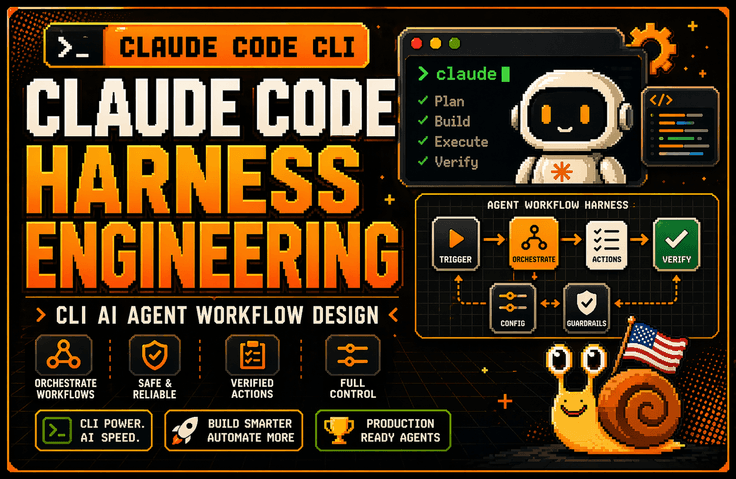
The restructured study materials for the essential content of the Claude paper have been prepared after reviewing public requests from students, and
reorganized to include only the essential content so that you can use it for learning and as a basis for decision-making
You can download it from the Section 8 CodeCraft Practice section.
In addition, lectures for each model, Opus 4.8/Fable5/Opus5,
Additionally, the Graph Engineering lecture has been added.
<CodeCraft Practice Materials Update Notice>
This is a private GitHub repository for Graph Engineering & CodeCraft practice and learning materials.
The person who became a hot topic as a high school dropout researcher at OpenAI is Gabriel Peterson from Sweden. After dropping out of high school, he joined the OpenAI Sora team, a group of PhD-level researchers, through self-directed learning using ChatGPT and hands-on projects.
The learning materials were created using the top-down learning method elements mentioned by Gabriel Peterson.
github CodeCraft Practice (including prompt guides for each model) materials provided
Due to the nature of the lecture, the practice materials are provided via a private repository to ensure they are accessible only to students.
We ask for your understanding, and please provide your Inflearn nickname and GitHub via the Google Form
Please submit one of the following three: username, full name, or email
We will add you as a Collaborator.
https://forms.gle/xNjsfF98hnM963HE9
<Information on some CodeCraft practice materials, details can be found in the Readme.>
Harness configuration files to copy and use immediately
We provide all the harness settings created in the lecture in the form of completed files.
After taking the lecture, you can simply copy and apply them to your own project without having to rewrite them from scratch.The following configurations are provided.
CLAUDE.md
Defines the working rules that Claude should follow within the project.codecraft-harness/SKILL.md
Transforms short, ambiguous one-sentence requests into concrete designs and implementation plans.solid-review/SKILL.md
Before starting implementation, check if the separation of concerns is appropriate and ensure the design is not unnecessarily complex.block-sensitive-paths.sh
Blocks access to sensitive files and paths, such as.env, SSH keys, and parent folders of the project., SSH Key và các thư mục cấp cao hơn của dự án.run-tests-after-edit.sh
Automatically runs relevant tests every time Claude modifies a file.block-stop-without-tests.sh
Prevents reporting the task as complete if tests have not been run or if the tests have failed.guard.sh
It blocks unauthorized external network requests to configure a secure execution environment.
The hooks included in the lecture are not just simple example codes.
They have all been executed and verified to work in a real environment.Once you register the configuration file, tests will run automatically every time Claude modifies the code, and it will be unable to arbitrarily end the session by claiming "task complete" if the tests are in a failed state.
In other words, you will learn how to go beyond simply asking Claude to verify via prompts and instead make the system forcibly execute the verification process.
3. Model-Specific Prompt Playbook
Even when using the same harness, the instructions that each model follows well and the instructions they tend to miss vary.
In this lecture, instead of using the same prompt for all models, we provide 5 types of copy-and-paste prompt blocks that outline which instructions to remove and which to add to suit the characteristics of each model.
Opus 5
Reduces the self-verification instructions performed by the model to prevent unnecessary redundant tasks.Opus 4.8
Specifies tool execution conditions more clearly to ensure the necessary tools are used at the exact right time.Sonnet 5
Covers how to write the files to be modified and the scope of application in literal and specific detail.Haiku 4.5
Write out the execution procedures step-by-step to ensure stable operation even on models without the effort option.Fable 5
We provide, for reference, a method of leaving only the necessary prescriptions without giving excessive instructions to the model.
Each playbook also includes the following:
Parameter combinations that cause a
400 Errorwhen requestedDifferences in default parameters and behavior by model
A record table for comparing results while changing the effort value
Lab 04 Practice: Running the same prompt on multiple models and comparing the results
Rather than simply explaining "which model is better," you will learn how to directly find the optimal settings for each model by repeatedly executing the same tasks and recording the results.
Graph Engineering Practice Materials — Lab 05
You will directly compare the method of processing complex tasks sequentially all at once with the Graph Engineering method, which divides multiple tasks based on their dependencies.
Interactive Learning Sheet
You can use it by opening the HTML file in a browser without any separate installation or server execution.
You can play back step-by-step how the same request is processed differently in the following two methods.
Loop-type execution that repeats a single flow
Graph-based execution, which divides tasks into multiple nodes and dependencies
By selecting each step, you can also check the configuration file that created the corresponding action, allowing you to immediately understand the relationship between the execution results and the settings.
Step-by-step learning guide
A total of 645 lines of learning guides are provided.
Instead of explaining theory at length from the beginning, it is structured in the following order.
Check Results → 30-Minute Practice → Core Concepts → Advanced Theory
The learning paths are also separated into one for non-majors and another for students with development experience.
With Vibe Coding, even those using Claude Code for the first time can start with hands-on practice, while developers can dive deeper into internal operations and design principles.
3 types of demo projects you can run yourself
Instead of just reading configuration files, you will run
claudein an actual project folder to personally verify the process of how hooks block and validate tasks.Each project intentionally includes the following issues.
Type errors
Test failure
Logic bugs that appear normal on the surface
Students will experience the following flow firsthand.
Problem Detection → Task Blocking → Code Correction → Test Execution → Verification Passed
Loop-type projects and graph-type projects use the same code, with only the harness settings configured differently.
Therefore, you can accurately compare how results differ based on the way tasks are organized, rather than due to differences in the code.
Reference Documentation
Practical documentation is provided so that you can refer to it when configuring projects or solving problems even after completing the lecture.
Environment Setup Guide
Summarizes how to prepare the execution environment, how to register Hooks, and common errors with their solutions.Skill / Hook / CLAUDE.md / Test Role Differentiation
Explains what each component is responsible for and which tools to use for specific problems.Harness Inspection Checklist
You can verify whether prompts, design, implementation, testing, and completion conditions are all included.Question Cards and Test Cards
Provides questions to use when requirements are ambiguous, test design criteria, and verification table templates.Model-specific Playbook Documents
Organize parameters, behavioral characteristics, and prompt writing standards for each model in one place.Model Evaluation Record Sheet
You can compare and record results after running the same task with various models and settings.
These materials are not just simple lecture supplements, but are structured as a Claude Code Harness Operation Manual that can be used repeatedly in actual projects.
<Important>
Additionally, once you access GitHub
CodeCraft
/labs
/05-graph-engineering
/graph-engineering-study.html path to see the demo of the difference between graph engineering and loops with your own eyes
we have made it available for you to learn.

You can check it immediately by downloading the html file using the download button (the second one to the right of the Raw button among the buttons on the right) and then double-clicking it to open it in your browser.
