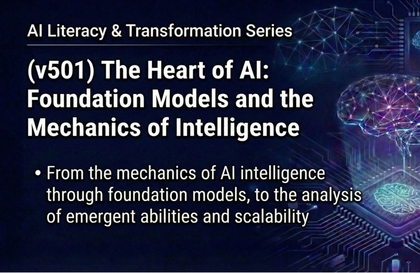
[Understanding AI Foundation Models and Their Operating Principles: Engineering Control and System Architecture,
Practical Methodologies for Resolving AI Uncertainty and Engineering Assetization]
1. Introduction: The Necessity of Engineering Control of Intelligence (Engineering Control vs. Systemic Chaos)
A core conclusion derived from long-term practical insights in industrial fields is that power that is not properly controlled acts as a potential liability rather than an asset. Even a high-performance engine is nothing more than an unstable physical mass if it lacks sophisticated combustion logic and microsecond-level control systems. The organizational chaos currently appearing in the process of adopting Generative AI is judged to stem from a lack of understanding of these control principles and a blind faith in technical "black boxes."
This masterclass redefines Artificial Intelligence not as a mysterious stochastic phenomenon, but from the perspective of Model-Based Engineering (MBE). By transforming the uncertain domain of intelligence into a predictable and reliable engineering framework, we aim to present a strategic methodology that allows organizations to secure strong leadership across the entire system without being dependent on technical trends.
2. The 4 Pillars for Solving Core Challenges
① Epistemological Paradigm Shift: Visualizing the Black Box and Assetizing Technical Debt
Many companies are facing "technical debt"—characterized by exposure to security vulnerabilities and exponential increases in maintenance costs—by adopting AI models without a clear understanding of their internal structures. This course assetizes this through the following approaches:
Deconstruction of Mechanisms: We engineeringly deconstruct the Self-Attention mechanism, the core of the Transformer architecture, from the perspective of numerical weight analysis. By understanding the numerical mechanisms that determine information priority, we visualize the basis for the model's judgment.
Analysis of ID Formation: We transparently track the process by which a series of pipelines—leading from Pre-training to Supervised Fine-Tuning (SFT) and Reinforcement Learning from Human Feedback (RLHF)—forms the model's technical identity and ethical guidelines. This converts invisible threats into controllable system parameters.
② Securing Deterministic Reliability: Hallucination Control Strategies to Overcome Probabilistic Limits
Large Language Models (LLMs) are not systems that reason for truth, but systems that generate the next most probable token. The "hallucination" phenomenon resulting from this inherent characteristic becomes a fatal flaw in engineering fields where reliability is vital.
Constraints of Retrieval-Augmented Generation (RAG): We move away from closed structures that rely solely on the model's internal fixed memory (Internal Weights). We establish an "open-book strategy" that provides clear grounding for generated results by allowing real-time reference to trusted external knowledge bases.
Hybrid Model Architecture: We design a redundancy strategy that achieves both accuracy and operational efficiency by deploying large models for areas requiring enterprise-wide knowledge and optimized Small Language Models (SLMs) for specific domains where security and real-time response are essential.
③ Computing Architecture Optimization: Overcoming Physical Bottlenecks (Memory Wall)
While intelligence is implemented in software, its performance and economic sustainability are defined by the physical limits of hardware.
Physical Constraint Analysis: We diagnose the "Memory Wall" problem, where data transfer speeds cannot keep up with the processing speeds of computing units, and heat generation issues resulting from high-density computation from an engineering perspective.
Infrastructure Design Capability: We precisely analyze the physical impact of High Bandwidth Memory (HBM) stacking structures and 2.5D/3D advanced packaging technologies on inference efficiency. We cultivate design capabilities to optimize Total Cost of Ownership (TCO) through full-stack integrated insights that complement hardware limitations with software architecture.
④ Acceleration of Functional Expansion: Transitioning from Passive Tools to Autonomous Agent Systems
Current AI remains at the level of simple Q&A, failing to create added value for practical business automation. This course evolves AI into an active subject that judges and executes on its own.
Decomposition: We learn techniques for decomposing complex goals into achievable sub-tasks and logically organizing the execution sequence upon receiving them.
Digital Workforce Deployment: We define the process of applying "Active Agent" systems to the field, which autonomously call internal ERPs, browsers, and external APIs to complete actual business logic and accept feedback on results.
3. Core Architecture: Closed-loop Control System
The way an AI agent manifests intelligence and performs complex tasks is theoretically identical in logical structure to the closed-loop control system performed by an ECU (Electronic Control Unit), the core brain of a car. This course analyzes this in detail from the perspective of the ReAct (Reasoning and Acting) framework.
First, the system begins at the Input stage, receiving ambiguous and complex requests from the user. This plays the same role as a sensor in control engineering collecting physical data from the external environment and delivering it to the system, serving as the standard for defining the initial state of the task at hand.
Second, based on the received data, the Thought stage proceeds, where plans are established through logical reasoning within the LLM architecture. This is in line with the process where control algorithms in an ECU calculate optimal control values by processing input sensor data. At this stage, the agent sets the optimal path to achieve the goal and secures the logical rigor of the system.
Third, the Action stage follows, where tasks are completed by calling external tools or APIs according to the established plan. This logically matches the mechanism where the calculation results of a control system are converted into physical power through an actuator to execute commands. Through this, intelligence exerts actual physical and digital influence beyond abstraction.
Finally, the Observation stage is performed, analyzing the execution results and correcting errors relative to the initial goal. This is identical to the core principle of control engineering, which reduces system deviation through a feedback loop. The agent self-verifies whether the execution results meet the goal and continuously upgrades performance by reflecting occurred errors into the next action plan.
AI equipped with such a closed-loop structure is no longer an incomplete system dependent on probability. By securing engineering rigor that self-verifies execution results and corrects errors, it functions as a trust-based partner capable of performing business-critical tasks.
4. Practical Application and Expansion: Software-Defined Vehicles (SDV) and Physical AI
The final destination of AI architecture lies in the cross-industry proliferation of Software-Defined Vehicles (SDV) and Physical AI, which overcome and evolve physical constraints through software intelligence. This is the standard model for future System Integration (SI) across manufacturing and service industries.
Securing Edge Intelligence and Data Sovereignty: Small models (SLMs) mounted on-device in vehicles or facilities learn real-time field data immediately. This minimizes cloud dependency, perfectly protecting data sovereignty—a core asset of the company—and enables precision services based on ultra-low latency.
Hardware Optimization and Lightweight Engineering: To implement the best intelligence within limited power and computational resources, we actively introduce model compression technologies such as Quantization, Pruning, and Knowledge Distillation. Model deployment considering hardware bandwidth becomes a core competency that determines system response speed and user experience.
Hybrid Orchestration: We design an integrated architecture that organically connects "Cloud LLMs" possessing broad general knowledge with "Edge SLMs" specialized for specific physical control and security. Integration from a full-stack perspective, penetrating from silicon chipsets to software stacks, provides a powerful competitive advantage that evolves the entire system through software updates alone.
5. Conclusion: The Role and Vision of the AI Architect
The ultimate goal of this masterclass is to elevate students from the position of a "User" who passively relies on technology and hopes for luck, to a professional "AI Architect" who perfectly controls and tunes everything from the physical limits of the system to the depths of the software architecture.
While the phenomenon of intelligence manifests from software logic, it is silicon (hardware) that defines the physical limits of that intelligence, and only sophisticated engineering can overcome those limits to complete actual business value.
"Intelligence may reside in the realm of probability, but the vessel that contains that intelligence and makes it operate according to purpose must belong solely to the realm of rigorous and sophisticated engineering."