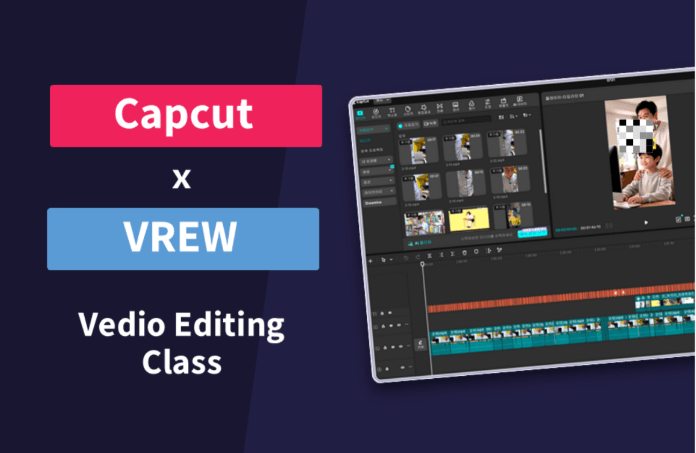
30-Minute YouTube Editing - From CapCut to Vrew Subtitles

By combining Vrew's automatic AI subtitle generation with CapCut's intuitive editing features, you can create high-quality YouTube videos in under 30 minutes, even with zero prior video editing experience. You will learn a practical video production process by connecting the core functions of both tools into an efficient workflow.

6 learners are taking this course

Level Beginner

Course period Unlimited

Youtube Creator
Youtube Creator
Content Creation
Content Creation
uv-mapping
uv-mapping
agents
agents
CapCut
CapCut
Youtube Creator
Youtube Creator
Content Creation
Content Creation
uv-mapping
uv-mapping
agents
agents
CapCut
CapCut

What you will gain after the course

  • Building a 30-minute video production workflow connecting Vrew AI subtitle automation and CapCut editing

  • Execute the entire production process from YouTube content planning to upload

  • Applying efficient video editing automation techniques using AI tools

Did you think you needed 300,000 won just to open an editing program?

The moment you decide to start YouTube, the first wall is always editing. Premiere Pro's monthly subscription fee is burdensome, and even if you install it, there are a hundred buttons on the screen, so you don't even know where to click. In the end, the footage you filmed just sits dormant in your gallery, and you keep repeating, "I'll definitely upload it next week."


I, too, stood in that spot for a long time.

I have taught video editing for over six years and have even stood at university lecterns, but where beginners break down has been the same every time. It wasn't because the functions were difficult, but because they gave up because there were too many functions. So, I went the opposite way. I reduced the tools to one and cut down the functions used to fewer than twenty. As a result, the time it took to produce the first video dropped from a day to just one hour.

The answer is CapCut.


CapCut is free. You can install it right now without any payment. You can work on your PC and then continue editing on your phone while on the subway; the entire process required for editing—from cut editing and subtitles to transitions, background music, and color correction—is completed within this one app. Tasks that required switching between multiple windows in Premiere are handled on a single screen in CapCut. Therefore, it is the fastest path for beginners and the lightest path even for those who are already editing.

This course does not list every single feature of CapCut. It covers only the essential functions needed to complete an actual video in a step-by-step order.


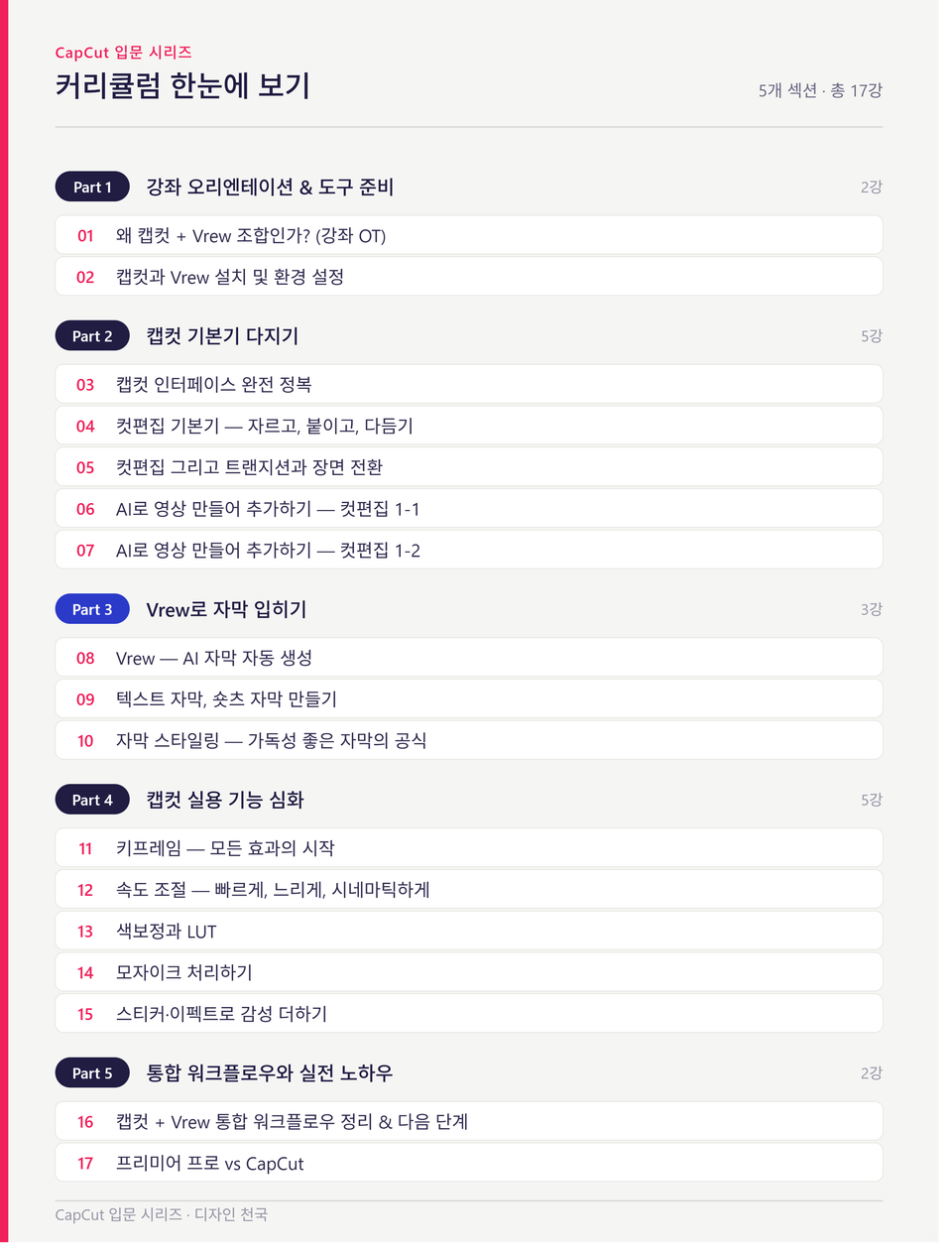
Curriculum

  • Installing CapCut and Screen Structure — Starting from where to click

  • Basics of cut editing: trimming, merging, and speed adjustment

  • Transition effects and filters, standards for using them without overdoing it

  • Creating Text and Captions — The formula for highly readable captions (font, size, outline, background)

  • The difference between subtitles for YouTube and subtitles for Shorts, and how to create each.

  • If the video has a lot of subtitles? A shortcut to generate a draft with Vrew and import it into CapCut

  • Inserting background music and sound effects, and copyright safety standards

  • Improving the quality with color correction and aspect ratio adjustment

  • Export Settings — From Resolution and Quality to Upload Optimization

Just follow along and click exactly as shown on the screen. Technical terms will be explained in plain language whenever they appear.


However, I do not recommend this to the following people.
It is not suitable for those who are already proficient in Premiere or Final Cut, or those who want 3D motion graphics or high-end color grading for broadcasting. This course is clearly an introductory course for beginners.


Instead, if you are one of these people, today is the best day to start.

  • Those who want to start YouTube, Reels, or Shorts but are stuck at the editing stage

  • A complete beginner who has never even opened an editing program before

  • Those who want to get it done using free tools without spending any money

  • Solo creators who want to continue editing on their mobile phones

The longer you spend learning how to edit, the more the growth of your channel is delayed. This course was created to shorten that time. If you start today, you can upload your first video within this week.

Please click the enrollment button now. Your first video is much closer than you think.


Who is Design Heaven?


"Why a Premiere Pro and After Effects Master Instructor Chose CapCut"


Hello, I am 'Design Heaven,' helping creators grow. I have taught professional video editing programs like Premiere Pro and After Effects to numerous students. At the same time, I am a practitioner who directly manages YouTube channels and blogs while conducting content marketing in the field.

The pace of the content market is getting faster and faster. What matters more than flashy techniques is "how quickly and intuitively you can turn your planning into a video."

80% of the complex features in professional tools are not immediately necessary for beginners. With the sharp eye of a Premiere Pro instructor, I have selected only the core functions and practical workflows of CapCut that will drastically reduce your time. Design Heaven will guide you through the shortest path to light and fast video editing, taught by an instructor who handles the heaviest tools.

[Summary of Career/Biography]

  • Current) CEO of Design Heaven and Professional Instructor in Video Editing (Premiere Pro/After Effects)

  • Current) Operating a YouTube channel and business blog specializing in IT, marketing, and design

  • From beginners to experts, reached a cumulative total of 1,211 students

Recommended for
these people

Who is this course right for?

  • A beginner creator who wants to start a YouTube channel but has no prior experience in video editing.

  • Solo content creators who find it difficult to invest a lot of time in video production

  • Marketers who want to quickly create videos with AI tools and upload them to social media or YouTube

Need to know before starting?

  • Basic computer file management and program installation skills

  • Experience in watching YouTube videos and basic internet usage

  • Interest in video content production and a willingness to learn

Hello
This is contentsheaven

1,217

Learners

91

Reviews

14

Answers

4.7

Rating

7

Courses

Hello, I am Kim Ho-seung of 'Content Heaven'.
I am someone who teaches Minecraft, video editing, and blogging, holding onto the single sentence, "Let's restore the joy of learning."

Are you perhaps feeling lost right now, thinking, "When on earth will it be my turn..." because you're working hard but don't see any results?
I know exactly how that feels. Because I was right there in that same spot.

In February 2019, my blog's monthly views were less than 200.
Far from getting sponsorships, I seriously considered giving up, wondering if I should even continue.
Then, in December of that year, I started digging in properly. I analyzed trending posts versus buried ones one by one and found the 'principles of success.'
As a result, it became a blog that consistently exceeds 1,500 to 2,000 daily views — and from then on, good things started following one after another.

It felt like a waste to enjoy this change all by myself. That is why I opened this course.
I want to share the principles I discovered so that you don't have to take the long way around as I did.

This is the path I have walked so far.
· 6 years of continuous lecturing, from Minecraft convergence education to blogging
· Selected as a Naver Influencer in 2021, still actively participating
· Kyung Hee University video editing lecture — researching on-site "what" beginners find difficult
· Sharing basics for free on YouTube that are helpful to know before starting Inflearn

I will continue to share what I know without ceasing.
Won't you join me in rediscovering the 'joy of learning'?
👉 Naver Influencer: in.naver.com/contentsheaven

More
Published: 
Last updated: 

Reviews

Not enough reviews.
Please write a valuable review that helps everyone!

contentsheaven's other courses

Check out other courses by the instructor!

Similar courses

Explore other courses in the same field!

Limited time deal

$17,600.00

50%

$27.50