
강의

멘토링

커뮤니티

Design

/

Graphic Design

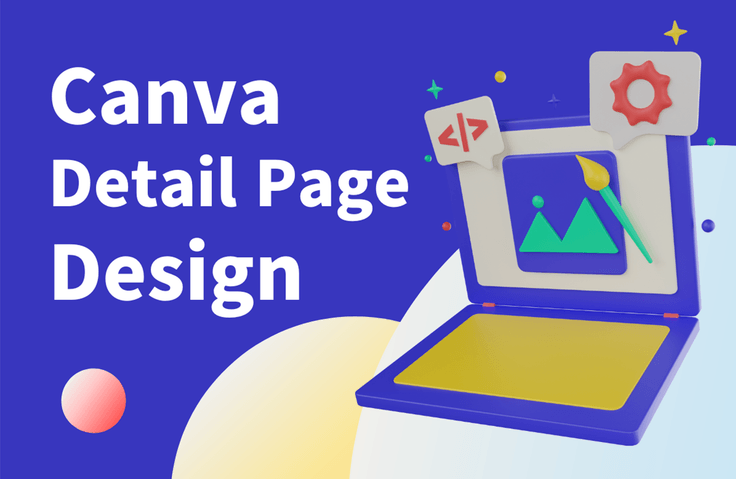
Designing my product detail page with Canva

This is an introductory course that teaches you how to design product detail pages used in online courses, shopping malls, etc. using Canva, a popular design tool.

(4.3) 4 reviews

41 learners

Level Beginner

Course period 3 months

  • codingai
canva
canva
Web Design
Web Design
canva
canva
Web Design
Web Design

What you will gain after the course

  • Basic usage of Canva

  • Product Detail Page Canvas Design Practical Skills

  • How to design a clone

  • Useful tips for Canva

Learn basic design skills
Design your product detail pages with Canva! 💻

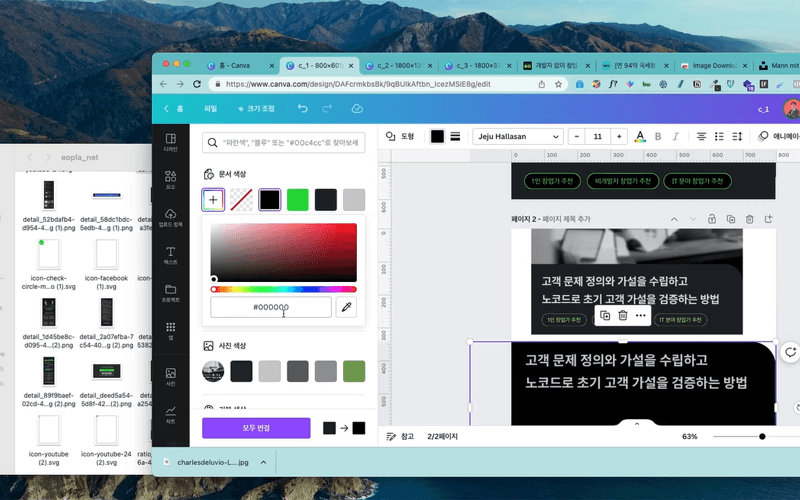
Using Canva
Creating a Detail Page 📝

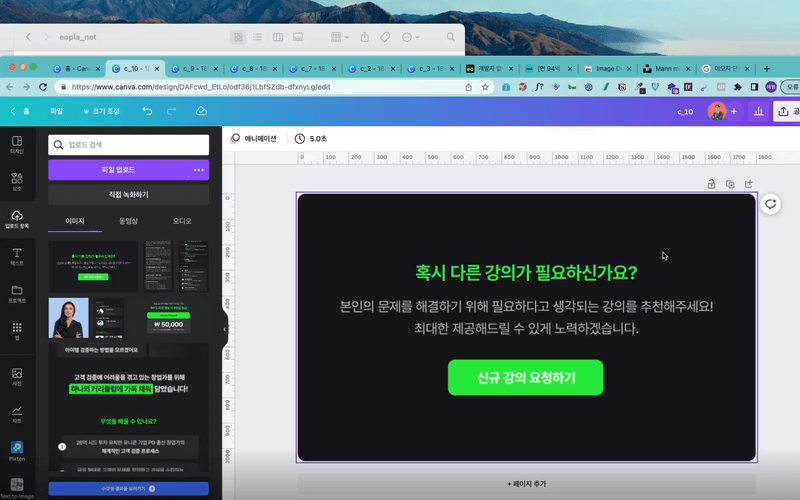
Designing a Clone for the New Lecture Request Section
Designing a Thumbnail Clone

This introductory course teaches you how to design product detail pages for online courses, online stores, and more, using the popular design tool Canva. By taking this course , you'll leverage Canva's diverse features and effects to create clone designs of various product detail pages. You'll also learn how to leverage Canva's various integrated apps to enhance your design workflow.

This course provides detailed explanations with concrete examples that even beginners can easily follow. Therefore, even those without basic design knowledge can easily understand and learn. This course is ideal for anyone interested in product detail page design or anyone looking to enter the design field to acquire fundamental design skills.

I recommend this to these people 😌

🛒

shopping mall operator

Anyone who is having difficulty designing the detailed pages required to sell products in a shopping mall

🎨

Design beginner

Basic concepts of design or
Those who want to learn skills

🧑🏻‍💻

People interested in design

Create your own with Canva
Anyone who wants to try design work

👩‍🎓

Students preparing for employment

Acquire basic design knowledge
Those who want to increase their job competitiveness

💡A brief introduction to the lecture

This hands-on, cloning course follows the detailed page design of a sample website step-by-step using Canva. This course is easy to follow, even without specialized design knowledge, and anyone from beginners to experts can take it to improve their design skills.

✔️ Notes before taking the course

  • Computer and Internet connection environment
    This course is online, so a computer and internet connection are required. You'll also need access to the Canva website.
  • Create a Canva account
    Canva is an online design tool, and this course will use the Canva website to create your designs. Therefore, you'll need to sign up and create an account. This course will cover the sign-up process.
  • It's available on VOD so you can watch it anytime for 3 months.
  • If you have any questions, please leave them in the open chat room . (Entry code: webtan) We'll help you develop the skills to create a variety of designs!

Recommended for
these people

Who is this course right for?

  • 🛒 Shopping mall operators: Those who have difficulty designing detailed pages required to sell products in a shopping mall.

  • 👩🏻‍💻 Design beginners: Those who want to learn basic design concepts or skills.

  • 🧑🏻‍💻 For those who are interested in design as a hobby: Those who want to try their hand at creating their own designs using Canva.

  • 👩🏻‍🎓 Students preparing for employment: Those who want to acquire basic design knowledge to increase their competitiveness in employment.

Need to know before starting?

  • There is no knowledge that needs to be learned in advance.

Hello
This is

703

Learners

81

Reviews

24

Answers

4.3

Rating

6

Courses

Hello! I'm Ake, a planner with 20 years of experience and an expert in AI coding and Figma.

I have been planning web and app services and working as a PM for 20 years. I am also an expert in AI-assisted coding and UI/UX planning using Figma.

Introducing AI tools like Claude and ChatGPT into the planning process has innovated the way I work. Target analysis and persona creation, which used to take days, have been shortened to just a few hours, and by combining Figma with AI, anyone can now create professional-level planning documents.

I have accumulated know-how in utilizing AI throughout the entire process from planning to development, and I have personally experienced how it enables faster and more efficient service development.

Now, I want to share with you the planning expertise and AI proficiency I have accumulated over the past 20 years. Let’s take the first steps toward a new way of service development—from planning to execution—together with AI.

Service planning and development used to be complex and difficult, but now anyone can do it with AI!

Curriculum

All

22 lectures ∙ (5hr 20min)

Published: 
Last updated: 

Reviews

All

4 reviews

4.3

4 reviews

  • n03192295385nohk8390님의 프로필 이미지
    n03192295385nohk8390

    Reviews 1

    Average Rating 4.0

    4

    32% enrolled

    • kljj86045333님의 프로필 이미지
      kljj86045333

      Reviews 1

      Average Rating 5.0

      5

      45% enrolled

      Okay!

      • hojinjang3591님의 프로필 이미지
        hojinjang3591

        Reviews 1

        Average Rating 5.0

        5

        100% enrolled

        thank you

        • jwc7506님의 프로필 이미지
          jwc7506

          Reviews 1

          Average Rating 3.0

          3

          68% enrolled

          Lectures 3-5 and 3-6 have the same content.

          $68.20

          codingai's other courses

          Check out other courses by the instructor!

          Similar courses

          Explore other courses in the same field!